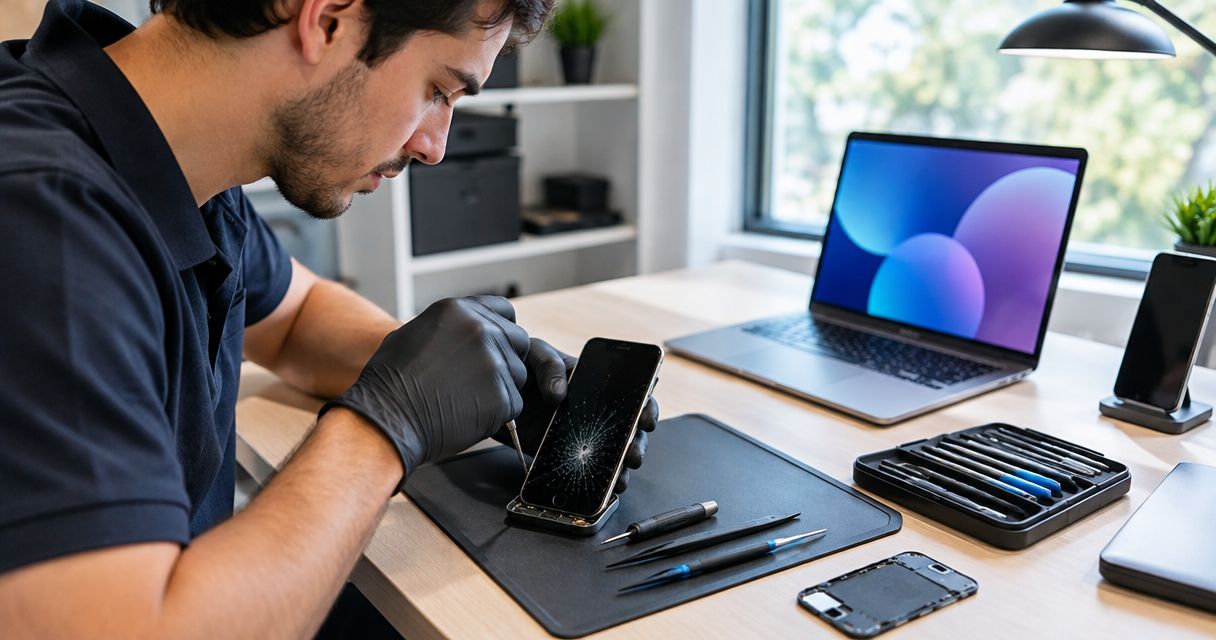
Instead of making repeated trips with a cracked phone, use this same day cracked screen repair workflow to document the damage, protect your data, arrange an appointment, and approve the repair after inspection. For Edmond and Oklahoma City customers in 2026, same-day completion is a timeline to confirm with the repair provider—not a promise created by booking an appointment.
- Aspect Phone Solutions suits Edmond and OKC customers seeking appointment-based smartphone repair.
- A same day cracked screen repair workflow starts with damage notes, data backup, and appointment confirmation.
- Approve screen repair after inspection establishes the work and confirms the price.
- Check the display, touch response, and calling functions before accepting the repaired phone.
Why this matters
A cracked screen is a visible problem, but it does not establish the full repair scope. A phone with damaged glass and normal touch response needs a different assessment from a phone with a black display, bent frame, or liquid exposure.
Aspect Phone Solutions is best for Edmond and OKC customers seeking appointment-based smartphone repair. Start with Aspect Phone Solutions to arrange the service discussion rather than treating the business as a walk-in destination. Prices are confirmed before authorization.
This 2026 guide uses 4 stages: preparation, appointment confirmation, repair authorization, and pickup checks. Each stage produces something concrete: a damage record, an agreed visit, an approved scope, or a tested phone. Keep those stages separate so a request for fast service does not become permission for unspecified work.
Before you start
- Prepare access and materials: Have the damaged phone, its exact model, a way to receive appointment messages, and access to your backup account. Use another device for communication if the damaged phone is unreliable.
- Write down the symptoms: Record when the damage happened, whether the display lights up, whether touch works, and whether there was liquid exposure. Include existing problems so they are not mistaken for new repair issues.
- Resolve the access problem first: If the damaged phone is your only way to receive account verification codes, establish another approved sign-in method before handing it over. A working backup does not automatically give you access to your accounts.
Do not keep using a phone with loose glass, a separating screen, unusual heat, or visible swelling. Stop pressing on the damage, and do not charge a visibly swollen device. Tell the repair provider about those symptoms before arranging transport or handling instructions.
Damage record and data preparation
Document the phone before the appointment
- Identify the model. Copy the model from the phone's device information if you can safely use it. Otherwise, use the original packaging, purchase record, or account device list. Do not identify it only by color or screen size.
- Record the damage. Note whether the crack is confined to the glass or accompanied by lines, dark patches, flickering, or missing touch response. These observations describe symptoms; they do not diagnose the failed part.
- Record the incident. State whether the phone fell, was crushed, or contacted liquid. Include any charging or battery problems that existed before the screen broke.
- Photograph the condition. Use another device to capture the front, back, and edges without pressing on broken glass. Keep the photographs for your own record.
Expected result: You have a clear description of the phone and its condition. The repair provider does not have to infer the model or reconstruct the incident from a vague request for a screen fix.
Protect what is on the phone
- Back up the phone using its supported backup method if the display and touch controls still work safely.
- Check the backup's completion status. Starting a backup is not the same as finishing one.
- Confirm that you can access the backup account from another trusted device. Keep passwords and recovery information private.
- Ask what device access the technician needs for testing. Agree on a way to complete those checks without sharing unrelated account credentials.
Keep 2 records together: your symptom note and your backup status. If you cannot complete a backup, record that clearly before service. Screen replacement and data recovery are different tasks; authorizing one does not establish an agreement for the other.
Expected result: You know what data protection you completed and what remains unresolved. You also have a communication method that does not depend on the damaged phone.
Appointment and repair scope
Confirm the visit before traveling
- Contact the provider with the exact model and symptom note. State that you are requesting same-day completion, not assuming it.
- Confirm the appointment details and where to bring the phone. Ask what must happen before a completion time can be agreed.
- Explain any deadline, such as needing the phone back before leaving Edmond or returning to work in OKC. Ask whether that deadline can be met after assessment.
- Arrange a separate contact method for inspection findings and authorization. Do not leave the only usable contact number on the phone being repaired.
An appointment establishes when the provider expects to see you. It does not, by itself, establish the diagnosis or completion time. For a 2026 repair request, keep the appointment time and proposed pickup time as separate entries in your notes.
Expected result: You have an agreed visit and a clear understanding of what remains subject to inspection. You can receive an update while the phone is out of your hands.
Choose the right assessment path
A working display does not prove that only the outer glass needs attention. Conversely, a black display does not establish that the entire phone is unusable. Let the symptoms determine the assessment rather than choosing a repair solely from the visible crack.
| Assessment path | Best for | Advantage | Limitation |
|---|---|---|---|
| Screen-focused assessment | Cracks without reported charging, frame, or liquid-related symptoms | Keeps the initial discussion focused on the display and touch response | Inspection still determines whether damage extends beyond the screen |
| Broader damage assessment | Cracks accompanied by liquid exposure, frame damage, charging trouble, or repeated shutdowns | Addresses the additional symptoms before authorization | The repair scope and completion timeline need reassessment |
Choose a screen-focused discussion only when your symptom record supports it. Report other problems at intake even if getting the screen fixed is your main priority. Leaving them out makes the initial request less useful.
If liquid exposure accompanied the crack, use the water-damage phone repair guide for OKC to prepare that discussion. Do not charge a wet phone simply to check whether the screen still works.
Inspection and authorization
Approve defined work, not an open-ended repair
- Review the findings. Ask the provider to explain what needs repair and which reported symptoms the proposed work addresses. Request plain-language explanations for unfamiliar terms.
- Confirm the price after inspection. Aspect Phone Solutions confirms prices before authorization. Review the proposed work before giving permission to proceed.
- Confirm the completion plan. Ask whether the inspected repair can be completed within your requested timeline. If the answer changes, decide whether the revised plan still meets your needs.
- Set a change rule. Ask the provider to contact you before performing work outside the approved scope. Make sure the authorization record describes what you accepted.
Expected result: The repair scope, confirmed price, communication method, and completion plan are understood before work proceeds. A same-day request does not replace informed authorization.
The decision sequence is simple: inspect, confirm, authorize, test. Do not reverse it by approving unspecified repairs simply because you need the phone quickly.
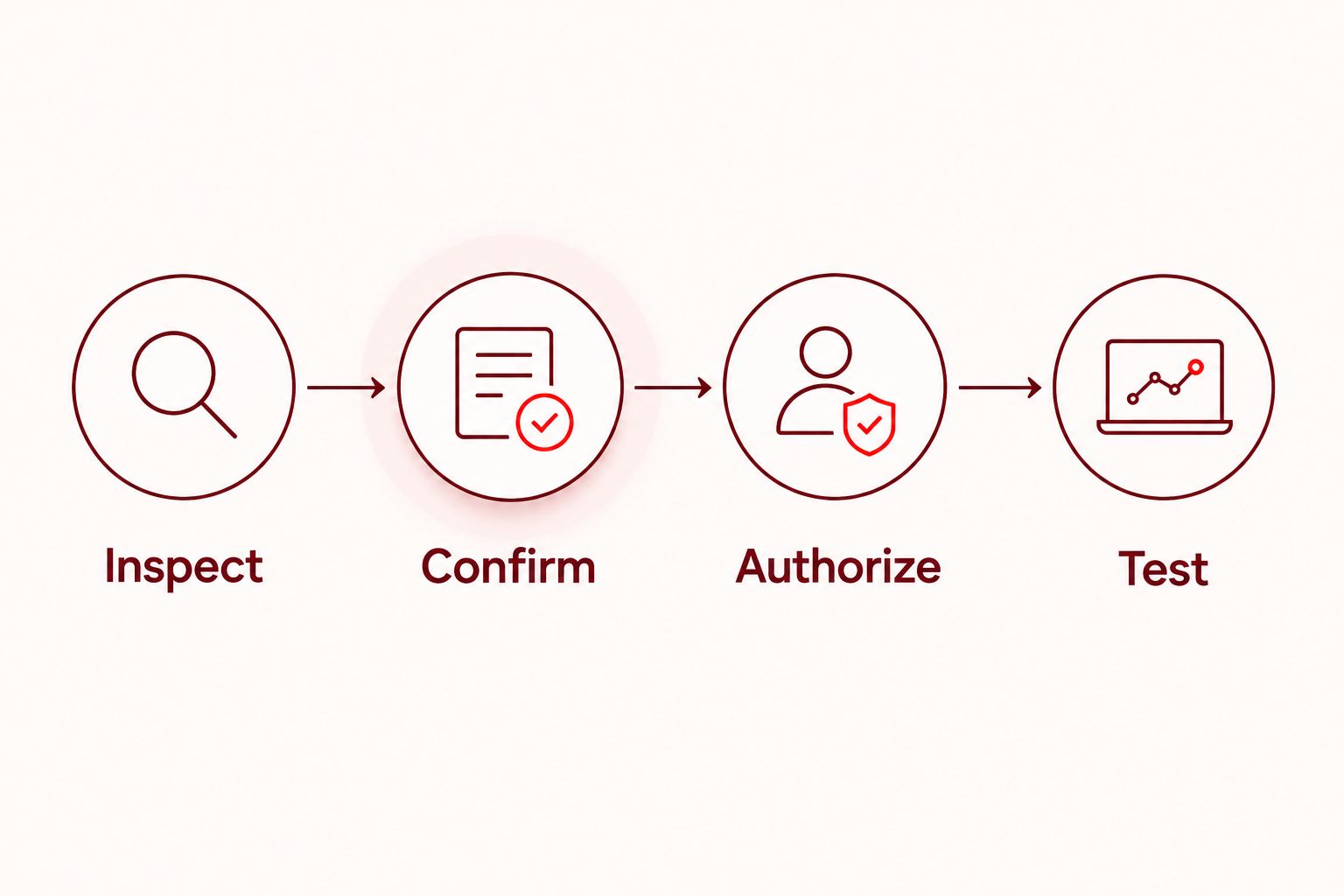
If inspection changes the plan, ask which finding caused the change. A bent frame, an additional fault, or an unresolved access problem requires a specific explanation—not just a revised pickup time.
Keep the handoff clear
Before leaving, ask what happens next and how you will receive the update. Keep your authorization record somewhere other than the phone under repair.
Do not send account passwords in appointment messages. If testing requires unlocking the phone, ask how access will be handled and whether you can participate in the final checks. Follow the phone manufacturer's preparation instructions where applicable.
Expected result: You know who will contact you, what decision that contact requires, and which work is already authorized. You do not have to reconstruct the agreement at pickup.
Pickup checks and repair completion
Check the phone before accepting it
- Display check: Look at a plain screen and ordinary content. Check for unexpected lines, dark areas, flickering, or uneven response when you adjust brightness.
- Touch check: Type a short message, scroll, and tap controls near the edges. Report missed taps or unintended touches immediately.
- Calling check: Make a test call when practical. Check that you can hear the other person and that they can hear you.
- Review any other function connected to the reported damage, such as the front camera, charging connection, or device unlocking. Compare the result with your intake notes.
Start with these 3 checks—display, touch, and calling—then test functions tied to the original symptoms. They are a practical acceptance checklist, not proof that every internal component is undamaged.
Expected result: You have checked the functions you rely on and reported unresolved symptoms while the provider can address them. Obtain the service record and ask for any repair-specific care instructions.
Ask what the repair changes about water resistance rather than assuming the original protection remains unchanged. Do not test a repaired phone by exposing it to water.
When the display no longer works
The adjacent workflow is a cracked phone with a black display or unusable touch controls. Here, the priority shifts from completing a backup yourself to explaining the access limits before inspection.
- Use another device to identify the phone and contact the provider.
- Record whether the phone rings, vibrates, or produces sounds. Report observations without treating them as a diagnosis.
- Tell the provider that you cannot unlock the phone or verify a new backup through the damaged display.
- Ask how screen assessment, data protection, and final testing will be handled before authorizing work.
Do not erase the phone just to simplify the appointment. A reset removes local data and does not repair cracked glass or a failed display. Follow any manufacturer preparation requirement deliberately, after understanding the effect on your data.
For this 2026 workflow, separate the urgent goal—restoring usable screen access—from any additional request to recover data. Ask the provider to define each task instead of assuming both are included.
Troubleshooting
- You cannot identify the exact model. Check purchase records, packaging, or your account's device list. Send what you can verify and ask for model confirmation before repair authorization.
- Verification codes go only to the damaged phone. Use an existing trusted device or the account provider's approved recovery process. Do not give the technician your recovery codes as a substitute.
- The phone has both screen damage and charging trouble. Report both symptoms at intake. Ask whether the proposed repair addresses both or whether charging needs separate assessment.
- The completion plan changes after inspection. Ask what finding changed the scope and request an updated plan before approving additional work. Decide against your actual deadline, not the original expectation.
- Touch problems remain at pickup. Show the missed taps or unintended input during the handoff. Ask for reassessment rather than assuming the behavior is a normal adjustment period.
Customize your workflow
Adapt the checklist to what the phone does for you. If you rely on it for work sign-ins, arrange an approved alternative first; if you rely on it for transportation or family coordination, save those details somewhere accessible.
For an employer-managed phone, check the organization's repair and data-access requirements before handing it over. Permission to use the device does not necessarily include permission to authorize third-party repair.
Aspect Phone Solutions provides appointment-based smartphone repair for Edmond and the wider Oklahoma City area. Use the appointment discussion to confirm the process for your specific phone, then let inspection determine the authorized work.
Arrange your repair appointment
Discuss your phone model and symptoms before traveling from Edmond or Oklahoma City.
FAQ
Can I get my cracked phone screen repaired the same day?
Same-day completion must be confirmed for your phone after the repair scope is understood. An appointment alone does not establish a completion time.
Does Aspect Phone Solutions take walk-in screen repairs?
Aspect Phone Solutions provides appointment-based smartphone repair. Arrange the visit before traveling from Edmond or elsewhere in the Oklahoma City area.
Should I back up my phone before screen repair?
Back up your phone before repair if you can operate it safely. Verify that the backup completed and that you can access the account from another trusted device.
What should I do if the cracked screen is completely black?
Contact the repair provider from another device and explain that you cannot use the display. Report whether the phone rings or vibrates, and discuss data protection and testing before authorization.
Can a screen repair fix charging problems too?
Do not assume a screen repair will resolve charging problems. Report both symptoms and ask which faults the proposed work addresses.
When should I authorize the screen repair?
Authorize the repair after inspection defines the work and the price is confirmed. Agree on how the provider will contact you if additional work is proposed.
What should I test before picking up my repaired phone?
Test the display, touch response, and calling functions before accepting the phone. Also check functions related to the original damage and report unresolved symptoms during the handoff.
One last thing
Move your account-access plan off the damaged phone before the appointment. A completed backup protects stored information, but it does not guarantee that you can receive a sign-in code while the phone is being repaired. Make that distinction part of your 2026 repair checklist, not a problem discovered at pickup.


