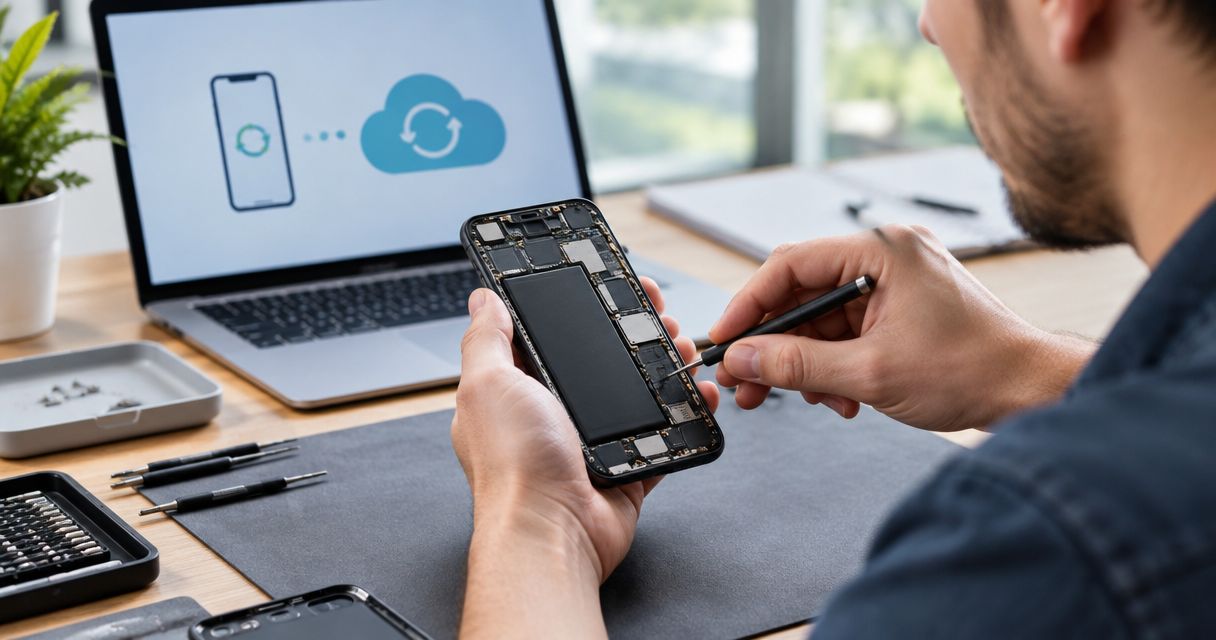
No—it is not safe to repair a swollen phone battery at home. Stop charging and using the phone; swelling signals battery damage that can lead to fire, and even a powered-off phone still contains stored energy. This 2026 guide explains what to do instead, when to treat the situation as an emergency, and how to arrange an inspection in Edmond or Oklahoma City.
- Is it safe to repair a swollen battery at home? No—stop using and charging the phone.
- Never puncture, squeeze, flatten, heat, or attempt to remove a swollen phone battery.
- Smoke, hissing, or rapidly increasing heat means move away and call 911 from a safe location.
- Aspect Phone Solutions offers appointment-based smartphone repair for customers in Edmond and the wider Oklahoma City area.
Why this matters
A swollen battery is not just a battery that runs down quickly. Expansion can push against the screen, back cover, and other internal parts, while attempts to open the phone can damage the battery further.
Your first decision is about safety, not whether the phone is worth repairing. For local appointment guidance, contact the repair service from another device and describe the swelling before bringing the phone anywhere.
Is it safe to repair a swollen battery at home?
No. A swollen lithium-ion phone battery needs professional assessment, not a home repair attempt. You cannot restore a damaged battery by releasing gas, pressing it flat, changing settings, or replacing the charger.
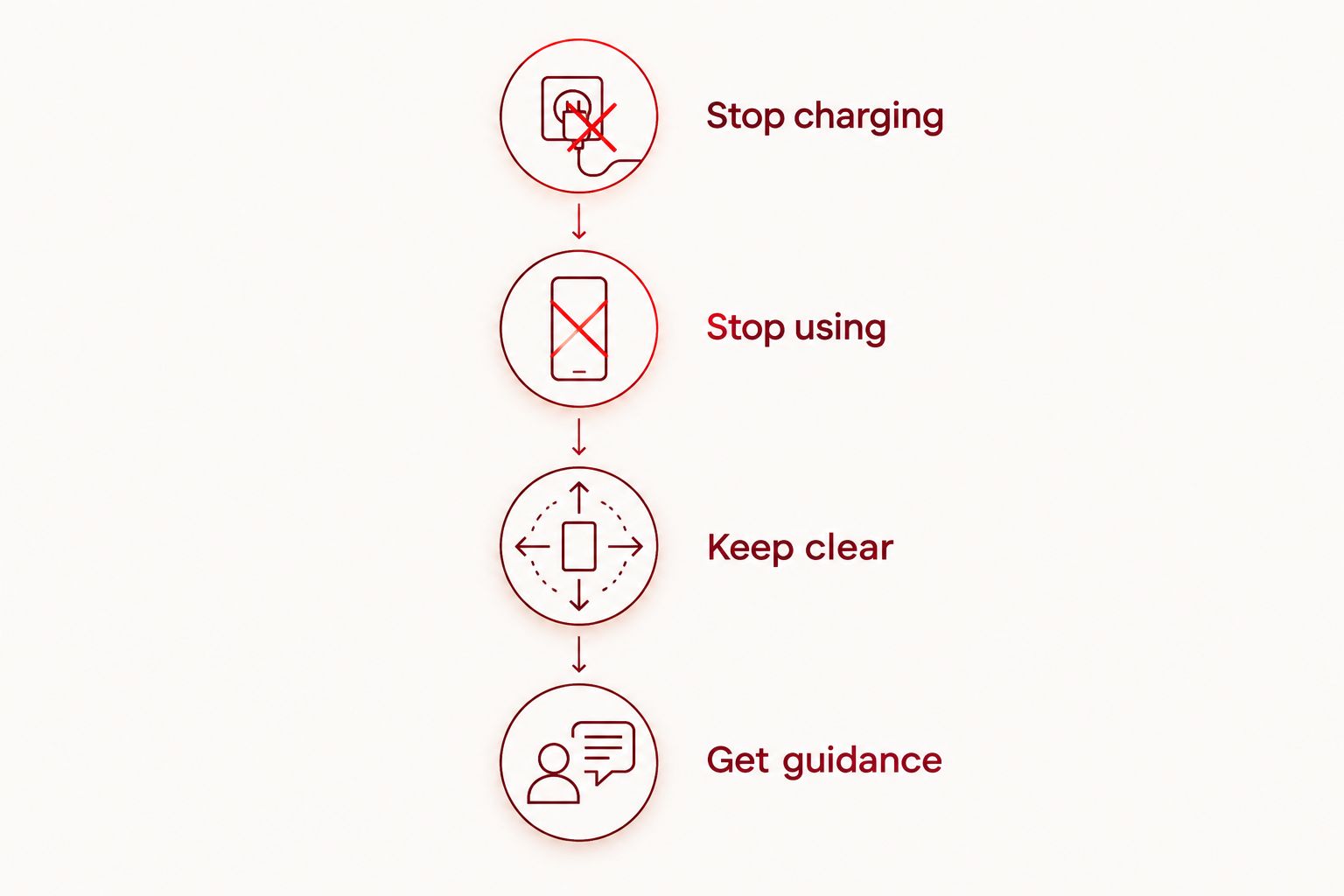
Follow these 4 steps without opening the phone:
- Stop charging. If you can disconnect power without touching a hot, damaged, or smoking device, do so. Do not reconnect a cable or place the phone on a wireless charger.
- Stop using. If the phone is cool and you can shut it down without pressing on the damaged area, switch it off. Do not keep using it to drain the battery or finish a backup.
- Keep clear. Keep people and pets away. Do not handle a hot, hissing, leaking, or smoking phone, and do not try to carry it outside.
- Get guidance. For a stable device with no active warning signs, contact the manufacturer, a qualified repair provider, or a local household hazardous-waste service. Explain that the battery is swollen before arranging a handoff.
These steps reduce unnecessary handling; they do not make the battery safe. If the condition changes while you are waiting for advice, stop treating the situation as an ordinary repair appointment.
When is a swollen phone battery an emergency?
Smoke, hissing, and rapidly increasing heat are 3 warning signs that require immediate action. Flames, venting vapor, or a strong unusual odor also mean you should move away rather than continue inspecting the phone. Do not lean over it to check for a smell.
Leave the immediate area and call 911 from a safe location if the phone is smoking, burning, or showing signs of an active battery failure. Tell the dispatcher that a phone lithium-ion battery is involved and follow their instructions.
Do not pick it up to save the furniture, put it in your pocket, or carry it through your home. Do not return for the device or attempt a repair while an active hazard is present.
A cool phone with visible swelling still needs attention. The absence of smoke does not make continued charging, home removal, or routine use acceptable.
What should you never do to a swollen battery?
The most important boundary is simple: do not try to change the battery's shape or open its casing. Swelling is damage, not trapped air that you can safely let out.
Avoid these actions:
- Puncturing or cutting: A hole can damage internal layers and trigger a fire.
- Pressing or clamping: Forcing a lifted screen or back cover shut puts pressure on the battery.
- Heating: Do not use a hair dryer, heat gun, hot plate, or direct sunlight to loosen the phone.
- Prying: Tools can slip into the battery, particularly when swelling has distorted the enclosure.
- Freezing or soaking: These are not battery repairs. Do not put the phone in a freezer or immerse it as a home remedy.
- Charging to test it: A successful startup or charging symbol does not prove that a swollen battery is safe.
A video showing battery removal from an undamaged phone is not a suitable guide for a swollen one. The damaged battery changes the risk, even if you have replaced a screen or battery before.
How do the available options compare?
Professional assessment and proper disposal address different needs. Assessment determines whether the phone can be repaired; disposal provides an appropriate route when you no longer intend to use it.
| Option | Best for | Benefit | Limitation or risk |
|---|---|---|---|
| Professional assessment | Owners deciding whether to keep the phone | Allows inspection of the battery and surrounding damage | Requires coordination; not every provider accepts swollen devices |
| Approved hazardous-waste handling | Owners retiring the phone | Provides a route for handling a damaged battery | Acceptance and handoff instructions must be confirmed first |
| Home battery removal | Not recommended for a swollen battery | No safety advantage for the customer | Puncture, bending, or short-circuit risk during removal |
| Continued use or charging | Not appropriate | No repair benefit | Leaves a damaged battery in service |
Choose professional guidance, not the option that gets the phone powered on fastest. A repair appointment is not a guarantee that the device is repairable, and a recycling location is not automatically equipped to accept damaged batteries.
Why the repair decision varies
The no-DIY answer stays the same, but the decision to repair or retire the phone depends on its condition. An inspection should address these factors:
- Screen movement: A lifted display needs assessment for damage as well as pressure from the battery.
- Back-cover separation: The enclosure needs inspection; pushing it shut does not solve the underlying problem.
- Frame distortion: A bent housing can affect whether replacement parts fit correctly.
- Heat or liquid history: Report overheating, liquid exposure, and any earlier battery damage.
- Previous repairs: Tell the technician about earlier battery, screen, or housing work.
- Your reason for keeping it: Explain whether you need a working daily phone, access to local files, or both.
For a repair decision in 2026, ask for findings specific to your device rather than relying on a generic battery-replacement description. A new battery does not fix a damaged screen, distorted housing, or unrelated fault.
What should you tell a repair shop in 2026?
Start with the hazard: say that you suspect a swollen battery. Do not describe the issue only as a loose screen or a back cover that will not stay attached.
Then provide the phone model, where you see separation, whether it has been charging, and whether there has been heat, smoke, odor, or noise. Describe only what you have already noticed; do not turn it on or handle it again to gather details.
Aspect Phone Solutions phone repair is best for Edmond and OKC customers who want appointment-based service with pricing confirmed before authorization. Arrange an inspection appointment rather than assuming walk-in service, and disclose the battery condition before traveling.
An appointment provides a chance to assess the phone, not permission to transport an unstable device. Confirm whether the provider accepts swollen batteries and request handling instructions first. Active warning signs require emergency action instead of a drive to a shop.
Can you keep using the phone until your appointment?
Do not keep using a phone with a swollen battery, even if it still works normally. Calls, navigation, videos, and charging are not appropriate ways to test whether the problem is serious.
Use another device for appointment messages and essential calls. If you depend on the phone for work, arrange a temporary communication method rather than trying to stretch its remaining use.
Do not leave it charging overnight or unattended. Turning it off is a precaution, not a repair, and it does not establish a safe waiting period.
Can you back up the phone before battery replacement?
Do not power on or charge a swollen phone just to create a backup. Protecting people takes priority over retrieving files.
From another device, check whether your photos, contacts, and documents already exist in your cloud account. Confirm what is actually accessible rather than assuming that an enabled backup setting means every recent file was saved.
Tell the repair provider if important files exist only on the damaged phone. Ask how inspection and any proposed work affect data, and do not assume recovery is guaranteed. A factory reset does not address battery swelling and can erase information you wanted to preserve.
Should you repair or replace the phone in 2026?
Make that choice after inspection, not by trying the battery at home. Repair is a decision about the whole device: the battery, enclosure, display, and other faults all matter.
Ask the technician to separate the battery issue from any additional damage. Confirm the proposed work and the total before authorizing it, then decide whether keeping the phone meets your needs.
Replacement avoids investing in a phone you no longer want, but it does not remove your responsibility for the damaged device. You still need an approved handoff route for the swollen battery, and you should not sell or give away the phone without clearly disclosing its condition.
How should you handle disposal or transport?
Do not put a swollen phone battery in household trash or curbside recycling. Damaged lithium-ion batteries can start fires during collection and processing.
Contact your local household hazardous-waste program or a battery handler and state clearly that the battery is swollen and still inside a phone. Ask whether they accept it and what they require before you travel. Do not remove the battery to satisfy a generic collection-bin instruction.
Do not place the phone in an ordinary battery collection box, mail it, or leave it at a shop without prior agreement. Damaged batteries need different handling from routine used batteries.
If a provider agrees to receive the device, follow that provider's instructions. Do not transport a phone that is smoking, hissing, or rapidly heating; move away and seek emergency help instead.
FAQ
Is it safe to repair a swollen battery at home in 2026?
No, it is not safe to repair a swollen phone battery at home. Stop charging and using the phone, do not open it, and seek professional handling guidance.
Can I pop a swollen phone battery to release the gas?
No, never puncture a swollen phone battery. Puncturing can damage its internal layers, release hazardous material, and start a fire.
Is a swollen battery safe if my phone is turned off?
No, turning the phone off does not make a swollen battery safe. The battery still contains stored energy and needs professional assessment or approved disposal.
Should I call 911 if my phone battery starts smoking?
Yes, move away and call 911 from a safe location if the phone battery starts smoking. Do not pick it up or try to carry it outside; follow the dispatcher's instructions.
Can I charge a swollen phone just long enough to back it up?
No, do not charge a swollen phone to make a backup. Check existing cloud copies from another device and discuss files stored only on the phone with the repair provider.
Can I throw a swollen phone battery in the recycling bin?
No, do not put a swollen battery in household trash or curbside recycling. Contact a household hazardous-waste service or a handler that explicitly accepts damaged lithium-ion batteries.
Can I walk in with a swollen phone at Aspect Phone Solutions?
Aspect Phone Solutions provides appointment-based smartphone repair rather than walk-in service. Describe the swelling before arranging an appointment, and confirm acceptance and handling instructions before traveling.
One last thing
A screen that lifts away from its frame is not always just an adhesive problem. Pressure from a swollen battery can push parts apart, so do not glue, tape tightly, or clamp the phone closed before inspection.
For your 2026 repair decision, remember this distinction: replacing a damaged battery is different from repairing the battery itself. The battery cannot be made safe by flattening it; the phone's future depends on a proper assessment and safe handling.