
Your phone battery needs assessment when it loses charge much faster than it used to, shuts down unexpectedly despite showing charge, or displays a battery-service warning. These signs support replacement only after charging problems and unusually heavy app use have been checked. A swollen battery, lifting screen, or separating back cover requires immediate attention: stop using and charging the phone rather than testing it further.
- How do I know if my phone battery needs replacing? Check battery health, unexpected shutdowns, and changes in runtime.
- A swollen battery or separating phone casing means stop using and charging the phone; seek professional assessment.
- Battery drain alone does not prove battery failure; check app activity and charging equipment.
- Aspect Phone Solutions suits Edmond and OKC customers who want appointment-based smartphone repair and pricing confirmed before authorization.
How do I know if my phone battery needs replacing?
Look for a pattern, not an isolated low-battery warning. A phone that repeatedly shuts down during ordinary use deserves a different response from one that runs low after navigation, video recording, or gaming.
| What you notice | What it tells you | Next move |
|---|---|---|
| Runtime has steadily shortened under similar use | Battery wear is a possible cause | Check battery health and app activity |
| The phone shuts down while showing charge | The battery or another power-related component needs assessment | Record the circumstances and arrange inspection |
| Battery settings recommend service | The phone has identified a battery condition needing attention | Arrange a battery assessment |
| Charging changes when the cable moves | The cable, connector, or charging port needs checking | Investigate charging before assuming battery failure |
| The screen or back cover is lifting | A swollen battery is a possible safety concern | Stop using and charging the phone |
| Drain follows heavy app use or weak reception | Increased power demand can explain the change | Compare runtime under ordinary use |
For local help, Aspect Phone Solutions provides smartphone repair by appointment in Edmond and the wider Oklahoma City area. Prices are confirmed before authorization.
Why this matters
Replacing a battery addresses battery wear. It does not repair a damaged charging port, remove excessive background activity, or resolve every unexpected shutdown. Choosing the right repair starts with separating those problems.
Aspect Phone Solutions is best for Edmond and OKC customers seeking appointment-based smartphone repair with pricing confirmed before authorization. Bring a clear description of the symptoms, not just a request for a particular part.
For your 2026 repair decision, compare the phone with its own previous behavior. Someone else's screen time is a poor benchmark because apps, reception, brightness, and daily use differ.
Battery-health warnings: stronger evidence than drain alone
A battery-health screen can show estimated remaining capacity or a service recommendation. Capacity describes how much charge the battery holds compared with when it was new; it does not guarantee how long your particular day will last.
Apple's published battery guidance gives useful context for this 2026 checklist:
- Batteries in iPhone 14 models and earlier are designed to retain 80% of original capacity at 500 complete charge cycles, under ideal conditions.
- Batteries in iPhone 15 models and later are designed to retain 80% of original capacity at 1,000 complete charge cycles, under ideal conditions.
- A complete charge cycle means using an amount equal to the battery's full capacity. It does not mean every connection to a charger counts as a cycle.
These are Apple's model-specific design figures, not universal replacement deadlines. Actual battery condition depends on use and charging conditions. Android phones do not all provide the same health information, so a missing capacity percentage does not establish that a battery is healthy.
Read the service message alongside your symptoms. Reduced capacity and shorter runtime support a battery assessment; one capacity reading cannot rule out a separate charging or power problem.
Unexpected shutdowns: record what happens before power cuts out
Unexpected shutdowns deserve attention when the phone still shows charge. An aging battery can struggle to supply power during demanding use, but software problems and other hardware faults can also interrupt operation.
Write down the activity immediately before the shutdown. Note whether you were using the camera, making a call, opening an app, or simply leaving the phone idle. Also record whether the phone restarted by itself or needed a charger before it would respond.
Do not deliberately repeat demanding tasks to force another shutdown. Existing observations are more useful than stressing a phone that is already behaving unpredictably.
A phone that loses power repeatedly during ordinary use needs assessment even if its battery-health reading looks acceptable. Battery health is evidence, not a complete diagnosis.
Swelling or a lifting screen: stop testing the phone
A battery that swells can push against the screen or back cover. A separating enclosure is not proof of swelling by itself, but it is enough reason to stop charging and have the phone assessed.
Do not press the screen back into place, puncture the battery, bend the phone, or try to flatten the casing. Avoid opening the device yourself. Power it off only if you can do so safely without handling a hot or visibly damaged area.
If the device is smoking, hissing, or burning, move away and contact emergency services. Do not handle it to save your data.
A damaged battery does not belong in household trash or ordinary recycling. Ask an appropriate local battery-disposal or household hazardous-waste service for handling instructions. Safety comes before backup, diagnosis, or repair planning.
Check these steps before requesting battery replacement
Use this sequence only when the phone has no swelling, separating casing, smoke, or other signs of a damaged battery. The goal is to identify the problem without opening the device.
1. Check safety
Look at the screen edges and back cover without pressing on them. Check for a new gap, distortion, or damage following a drop. Ordinary warmth during demanding use is different from a device that becomes unusually hot while idle or charging.
If physical damage or unusual heat raises concern, stop the checklist and seek assessment. Do not keep charging simply to collect more evidence.
2. Check health
Open the phone's battery settings and look for battery health, battery diagnostics, or a service message. Names and menu locations vary by manufacturer and model, including on phones used in 2026.
Record the wording exactly. A screenshot is useful if the phone is safe to use. Do not substitute an unfamiliar app's estimate for a built-in service warning.
3. Review usage
Look at which apps used power and whether that activity matches what you actually did. Navigation, video calls, gaming, high screen brightness, and poor cellular reception can increase consumption without proving the battery needs replacement.
An app running extensively in the background needs attention before you judge runtime. Review its permissions and background settings, then compare the phone during normal use. Avoid changing everything at once, because that makes the cause harder to identify.
4. Test charging
If the phone is physically safe, check charging with compatible equipment known to work. Inspect the cable for damage and note whether the connection is stable. Do not insert metal tools into the charging port.
A cable that only works at a particular angle points toward a connection problem that deserves inspection. Replacing the battery without checking that symptom can leave the original problem unresolved.
5. Record symptoms
Write down what changed, when it started, and whether it followed a drop, liquid exposure, an update, or new app use. Include shutdowns, service messages, charging interruptions, and unusually rapid drain.
Describe the effect on your day: whether the phone lasts through ordinary calls, needs repeated charging, or becomes unreliable away from an outlet. That gives the repair provider a clearer starting point than saying the battery is bad.
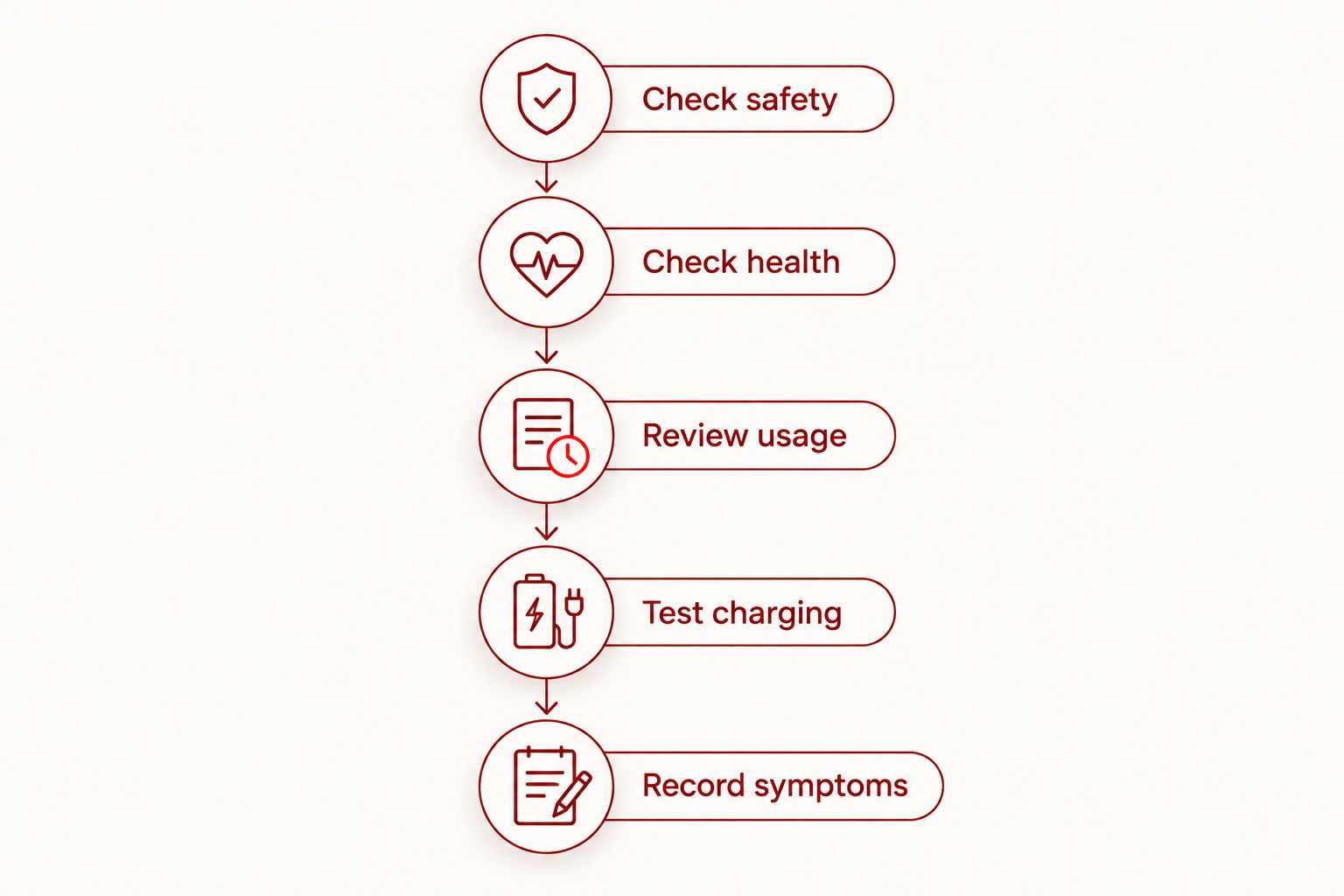
The checklist narrows the possibilities; it does not replace inspection. Keep your notes together so you can explain the symptoms when arranging an appointment.
Why phone battery life varies
Battery runtime reflects both stored energy and how quickly the phone uses it. These factors explain why a short day on one charge is not automatically a replacement diagnosis:
- Battery wear: Repeated charging and use reduce a lithium-ion battery's ability to hold charge over time.
- App activity: Navigation, games, camera use, and background tasks increase power demand.
- Screen settings: Higher brightness and extended screen use consume more energy.
- Cellular reception: Searching for or maintaining a weak signal increases power use.
- Temperature: Heat contributes to battery aging; cold can temporarily affect battery performance.
- Charging faults: A damaged cable or poor connection can prevent the phone from reaching the charge level you expect.
For a useful comparison in 2026, keep your activities broadly similar when judging runtime. A quiet day on Wi-Fi and a day navigating around Oklahoma City are not equivalent battery tests.
Should I replace the battery or investigate another problem?
Choose the next step based on the strongest evidence, not the most convenient explanation. Battery replacement makes sense when assessment identifies battery wear as the cause and the phone otherwise meets your needs.
| Option | Best for | Benefit | Limitation |
|---|---|---|---|
| Battery assessment and possible replacement | Service warnings, reduced capacity, or repeated power loss | Addresses battery wear when confirmed | Does not fix unrelated hardware or software faults |
| Charging-system assessment | Intermittent charging or a connection that changes with cable position | Separates charging faults from battery faults | Does not establish overall battery condition by itself |
| App and settings review | Drain linked to identifiable activity | Helps identify avoidable power consumption | Cannot restore a worn battery's original capacity |
| Phone replacement | A device that no longer meets your needs or has several unresolved faults | Addresses broader suitability problems | Requires setup, data transfer, and account-access planning |
For a local service comparison, the guide to phone battery replacement services in Oklahoma City provides a starting point. Ask what the inspection will establish before authorizing work.
A battery repair has a practical benefit when it resolves the diagnosed issue. Its limitation is equally important: no battery replacement guarantees that an aging phone's other components will remain trouble-free.
What should I prepare before a repair appointment?
Back up the phone if it is safe and stable enough to do so. Check that you can access the accounts needed to restore your information, especially if authentication normally depends on that device.
For a 2026 appointment, bring your symptom notes and identify the phone's exact model. Explain any liquid exposure or physical damage, even if the phone continued working afterward. That history affects what needs checking.
Aspect Phone Solutions offers appointment-based smartphone repair, not walk-in service. Confirm the appointment arrangements before traveling from Edmond or elsewhere in OKC, and review the confirmed price before authorizing the repair.
Arrange a phone repair appointment
Discuss your phone's symptoms and confirm pricing before authorizing repair.
Can a battery need replacement even when health looks normal?
Yes. A battery-health estimate does not explain every shutdown, charging interruption, or physical fault. Persistent symptoms still need assessment, and swelling takes priority over any reassuring reading.
Does rapid battery drain always mean the battery is worn out?
No. Rapid drain can come from demanding apps, background activity, weak reception, or display use. Compare the phone under familiar conditions and check charging before treating drain alone as proof of battery failure.
FAQ
What's the clearest sign my phone battery needs replacing?
A battery-service warning combined with reduced runtime or unexpected shutdowns is strong evidence that the battery needs assessment. Swelling or a separating casing requires you to stop using and charging the phone immediately.
Should I replace my iPhone battery at 80% health?
An 80% battery-health reading supports considering replacement when runtime no longer meets your needs. Apple's capacity figures are model-specific design benchmarks, not a diagnosis of every charging or shutdown problem.
Can a bad charger look like a bad phone battery?
Yes, faulty charging equipment can leave the phone insufficiently charged or interrupt charging. Check compatible equipment known to work before assuming the battery is responsible, provided the phone has no signs of physical battery damage.
Is it safe to keep using a phone with a swollen battery?
No, stop using and charging a phone with a swollen battery. Do not press, puncture, or open it; seek professional handling instructions.
Will replacing my battery stop every unexpected shutdown?
No, battery replacement resolves shutdowns only when the battery is the cause. Software faults, charging problems, and other hardware issues require a different diagnosis.
Should I back up my phone before battery repair?
Yes, back up your phone before repair if it is safe and stable enough to use. Do not keep using or charging a swollen or visibly damaged phone just to complete a backup.
Can I walk in for battery repair at Aspect Phone Solutions?
Aspect Phone Solutions provides smartphone repair by appointment for Edmond and the wider Oklahoma City area. Arrange the appointment first and confirm pricing before authorizing repair.
One last thing
Notice what happened before the battery problem, not just what happened afterward. A phone that began draining after liquid exposure or charging unreliably after a drop needs that history included in the assessment.
Before your appointment, write a short timeline connecting the first symptom with any damage, update, or charging change. That is more useful than arriving certain that one particular part must be replaced.


