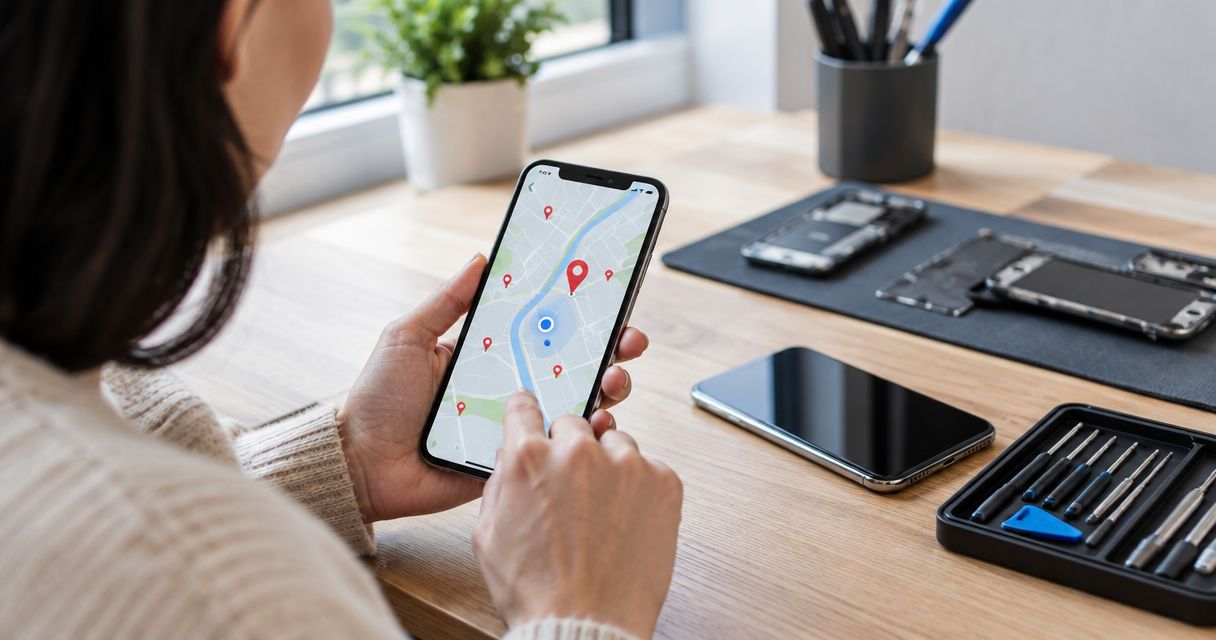
Instead of repeatedly searching for a repair shop and sending incomplete requests, use Google Maps to find the business, open its website, and request a phone repair appointment online with your model and symptoms. A submitted request is not a confirmed appointment; wait for the business to confirm your date, time, and location before traveling.
- To schedule phone repair appointment online, use Google Maps to reach the business website and follow its appointment instructions.
- Aspect Phone Solutions is best for Edmond and OKC customers seeking appointment-based smartphone repair.
- Google Maps directions and business hours do not confirm a repair appointment.
- Describe the phone model and symptoms; wait for appointment confirmation and authorize repair only after inspection.
Why this matters
Google Maps helps you find a business. It does not establish that a technician has accepted your repair request or reserved time for your phone. In 2026, use the listing as the starting point, not proof that your visit is booked.
Aspect Phone Solutions offers appointment-based smartphone repair for customers in Edmond and the wider Oklahoma City area. Aspect Phone Solutions is best for Edmond and OKC customers who want appointment-based phone repair rather than a walk-in visit. The appointment requirement gives you a clear next step, but it also means you need confirmation before leaving home.
Keep booking and repair authorization separate. An appointment arranges a visit; inspection establishes what work the phone needs. Repair charges are confirmed before you authorize the work, not assumed from a search result or an old message.
Before you start
- Have a way to search and receive replies. Use a working phone, tablet, or computer with internet access. If the damaged phone cannot receive messages, provide another contact method that you can actually check.
- Prepare 3 details: your phone model, its main symptom, and your preferred appointment window. Describe what happens rather than naming a replacement part you think it needs.
- Watch for the confirmation gap. A website submission, Maps listing, or route preview does not reserve an appointment. You need a reply that confirms the visit details; appointment time also does not establish when the repair will be finished.
You do not need to troubleshoot every possible cause before requesting help. A cracked screen, a charging problem, or an unexpected shutdown is enough to begin the conversation. The purpose of the request is to describe the problem accurately, not diagnose it yourself.
Find the correct business listing
Search and identity checks
- Open Google Maps and search for the business name together with Edmond or Oklahoma City. Use the name rather than relying only on a broad search such as phone repair near me.
- Open the matching business listing. Compare the name and location information with the business you intend to visit.
- Look for the Website button. If it appears, open it and check that the destination belongs to the intended business. For Aspect Phone Solutions, the supplied website domain is aspectphonesolutionsokc.com.
- Read the website's appointment instructions before planning a visit. Do not treat posted opening hours as permission to arrive without an appointment.
Expected result: you have identified the intended business and reached its website, or you know that you need another contact route. You have not booked anything yet.
A search for phone repair in OKC can return several businesses with similar service descriptions. Checking identity before submitting your phone details prevents a basic mistake: arranging a visit with one shop while following directions to another.
For a 2026 appointment, use current business instructions rather than a saved search-result screenshot. Keep the listing open if it helps you compare names, but let the business's appointment confirmation determine where and when you arrive.
If the website destination looks unrelated, stop. Return to the listing and check the business identity instead of entering your contact details into a page you cannot connect to the intended repair service.
Submit a complete appointment request
Appointment request details
- On the business website, locate the appointment or contact instructions. Follow the method actually offered; do not assume every Maps listing opens an online calendar.
- Enter your name and a reachable contact method wherever the request asks for them. Check spelling before submitting, especially if replies will go to a different device.
- State the phone model as accurately as you can. If you cannot identify it because the screen is unusable, say that instead of guessing.
- Describe the main symptom and relevant context. Explain whether the problem followed a drop, liquid exposure, or another event, and whether the phone still turns on.
- Give your preferred day and arrival window, then ask the business to confirm an appointment. Treat your preference as a request until it is accepted.
- Submit using the control displayed on that website. Save the acknowledgment if one appears, but distinguish it from a message accepting your appointment.
Expected result: the business has a request that explains who to contact, which phone needs attention, and what visit you want. The next step is receiving confirmation, not starting the drive.
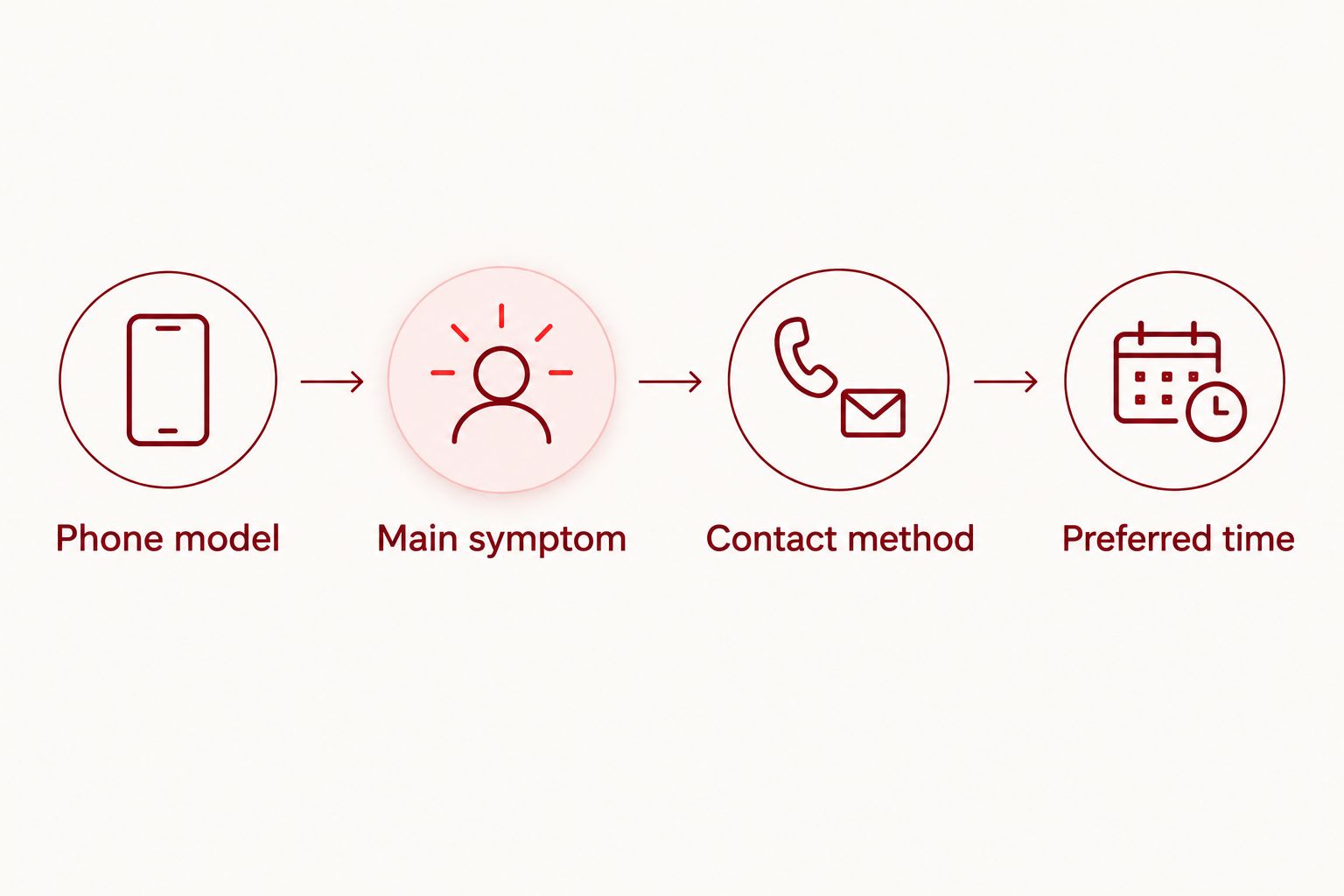
A useful request has these separate parts:
- Phone model: the model you know, or a clear statement that you need help identifying it.
- Main symptom: what the phone does or fails to do.
- Contact method: where you can receive a reply despite the fault.
- Preferred time: your proposed appointment window.
Avoid deciding that you need a charging-port replacement simply because the phone will not charge. Describe whether it responds when connected, whether charging stops unexpectedly, and what you have already noticed. That wording leaves room for inspection instead of turning a symptom into an unsupported diagnosis.
For your 2026 booking, keep the appointment request focused on the phone and your visit. Do not include passwords, payment-card details, or unrelated personal information in a general contact message.
Confirm the visit and save directions
Visit confirmation
- Read the business's reply and check 2 confirmations: the appointment date and time, and the arrival location. If either is unclear, ask before traveling.
- Confirm that the business has your correct phone model and symptom. Correct an accidental model selection or incomplete description now, rather than at arrival.
- Ask what you should bring and whether the business needs any preparation before inspection. Follow the instructions you receive rather than assuming a cable, account password, or reset is required.
- Save the confirmation somewhere accessible. Keep 1 screenshot on a working device if that helps, with private details protected.
- Return to the verified Maps listing and select Directions. Check that the destination matches the confirmed arrival location before starting the route.
Expected result: you have an accepted appointment, a verified destination, and access to the visit details even if the damaged phone stops working.
Directions are a travel tool, not a booking receipt. A route that ends at the correct building still does not tell the business that you are coming. Likewise, an appointment confirmation does not establish a repair completion time unless the business separately confirms one.
Ask about timing if you need your phone for work, school, or travel. Explain the constraint without assuming inspection and repair will happen during the same visit. Keep your scheduling decision separate from the decision to authorize the repair after inspection.
For a 2026 visit, retain the latest confirmation rather than an earlier proposed time. If the conversation changes the appointment, the accepted replacement details are the ones to use.
Check appointment instructions
Review Aspect Phone Solutions' website before arranging your Edmond or OKC phone repair visit.
Use a phone call when the online route stops
A website request is useful when you want to write out the symptoms. A call is useful when the website route does not provide a way to request the visit or when an unresolved detail blocks confirmation. Neither method removes the need for an accepted appointment.
| Request method | Best for | Advantage | Limitation |
|---|---|---|---|
| Website request | Customers who want to describe the fault in writing | Lets you organize the model, symptoms, and preferred time | Submission alone does not confirm the visit |
| Phone call | Customers who need to clarify appointment instructions | Lets you ask follow-up questions during the conversation | You need to record the agreed details yourself |
If the Maps listing displays Call, use that button after verifying the business identity. Explain that you want to arrange a repair appointment and provide the same model, symptom, and contact details you would include online.
Before ending the call, repeat the agreed date, time, and location. Ask for written confirmation if you need a record. Do not assume that leaving a voicemail, making an unanswered call, or describing the fault has reserved a visit.
For Aspect Phone Solutions phone repair, the service remains appointment-based whichever contact route you use. Use the website to start the process; use a verified contact method to resolve unanswered booking questions.
Change an appointment when your plans change
Changing a visit is an adjacent workflow, not a new booking from scratch. Use the existing confirmation conversation or the business's stated contact method so the change can be connected to your original request.
- Identify the existing appointment by its agreed date and time. Include the name used for the booking.
- State whether you need to cancel or move the visit. If you want another time, give a clear preference.
- Wait for the business to accept the replacement time. Do not assume your suggested change has taken effect.
- Replace your saved appointment details only after the change is confirmed. Recheck the destination if the updated instructions include a different arrival location.
Expected result: you have a clear record of whether the original appointment remains active or has been replaced.
If the phone's condition changes before arrival, update the symptom description too. A phone that previously turned on but now stays dark needs a different description, even if the appointment itself stays the same.
Troubleshooting
The Maps listing has no booking button
Use Website if it is displayed and follow the site's appointment instructions. A missing booking button does not establish whether the business accepts appointment requests; it only means that route is not presented on the listing you opened.
The website does not show an appointment calendar
Look for written contact instructions rather than assuming a calendar is required. If the site does not provide a usable request route, use a verified business contact method and ask how to arrange the visit.
You submitted a request but received no confirmation
Check the contact address you entered and any filtered-message folders. Then follow up through the business's stated contact method. Do not travel on the strength of a submitted form alone.
The damaged phone cannot receive replies
Provide an alternative contact method and explain that the phone being repaired is not reliable for messages. Keep the appointment details on a separate working device or in a private written note.
Maps and the confirmation show different locations
Ask the business to resolve the mismatch before leaving. Do not choose a destination by guessing which source is newer; confirm the actual arrival location for your appointment.
Customize your workflow
Build the visit around your real constraint: getting to the appointment, receiving updates without the damaged phone, or understanding what happens after inspection. Keep those questions separate so an answer about arrival does not get mistaken for an answer about repair completion.
Before your 2026 appointment, review these practical points:
- Back up accessible data if the phone is safe to use and working well enough to do so.
- Arrange another way to receive appointment messages if the faulty phone is your only usual contact device.
- Ask what access the technician needs for inspection; do not send passwords in the initial request.
- Keep repair authorization separate from scheduling. Agree to the proposed work only after inspection and confirmation of the charges.
Booking through Maps helps you reach the right business. The useful record is the conversation that confirms your visit and explains what you have authorized.
FAQ
How do I schedule a phone repair appointment online from Google Maps?
Find the correct business listing, open Website if that button is displayed, and follow the business's appointment instructions. Provide your phone model, symptoms, and preferred time, then wait for an accepted appointment.
Does Google Maps automatically book my phone repair?
No, searching for a business or opening Directions does not book a repair appointment. You need confirmation from the business or its appointment system.
What if Google Maps does not show a booking button?
Open the business website if Website is displayed and check its appointment instructions. If that route does not work, use a verified business contact method to ask how to arrange the visit.
Can I walk in to Aspect Phone Solutions without an appointment?
Aspect Phone Solutions offers appointment-based smartphone repair for Edmond and the wider Oklahoma City area. Arrange and confirm your visit before traveling rather than assuming walk-in service.
What should I include in a phone repair request?
Include your phone model, the main symptom, a reachable contact method, and your preferred appointment time. Describe what you observe instead of assuming which part needs replacement.
Does booking an appointment mean my repair is authorized?
No, booking arranges the visit and does not authorize repair work. For Aspect Phone Solutions, repair charges are confirmed before authorization, after the phone has been inspected.
How do I reschedule a phone repair appointment?
Use the existing confirmation conversation or the business's stated contact method to request a change. Keep the original appointment details until the business confirms whether the visit has been canceled or moved.
One last thing
Save the confirmation on something other than the phone you are taking for repair. A working device or private written note keeps the address, appointment time, and contact instructions accessible if the damaged phone stops responding before you leave.


