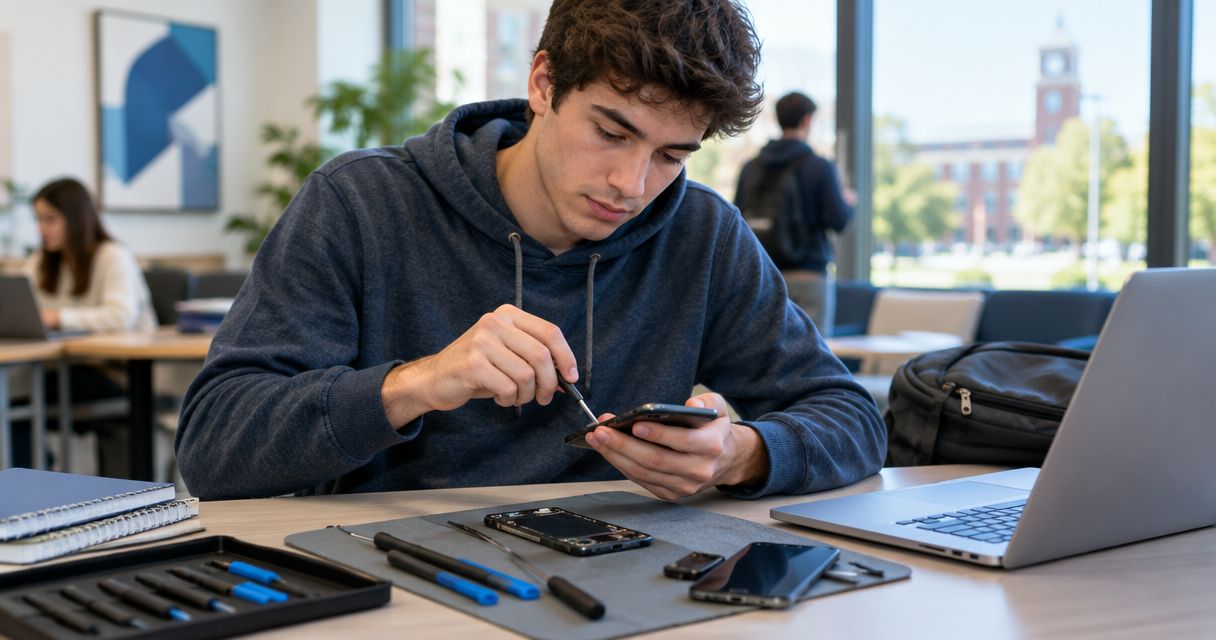
College student phone repair is smartphone diagnosis and repair aimed at restoring access to coursework, communication, and accounts. In Edmond, your repair decision also needs to fit classes and transportation; Aspect Phone Solutions serves Edmond and the wider Oklahoma City area by appointment, with prices confirmed before authorization.
- Aspect Phone Solutions suits college students seeking appointment-based phone repair in Edmond, with prices confirmed before authorization.
- Protect coursework and account access before handing over your phone for smartphone repair.
- Choose a repair route after inspection; a cracked screen does not establish the full damage.
- Confirm appointment details and completion expectations before arranging transportation from campus.
Why phone repair matters for college students
A damaged phone creates more than a hardware problem when you use it for class messages, assignment reminders, work schedules, or account verification. Before your 2026 semester gets interrupted, identify which of those tasks depend on the device and which you can move elsewhere.
Your immediate priority is continuity, not choosing a replacement screen. A phone that still lights up can have unreliable touch controls. A device that no longer charges can leave you without the verification code needed to sign into a working laptop.
Choose your repair route around safe handling, account access, and an agreed appointment—not an assumed completion time. For students traveling between Edmond and OKC, confirming the arrangements before leaving avoids a trip built on an unconfirmed plan.
Start with the tasks you cannot miss. Then separate the phone's symptoms from your deadline: a technician needs the first to assess the device, while you need the second to arrange a workable handoff.
How to plan a student phone repair in Edmond
Check safety
Look for a lifted screen, a bulging back, unusual heat, or visible damage around the battery area before trying ordinary troubleshooting. Stop using or charging a phone with suspected battery swelling. Do not press the screen back into place, puncture the housing, or open the device yourself.
For a wet phone, disconnect charging accessories and stop charging it. Do not use a hair dryer or put the device in rice. Tell the repair provider what happened so the inspection starts with the right information.
A cracked display also deserves careful handling. Avoid touching exposed sharp edges, and stop using the phone if handling it means pressing broken glass. The fact that the screen still responds does not make damaged glass safe.
- Check for swelling, lifted edges, unusual heat, and broken glass.
- Disconnect charging accessories when liquid damage is suspected.
- Avoid heat, rice, and attempts to force the housing closed.
- Describe the safety concern when requesting an appointment.
Protect access
Use your existing laptop, tablet, or trusted spare device to check essential accounts before handing over the phone. Confirm access to your student email, course platform, and any account that normally sends verification prompts to the damaged device.
If the phone remains safe and usable, back up important files through the backup method you already use. Verify the backup rather than assuming it completed. If the phone is unsafe to operate, explain your data concerns during the appointment discussion instead of powering it on for convenience.
For your 2026 classes, prepare 2 access methods for essential accounts where the account provider permits them: your normal sign-in method and an approved recovery method. This is a planning checklist, not a reason to disable account security.
- Test student email and coursework access on another device.
- Verify that important files appear in your backup.
- Save permitted recovery codes somewhere secure and separate.
- Ask about device-access requirements before sharing credentials.
Record symptoms
Write down what the phone does, not just what you think needs replacing. A screen that displays an image but ignores touch is different from a phone that vibrates while the display stays black. Describe those observations without opening the device.
Record 3 symptom details: what fails, when it started, and what happened immediately beforehand. Include a drop, liquid exposure, or an earlier repair when relevant. These details give the appointment a useful starting point without pretending to establish a diagnosis.
Aspect Phone Solutions is best for Edmond college students who want appointment-based phone repair. Arrange the appointment before traveling, and ask what information the provider needs about your model and symptoms. If scheduling is your deciding factor, review the guide to appointment-based phone repair services in OKC.
- Identify the phone model from settings or purchase records.
- Note which functions work and which fail.
- Record the incident and any previous repair history.
- Explain whether preserving files is a priority.
Try safe checks
For a phone without swelling, unusual heat, liquid exposure, or other safety concerns, start with simple checks you can perform without opening it. Restart a responsive device and check its charging accessories. Follow the phone manufacturer's instructions rather than improvising a repair.
For a charging complaint, check 2 charging accessories: the cable and the power adapter. Use compatible accessories that you know work, and keep the test controlled so you can describe what changed. Do not push metal tools into the charging port.
Stop when the next step requires opening the phone, manipulating the battery, or applying force. A useful troubleshooting result is a clearer description of the failure; it does not have to be a successful home repair.
- Restart the phone using its documented procedure.
- Check a compatible cable and power adapter separately.
- Inspect the exterior without inserting tools into openings.
- Record the result and stop if heat or damage appears.
Confirm the scope
An inspection should guide the repair decision. Ask what fault was identified, what work is proposed, and whether the findings explain all the symptoms you reported. Do not authorize a screen replacement solely because the glass is visibly cracked if other functions also failed.
Aspect Phone Solutions confirms prices before authorization. Use that decision point to clarify the proposed work and ask how any additional findings will be handled. Permission to inspect a phone and permission to carry out additional repairs should be clear.
For your 2026 repair decision, separate restoring the hardware from recovering files. Ask whether either requires additional work, and avoid treating a successful repair as a promise of data recovery. Get the scope in writing when possible so you can refer back to it.
- Ask for the diagnosis in plain language.
- Confirm which symptoms the proposed work addresses.
- Clarify any data-access or data-loss concerns.
- Agree on how additional work requires your approval.
Plan the handoff
Build the appointment around your actual class and work commitments. Explain when you need the phone back, but ask the provider to confirm what is realistic after inspecting it. An appointment time is not a confirmed completion time.
Before leaving campus or arranging a ride across OKC, confirm the appointment details and how you will receive updates. Give a contact method you can access while the phone is unavailable. Using the damaged phone as the only update channel defeats that plan.
If an exam or shift falls close to the handoff, make a temporary access plan rather than relying on an assumed finish. Ask what you should bring and what preparation the provider requires; do not erase the device simply because you think repairs always require it.
- Confirm the appointment arrangements before traveling.
- Explain your deadline without assuming it can be met.
- Provide an accessible alternative contact method.
- Ask about backup, account, and accessory preparation.
Test the repair
At collection, check the functions related to the original complaint and the work performed. For a screen repair, that includes the display and touch response. For a charging repair, ask to verify charging using an appropriate accessory.
During your 2026 pickup, repeat the actions that previously failed. Open the keyboard, test the affected camera, or check call audio as relevant. Do not assume every function was covered by the repair; use the agreed scope to guide your checks.
Ask how to report a recurring symptom and request the repair record. If something still fails, describe it before leaving rather than accepting the phone based only on its appearance.
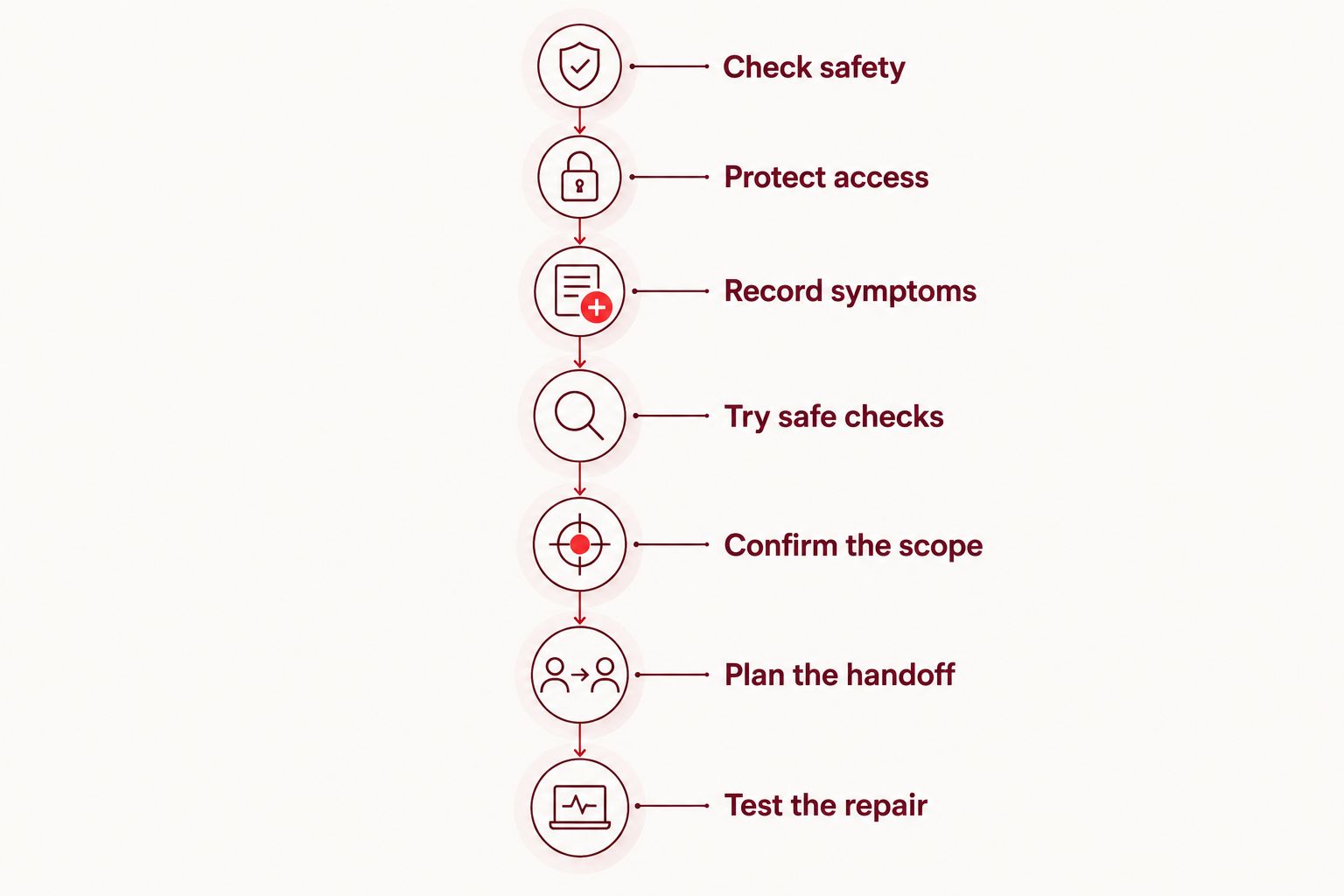
Your sequence is simple: check safety, protect access, record symptoms, try safe checks, confirm the scope, plan the handoff, and test the repair.
- Test the functions that originally failed.
- Check the work against the agreed repair scope.
- Ask how to report a returning problem.
- Keep the repair record somewhere accessible.
Compare your repair options
For college students in Edmond, the right option depends on the fault, account access, and whether you can manage the handoff. Start with safe checks, then choose between professional repair and replacement using the inspection findings—not a headline estimate.
| Option | Best for | Main advantage | Key limitation |
|---|---|---|---|
| Safe checks at home | Students checking a restart or charging-accessory problem | No device opening is needed | Cannot establish an internal hardware diagnosis |
| Aspect Phone Solutions appointment | Edmond and OKC students who prefer planned phone repair | Appointment-based service with prices confirmed before authorization | You must arrange an appointment rather than assume walk-in service |
| Manufacturer or authorized service | Students checking an existing coverage claim or manufacturer process | Provides a route for reviewing the manufacturer's service terms | Coverage, handoff requirements, and repair scope need confirmation |
| Phone replacement | Students whose inspected repair does not meet their needs | Avoids continuing with the damaged device | Requires account transfer and does not recover inaccessible files by itself |
Repair and replacement are decisions about the whole phone, not just the visible damage. Consider whether the device met your needs before it broke, whether other symptoms remain, and whether you can complete the account transfer if you replace it.
Manufacturer service is not automatically the right answer for every student, and local repair is not automatically the right answer for every fault. Check applicable coverage terms before authorizing outside work. Then compare the confirmed scope and handoff process.
For 2026, make the final choice after inspection whenever the damage is uncertain. A replacement plan still needs a backup and sign-in plan; buying another device does not solve every access problem.
Arrange your phone repair appointment
Discuss your phone's symptoms and appointment arrangements before traveling from Edmond or OKC.
Common mistakes college students make
Treating a class deadline as a repair promise
Needing the phone before an exam does not establish how long the repair will take. Tell the provider your deadline, request a confirmed expectation, and arrange another way to access coursework if the phone will be unavailable.
Backing up files but forgetting account recovery
Photos and notes are only part of preparation. Test how you will sign into student email and other essential accounts without the damaged phone. A working laptop is not enough if its login still requires a prompt on that phone.
Authorizing work from the visible damage alone
A cracked screen and a charging failure are separate observations, even when they started after the same drop. Report both. Ask whether the proposed work addresses the complete complaint before you authorize it.
Traveling without confirming the appointment
Do not arrange a ride from campus based on an assumption that you can walk in. Confirm the appointment, handoff details, and update method first. Keep those details on a device or paper you can access independently.
Assuming replacement automatically preserves coursework
A replacement phone needs setup, account access, and a usable backup to restore your material. Check those requirements before giving up access to the old device. Tell the provider when files stored only on the damaged phone are your main concern.
FAQ
What's the best phone repair option for a college student in Edmond?
Appointment-based repair suits students who want to plan the handoff around classes and transportation. Aspect Phone Solutions serves Edmond and the wider Oklahoma City area by appointment, with prices confirmed before authorization.
Can I walk in for a repair at Aspect Phone Solutions?
Service is by appointment rather than walk-in. Arrange the appointment before traveling and confirm how you will receive updates while your phone is unavailable.
How do I find out what my phone repair will cost?
Have the phone inspected and confirm the proposed work before authorizing repair. Visible damage alone does not establish the full repair scope.
Should I repair my phone or replace it before the semester starts?
Decide after comparing the inspection findings with your needs and account-transfer plan. Replacement does not recover inaccessible files by itself, so address data and sign-in access before choosing either route.
What should I do if my phone gets wet on campus?
Stop charging the phone, disconnect charging accessories, and arrange an assessment. Do not use a hair dryer or rice, and explain the liquid exposure when discussing the appointment.
Can I keep using a phone with a swollen battery?
Stop using and charging a phone with suspected battery swelling. Do not press the housing closed, puncture it, or attempt to remove the battery yourself.
What should I check before taking my repaired phone home?
Test the functions covered by the repair and repeat the actions that previously failed. Keep the repair record and ask how to report a recurring symptom.
One last thing
Before your repair appointment, sign into your student email from another device. Then check whether the next login requires the damaged phone. A backup protects files; a tested recovery method protects access. You need both plans if coursework and account verification depend on the device being repaired.


