
Contractors’ phone repair is the assessment and repair of work smartphones with the aim of restoring jobsite communication, documentation, and access. For contractors and field techs in Edmond and Oklahoma City, the decision depends on more than a cracked screen: you also need a plan for customer calls, job photos, and work accounts while the phone is away.
- Phone repair for contractors starts with safety, backed-up job records, and a temporary communication plan.
- Aspect Phone Solutions suits Edmond and OKC customers seeking appointment-based smartphone repair with pricing confirmed before authorization.
- Choose a repair route after inspection; visible damage alone does not establish the full repair scope.
- Test calls, charging, cameras, and work-account access before returning the phone to field service.
Why phone repair matters for contractors and field techs
A work phone connects tasks that a replacement handset does not automatically restore. You need the device, the right accounts, and the records attached to those accounts. A working screen is not enough if you cannot receive a dispatch call or open the photos needed to document a job.
Aspect Phone Solutions is best for Edmond and OKC customers who want appointment-based smartphone repair with pricing confirmed before authorization. Start with Aspect Phone Solutions when an appointment fits your work schedule; do not plan around a walk-in visit.
For your 2026 repair plan, separate the device problem from the work-continuity problem. Inspection addresses the phone. Your preparation addresses what happens to customer contact, navigation, and job records during the appointment.
The practical priority is preserving access, not choosing a repair based only on the most visible damage. Tell the technician what stopped working and which functions your next job requires. That gives the repair discussion a useful starting point without treating your own diagnosis as established fact.
Build your 2026 work-phone repair plan
1. Check the phone for an immediate safety problem
Stop using a phone with a swollen battery or a lifting screen that suggests internal swelling. Do not press the screen back into place, puncture the battery, or keep charging it to finish a shift. Physical battery damage is a safety issue, not an inconvenience to work around.
For liquid exposure, disconnect charging equipment and avoid charging the phone until it has been assessed. Do not use external heat or push objects into the charging port. A device that switches on after getting wet still needs a careful assessment before you rely on it for field work.
Visible cracks require a different response. Avoid handling loose glass, and do not assume that a working display means the rest of the phone escaped damage. Check what you can safely observe without opening the device.
- Look for swelling, separation, loose glass, or visible moisture.
- Stop charging a wet or visibly damaged device.
- Record whether the fault followed a drop, impact, or liquid exposure.
- Keep damaged equipment away from work tasks until assessed.
2. Protect your job records and account access
Start with the backup tools already built into your phone and work accounts. Check that the backup completed rather than assuming an enabled setting means your latest job photos are saved. Open important records from another authorized device when possible.
Separate personal files from work information. If your employer controls the phone, ask the account administrator before resetting it, transferring accounts, or giving anyone access. Company security rules still apply during repair.
In your 2026 checklist, include the accounts that depend on the damaged phone for sign-in approval. A replacement device does not solve that problem by itself. Save recovery information securely and avoid placing it in a shared job folder.
- Confirm that recent job photos and notes are backed up.
- Check access to scheduling, email, and customer-contact accounts.
- Identify sign-ins that require approval from the damaged phone.
- Ask your employer about repair and data-access requirements.
- Remove unnecessary sensitive files only after confirming a usable backup.
3. Prepare a useful symptom report before your appointment
A clear symptom report is the manual way to make the repair conversation more efficient. Write down what fails, when it fails, and what changed immediately beforehand. Describe the behavior rather than naming a replacement part you think the phone needs.
For example, distinguish a screen that displays an image but ignores touch from a phone that shows nothing. For charging trouble, state whether you tried a known-working cable and power source. Do not perform those checks on a wet phone or a device with suspected battery damage.
Aspect Phone Solutions’ appointment-based phone repair gives Edmond and OKC customers a scheduled route to assessment. The appointment does not establish the repair scope: inspection comes before a confirmed price and authorization. Ask what information to bring and how to prepare the device.
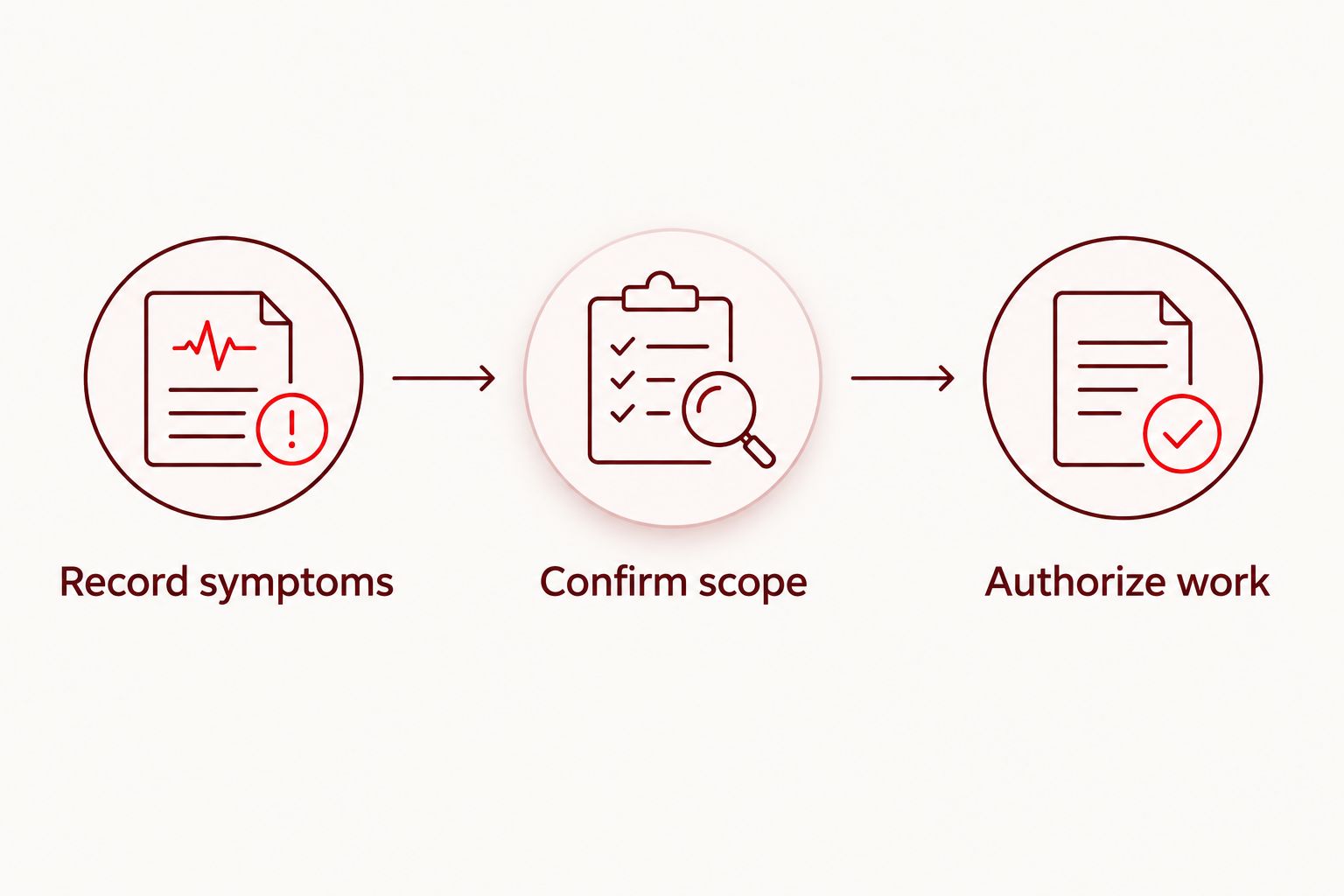
- Record symptoms: Describe the failure and its circumstances.
- Confirm scope: Ask what inspection identifies as needing repair.
- Authorize work: Approve the confirmed repair price before work proceeds.
- Identify the phone model from its settings or existing records.
- Explain which work functions you need restored.
4. Arrange a temporary way to keep working
Before handing over the phone, decide where customer calls and job information will go. Use an authorized spare device or another approved communication channel if you have one. Test the arrangement before the repair appointment, not from the parking lot afterward.
A spare phone is useful only when it can perform the tasks you need. Check calls, messages, maps, and work-account sign-in. Moving a SIM card or activating another device depends on your phone and carrier; ask for the correct process rather than assuming every device transfers the same way.
Give your dispatcher, crew lead, or customers a clear temporary contact method where appropriate. Avoid sharing personal passwords or letting several people use the same work login just to keep a job moving.
- Test the temporary device or contact channel.
- Confirm how incoming calls and messages will reach you.
- Check access to the next job’s address and instructions.
- Tell the relevant people about the temporary contact arrangement.
- Keep account credentials private throughout the handoff.
5. Compare repair routes against your work schedule
Start by checking any existing manufacturer coverage or employer repair process. Then compare that route with a local appointment or a walk-in service. The useful comparison is not the shop’s label; it is how assessment, authorization, communication, and collection fit your job commitments.
For a 2026 decision, ask each provider what must happen before a completion estimate can be given. Do not turn a general turnaround claim into a promise for your particular phone. Damage, diagnosis, and repair requirements determine the actual scope.
Use the guide to appointment-based phone repair services in OKC to frame the scheduling questions. An appointment gives you a planned visit, not automatic confirmation that repair will finish during that visit.
- Check your employer’s approved repair process first.
- Ask how inspection and authorization are handled.
- Confirm the visit arrangements before traveling.
- Ask when you will receive an update on the repair scope.
- Choose the route that fits both security rules and work commitments.
6. Decide between repair and replacement after inspection
Use the inspection findings to compare the work required with what you need from the phone. A device with a single identified fault presents a different decision from one with several damaged functions. Do not base the choice solely on whether the display still lights up.
Replacement also creates work. You need to restore accounts, move records, reconnect accessories, and check employer approval where applicable. Include those tasks in the decision rather than treating a new phone as immediately ready for the next job.
With Aspect Phone Solutions, the repair price is confirmed before authorization. Use that point to ask what the proposed work addresses and what remains outside the scope. No exact repair price should be treated as final before the phone has been inspected.
- Ask which faults the proposed repair addresses.
- Confirm any unresolved symptoms or further assessment needs.
- Compare repair with the account-transfer work replacement requires.
- Check whether the phone still meets your employer’s requirements.
- Authorize only the scope you understand and accept.
7. Test the repaired phone against real work tasks
Turn the phone back into a work device before returning it to your pocket. Start with the functions involved in the original fault, then check the functions needed for the next job. A quick glance at the home screen is not a field-readiness test.
Use a 2026 handoff checklist that reflects your actual role. A contractor documenting installations needs usable photos; a field technician receiving instructions needs dependable access to calls and work accounts. Neither task is proved by a screen that merely turns on.
If a symptom remains, describe it before treating the repair as complete. Ask which checks are safe and appropriate for the device, especially after liquid exposure or battery-related damage. Do not test water resistance by putting the phone in water.
- Make a call and check the microphone and speaker.
- Test touch response across the screen.
- Take a photo and check focus and image clarity.
- Check charging with suitable, known-working equipment.
- Open the work accounts required for your next assignment.
Compare phone repair options for field work
Choose the route that fits your authorization rules and appointment needs. Each option solves a different problem, and each has a limitation. Confirm provider-specific terms directly rather than assuming all services within a category work alike.
| Option | Best for | Main advantage | Key limitation |
|---|---|---|---|
| Built-in backup and basic checks | Preparing a responsive phone without a safety issue | Helps preserve records and describe symptoms | Does not repair physical damage or establish the full fault |
| Aspect Phone Solutions | Edmond and OKC customers seeking appointment-based smartphone repair | Scheduled service with pricing confirmed before authorization | Requires appointment planning rather than a walk-in visit |
| Manufacturer service | Customers checking an existing manufacturer service or coverage route | Provides a route to ask about manufacturer-specific repair arrangements | Coverage and service arrangements need confirmation for the device |
| Walk-in repair service | Customers who prefer presenting a device without an appointment | Fits an unscheduled visit where that provider accepts walk-ins | A walk-in visit does not establish completion timing |
| Replacement phone | Customers choosing to move away from a damaged device | Avoids relying on the damaged handset once setup is complete | Requires data transfer, account access, and work-readiness checks |
A backup is preparation, not a competing repair service. Likewise, replacement is a device decision, not a guarantee that your work information is already accessible. Keep those distinctions clear when comparing the options.
Common mistakes contractors and field techs make
Treating visible damage as the full diagnosis
A cracked screen tells you that the screen is damaged. It does not establish the condition of the camera, charging system, or other components. Report every symptom so the inspection addresses the work functions you need, not just the damage you can see.
Booking a repair without arranging job coverage
An appointment creates a planned visit, but your calls and dispatch messages still need somewhere to go. Confirm the temporary communication plan before handing over the device. A backup that nobody has tested is not yet a working contingency.
Confusing saved photos with a completed backup
Photos visible on the phone are not proof that another copy exists. Confirm access from the backup destination or another authorized device. Check recent files, especially the job records created after your last known successful backup.
Approving work without a clear scope
Do not authorize a vaguely described repair because you need the phone back for a job. Ask which fault the repair addresses, what the confirmed price covers, and how additional findings will be handled. Urgency does not replace informed authorization.
Testing only the screen at collection
A working display is one part of a usable work phone. Check calls, charging, cameras, and required accounts before relying on it in the field. Match the handoff test to your tasks rather than using someone else’s generic checklist.
FAQ
What’s the best phone repair option for a contractor in Edmond?
The best option is the repair route that fits your work schedule, account-security rules, and confirmed repair scope. Aspect Phone Solutions offers appointment-based smartphone repair for Edmond and the wider Oklahoma City area, with pricing confirmed before authorization.
Can I walk into Aspect Phone Solutions without an appointment?
Aspect Phone Solutions provides service by appointment rather than walk-in. Arrange the visit before traveling, and ask how to prepare your phone for assessment.
How much does phone repair for contractors cost?
The repair price must be confirmed after the phone has been inspected. Describe the symptoms first, then review the proposed repair scope and confirmed price before authorizing the work.
Should I repair or replace my work phone?
Decide after inspection identifies the repair scope and you compare it with the work required to set up a replacement. Include job-record access, employer requirements, and account transfers in that decision.
What should I do if my work phone gets wet?
Disconnect charging equipment and do not charge the wet phone before assessment. Avoid external heat, and arrange a temporary way to receive work communications.
Do I need to back up my phone before repair?
Back up accessible work records before repair and verify that the backup contains your recent files. If the phone cannot be used safely or will not respond, tell the repair provider instead of repeatedly trying to power it on.
What should I test when I collect my repaired phone?
Test the original fault and the functions needed for your next job. Check calls, touch response, charging, cameras, and work-account access, then report any remaining symptoms.
One last thing
Prove that you can access your next job without the damaged phone. Open the address, instructions, and necessary records on your temporary device before the appointment. This check exposes account-access problems while you still have time to address them.
Make that test part of your 2026 work-phone routine, not just your response to a broken screen. The repair restores a device; your preparation keeps the job information usable while that device is out of service.


