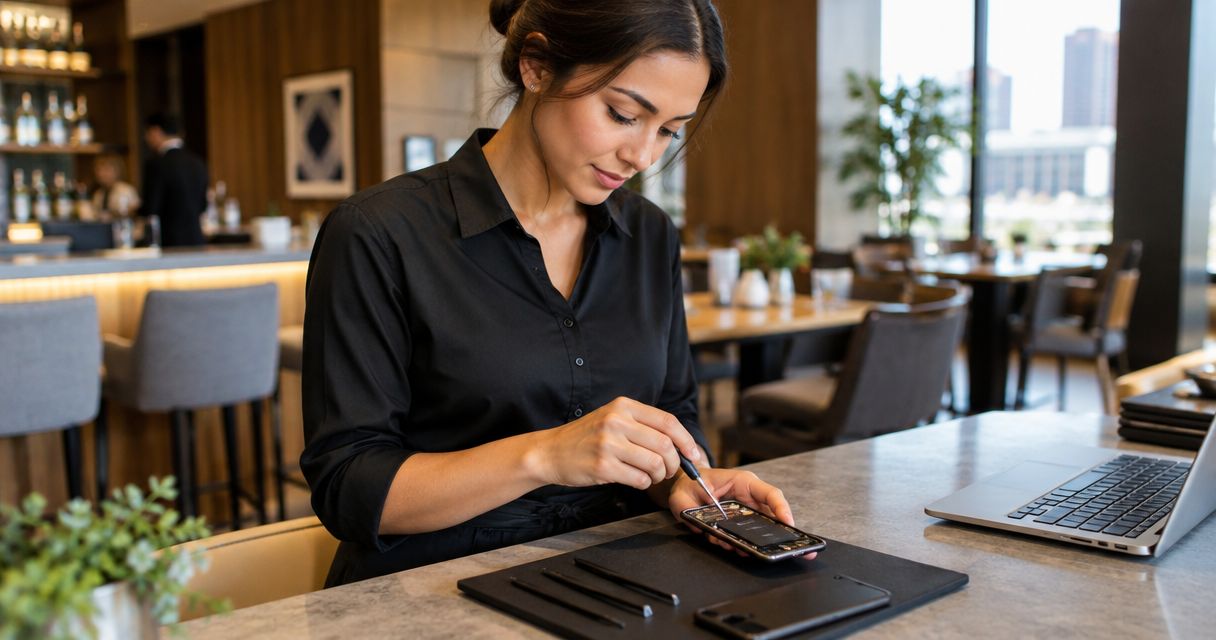
Phone repair for hospitality workers is smartphone repair planned around shifts, with the aim of restoring reliable work communication without disrupting your schedule. If you work in an OKC hotel, restaurant, bar, or event venue, this 2026 guide explains how to assess the problem, protect your information, and arrange repair around the hours you actually have available.
- Phone repair for hospitality workers starts with protecting access to schedules, messages, and account verification.
- Aspect Phone Solutions offers appointment-based smartphone repair for customers in Edmond and the wider OKC area.
- Confirm the appointment, inspection process, and expected collection window before arranging your shift around a repair.
- Approve the repair only after inspection and price confirmation; a symptom alone does not identify the failed part.
Why phone repair matters for hospitality workers
A damaged phone becomes a work problem when you cannot read a schedule, answer a supervisor, or receive an account verification code. Plan the repair around the tasks you need your phone to perform, not just the appearance of the damage. A small crack and an unreliable touchscreen create different problems.
Aspect Phone Solutions phone repair is best for Edmond and OKC hospitality workers who want an appointment-based service. Start with Aspect Phone Solutions to arrange the visit; prices are confirmed before authorization.
Your first decision is whether the phone is safe to handle. Your next decision is how to stay reachable while it is being assessed. Only then should you choose the repair arrangement.
For your 2026 repair plan, separate the appointment time from the collection time. An appointment tells you when to present the phone; it does not, by itself, establish when the repair will be finished. Ask about both before adjusting your work schedule.
Plan your repair around your next shift
Identify the symptom without opening the phone
Describe what the phone does, rather than naming the part you think needs replacement. A phone that will not charge needs assessment; the charging port is not automatically the cause. A cracked screen also needs a clear description of whether the display and touch controls still work.
If the phone is dry, cool, and undamaged around the battery, start with simple external checks. Look at the cable and power adapter for visible damage. Try a known-working compatible charger without forcing the connector.
Stop using or charging a swollen, unusually hot, or liquid-damaged phone. Do not press a lifted screen back into place or open the device yourself.
- Record when the problem started and what happened immediately beforehand.
- Describe whether the screen shows an image and responds to touch.
- Note charging failures, unexpected shutdowns, or broken audio.
- Tell the repair provider about drops, liquid exposure, or unusual heat.
- Avoid inserting metal tools into the charging port.
Protect your work access before handing over the phone
Start with the accounts that would interrupt your next shift if you lost access. Check whether you can reach your scheduling service, work email, or supervisor from another device. Follow your employer’s rules before signing into work accounts on a personal or shared computer.
Save 2 contact methods for your supervisor somewhere other than the phone, such as a permitted email address and workplace telephone number. These are backup routes, not a reason to copy guest or customer information onto an unapproved device.
Back up personal information while the phone still works and is safe to use. A backup protects your files, but it does not necessarily restore access to accounts that depend on a verification code sent to the damaged phone.
- Confirm how you will receive schedule changes during the repair.
- Check your backup status rather than assuming backups are current.
- Save account recovery codes securely, if your accounts provide them.
- Record essential contact details on paper or another approved device.
- Ask what device access the technician needs for testing.
Book an appointment that fits your actual availability
Contact the provider with the phone model, symptoms, and the hours you can attend. Tell the provider when you next need the device for work. A useful request is specific about drop-off and collection constraints without assuming the repair can fit between them.
Aspect Phone Solutions phone repair is appointment-based rather than walk-in. For a 2026 booking, confirm the visit before traveling from Oklahoma City or Edmond. Compare the scheduling approach with this guide to appointment-based phone repair services in OKC.
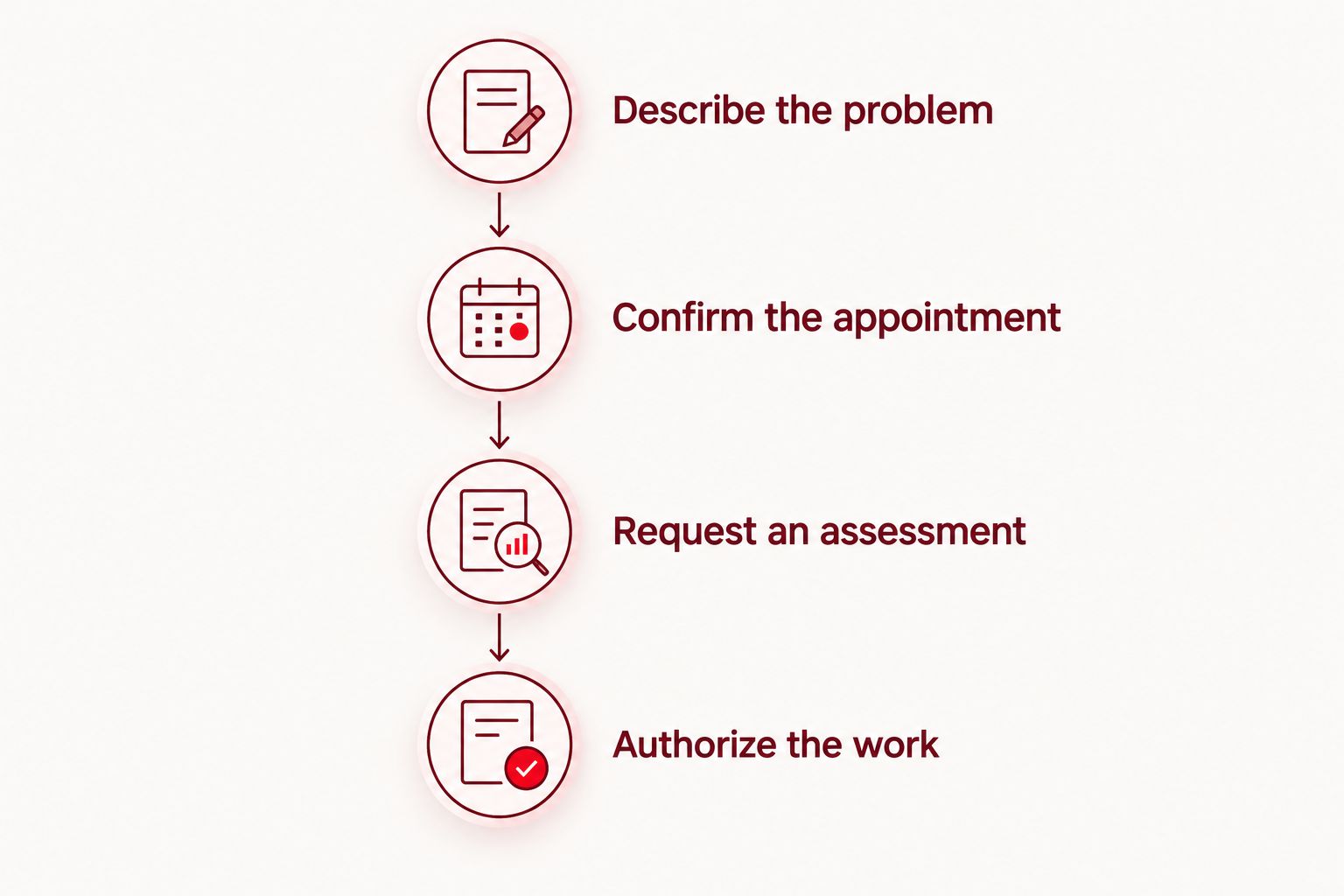
Use a simple sequence: describe the problem, confirm the appointment, request an assessment, then authorize the work. Ask how the provider will contact you if your phone is the device being repaired.
- Describe the problem.
- Confirm the appointment.
- Request an assessment.
- Authorize the work.
- Agree on an alternative contact method and collection arrangements.
Prepare the device without creating another problem
Remove accessories only when doing so is safe. Bring information about the fault, not a dismantled phone. If a case is trapped around a swollen device or removing it would press on damaged glass, leave it alone and describe the problem when booking.
Ask whether the technician needs the charger involved in a charging fault. Do not erase the phone, disable security settings, or share passwords simply because you assume repair requires it. Confirm the actual preparation requirements first.
Write a short symptom note that another person can understand. For example, explain that touch stops responding when you open your schedule, rather than saying only that the phone is broken. Do not keep reproducing a fault that involves heat or liquid exposure.
- Back up the phone if it is safe and functional enough to do so.
- Bring the model name and a clear description of the fault.
- Ask whether to bring the cable or power adapter involved.
- Remove loose accessories when safe and keep them together.
- Confirm any requested security changes before making them.
Review the assessment before authorizing work
Ask what the inspection found and which problem the proposed repair addresses. The explanation should connect the symptoms to the work being recommended. If the phone has several faults, establish which ones the proposed repair includes and which remain unresolved.
Aspect Phone Solutions confirms prices before authorization. For your 2026 appointment, make the authorization boundary clear: the provider should contact you before proceeding with additional work you have not approved. Ask how that contact will happen while your phone is unavailable.
Choose the repair based on the inspected condition, not the cheapest-sounding part name. A screen repair does not automatically address charging trouble, and a battery replacement does not automatically explain every shutdown. Keep each symptom in the conversation.
- Ask what the inspection identified.
- Confirm which symptoms the proposed repair addresses.
- Review the price before authorizing the work.
- Ask about unresolved damage and any further assessment needed.
- Agree on the contact process for changes to the approved work.
Arrange a backup for your next shift
Plan how you will work without the phone for 1 shift rather than making an unconfirmed collection time your only plan. This is a planning allowance, not a repair-time estimate. Extend the backup plan if the provider’s assessment requires a longer gap.
Start with options you already have: an approved computer for schedules, a written contact list, or another device you are permitted to use. A borrowed phone can help, but check account access before depending on it. Moving a SIM card or using an electronic SIM depends on the devices and your carrier’s process.
Separate work access from personal convenience. You need a dependable route for essential messages; you do not need to recreate every app before the next shift.
- Tell the appropriate supervisor how to reach you.
- Confirm your next shift through an approved channel.
- Check account verification before signing out of a working device.
- Arrange travel without depending solely on the damaged phone.
- Avoid storing workplace passwords on a shared or borrowed device.
Test the repaired phone before relying on it
Ask what was repaired and what testing was completed. Then check the functions you depend on, not just whether the screen lights up. Keep the checks safe and follow any instructions provided with the repair.
Use 3 functional checks as a starting point: touch response, charging, and a call. Add the camera, speaker, or microphone when those functions were part of the original complaint. A successful check of one function does not establish that every unrelated fault has been resolved.
Before your next shift, confirm that you can reach the scheduling account or communication channel you actually use. If a symptom remains, describe it promptly and retain the repair documentation.
- Check touch response across the screen.
- Check charging with a compatible, undamaged charger.
- Make a call to check the relevant audio functions.
- Test any other function connected to the original complaint.
- Keep the assessment, authorization, and repair documentation together.
Arrange your repair appointment
Describe the fault and your shift constraints. Confirm the price after inspection, before authorization.
Compare your repair options
For hospitality workers in 2026, the right option depends on safety, device condition, and the time you can set aside. Choose an appointment when you need an agreed arrival time; do not treat that arrival time as a completion promise.
The options below describe service approaches, not guaranteed outcomes. Confirm each provider’s process before making travel or shift arrangements.
| Option | Best for | Main advantage | Key limitation |
|---|---|---|---|
| Safe external checks | A dry, cool phone with a possible cable or settings issue | Lets you check simple causes without opening the device | Does not diagnose internal damage; unsuitable for swelling or liquid exposure |
| Appointment-based repair, including Aspect Phone Solutions | Workers who need to arrange a visit around a shift | Provides an agreed visit rather than relying on an unplanned arrival | Requires booking; completion timing must be confirmed separately |
| Walk-in repair | Workers with flexibility to wait for an assessment | Does not require a booked visit where walk-ins are accepted | Waiting and repair arrangements depend on the provider |
| Replacing the phone | Workers comparing replacement with an inspected repair proposal | Provides an alternative when keeping the damaged phone no longer fits their needs | Requires account access, data transfer, and device setup |
Repair and replacement both involve practical trade-offs. A repair still needs assessment and testing; a replacement still needs working accounts. Decide which route restores your essential functions with a plan you can actually follow.
Common mistakes hospitality workers make
Treating a gap between shifts as a confirmed repair window
A gap in your schedule is your availability, not the provider’s completion commitment. Confirm the appointment and ask separately about assessment and collection. Keep a backup contact route until the repaired phone is back in your hands and tested.
Authorizing one repair without mentioning another symptom
A cracked screen can draw attention away from intermittent charging or poor microphone audio. Describe every relevant symptom before inspection. Otherwise, you risk approving work that addresses the visible damage while leaving your work communication problem unresolved.
Keeping every recovery method on the damaged phone
A backup stored elsewhere is useful, but account access still matters. If your only recovery code or verification route is on the phone being repaired, signing in elsewhere becomes harder. Check recovery arrangements before handing over a working device.
Trying to dry or repair the phone during a shift
Liquid exposure is not a reason to keep testing the charger. Disconnect external power if safe, stop using the phone, and seek an assessment. Do not apply heat, put the phone in rice, or insert tools into its openings; those actions do not establish that it is safe to use.
Assuming the phone is ready because it turns on
Powering on is only one check. Your job might depend on touch input, calls, messages, or a scheduling account. Test the functions connected to the original fault and restore essential access before relying on the device at work.
FAQ
What's the best phone repair option for hospitality workers in OKC?
Appointment-based repair fits workers who need an agreed visit around their shifts. Confirm the assessment and collection arrangements separately, and keep another contact route while the phone is unavailable.
Can I walk into Aspect Phone Solutions without an appointment?
Aspect Phone Solutions provides service by appointment rather than walk-in. Arrange the visit before traveling from Edmond or elsewhere in the Oklahoma City area.
Can I get my phone repaired between hospitality shifts?
Plan an between-shift repair only after the provider confirms the relevant arrangements. An appointment time alone does not establish when assessment or repair will be complete.
Should I repair my phone or replace it?
Compare replacement with the repair proposal after inspection. Consider unresolved damage, the functions you need, and the account-access and setup work each option requires.
What should I do if I spill a drink on my phone at work?
Stop using and charging the phone, and arrange an assessment. Disconnect external power if safe; do not use heat, rice, or tools to try to dry its internal components.
Will a phone repair require my password?
Ask what device access is needed for diagnosis and testing before sharing credentials or changing security settings. Follow your employer’s rules for any work accounts or information on the phone.
When is the repair price confirmed?
The repair price is confirmed after the phone has been inspected and before you authorize the work. Ask what the approved repair includes and how any additional work will be discussed.
What should I check when I collect my repaired phone?
Check the functions connected to the original fault and the work you authorized. Touch response, charging, and a call are useful starting checks when the phone is safe to use; confirm access to your work communication afterward.
One last thing
A repaired phone and a working work account are separate checks. The device can function while a scheduling app still needs a password, recovery code, or verification step. Before your first post-repair shift in 2026, open the service you use for work and confirm that you can receive the messages you need. That final check closes the gap between collecting the phone and being ready to use it.


