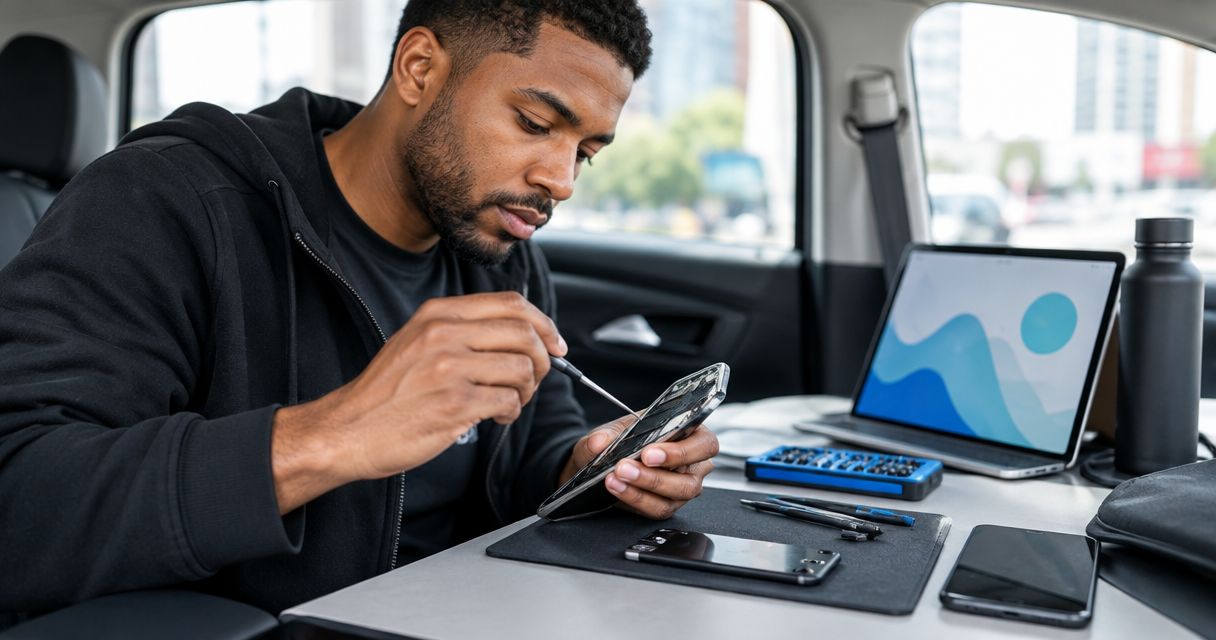
Rideshare driver phone repair is diagnosing and fixing smartphone faults with the aim of restoring reliable access to navigation, trip requests, and rider communication. For Edmond and Oklahoma City drivers in 2026, the repair decision must account for time off the road, account access, and whether the phone works reliably in the vehicle—not just whether it turns on.
- Phone repair for rideshare drivers should start with parked troubleshooting and a backup of essential information.
- Aspect Phone Solutions offers appointment-based smartphone repair for customers in Edmond and the wider Oklahoma City area.
- Confirm the repair scope and price before authorizing work; do not assume an appointment guarantees completion that day.
- Test navigation, charging, calls, and touch response before returning to rideshare work.
Why phone repair matters for rideshare drivers
Your phone is part of your work equipment. A cracked screen can interfere with touch input, a charging fault can interrupt a shift, and a microphone problem can make rider calls difficult. The useful question is not simply whether a repair is possible; it is whether the repair addresses the fault that prevents you from working.
Aspect Phone Solutions provides appointment-based smartphone repair for Edmond and the wider Oklahoma City area. Book before traveling rather than treating the service as a walk-in stop. Prices are confirmed before authorization.
A practical 2026 repair plan separates symptoms from causes. A phone that loses charge in the car does not automatically need a battery replacement: the cable, vehicle power source, connection, and phone itself need consideration. Describe what happens instead of arriving with a diagnosis you have not verified.
Also distinguish a device problem from an app or account problem. Repairing a screen will not resolve an account restriction, and replacing a charging port will not correct poor cellular coverage. That distinction keeps your appointment focused on the work the phone actually needs.
How to plan a repair without losing control of your workday
Identify the fault
Start with the symptom that stops you from accepting or completing trips. Check the phone while parked, not while carrying a passenger or watching traffic. Record what fails and whether the failure affects the whole phone or only one app.
Be precise. A screen that displays normally but misses taps needs a different description from a screen that stays black while the phone rings. Likewise, a phone that charges at home but not in the vehicle presents a different problem from one that fails to charge anywhere.
Write down 3 observations: what happened, when it happened, and what changed immediately beforehand. These are notes for diagnosis, not proof that a particular part has failed. Include a recent drop, liquid exposure, software update, or change of cable if one occurred.
Do not repeatedly reproduce a fault that creates a safety concern. A swollen battery, lifted screen, unusual heat, or smoke calls for stopping use rather than conducting more charging tests.
- Record whether the issue affects touch, power, charging, sound, or connectivity.
- Note whether the problem appears in multiple apps.
- Describe any drop or liquid exposure accurately.
- Save a screenshot of an error message if doing so is safe.
- Stop using or charging a phone with signs of battery damage.
Check simple causes
Rule out accessible causes before assuming you need hardware work. If the phone is safe to use, restart it and check whether the problem remains. Review app permissions when navigation, calls, or location access fail in only one app.
For charging trouble, compare the vehicle setup with a known-working power source. Use a compatible cable that you know works. This comparison helps separate a car-accessory problem from a phone problem, although it does not establish a final diagnosis.
Keep 1 spare compatible cable in your work kit if charging is essential to your shift. A spare lets you check an accessory without opening the phone or buying a replacement part on a guess. Inspect the connector visually, but do not dig into the charging port with metal tools.
In 2026, app troubleshooting and device repair still solve different problems. If the rideshare app alone fails, check its official support guidance before authorizing physical repair. Never troubleshoot while driving.
- Restart the phone when it is safe to do so.
- Check location and microphone permissions for the affected app.
- Compare charging with a known-working cable and power source.
- Inspect the cable for visible damage.
- Avoid opening the phone or probing the charging port.
Plan your appointment
Once basic checks fail to resolve the problem, arrange an inspection around your work commitments. Share the phone model and your symptom notes when requesting the appointment. Ask what you need to bring and whether the technician needs the charging accessory involved in the fault.
Aspect Phone Solutions phone repair is best for Edmond and OKC drivers who want appointment-based service. The appointment model gives you a scheduled visit; it does not establish the repair duration or outcome before inspection.
Ask separately about the appointment time, diagnostic process, and expected completion. Do not use a booking confirmation as evidence that the phone will be ready before your next shift. Your 2026 work plan should have room for the actual assessment rather than a turnaround assumption.
Decide what you will do if the phone needs to remain with the repair provider. That decision belongs before drop-off. A spare phone is useful only after you have checked that your account, connection, and required apps work on it.
- Provide the exact phone model and main symptom.
- Confirm the appointment before traveling.
- Ask which accessories to bring.
- Ask when a completion estimate can be provided.
- Arrange a backup plan before handing over your work phone.
Protect your access
Back up important information before repair if the phone remains safe and usable. Check that the backup completed instead of assuming that enabling a backup setting saved everything. Photos, contacts, and app information can have different backup arrangements.
Then consider how you will sign in without the damaged phone. A replacement device does not automatically restore access to a rideshare account, email, or authentication app. Check your recovery methods and follow each platform's official instructions for changing devices.
Test a backup phone before relying on it. Confirm cellular service, account access, navigation, calls, and charging while parked. Keep rider details out of troubleshooting screenshots and do not share account passwords as part of a repair request.
If the phone will not turn on, explain that you could not complete a backup. Ask whether the proposed work involves resetting or replacing the device, and discuss the consequences before authorization. Do not assume a hardware repair guarantees data recovery.
- Verify the latest backup completed successfully.
- Check account recovery methods on a separate trusted device.
- Test rideshare login on your backup phone.
- Remove unnecessary personal accessories before drop-off.
- Ask how device access and personal information will be handled.
Authorize the work
Approve a defined repair, not a vague instruction to fix whatever is wrong. Ask what the inspection found, what work is proposed, and whether that work addresses your reported symptom. A clear explanation should connect the diagnosis to the repair.
Aspect Phone Solutions confirms prices before authorization. Use that point to review the scope and decide whether to proceed. Ask how any additional work would be presented for approval rather than assuming the initial authorization covers everything discovered later.
For a screen repair, ask which functions will be checked afterward. For a charging complaint, ask whether the phone was tested with a known-working cable and power source. For liquid exposure, explain the circumstances and ask what inspection can establish; a device powering on does not prove that every function is unaffected.
Keep your 2026 repair decision practical: compare the proposed work with the phone's overall condition and your need for dependable service. If there are several unrelated faults, evaluate the whole device before approving one isolated repair.
- Confirm the diagnosed fault in plain language.
- Review the proposed work before approving it.
- Confirm the price before authorization.
- Ask how additional repairs require your approval.
- Ask which functions will be tested after the work.
Test before driving
Check the repaired phone against the symptom that brought you in. A phone that powers on has passed only one check. Your work also depends on touch input, location, charging, sound, and a usable cellular connection.
Complete 2 parked checks: one when collecting the phone and one in your vehicle before accepting trips. The first checks the repaired device; the second checks how it behaves with your mount, cable, power source, and work apps.
Open navigation and confirm that your location appears correctly. Test touch input across the screen, make a test call, and check that the charging connection remains stable during ordinary handling. Do not bend or force a connector to make it work.
If the original symptom remains, describe the result before returning to work. Keep the repair paperwork and your notes together so you can explain what was repaired and what still fails. Return to driving only after the phone supports the tasks your shift requires.
- Test the original symptom directly.
- Check touch response across the display.
- Make a call to check microphone and speaker function.
- Open navigation while parked.
- Test your vehicle charging setup before accepting trips.
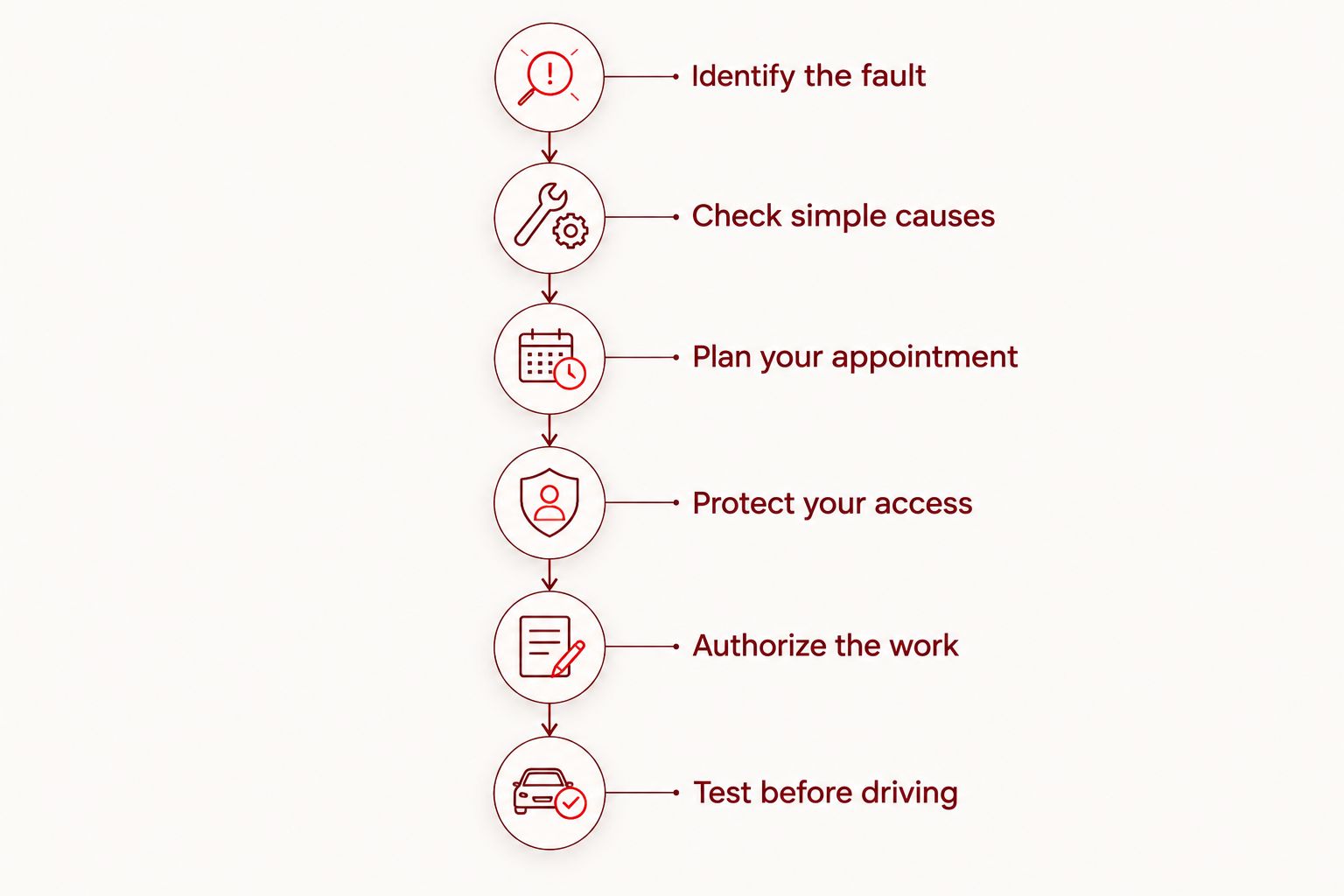
The repair process follows the same order regardless of the phone model: identify the fault, check simple causes, plan the appointment, protect access, authorize work, and test the result.
Compare your repair and replacement options
Choose an option based on the fault, the phone's condition, and your ability to work without it. The best route is the one that resolves your problem without relying on an unconfirmed completion time.
Start with manual checks when the device is safe. Use professional inspection when the symptom persists, physical damage is present, or you cannot distinguish an accessory problem from a device fault. A backup phone protects continuity but does not repair the original device.
| Option | Best for | Main advantage | Key limitation |
|---|---|---|---|
| Basic troubleshooting | Drivers with app-specific or accessory-related symptoms | Helps rule out simple causes before repair | Cannot establish every hardware fault |
| Aspect Phone Solutions appointment-based repair | Edmond and OKC drivers who want a scheduled repair visit | Appointment-based service with prices confirmed before authorization | Booking alone does not confirm completion time |
| Manufacturer or authorized service | Drivers who need to check an existing coverage claim | Provides a route for asking about applicable coverage and service requirements | Coverage and service terms require confirmation for the device |
| Temporary backup phone | Drivers who need account access while their main phone is assessed | Keeps a separate device ready for essential tasks | Requires a working connection, compatible apps, and successful login |
| Phone replacement | Drivers evaluating a device with several problems | Lets you compare replacing the whole device with repairing it | Requires account transfer, setup, and a separate purchase decision |
Ask about repair terms, replacement-part choices, and post-repair checks before deciding. Do not infer these from a provider's name or assume that every repair restores the phone's original water resistance.
Common mistakes rideshare drivers make
Treating charging trouble as a battery diagnosis
A phone losing charge during navigation does not identify the failed component. Check the cable and power source, then explain the symptom to the technician. Approving a battery replacement on assumption can leave the original charging problem unresolved.
Booking around an assumed completion time
An appointment reserves a visit, not a guaranteed return-to-work deadline. Confirm when the provider can assess the device and give a completion estimate. Do not commit to a shift that depends on an unconfirmed repair timeline.
Moving accounts after handing over the phone
Account recovery becomes harder when the only device receiving verification messages is unavailable. Test the backup arrangement before drop-off. A spare phone sitting in a drawer is not a work plan until you can actually sign in.
Checking only whether the screen looks better
A clear display is not the same as a work-ready phone. Test touch, calls, navigation, and charging in the vehicle while parked. Your acceptance check should match the failure that interrupted your work.
Continuing to use a physically unsafe phone
A lifted screen or swollen battery is not something to manage with a tighter mount or extra charging. Stop use and seek professional guidance. Keep the device away from heat and do not press, puncture, or attempt to flatten a damaged battery.
FAQ
What's the best first step if my rideshare phone stops working?
Stop somewhere safe and identify whether the problem affects the phone, an accessory, or only the rideshare app. Record the symptom, then perform basic checks only if the device is safe to use.
Can I walk into Aspect Phone Solutions for a repair?
Aspect Phone Solutions provides appointment-based smartphone repair, so arrange an appointment before traveling. The service covers customers in Edmond and the wider Oklahoma City area.
Does a repair appointment mean my phone will be ready that day?
A repair appointment does not establish a same-day completion time. Confirm the assessment process and ask when the provider can give an estimate for your specific phone and fault.
Should I repair my rideshare phone or replace it?
Decide after the phone has been inspected and the proposed repair is clear. Compare the repair scope with the device's overall condition, other faults, and the work needed to set up a replacement.
Why does my phone charge at home but not in my car?
A vehicle-only charging problem requires checking the cable, vehicle power source, and connection before assuming the phone needs repair. Compare with a known-working compatible setup while parked and report the results.
Do I need to back up my phone before repair?
Back up the phone before repair if it remains safe and usable, and verify that the backup completed. Also check account recovery methods so you are not dependent on the phone being repaired.
What should I test before taking rideshare trips again?
Test the original fault, touch response, navigation, calls, and charging before accepting trips. Repeat the relevant checks in your vehicle while parked because its accessories are part of your work setup.
Can I approve a repair before the price is confirmed?
Wait until the proposed work and price are confirmed before authorizing the repair. Ask how any additional work discovered during service would be presented for separate approval.
One last thing
Before your next 2026 shift, test your backup login while your main phone still works. The backup that matters is access to your work, not just possession of another phone.
Keep a short repair note with the original symptom, the authorized work, and the checks completed afterward. If the problem returns, that record gives you a clearer starting point than trying to reconstruct it from memory.


