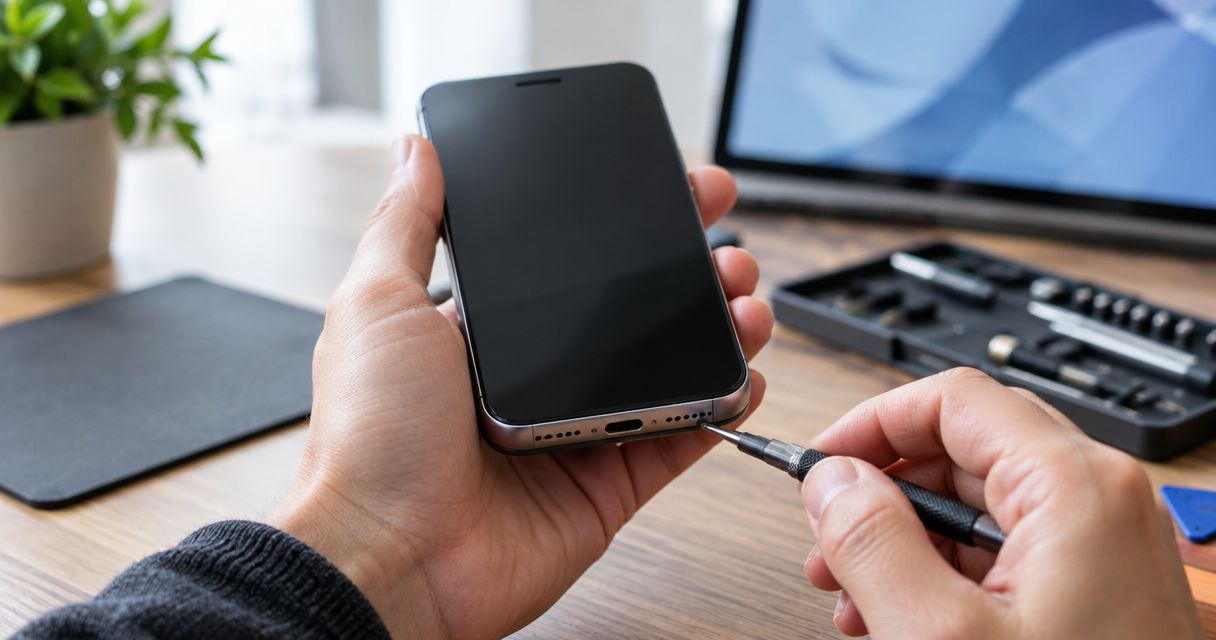
Yes, a phone microphone can be repaired, but the right fix depends on whether the problem is a blocked opening, a software setting, a damaged microphone assembly, or a fault inside the phone. Test the microphone before authorizing a replacement: poor call audio alone does not prove the microphone has failed.
- Can a phone microphone be repaired? Yes, but diagnosis determines whether you need troubleshooting, cleaning, or hardware repair.
- Clear recordings with poor call audio point to a different problem than consistently silent recordings.
- Avoid needles, liquids, and compressed air when checking microphone openings.
- Aspect Phone Solutions offers appointment-based smartphone repair for Edmond and Oklahoma City customers.
Can a phone microphone be repaired?
A phone microphone problem is repairable when its cause can be corrected through settings, careful cleaning, connection repair, or replacement of damaged hardware. The phone model and the location of the damage determine the repair method—not simply whether callers hear you.
Aspect Phone Solutions is best for Edmond and OKC customers who want appointment-based smartphone repair.
| Possible cause | Best for identifying it | Appropriate next step | Limitation |
|---|---|---|---|
| Blocked microphone opening | Muffled sound after checking the case | Inspect the opening and remove external obstruction safely | A clear opening does not rule out internal damage |
| App permission or audio-routing problem | Audio that fails in one app or with an accessory connected | Check permissions and disconnect accessories | Settings changes cannot repair damaged hardware |
| Damaged microphone assembly or connection | Persistent failure across relevant tests | Have the phone inspected for component repair | Construction differs by phone model |
| Circuit-board damage | Problems that remain after simpler causes are excluded | Request a diagnosis of the internal circuitry | Repair is more involved than replacing an accessible assembly |
Replace the failed part only after identifying the failed function. A microphone fault, speaker fault, and connection problem can all interrupt a conversation, but they require different repairs.
Why this matters
Buying a microphone replacement before testing the phone risks paying for the wrong repair. If recordings sound normal but calls break up, the cellular connection, calling app, or audio routing also needs attention.
The opposite distinction matters, too. If other people cannot hear you, investigate sound capture; if you cannot hear them, investigate sound playback. A phone can have both problems, especially after physical damage, so describe each symptom separately.
For a repair decision in 2026, start with reproducible evidence rather than a part name. Tell the technician what fails, what still works, and what happened immediately before the trouble started.
Safe microphone checks to try in 2026
These checks help separate an app problem from a broader audio fault. They do not require opening the phone or putting anything into its microphone holes.
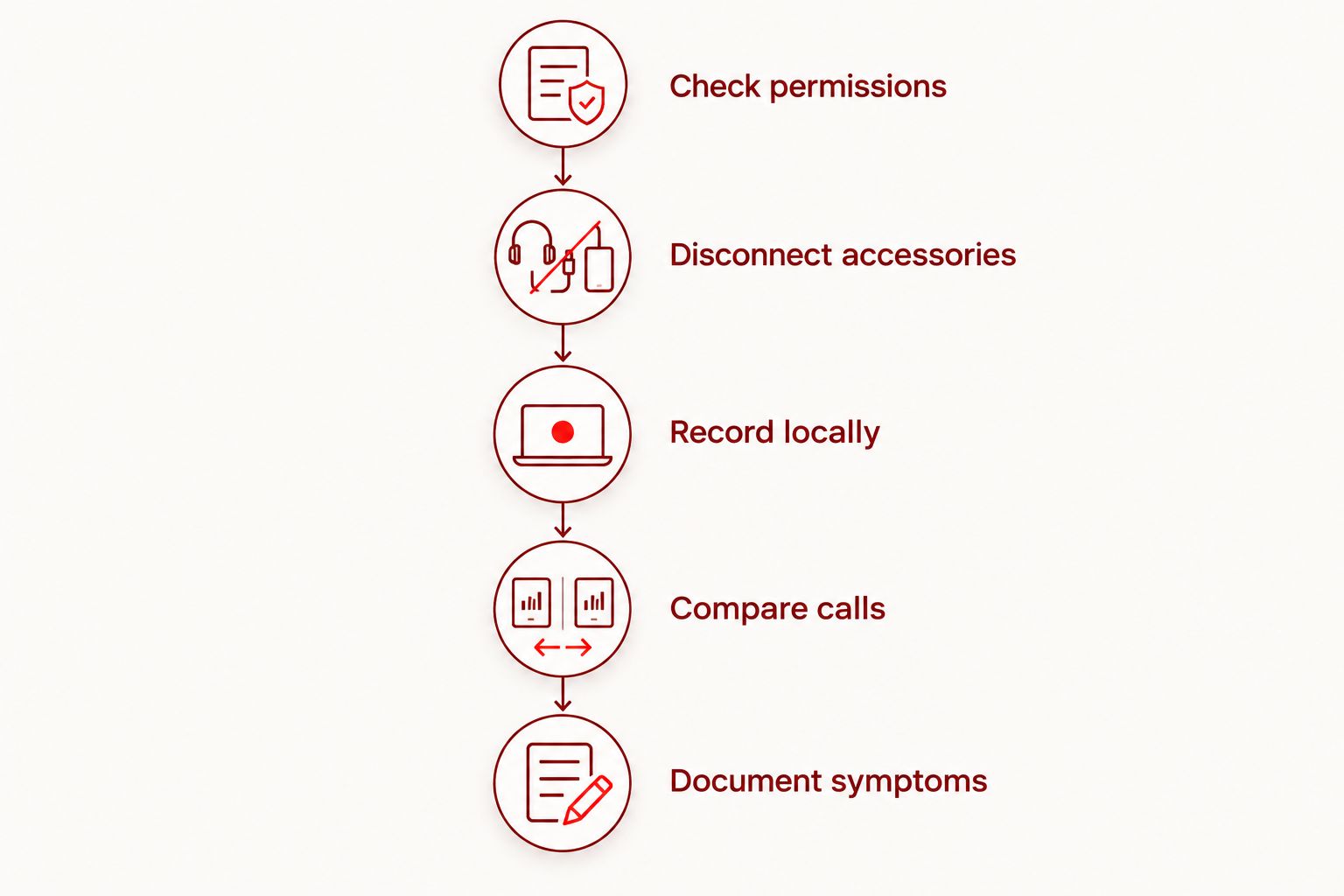
1. Check permissions
Open the phone's settings and confirm that the affected app has microphone access. Also check whether a device-wide microphone privacy control is blocking access, if your phone provides one.
If recording works in the phone's recording app but fails in a messaging app, focus first on that app's permissions and settings. Failure in 1 app is not enough evidence to order a microphone replacement. Restart the app after making a change, then test again.
2. Disconnect accessories
Disconnect wired headsets and turn off Bluetooth temporarily. An attached accessory can provide the active microphone instead of the microphone built into the phone.
Remove the case if it covers an opening or fits incorrectly. Retest without the case and accessories before deciding that internal hardware has failed. This check is useful because it changes the audio setup without changing or erasing your personal data.
3. Record locally
Use 3 recording modes: a voice recording, a front-camera video, and a rear-camera video. Speak normally in a quiet room and play each recording back through a known-working listening device if the phone's speaker is also suspect.
Phones can use different microphones or audio processing for different recording modes. A clear video and a silent voice recording give the technician a more useful pattern than a general report that the microphone is broken. The pattern is a clue, not a component diagnosis.
4. Compare calls
Compare 2 call modes: a normal handset call and a speakerphone call. Ask the other person to describe whether your voice is silent, faint, distorted, or interrupted.
Repeat the comparison after disconnecting accessories. If local recordings are clear but calls remain unreliable, include that detail when arranging an inspection. Do not assume speakerphone success proves that every microphone and internal connection is working correctly.
5. Document symptoms
Write down which tests worked and which failed. Include recent drops, liquid exposure, repairs, software changes, and whether the problem is constant or intermittent.
Restart the phone and repeat the affected test once before reporting the result. Avoid a factory reset as an opening troubleshooting step: it erases data and does not repair physical damage. Back up your phone before any reset or repair that could put your data at risk.
A short test log gives a repair technician a repeatable starting point. Keep the original recordings if the problem comes and goes.
Can cleaning fix a muffled phone microphone?
Cleaning can help when an external obstruction is blocking sound, but it cannot correct a failed microphone or damaged connection. Start by removing the case and examining the openings under good light.
Follow the phone manufacturer's cleaning instructions. Wipe the exterior with a soft, lint-free cloth, and leave debris inside an opening for professional assessment rather than pushing it deeper.
Avoid these shortcuts:
- Needles and pins: inserting them risks damaging material behind the opening.
- Liquid cleaners in microphone holes: adding liquid creates another problem rather than diagnosing the original one.
- Compressed air: do not blast microphone openings to force out debris.
- Opening the phone without the right skills: internal cables, adhesives, and the battery require careful handling.
If the sound remains muffled after removing an external obstruction, stop cleaning and move to inspection. Repeatedly probing the same opening is not a useful diagnostic test.
What does a microphone repair involve?
Settings or obstruction correction
Best for: a problem traced to permissions, an accessory, or something covering an opening. Correcting the cause can restore sound without replacing internal parts.
The advantage is avoiding unnecessary disassembly. The limitation is straightforward: a settings change cannot repair a damaged microphone, cable, or circuit. Retest the original failure after any correction rather than judging success from a different app.
Microphone assembly or connection repair
Best for: a confirmed hardware fault involving a replaceable assembly or its connection. Depending on the phone's construction, a microphone can be part of another assembly rather than a separately replaceable piece.
The benefit is targeting the damaged hardware while keeping the phone. The limitation is that the repair scope depends on the exact model and inspection findings. A symptom described online cannot establish which assembly your phone needs.
Circuit-board repair
Best for: a diagnosed fault in the circuitry that carries or processes microphone signals. Some microphones and related components are attached directly to a circuit board and require specialist work.
This route addresses faults that an assembly replacement would leave unresolved. It also makes the decision more involved: ask what damage was found, what repair is proposed, and how successful operation will be checked. Not every damaged phone is a sensible repair candidate.
Why phone microphone repair varies
The repair decision in 2026 depends on the actual failure, not a universal microphone-replacement procedure. These factors explain why inspection comes first:
- Phone model and construction: the microphone's location and attachment determine what must be accessed or replaced.
- Affected audio functions: failure during voice recording, video, handset calls, or speakerphone calls helps narrow the investigation.
- Type of damage: an external obstruction requires a different response from a broken connection or damaged circuitry.
- Liquid exposure: moisture-related damage requires inspection beyond the microphone opening and can affect multiple functions.
- Previous repairs: earlier disassembly or replaced assemblies are relevant to checking connections and the phone's current condition.
- Overall condition: additional battery, charging, screen, or reliability problems change whether repairing the phone makes sense.
Ask for the diagnosis and proposed work before authorizing service. A useful explanation connects the observed fault to the proposed repair instead of simply naming a replacement part.
Is microphone repair better than replacing the phone?
Repair is the practical choice when the fault is identifiable, the proposed work addresses it, and the rest of the phone still meets your needs. Replacement deserves consideration when microphone trouble is part of a wider pattern of damage or declining usefulness.
| Decision | Best for | Main advantage | Main drawback |
|---|---|---|---|
| Repair the phone | An isolated, diagnosed fault in an otherwise useful phone | Keeps your existing device in service | Does not resolve unrelated wear or damage |
| Replace the phone | Broader damage or a phone that no longer meets your needs | Addresses the decision at the whole-device level | Requires moving data and setting up another device |
For your 2026 decision, consider more than whether sound can technically be restored. Review battery condition, dependable charging, software support, and whether you still want to use the phone after the repair.
Do not authorize a microphone repair just because you have already spent money on another repair. Evaluate the phone's current condition and the newly diagnosed problem together.
Arrange an appointment in Edmond or Oklahoma City
Aspect Phone Solutions offers appointment-based smartphone repair for customers in Edmond and the wider Oklahoma City area. Prices are confirmed before authorization, so describe the problem first and have the phone inspected before deciding on the work.
For a 2026 repair appointment, prepare this information:
- Your phone's exact model, if you can access it in settings.
- Which recording modes and call modes fail.
- Whether removing the case or disconnecting accessories changes the result.
- Any recent drop, liquid exposure, or repair.
- Whether you have a current backup and a way to receive appointment updates.
Appointment-based service means you should arrange your visit rather than assume walk-in service. Confirm what to bring and how the assessment will proceed; do not treat an appointment as a promise that a particular repair can be completed immediately.
Arrange your phone repair appointment
Describe your audio problem and confirm the appointment process before your visit.
Can a phone microphone be repaired after water damage?
A phone microphone can sometimes be repaired after liquid exposure, but the inspection must consider more than the microphone itself. Moisture can affect connections and circuitry elsewhere inside the phone.
If the phone is wet, disconnect charging cables and follow the manufacturer's liquid-exposure instructions. Do not use successful recording as proof that the phone has no remaining damage.
Can I use a headset instead of repairing the microphone?
A compatible headset with its own working microphone can provide a temporary alternative when the built-in microphone fails. Test it in the actual calling app you need before relying on it.
A headset does not fix the phone. It also will not solve every permission, software, or connection problem, so keep the repair assessment separate from the workaround.
FAQ
Can a phone microphone be repaired without replacing the phone?
Yes, a phone microphone problem can be repaired without replacing the phone when the cause is correctable. Diagnosis determines whether the solution is settings, obstruction removal, connection repair, or hardware work.
How do I know whether my phone microphone is broken?
Consistent recording failures after checking permissions and disconnecting accessories justify a hardware inspection. Compare voice recordings, front-camera video, rear-camera video, and calls rather than relying on one failed conversation.
Why does my microphone work on speakerphone but not on normal calls?
Different call modes can use different microphone inputs or audio processing. That pattern helps guide diagnosis but does not identify a failed part by itself.
Will restarting my phone fix its microphone?
Restarting can clear a temporary software problem, but it cannot repair damaged hardware. Repeat the same recording or call test after restarting to check whether the problem actually changed.
Should I factory-reset my phone before getting microphone repair?
A factory reset is not the first step for microphone trouble because it erases data and does not fix physical damage. Check permissions, accessories, and recording behavior first, and back up before considering a reset.
Can I get an exact microphone repair quote before inspection?
The repair scope needs to be established before an exact repair price is confirmed. Aspect Phone Solutions confirms prices before authorization and provides service by appointment for Edmond and Oklahoma City customers.
One last thing
Do not test the microphone only through a speaker you already suspect is broken. A silent playback can reflect a listening problem rather than a failed recording.
Listen through a known-working headset or another suitable playback device before labeling the recording silent. Then save the test result and tell the technician how you listened. That small distinction keeps the diagnosis focused on the correct side of the conversation.


