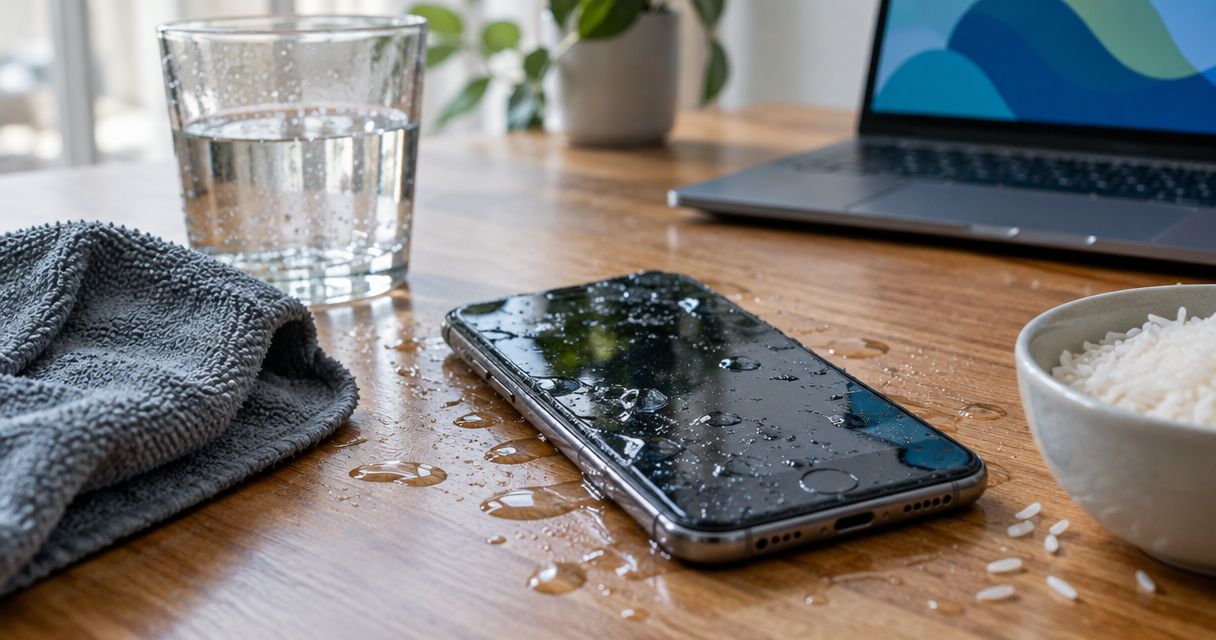
Yes, a water-damaged phone can recover without professional repair if moisture stays outside the device or affects only an exposed charging connector. Home drying does not remove internal corrosion or repair damaged components, so a phone that turns on is not proof that the damage is gone. Turn it off, disconnect power, and stop testing it while you decide whether it needs inspection.
- Can a water damaged phone be saved without professional repair? Sometimes, but drying cannot repair internal damage.
- Apple advises airflow rather than rice or heat for an iPhone showing a liquid-detection alert.
- Keep a wet phone disconnected from power; repeated charging attempts are not a recovery method.
- Aspect Phone Solutions offers appointment-based smartphone repair for customers in Edmond and Oklahoma City.
Why this matters
The important distinction is a wet charging connector versus liquid inside the phone. Moisture around an exposed connector can dry without a repair. Liquid beneath the screen or inside the housing creates a different problem: evaporation does not remove every contaminant left behind.
For a repair decision in 2026, judge the exposure and symptoms rather than whether the screen lights up. A working display tells you the phone has power; it does not tell you the charging circuit, battery, or internal connections are undamaged.
If the phone was submerged or develops problems afterward, use the guide to water-damage phone repair services in OKC to plan your next step. Avoid charging it simply to find out whether it still works.
Can a water damaged phone be saved without professional repair?
Sometimes—but safe home care is damage control, not an internal repair. Your best chance of avoiding further harm starts with disconnecting power and leaving the phone alone, not trying household drying tricks.
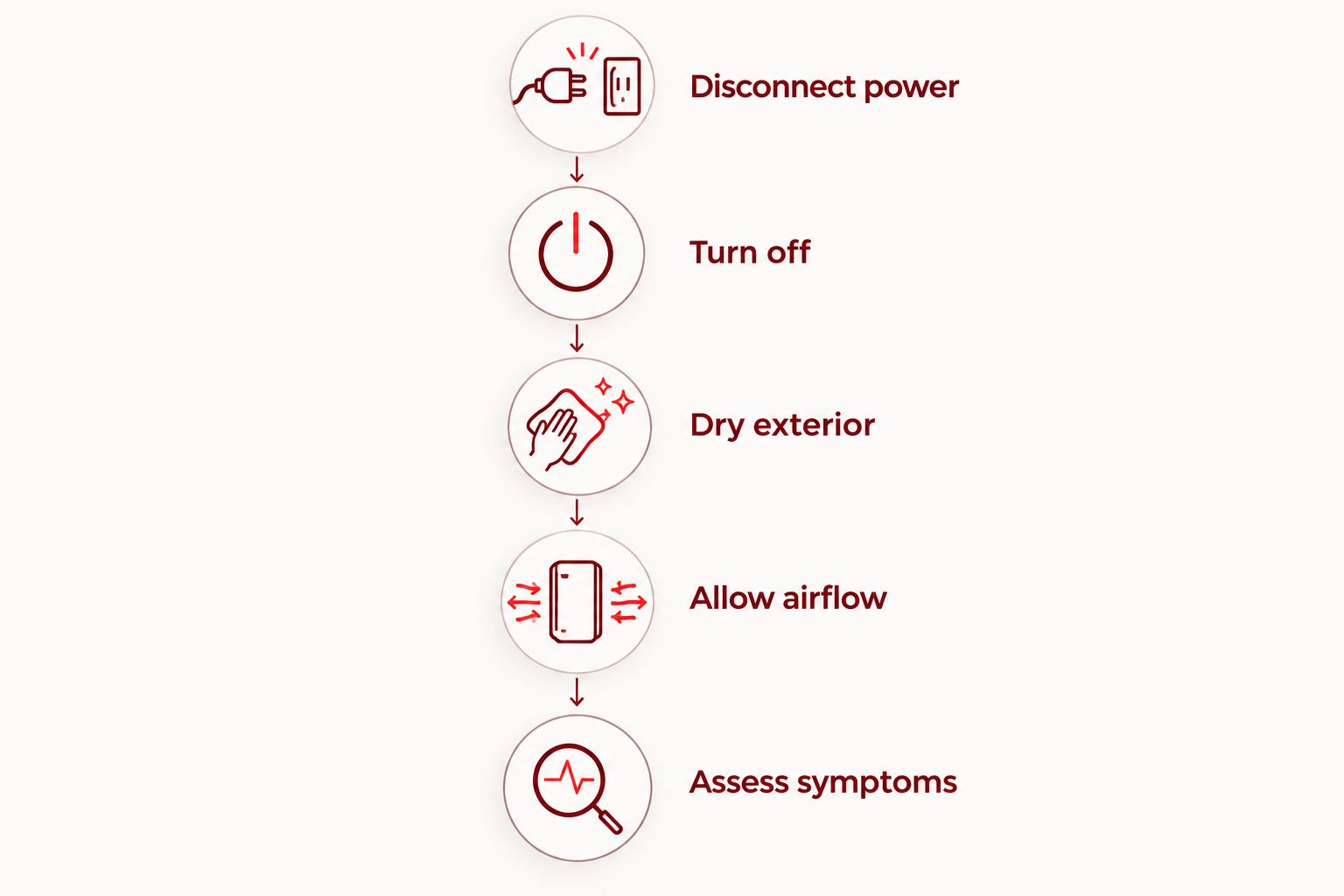
Follow this sequence after liquid exposure:
- Disconnect power. Unplug the charging cable and remove connected accessories. If the charger or surrounding area is wet, avoid handling energized equipment with wet hands.
- Turn off. Shut down the phone if you can do so normally. Do not repeatedly restart it, run apps, or test the camera to check for damage.
- Dry exterior. Remove the case and gently wipe accessible surfaces with a soft, lint-free cloth. Do not push cloth, paper, or tools into the charging connector.
- Allow airflow. Leave the phone in a dry place with ordinary airflow. Do not use a hair dryer, oven, radiator, compressed air, or direct heat.
- Assess symptoms. Consider what liquid touched it, whether it was submerged, and whether problems appeared afterward. Submersion, internal fogging, or abnormal behavior calls for inspection rather than more home testing.
Those steps remain a practical starting point in 2026, but follow the device manufacturer's instructions for your exact model. Do not open a sealed phone or attempt battery removal without the appropriate repair knowledge and equipment.
What does manufacturer drying guidance actually mean?
Apple's published guidance for supported iPhones with a liquid-detection alert says to wait at least 30 minutes before trying a cable connection again. If the alert returns, drying can take up to 24 hours. Apple also advises against rice, external heat, compressed air, and inserting objects into the connector.
Those times address a wet connector, not recovery from internal water damage. They do not establish that a submerged phone is safe after waiting, and they are not a drying schedule for every smartphone. Persistent symptoms need a different response.
Home drying, professional inspection, or replacement?
Choose your next move based on the damage you can observe and the information you need. Each option solves a different problem; none guarantees that your phone or data will be recovered.
| Option | Best for | Advantage | Limitation |
|---|---|---|---|
| External drying | Surface moisture or a connector-only exposure without other symptoms | Avoids opening the device and follows basic moisture precautions | Cannot reveal or remove internal corrosion |
| Professional inspection | Submersion, contaminated liquid, recurring alerts, or new faults | Can establish whether internal cleaning or component repair is needed | Inspection does not guarantee repair or data recovery |
| Replacement | A device assessed as unsuitable for repair | Moves you away from the damaged hardware | Does not recover files stored only on the damaged phone |
For surface moisture, follow the manufacturer's drying instructions. For submersion or new faults, arrange an inspection. For replacement, establish your backup situation before abandoning the old device.
Aspect Phone Solutions is best for Edmond and OKC customers seeking appointment-based smartphone repair rather than walk-in service. Prices are confirmed before authorization. An appointment helps you plan the visit, but it is not an immediate walk-in option or a promise that liquid damage can be repaired.
Why water-damage recovery varies
There is no reliable home test that proves every internal connection is clean and dry. These factors explain why two apparently similar spills can require different decisions:
- Where the liquid reached. Moisture on an outer surface is different from liquid around internal electrical connections. A dry exterior does not reveal what happened inside.
- What the liquid contained. Salt water, sugary drinks, and soapy water can leave contamination after the water evaporates. Drying alone does not remove those deposits.
- Whether the phone remained powered. Electrical current through wet circuitry can cause damage. Charging and repeated testing add exposure rather than resolve it.
- The condition of the enclosure. Cracks, damaged seals, and wear affect protection against liquid entry. A water-resistance rating is not a statement about the condition of your individual phone.
- Symptoms after exposure. Camera fogging, charging faults, abnormal heat, touch problems, and restarts warrant inspection. A symptom-free startup is not an internal examination.
Your 2026 repair decision should account for all of these, not just the length of time the phone spent in water. Tell the technician what happened accurately; a drink spill and a brief splash are not interchangeable descriptions.
Does water resistance mean my phone is safe?
No. Water resistance describes performance under specified test conditions, not protection against every spill, liquid, or damaged seal. Check the rating and manufacturer instructions for your exact phone rather than assuming all smartphones have the same protection.
For example, the established IP67 classification includes temporary immersion testing at 1 meter for 30 minutes under specified conditions. It does not mean a phone is protected indefinitely or that its seals remain unchanged after wear or damage.
Do not use a rating as permission to charge a wet phone. A connector can contain moisture even when the device has a water-resistance rating. A cracked enclosure also deserves more caution than an intact one.
What should I avoid when trying to save a wet phone?
Skip rice. It does not clean contaminated circuitry, and Apple warns that small particles can damage an iPhone. Leaving the device in rice can also distract you from symptoms that require inspection.
Avoid heat and compressed air, too. Manufacturer guidance advises against them for wet connectors; pushing air into openings is not a controlled way to remove liquid from internal components.
Do not insert cotton swabs, paper towels, pins, or other objects into the charging port. Wipe the outside gently and leave the connector unobstructed.
Do not make charging your diagnostic test. A phone accepting power does not establish that it is undamaged. Switching to wireless charging is also not a general workaround for a phone suspected of having internal liquid damage.
What symptoms mean I should stop home troubleshooting?
Stop testing and seek inspection if you notice new problems after exposure. Useful warning signs include:
- Fog or visible moisture behind the camera glass.
- A screen that flickers, develops lines, or stops responding normally.
- Repeated shutdowns or restarts.
- Charging warnings that persist despite following manufacturer guidance.
- Sound or microphone problems that continue after exterior moisture has dried.
- Unexpected heat, swelling, an unusual smell, or separation of the enclosure.
Heat and swelling deserve particular caution. Stop using and charging the device, do not press the casing together, and do not puncture or attempt to remove the battery. If the phone is smoking or presents an immediate fire hazard, keep your distance and contact emergency services.
Describe the symptom rather than naming a part you think has failed. That keeps the inspection focused on evidence instead of an assumed repair.
Can I save my photos before repairing the phone?
Start with backups you can check from another device. Sign in to the cloud account you already use and confirm whether important photos, contacts, and documents are present. Do not assume that enabling a backup feature means the latest files finished uploading.
For your 2026 recovery plan, separate saving the phone from saving the data. Replacing hardware does not restore files that exist only on the damaged device, and repairing the phone does not guarantee those files remain accessible.
If the wet phone is off, do not repeatedly turn it on just to attempt a backup. Tell the repair provider that data preservation is your priority before authorizing work. Ask whether any proposed step involves erasing or resetting the device.
If the phone already works after manufacturer-guided drying and has no concerning symptoms, prioritize a backup before returning to ordinary use. Stop immediately if it becomes unusually hot, unstable, or displays a liquid warning.
What should I tell a repair provider before an appointment?
Prepare a short account of the incident. Include the phone model, the liquid involved, whether the phone was submerged, whether it stayed on, and whether you tried charging it afterward. Mention rice, heat, or any attempted disassembly without leaving out details.
Also explain your priority: recovering files, restoring normal use, or deciding whether replacement makes more sense. Those goals can lead to different decisions, particularly when you do not have a current backup.
For local smartphone repair, Aspect Phone Solutions serves customers in Edmond and the wider Oklahoma City area by appointment. Confirm the appointment before traveling, and review the proposed work before authorization. Do not assume the phone needs only a screen, battery, or charging-port replacement before inspection.
Arrange a phone repair appointment
Explain the liquid exposure and your data priorities before authorizing repair work.
FAQ
Can a water damaged phone be saved without professional repair?
Yes, some phones recover without repair when moisture remains outside the device or affects only an exposed connector. Home drying cannot remove internal corrosion or repair damaged components, so submersion or new symptoms call for inspection.
Will putting my wet phone in rice fix it?
No, rice is not an internal repair and does not remove contamination from circuitry. Apple advises against putting an iPhone in rice because small particles can damage it.
How long should I wait before charging a wet iPhone?
Apple's liquid-alert guidance says to wait at least 30 minutes before retrying a cable connection, and drying can take up to 24 hours if the alert returns. This guidance concerns connector moisture, not proof that a submerged phone is safe to charge.
Is my phone fine if it turns on after getting wet?
No, turning on does not prove that the inside of the phone is undamaged. Internal contamination and corrosion can remain even when the screen and apps appear to work.
Can I use a hair dryer to dry my phone?
No, do not use a hair dryer or other external heat to dry a wet phone. Disconnect power, dry accessible exterior surfaces gently, and follow the manufacturer's airflow instructions.
Should I charge my water-damaged phone to recover my photos?
No, do not charge a suspected internally wet phone just to attempt a backup. Check existing cloud backups from another device and explain your data-recovery priority before authorizing repair.
Can I walk in for smartphone repair at Aspect Phone Solutions?
Aspect Phone Solutions provides smartphone repair by appointment for customers in Edmond and the wider Oklahoma City area. Confirm the appointment before visiting; prices are confirmed before authorization.
One last thing
A successful startup answers the wrong question. It shows that the phone can turn on, not that every affected connection is clean or that your files are backed up.
The useful final check in 2026 is your backup, viewed from another device. Confirm that the files you cannot replace actually exist there. If they do not, make data preservation part of the repair discussion before anyone proceeds.


