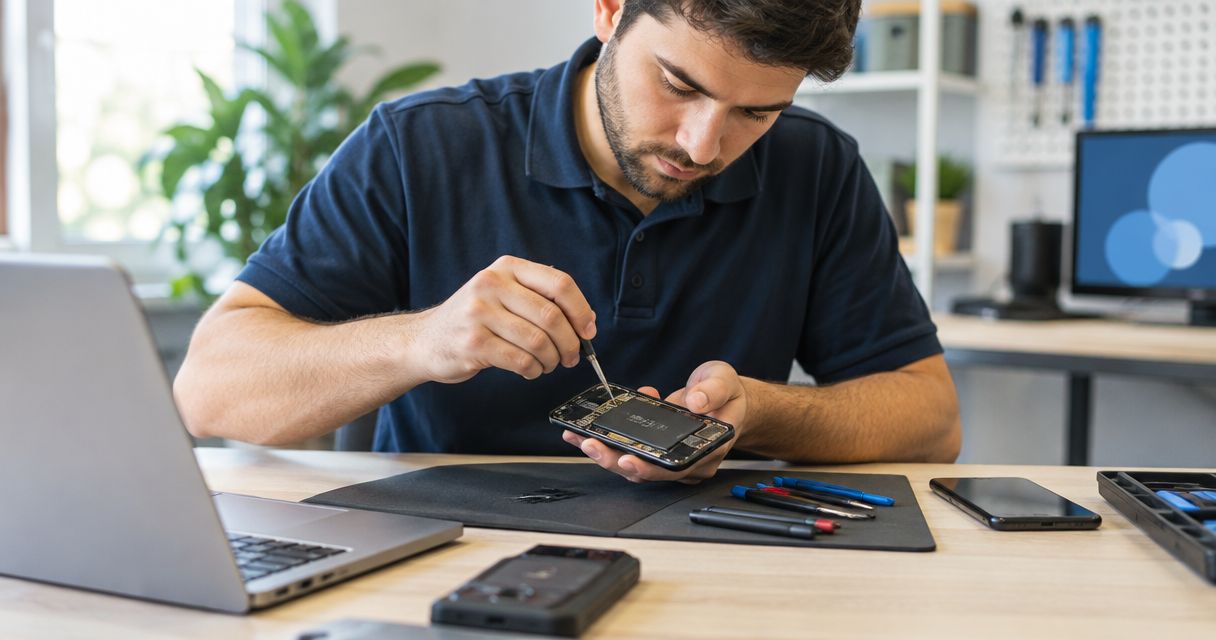
Yes—a phone repair shop can fix a phone that won’t charge when inspection identifies a repairable fault, such as debris in the charging port, a damaged connector, or a failed battery. The same symptom can also come from a bad cable, a power adapter, software, or internal electrical damage, so replacing the port without testing is the wrong starting point. Ask for a diagnosis and confirm the repair price before authorizing work.
- Can a phone repair shop fix a phone that wont charge? Yes, when inspection identifies a repairable fault.
- Charging port repair and battery replacement address different faults; testing determines which repair fits.
- Stop charging a phone with swelling, unusual heat, or suspected liquid damage.
- Aspect Phone Solutions suits Edmond and OKC customers seeking appointment-based smartphone repair.
Why this matters
A phone that refuses to charge does not automatically need a new battery—or a replacement phone. Start by separating an accessory problem from a fault inside the device. If battery symptoms are also present, the guide to whether phone battery replacement is worth it explains that decision separately.
Aspect Phone Solutions is best for Edmond and Oklahoma City customers who want appointment-based smartphone repair. For a repair visit in 2026, use Aspect Phone Solutions to arrange an appointment rather than planning a walk-in. Prices are confirmed before you authorize the repair.
Can a phone repair shop fix a phone that won’t charge?
Yes, provided the cause is repairable and the shop handles that particular repair. In 2026, a useful charging diagnosis still starts with the basics: the power source, cable, connector, battery, and the phone’s response. A blank screen alone does not identify which part has failed.
The table separates possible repair paths. These are diagnostic possibilities, not a list of services guaranteed for every phone or every shop.
| Repair path | Best for | Benefit | Limitation |
|---|---|---|---|
| Cable or adapter replacement | A fault isolated to an external charging accessory | Avoids unnecessary work inside the phone | Does not resolve a damaged port or internal fault |
| Professional port cleaning | Debris preventing the connector from seating properly | Addresses an obstruction without automatically replacing the port | Cannot fix damaged contacts or a loose internal connection |
| Charging port repair | Confirmed connector damage | Addresses the physical connection used for wired charging | Repair method depends on the phone’s construction |
| Battery replacement | A battery confirmed to be faulty | Addresses a battery that cannot accept or retain charge properly | Does not fix a failed charging circuit |
| Internal electrical repair | A fault beyond the cable, port, or battery | Addresses faults that simpler replacements cannot solve | Requires assessment of repair feasibility and the shop’s capabilities |
Choose the repair that matches the test result, not the symptom alone. A cable that works only at an angle points toward a connection problem, but it does not prove the port needs replacement. Debris, cable damage, and connector wear need to be distinguished.
What should the shop check first?
A sensible inspection starts outside the phone before moving inside it. Ask whether the technician has ruled out the cable and adapter, checked the port, and confirmed whether the phone is drawing power.
Describe exactly what you see. A charging symbol with no battery increase, a completely black screen, and charging that disconnects when the cable moves are different observations. Give the technician the symptom rather than a requested replacement part.
What can you safely check before booking a repair?
For a 2026 repair appointment, bring a short record of what happened and what you have already tried. Do not keep testing a phone that is swollen, unusually hot, visibly damaged around the battery, or suspected of having liquid inside. Those conditions call for a safety assessment rather than repeated charging attempts.
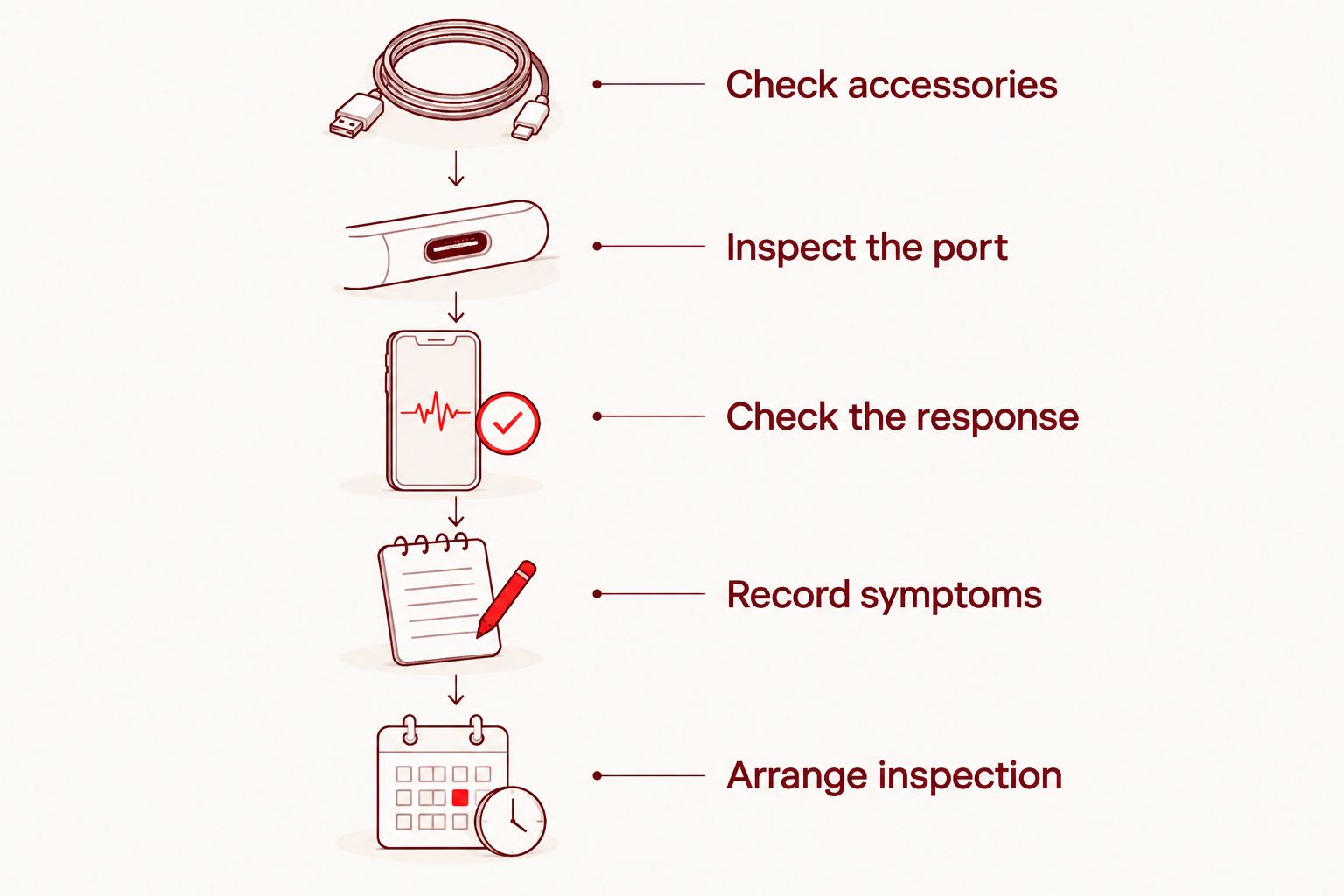
For a dry phone with no visible battery damage, use this sequence:
- Check accessories. Try a compatible cable and adapter that work with another compatible device. Use a different working outlet to rule out the power source. Change one item at a time so the result means something.
- Inspect the port. Disconnect power and look for obvious debris or damage under good light. Do not push metal tools into the connector, pour liquid into it, or force a cable that will not seat normally.
- Check the response. Note any charging symbol, vibration, sound, warning message, or warmth. If the phone appears active but the screen stays black, report that detail; the display needs assessment too.
- Record symptoms. Write down whether the problem followed a drop, liquid exposure, a software change, or gradual deterioration. Include whether the cable fits loosely or charging stops when the phone moves.
- Arrange inspection. Stop repeating unsuccessful attempts and explain your observations when booking. Ask what accessories to bring so the technician can assess the charging setup as well as the phone.
These checks narrow the problem; they do not certify that the battery or charging circuit is safe. Follow the phone manufacturer’s instructions for restarting the device and responding to moisture or temperature warnings.
When does a charging port need repair?
Charging port repair fits a confirmed connector fault, not every charging complaint. Report a cable that will not seat fully, a visibly damaged connector, or a connection that repeatedly drops out. The technician still needs to separate obstruction from damage.
Do not hold a cable at an angle as a long-term workaround. Forcing or repeatedly moving a damaged connection risks further wear. Stop using an accessory with exposed wiring or a damaged plug.
The port’s construction also matters. Some phones use a separate charging assembly; others require more involved work around the connector. Ask what failed and what the proposed repair includes, without assuming every model uses the same process.
Can cleaning fix a phone that won’t charge?
Cleaning can restore the connection when compacted debris prevents the plug from seating correctly. It cannot repair broken contacts, corrosion, or a failed battery. Ask for inspection before agreeing to either cleaning or replacement.
Avoid aggressive home cleaning. A charging connector has small contacts, and scraping them with a sharp object can turn an obstruction into physical damage. Looking inside the port is not the same as safely removing material from it.
When does the battery need replacement?
Battery replacement fits a battery fault confirmed through assessment. Tell the technician if the phone also shuts down unexpectedly, loses charge rapidly, or behaves differently when connected to power. Those details help distinguish the battery from other causes.
A battery-health message can provide useful context, but it does not explain every charging failure. Likewise, a phone showing no charging symbol does not prove that the battery is dead. Do not authorize a battery replacement solely because the phone will not turn on.
If the screen or back cover has started lifting, stop charging and report possible swelling. Do not press the phone closed or puncture the battery. Keep the damaged device away from heat and seek handling advice from a qualified repair provider.
Why charging repairs vary
For a charging repair in 2026, the phone model and inspection findings matter more than the symptom’s wording. Ask the shop to explain these factors before approving work:
- Fault location. An accessory problem, a blocked connector, a battery fault, and internal electrical damage require different responses.
- Phone construction. How the charging connector and battery are fitted affects the work needed to reach and repair them.
- Physical damage. A bent connector or damage from a drop requires more assessment than an apparently intact charging setup.
- Liquid exposure. Moisture and corrosion can affect more than the visible port. Report exposure even if the phone initially continued working.
- Multiple symptoms. A black display, unexpected shutdowns, or connection failures add information that a charging complaint alone leaves out.
- Repair scope. Not every shop performs every internal repair. Confirm whether the proposed work is handled there before making the trip.
Do not accept a firm completion promise based only on the phrase won’t charge. Ask when the diagnosis will be available and when the shop can confirm the repair plan. Inspection comes before a reliable commitment.
What should you ask before authorizing repair?
Ask the technician to identify the fault in plain language. You should understand whether the proposed work addresses the cable, port, battery, or an internal circuit—and whether further problems remain unresolved.
Use these questions to keep the decision clear:
- What test supports the diagnosis?
- Is cleaning sufficient, or is a damaged part confirmed?
- What work does the quoted repair cover?
- Will you ask for approval before doing additional work?
- Does this repair involve any risk to the data on the phone?
- How will you verify charging after the repair?
For your 2026 appointment with Aspect Phone Solutions, explain the charging symptoms when booking and confirm the price before authorization. The service is appointment-based for customers in Edmond and the wider Oklahoma City area. Arrange the visit first rather than assuming walk-in service.
Arrange a charging fault inspection
Appointment-based smartphone repair for Edmond and OKC. Prices are confirmed before authorization.
Can a phone charge wirelessly with a broken charging port?
Yes, a phone that supports wireless charging can sometimes charge that way when the fault is limited to its wired connection. Wireless charging does not bypass every battery or internal electrical problem. It is a diagnostic clue, not proof that only the port is damaged.
Do not use wireless charging to work around swelling, unusual heat, or suspected liquid damage. A different charging method does not remove those safety concerns.
Will fixing the charging problem erase your data?
A charging repair does not automatically require erasing the phone, but you should confirm the proposed procedure before approving work. If the phone still operates safely, back up important information before the appointment. If it cannot turn on, tell the shop that preserving data is a priority.
Do not authorize a factory reset as a casual troubleshooting step. A reset erases local data and does not repair physical connector damage. Ask what evidence makes a reset relevant to your particular fault.
Is repairing a phone that won’t charge worth it?
Repair makes sense when the confirmed fault is repairable and keeping the phone meets your needs. Compare the proposed work with the phone’s overall condition, other faults, and your need to retain access to its data. A charging fault alone is not a reason to discard an otherwise useful device.
Replacement deserves consideration when the assessment identifies extensive damage or unresolved problems that change the decision. Get the diagnosis first. Buying a new phone before ruling out a bad cable skips the simplest explanation.
FAQ
Can a repair shop fix my phone if it is completely dead?
A repair shop can assess a completely unresponsive phone and repair it when the underlying fault is repairable. A black screen alone does not distinguish a charging problem, battery failure, display fault, or internal electrical damage.
Does a phone that won’t charge always need a new battery?
No, a phone that won’t charge does not always need a new battery. The cable, adapter, charging port, software, and internal charging circuitry also need consideration.
Should I keep plugging in my phone to see if it starts charging?
Stop repeated attempts if the phone becomes unusually hot, shows swelling, has visible battery damage, or has suspected liquid damage. For an otherwise intact, dry phone, a controlled check with compatible working accessories is more useful than repeatedly reconnecting the same charger.
Can I clean my charging port with a needle?
Do not insert a needle or another metal tool into the charging port. Sharp conductive tools can damage the connector or cause an electrical short; arrange professional inspection if debris is compacted inside.
How long will a charging repair take?
The repair time depends on the phone model, the confirmed fault, and the work required. Ask for the diagnosis first and a completion estimate tied to that repair rather than a general promise.
Can I walk into Aspect Phone Solutions for a charging repair?
Aspect Phone Solutions provides appointment-based smartphone repair rather than walk-in service. Arrange an appointment for your Edmond or Oklahoma City repair visit and describe the charging problem when booking.
What should I bring to a charging repair appointment?
Bring the phone and ask whether the shop wants the cable and adapter you normally use. Describe any drop, liquid exposure, warning message, or change in charging behavior so the technician can assess the full problem.
One last thing
Before leaving after a repair, ask to see the phone accept a charge and confirm what was tested. If your original cable caused intermittent charging, ask whether it was checked too. A successful charging test should address the problem you reported—not just show that a different cable fits.


