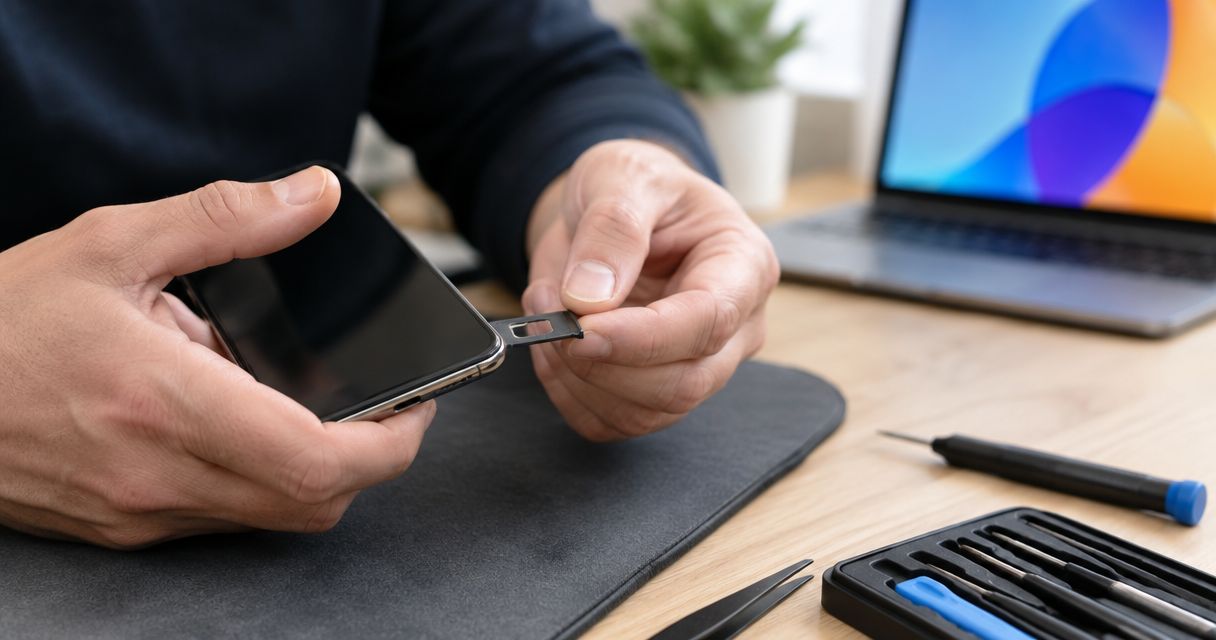
Yes, a phone repair shop can fix a stuck or broken SIM card tray, but the repair depends on whether the damage affects the removable tray, the eject mechanism, or the internal SIM reader. A replacement tray alone will not fix damaged reader contacts or a distorted opening, so stop forcing the tray and have the phone inspected before authorizing work.
- Can a broken SIM card tray be fixed? Yes, but inspection determines whether the tray or internal parts need attention.
- A stuck tray and a No SIM message are different problems; either can require diagnosis.
- Do not use glue, blades, or repeated force to retrieve a broken tray.
- Aspect Phone Solutions offers appointment-based smartphone repair for customers in Edmond and Oklahoma City.
Why this matters
A tray that will not open is frustrating. Turning a small mechanical problem into damaged contacts inside the phone makes the repair more involved, especially if a broken fragment remains in the slot.
For your 2026 repair decision, separate two questions: can the tray move correctly, and can the phone recognize the SIM? Those answers determine whether you need a replacement tray, internal repair, or help from your carrier. You can review the available phone repair services before arranging an inspection.
Can a phone repair shop fix a stuck or broken SIM card tray?
Yes. The removable tray holds the physical SIM card in position, while the reader inside the phone makes the electrical connection. A shop needs to establish which part failed rather than assume every SIM-related symptom needs the same repair.
The following comparison explains the main repair paths. These are diagnostic possibilities, not a diagnosis of your phone.
| Repair path | Best for | Benefit | Limitation |
|---|---|---|---|
| Correct replacement tray | A damaged removable tray with an undamaged slot and reader | Replaces the broken holder without replacing the phone | Does not repair internal contacts or a bent frame |
| Professional extraction | A jammed tray or a fragment inside the slot | Addresses the obstruction before further testing | Does not establish whether the reader still works |
| Internal reader repair | Confirmed damage to the SIM reader or its connection | Addresses damage beyond the removable tray | Requires model-specific assessment and more involved work |
| Carrier-supported eSIM | A compatible phone and mobile plan | Avoids using a physical SIM for cellular service | Does not remove trapped pieces or repair physical damage |
Repair the failed part, not just the part you can see. A tray that looks broken can coexist with an undamaged reader; a tray that looks normal can sit above damaged contacts.
What does the shop need to check?
A useful inspection starts with the exact phone model, the tray's position, and what happened before it stopped working. Tell the technician whether the phone was dropped, the tray was forced, or a SIM adapter was inserted.
The next distinction is mechanical versus cellular. A tray that sits flush but produces a No SIM message needs different testing from a tray that is visibly bent and cannot close.
A broken removable tray: replacement depends on correct fit
If the tray comes out completely and only the removable holder is damaged, replacing it with the correct model-specific part is the direct repair path. Do not straighten a cracked tray and push it back into the phone. A weakened section can break off inside.
Best for: an isolated tray problem with no damage inside the slot. The advantage is that the damaged holder is replaceable; the limitation is that appearance alone cannot confirm a healthy reader.
Match the exact model and regional version where applicable. Trays that look similar can differ in shape, card position, or sealing details, so a close visual match is not enough.
In 2026, verify the phone's physical SIM configuration before ordering anything. Some phones use eSIM only, and a nearby opening is not necessarily a removable SIM tray.
A stuck or snapped tray: extraction comes before replacement
A tray that opens slightly and stops is not an invitation to pull harder. A displaced SIM, bent holder, broken fragment, or damaged opening can obstruct its movement. More force does not identify which problem you have.
Best for: a tray that will not release normally or has broken inside the phone. Professional extraction avoids repeated blind attempts, but removing the obstruction is only the first part of the assessment.
Keep any pieces that have already come out and bring them with the phone. Do not insert them again to demonstrate the problem; a description or photograph is safer than recreating the jam.
If the tray's outer edge has snapped off, stop using the eject hole repeatedly. The eject mechanism is not a tool for fishing loose fragments out of the slot.
Internal SIM reader damage: a new tray is not enough
The internal reader contains contacts that connect with the SIM card. If those contacts are damaged, replacing the plastic or metal holder does not restore that connection.
Best for: a phone with confirmed reader damage after other causes have been checked. Internal repair targets the actual fault, but the work depends on how the manufacturer built that model. Ask whether the reader is a separate component or attached to the main circuit board.
A No SIM message is not proof of reader damage. The SIM itself, its positioning, and other phone faults also need consideration before you authorize internal work.
Why SIM tray repair varies
The repair decision in 2026 depends on the damage and the phone's design, not simply the words SIM tray repair. These factors explain why an inspection matters:
- Exact phone model: Tray shape, eject mechanisms, and reader construction differ between devices.
- Location of the break: A cracked removable edge is different from a fragment lodged inside the slot.
- Frame condition: A damaged opening can prevent a correctly matched tray from moving or seating properly.
- Reader condition: Bent or damaged contacts require attention beyond replacing the holder.
- What was inserted: A misplaced SIM, adapter, or incorrect tray changes what the technician needs to investigate.
- Previous removal attempts: Glue, sharp tools, and force can introduce damage beyond the original fault.
Describe what happened without trying another removal technique first. That history helps distinguish the original problem from damage caused during an attempted fix.
What should you do before a repair appointment?
Prepare the phone without disturbing the stuck parts. The aim is to preserve its current condition and give the technician a clear account of the fault.
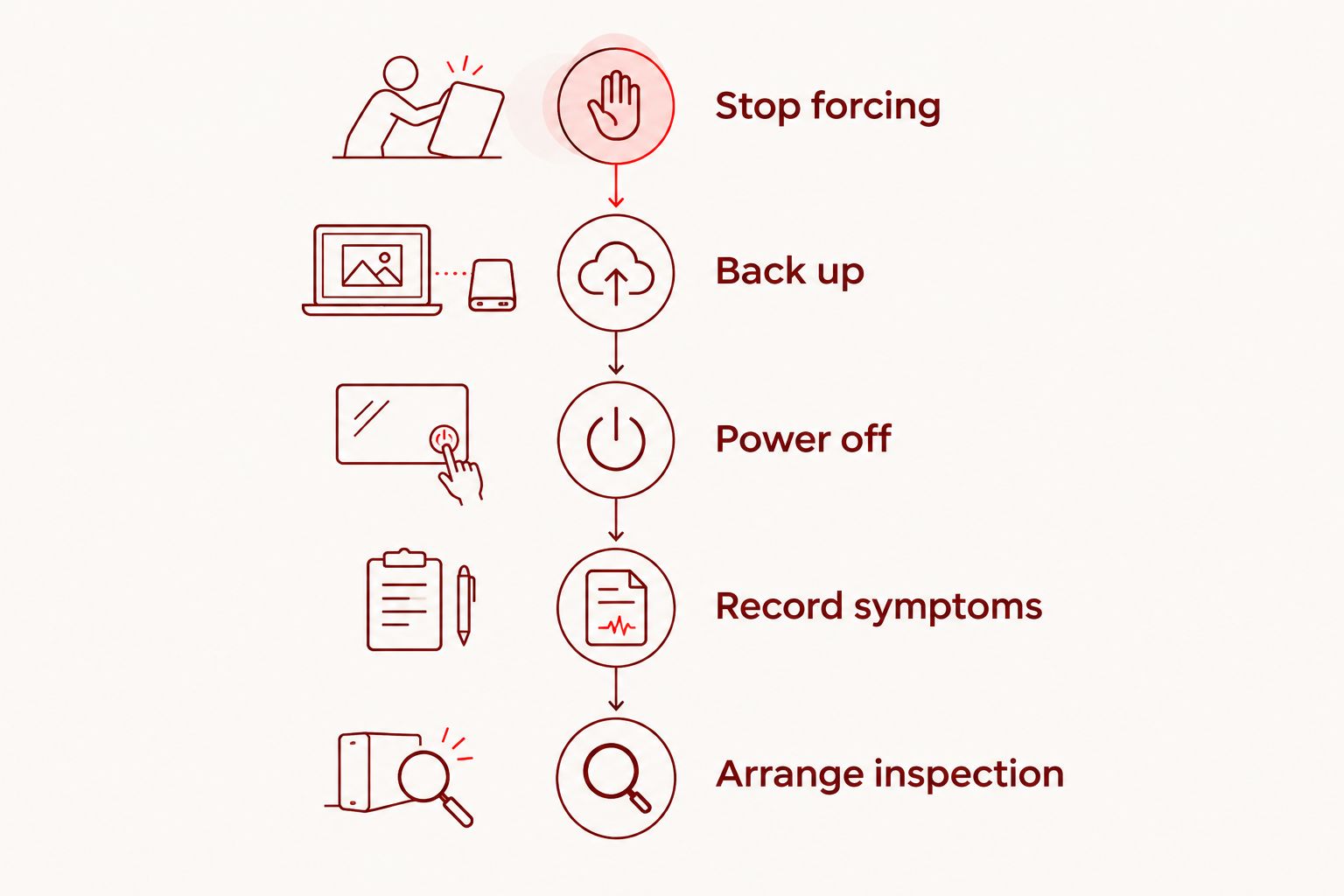
- Stop forcing. Leave a jammed or partly extracted tray alone. Do not push a loose SIM into the opening without its holder.
- Back up. If the phone works normally and has no signs of battery damage or overheating, save important data using your usual backup method.
- Power off. Switch the phone off before further handling of the SIM area. If the screen or back is lifting, avoid pressing it closed or charging the phone.
- Record symptoms. Note whether the tray opens, closes flush, or triggers a No SIM message, and whether the problem followed a drop or SIM change.
- Arrange inspection. Provide the model and symptoms when requesting an appointment, then confirm what the inspection and proposed work involve.
The sequence matters: save accessible data before switching off a normally functioning phone, but do not keep operating a visibly damaged device just to complete a backup. Tell the shop if a broken eject tool is also inside the opening.
For a local 2026 repair plan, arrange the visit before traveling. Aspect Phone Solutions is best for Edmond and OKC customers seeking appointment-based smartphone repair. Service is by appointment rather than walk-in, and prices are confirmed before authorization.
Explain the tray problem when requesting a repair appointment. Confirm whether the shop can assess that specific fault on your model rather than assume every smartphone repair business handles internal SIM reader work.
Arrange a phone repair appointment
Describe your phone model and SIM tray symptoms before your Edmond or OKC repair visit.
Can I remove a broken SIM tray myself?
Do not attempt to extract a broken tray with glue, a blade, or a needle. Glue can bond parts inside the slot, while sharp tools can damage the SIM or internal contacts. A broken tool adds another obstruction.
Normal SIM removal is different from extracting damaged parts. If the tray and phone are intact, follow the manufacturer's instructions with the correct eject tool and the correct opening. Stop if the tray resists rather than increasing pressure.
Do not assume every small hole beside the frame is an eject hole. Check the model's instructions before inserting anything, particularly if you cannot clearly identify the tray outline.
Can I use eSIM instead of repairing the tray?
eSIM is an alternative only when both your phone and carrier support it. It stores the cellular service profile electronically, so it does not need a physical SIM card in the tray. Your carrier must confirm compatibility and the transfer process.
The benefit is continued cellular service without relying on the physical reader. The limitation is that eSIM leaves the mechanical damage unresolved: a trapped fragment, open slot, or bent tray still needs a separate decision.
Before changing service in 2026, check how you will receive account verification messages during the transfer. Do not discard the physical SIM until your carrier confirms the new connection works.
Will fixing the SIM tray restore calls and mobile data?
Fixing the tray restores cellular service only if the tray problem caused the connection failure. A damaged SIM, carrier account issue, or another phone fault will not be corrected merely by changing the holder.
After repair, check that the tray sits flush without force and that the phone recognizes the SIM. Then test an ordinary call, a text message, and mobile data with Wi-Fi switched off. These checks cover different functions; seeing signal bars alone is not the full test.
Ask the technician to explain any remaining symptom before you leave. If the phone recognizes the SIM but still cannot connect, your carrier may need to check the account or SIM activation.
FAQ
Can a broken SIM card tray be fixed without replacing the phone?
Yes, a broken SIM card tray can be fixed without replacing the phone when the damage is repairable. Inspection determines whether the phone needs a replacement holder, extraction of broken parts, or internal repair.
Will any replacement SIM tray fit my phone?
No, a replacement SIM tray must match the exact phone model and applicable version. A similar-looking tray can position the SIM incorrectly or fail to seat properly.
Can a stuck SIM tray cause a No SIM message?
Yes, a stuck or distorted tray can prevent the SIM from sitting correctly. The message can also have other causes, so it does not prove that the tray is the only damaged part.
Will SIM tray repair erase my photos?
Replacing the removable SIM tray does not itself erase photos stored on the phone. Back up accessible data before handing over the device, and discuss any additional work before authorizing it.
Can I keep using Wi-Fi with a broken SIM tray?
A broken SIM tray does not by itself prevent Wi-Fi use. Continue only if the phone otherwise operates safely, and do not force a damaged tray closed to keep using it.
How much will fixing my broken SIM tray cost?
The repair needs inspection before an exact price can be confirmed. Ask whether the proposed work covers the tray alone, extraction, or internal damage before you authorize it.
Do I need an appointment for phone repair in Edmond?
Aspect Phone Solutions provides smartphone repair by appointment rather than walk-in for customers in Edmond and the wider Oklahoma City area. Describe the SIM tray problem and confirm model-specific assessment before traveling.
One last thing
A tray that closes is not necessarily a tray that works. Before accepting the repair, confirm that it sits flush, the SIM is recognized, and calls and mobile data work; do not reopen it repeatedly just to test its movement.
Keep the damaged pieces until the assessment is complete. They help show what broke without requiring you to push anything back inside the phone.


