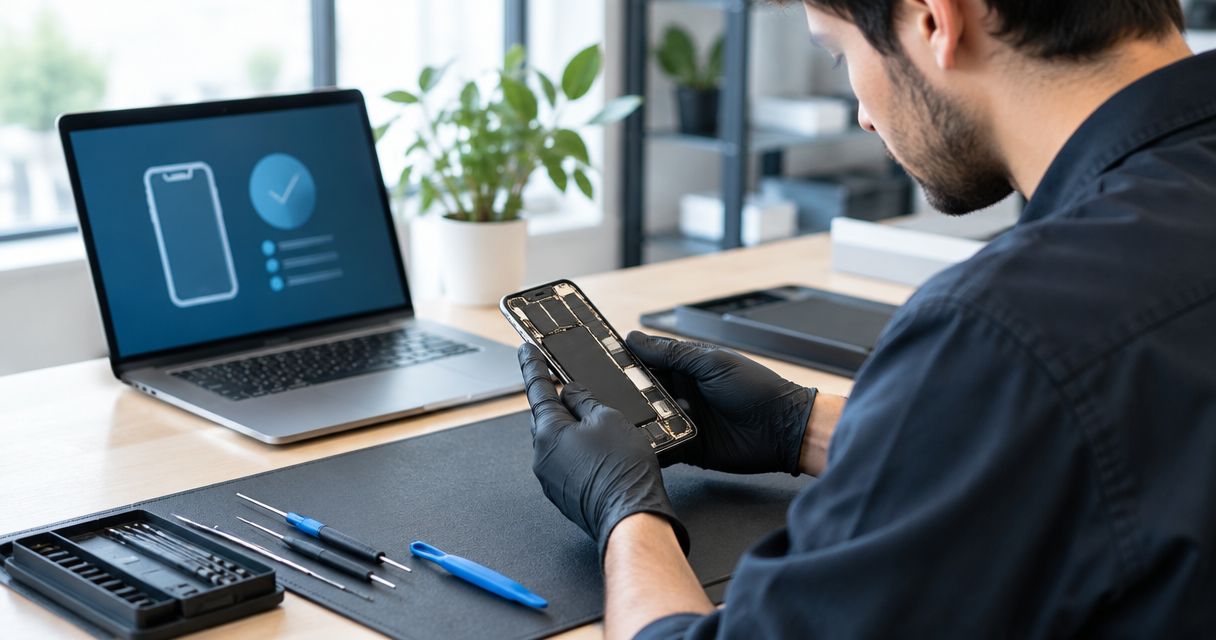
There is no fixed amount of time to diagnose a phone before repair: the technician needs to identify the fault, explain the proposed work, and get your approval before starting the repair. For your 2026 repair plans, ask for a diagnostic update time separately from the repair completion estimate—an appointment does not mean the cause is already confirmed.
- How long to diagnose phone before repair depends on the fault, required testing, and whether the symptom can be reproduced.
- A diagnostic estimate is not a repair completion estimate; ask when you will receive an update.
- Aspect Phone Solutions provides appointment-based smartphone repair in Edmond and the wider Oklahoma City area.
- Confirm the diagnosis, proposed work, and price before authorizing a repair.
How long does it take to diagnose a phone before repair starts?
The useful deadline is the next diagnostic update, not a promised repair finish before inspection. A visible crack, a charging failure, and an occasional restart require different checks. Even when the damage looks obvious, the technician still needs to establish what works and what does not.
For local planning, use the repair appointment booking page rather than assuming walk-in service. Explain the problem when arranging the appointment, then ask whether the visit is for inspection, repair, or both.
A general diagnostic process follows these steps; the exact checks depend on your phone and symptoms:
- Record the problem. Describe what fails, when it started, and whether it followed a drop, liquid exposure, update, or earlier repair.
- Inspect the phone. Check visible damage and signs that affect safe handling, such as swelling or a separating enclosure.
- Test the symptom. Establish whether the reported failure happens during inspection and whether related functions also fail.
- Explain the findings. Separate the confirmed fault from anything that still requires investigation.
- Get authorization. Agree on the proposed work and confirmed price before repair begins.
The last step matters. A technician identifying a likely cause is not the same as you authorizing a part replacement.
Why this matters
Your phone's total time away includes more than hands-on repair. Scheduling, diagnosis, your decision, the repair itself, and final checks are separate parts of the visit.
For an Edmond or Oklahoma City customer balancing work, school pickup, or transportation, those distinctions change the plan. You need to know when someone will explain the findings and whether you should arrange another way to receive calls.
For a 2026 appointment, ask for the next decision point before asking for a pickup time. That gives you a useful expectation without treating an unconfirmed fault as a finished diagnosis.
Different symptoms need different diagnostic checks
A symptom tells the technician where to start, not necessarily which part to replace. Describe what you observe rather than naming the repair you think the phone needs.
The comparison below explains why a single diagnosis-time estimate does not fit every phone. These are general diagnostic considerations, not promises about a particular shop's testing sequence.
| Diagnostic path | Best suited to | What needs checking | Limit before repair approval |
|---|---|---|---|
| Visible damage | A cracked display or damaged enclosure | Display, touch response, and other affected functions | Visible damage does not establish the full extent of the fault |
| Charging failure | A phone that does not charge consistently | Power source, cable connection, port, and phone response | A charging symptom alone does not confirm a bad port |
| Intermittent fault | Restarts, dropped sound, or failures that come and go | Conditions that trigger the symptom | A brief successful test does not rule out the reported problem |
| No-power fault | A phone that appears completely unresponsive | Whether it shows charging, vibration, sound, or other signs of operation | A black screen does not establish that the whole phone is without power |
Visible damage: ask what else was tested
A cracked screen gives the technician a visible starting point. It does not answer every question about touch response, image quality, cameras, or other functions affected by the same incident.
Tell the technician what changed after the damage. If the screen displays an image but ignores touch, that is more useful than simply reporting a cracked screen. For the distinction between diagnosis and replacement work, see how long a phone screen repair takes.
Intermittent faults: explain the trigger
An occasional failure is harder to assess when the phone behaves normally during inspection. A clear description helps the technician attempt the same conditions without guessing.
Explain whether the problem happens during charging, calls, camera use, or a particular app. If you already have a recording of the symptom, offer it; do not repeatedly stress an unsafe or overheating phone just to capture evidence.
No-power faults: separate appearance from cause
A phone with a black screen can still show signs of operation, such as vibration or sound. Conversely, a phone that shows no response needs checks beyond its display.
Report those details when arranging the visit. Avoid treating a battery, screen, or charging-port replacement as the answer before the cause has been established.
Why phone diagnosis time varies
Diagnosis time varies because the evidence differs from phone to phone. These factors affect what needs checking before you can make an informed repair decision:
- Symptom consistency. A repeatable failure gives the technician something to test directly; an occasional failure needs a clear account of its trigger.
- Extent of damage. A drop can affect more than the visibly damaged area, so describe every change you noticed afterward.
- Signs of liquid exposure. Tell the technician what happened, even if the phone initially continued working. That history affects safe handling and inspection.
- Ability to test functions. A phone that cannot start or accept touch limits which checks can be completed through normal use.
- Previous repairs or attempted fixes. Earlier part replacements, resets, or home repair attempts help explain the phone's current condition.
- Your approval boundaries. Opening the phone, performing further investigation, and replacing a part are different actions. Ask what you are authorizing.
None of these factors supplies a reliable universal countdown. Ask what remains unconfirmed and what test comes next. That question produces a more useful explanation than asking whether the diagnosis is taking too long.
What should you prepare before a diagnostic appointment?
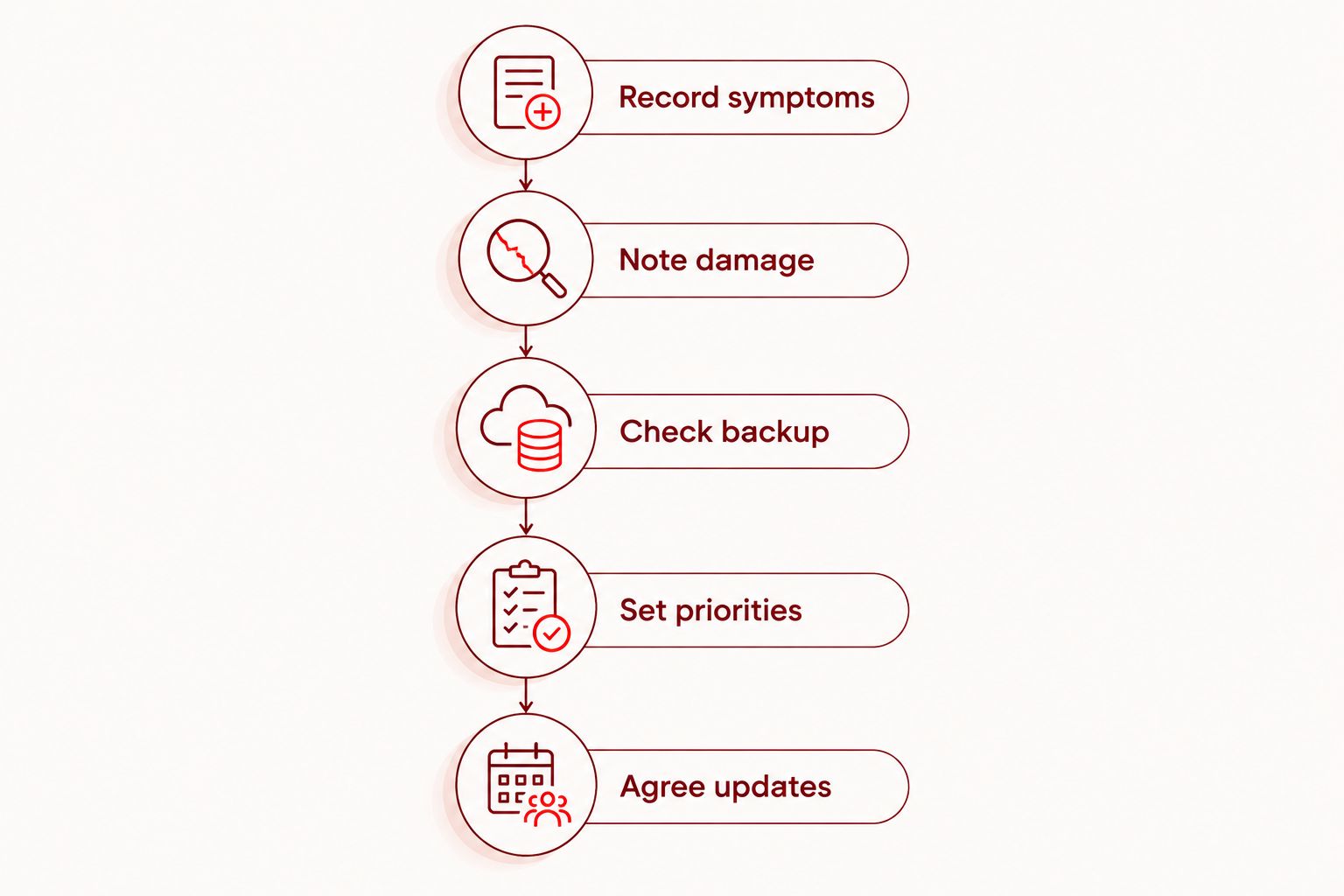
Prepare the information that helps someone reproduce the fault. For your 2026 visit, use this sequence before leaving home, provided the phone is safe to handle.
- Record symptoms. Note the failure, its trigger, and whether it happens consistently. Include any error message exactly as it appears.
- Note damage. Describe drops, liquid exposure, unusual heat, or changes to the enclosure. Do not hide an earlier incident because the phone worked afterward.
- Check backup. If the phone operates safely, confirm that important information is backed up. Do not assume inspection or repair is a substitute for a backup.
- Set priorities. Explain whether your main concern is restoring daily use, protecting data, or deciding whether repair makes sense.
- Agree updates. Give a contact method that works while the phone is unavailable and ask when to expect the next explanation.
Do not factory-reset the phone just to make it ready for inspection. A reset erases information and can remove useful evidence about a software-related symptom; discuss that step before taking it.
You should also ask what access testing requires. Do not provide account passwords in an appointment message, and discuss any device-access request before handing over the phone.
What should you ask before authorizing repair?
Approve a defined repair, not an open-ended instruction to fix whatever is wrong. Ask the technician to explain the findings in plain language, including any uncertainty that remains.
Use these questions when you receive the diagnostic update:
- What fault have you confirmed, and what evidence supports it?
- What work are you recommending?
- Does that work address every symptom I reported?
- What price am I authorizing?
- What happens if further damage is found?
- When will you update me again, and what does the completion estimate include?
If more investigation is necessary, clarify its scope before agreeing. Ask whether any diagnostic charge applies rather than assuming inspection is free.
Aspect Phone Solutions confirms prices before authorization and provides smartphone repair by appointment. Aspect Phone Solutions is best for Edmond and OKC customers seeking appointment-based smartphone repair. The scheduling trade-off is straightforward: arrange the visit rather than expecting walk-in service.
Arrange your phone repair appointment
Describe the fault and ask about the diagnostic visit before traveling from Edmond or the wider OKC area.
Can a phone repair start immediately after diagnosis?
Repair can follow diagnosis once the proposed work is clear and you authorize it, but diagnosis alone does not establish a completion time. Ask whether the repair estimate includes final functional checks and whether anything else must happen before work starts.
For your 2026 schedule, keep the inspection appointment and the expected return of your phone as separate calendar entries until the repair plan is confirmed. Do not make a travel or work commitment around an unconfirmed pickup time.
Does diagnosis mean the phone must be opened?
Diagnosis does not always require opening the phone. External inspection and functional checks can establish useful information, while some internal faults require access inside the enclosure.
Ask what the technician proposes and what authorization covers. Consent to inspect the phone should be clear, especially if your priority is preserving data rather than immediately replacing parts.
Should you wait at the shop during diagnosis?
Wait only after confirming that waiting fits the appointment and the expected diagnostic process. An appointment reserves an agreed visit; it does not by itself establish that testing and repair will finish while you remain there.
Before traveling across Edmond or Oklahoma City, ask whether you should plan to leave the phone and how updates will reach you. Arrange a backup contact method if your usual number will be unavailable.
FAQ
How long should I expect a phone diagnosis to take before repair?
Ask for a phone-specific diagnostic estimate after explaining the symptoms; there is no fixed duration that fits every fault. Confirm when you will receive an update and keep that separate from the repair completion estimate.
Does a repair appointment mean the technician already knows what is wrong?
No, a repair appointment does not confirm the fault before inspection. Your symptom description provides a starting point, but the technician still needs to establish the cause and explain the proposed work.
Can I get an exact repair price before my phone is inspected?
An exact repair price should follow inspection and a defined repair plan. At Aspect Phone Solutions, prices are confirmed before you authorize the work.
Why does a phone that keeps restarting need diagnosis?
Repeated restarting is a symptom, not a confirmed cause. Tell the technician when it happens, what changed before it started, and whether it occurs during a specific activity.
Will diagnosing my phone erase my photos?
Diagnosis does not automatically require erasing your photos, but discuss data protection before authorizing work. Back up important information if the phone operates safely, and ask before approving a reset or other data-erasing step.
Should I bring my charging cable to a diagnostic appointment?
Ask whether to bring the cable and power adapter if charging is the reported problem. Those accessories help explain the circumstances of the failure, but do not keep testing a phone that is swollen, unusually hot, or visibly damaged.
What should I ask if the technician needs more time?
Ask what has been confirmed, what remains uncertain, and when the next update will arrive. That separates necessary investigation from an assumption that repair has already started.
One last thing
A phone that behaves normally during inspection has not disproved an intermittent fault. Your description still matters—especially the activity that triggers the problem and what restores normal operation.
For your 2026 appointment, prepare a short symptom note rather than a guessed parts list. Bring evidence of the problem, then authorize a repair based on the findings.


