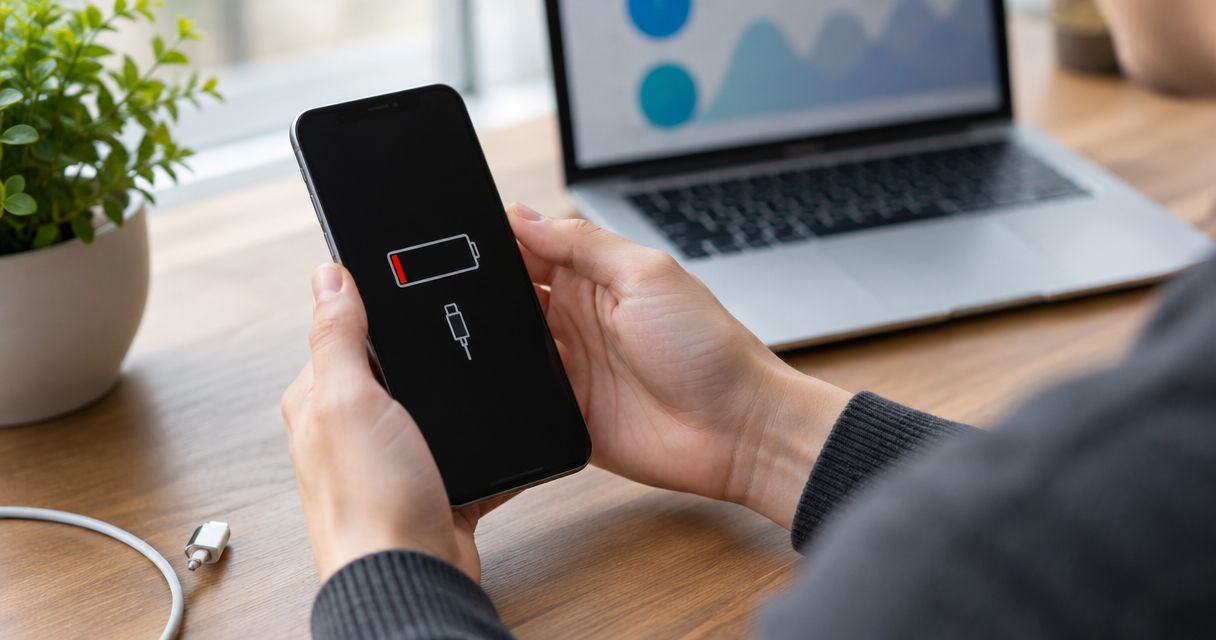
Yes—a new battery can fix a phone that won't hold a charge when battery wear is the cause. It will not fix a damaged charging port, a faulty cable, excessive software activity, or an internal electrical fault, so identify the cause before authorizing a replacement.
- For a phone won't hold a charge new battery fix, confirm battery wear before authorizing battery replacement.
- A phone that drains quickly has a different symptom from one that never charges properly.
- Stop using and charging a phone with a swollen battery or a lifting screen.
- Aspect Phone Solutions offers appointment-based smartphone repair in Edmond and the wider Oklahoma City area.
Can a phone that won't hold a charge be fixed with a new battery?
Battery replacement is the right repair when the battery no longer stores or delivers enough energy for normal use. The strongest clues are shorter runtime under similar use, unexpected shutdowns, and a battery-health warning where your phone provides one. None of those clues alone proves that the battery is the only fault.
Start with these signs your phone battery needs replacing, then compare your symptoms below. For a repair decision in 2026, the useful question is not simply whether the phone is old; it is whether the battery explains the problem.
| Possible cause | What you might notice | Best for this situation | Benefit and limitation |
|---|---|---|---|
| Battery wear | Short runtime after charging, sudden shutdowns, or a battery-health warning | Battery inspection and replacement if wear is confirmed | Addresses lost battery capacity; does not repair charging or software faults |
| Charging trouble | Charging cuts out, the connector feels loose, or a different cable changes the result | Checking the charger, cable, and charging port | Identifies interrupted charging; does not establish how much energy the battery stores |
| Software drain | Battery use rises with a particular app or background activity | Reviewing battery usage and software behavior | Can address unnecessary power use; cannot restore a worn battery |
| Internal damage | Charging or shutdown problems after a drop or liquid exposure | Inspection before choosing a replacement part | Helps identify damage beyond the battery; the repair depends on the findings |
These causes can overlap. A phone can have both a worn battery and a damaged charging connection, so replacing one part does not automatically resolve every symptom.
Why this matters
A phone that loses charge interrupts calls, navigation, work messages, and access to accounts. For customers in Edmond and Oklahoma City, the practical goal is dependable use—not simply getting the charging symbol to appear.
Choosing a battery without checking the cause risks leaving the original problem unresolved. The opposite mistake is replacing the whole phone when a battery repair would address the fault. Choose the repair that matches the diagnosis, not the symptom's nickname.
When a new battery is the right repair
The phone charges but runs out quickly
Battery wear becomes a stronger explanation when the phone reaches its normal charging level but lasts noticeably less time under comparable use. Compare similar activities: a navigation-heavy workday is not a fair match for a quiet day of occasional messages.
A replacement battery addresses reduced storage capacity. It does not reduce the power required by a bright screen, navigation, video calls, or demanding apps, so those activities will still consume charge.
The phone shuts down with charge still showing
Unexpected shutdowns can happen when a worn battery cannot supply the power the phone needs. An abrupt shutdown is different from a phone steadily reaching an empty battery indicator.
Record what the phone was doing before it shut down and whether it restarted only after you connected a charger. Those details help separate a battery problem from crashes, overheating, or other faults. The displayed charge level is a clue, not a diagnosis.
Battery health reports reduced capacity
If your phone includes battery-health information, check it alongside the symptoms. A service warning or reduced-capacity message supports arranging an inspection, but the absence of a warning does not rule out a fault.
In 2026, battery-health menus and available information still differ between phone models and software versions. Use your model's settings rather than following a menu path written for a different device.
When a new battery is not the complete fix
Charging stops when the cable moves
A connection that cuts in and out points toward the cable, connector, or charging port. Installing a battery does not repair a loose or damaged connection.
Try an undamaged, compatible cable and charger that you know work, provided the phone shows no swelling, liquid warning, or unusual heat. Do not force the plug into place or hold it at an angle to keep charging.
An app is using excessive power
A battery-usage screen can show which apps consumed power during the period displayed. Look for activity that does not match how you used the phone, such as persistent background use from an app you rarely opened.
That information helps you investigate settings or software behavior. It does not prove the battery is healthy: high power use and battery wear can exist together.
The phone has liquid or impact damage
Tell the repair provider about drops, liquid exposure, and previous repairs, even if the phone worked afterward. That history changes what needs checking before a battery replacement makes sense.
Do not keep reconnecting power to a wet phone to see whether it has recovered. A battery swap alone does not address corrosion, damaged connections, or other internal faults.
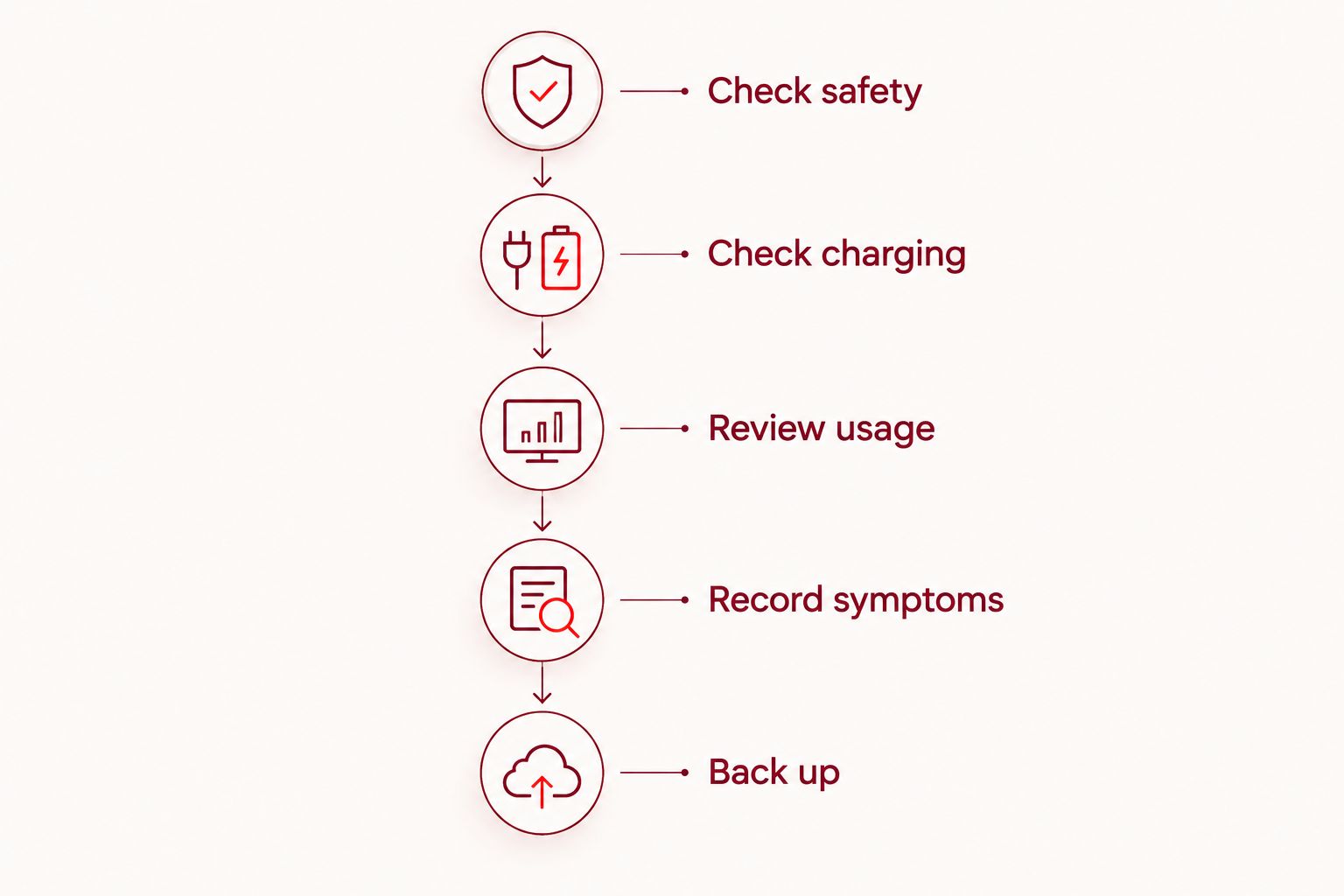
Check these things before booking a repair in 2026
Use this sequence only if the phone is safe to handle. Skip charging tests if the battery is swollen, the screen is lifting, or the phone is unusually hot.
- Check safety. Look for swelling, separation around the screen or back, unusual heat, or visible damage. Do not press a lifted screen back into place.
- Check charging. Note whether the phone detects the charger consistently. If safe, compare with an undamaged, compatible cable and charger.
- Review usage. Open the battery-usage information your phone provides. Record any warning and any app activity that seems out of proportion to your use.
- Record symptoms. Write down whether the phone drains while idle, shuts off during use, or loses its connection to the charger. Include when the problem began.
- Back up. If the phone is stable and safe to operate, back up important information before service. Do not keep a swollen or overheating phone running to finish a backup.
This sequence gives the repair provider useful observations without requiring you to open the phone. Keep the notes factual: what happened, what you tried, and what changed.
Why the result of battery replacement varies
The outcome depends on the fault and the condition of the rest of the phone. These factors explain why two phones with the same complaint can need different repairs:
- Battery condition: A worn battery has less capacity; a damaged battery also raises a safety concern.
- Charging connection: A faulty cable or port can prevent the phone from receiving a proper charge.
- Power use: Screen activity, navigation, and background apps affect how quickly stored energy is consumed.
- Damage history: Drops and liquid exposure can introduce faults that a battery replacement does not address.
- Other repair needs: A damaged screen, bent frame, or unreliable controls changes whether battery replacement alone meets your needs.
A good result is not merely a phone that turns on after service. It is a phone whose charging and runtime behavior match the repair that was authorized.
What should you confirm before authorizing battery replacement?
Ask what findings support the battery diagnosis and whether another fault also needs attention. Request a clear explanation in ordinary language; you should understand what the repair addresses and what it leaves unchanged.
For a 2026 repair appointment, prepare these questions:
- What points to the battery rather than the charging connection or software?
- Is there visible damage that changes the repair recommendation?
- What work needs my authorization before it begins?
- How will charging and basic operation be checked afterward?
- What should I do if the original symptom continues?
Aspect Phone Solutions is best for Edmond and OKC customers seeking appointment-based smartphone repair rather than walk-in service. The service model suits customers who want to arrange a visit; it does not suit someone expecting an unplanned walk-in appointment.
Aspect Phone Solutions confirms the repair price before authorization, after inspection. Use the repair booking page to arrange an appointment rather than assuming you can arrive without one.
Arrange a phone repair appointment
Describe the charging problem and arrange an appointment in Edmond or the wider Oklahoma City area.
Will a new battery make my phone last like it did when new?
A new battery can restore capacity lost through battery wear, but it does not return the entire phone to its original condition. Current apps, software, settings, signal conditions, and your daily use still affect runtime.
Compare the repaired phone under similar conditions instead of expecting a guaranteed number of hours. A day spent using navigation and video calls will demand more power than a day of light messaging, even with a healthy battery.
What if my phone still drains after a new battery?
Continued drain after replacement needs another check, not an automatic second battery. Review the original symptom and whether it changed: longer runtime with occasional shutdowns is different from no improvement at all.
Check battery usage, charging consistency, and any unusual heat, then report those observations to the repair provider. If the phone becomes swollen or unusually hot, stop using and charging it rather than repeating tests.
Should I replace the battery or replace the phone in 2026?
Battery replacement makes sense when battery wear is confirmed and the phone otherwise meets your needs. Replacement of the whole phone deserves consideration when other damage, unreliable functions, or software-support limitations also affect daily use.
Keep the decision specific. Ask whether the proposed repair addresses your main problem, whether other work is needed, and whether you still want to use the phone afterward. Age alone does not answer those questions.
FAQ
Can a new battery fix a phone that won't hold a charge?
Yes, a new battery can fix poor runtime caused by battery wear. It will not fix a damaged charging connection, excessive software power use, or another internal fault.
How do I know whether the problem is my battery or charging port?
Short runtime after charging points toward a different problem from charging that cuts out when the cable moves. Compare symptoms, battery-health information, and safe cable checks before choosing a repair.
Does a phone that only works while plugged in need a battery?
A phone that only works while plugged in needs a battery and power-system assessment. A failed battery is a possible cause, but the symptom alone does not identify the faulty part.
Is it safe to charge a phone with a swollen battery?
No—stop using and charging a phone with a swollen battery. Do not press, puncture, or try to flatten it; ask a qualified repair provider for safe handling instructions.
Will battery replacement delete my photos and messages?
Battery replacement does not normally require erasing your photos and messages, but you should still back up a safe, working phone before service. Do not assume any repair eliminates the risk of data loss.
Can I get an exact battery repair price before inspection?
Aspect Phone Solutions confirms the repair price after inspection and before authorization. Describe your phone and symptoms when arranging the appointment, but do not treat an uninspected battery complaint as a confirmed diagnosis.
Should I reset my phone before replacing the battery?
A factory reset is not a required first step for every battery complaint. Review battery usage and back up your information before considering a reset, which erases local data and does not repair a worn battery.
One last thing
A charging symbol proves the phone has detected power—not that the battery is healthy or charging correctly. When you describe the problem, separate what happens while plugged in from what happens after unplugging. That distinction is more useful than saying only that the phone has a bad battery.


