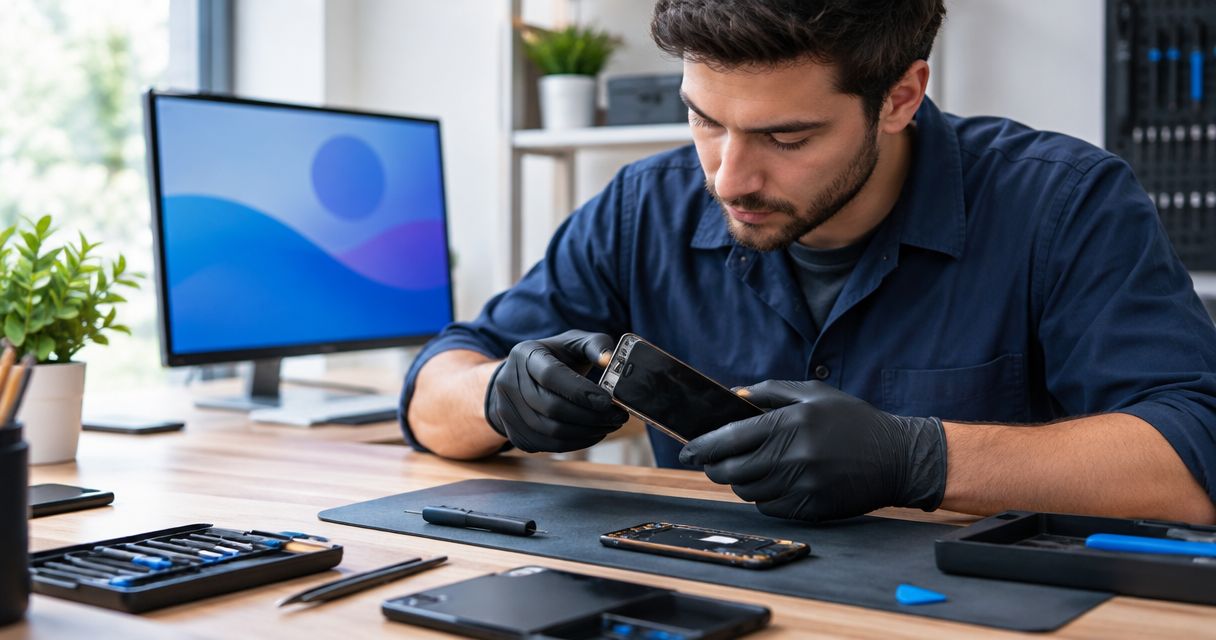
A phone that won’t turn on has no fixed repair time: the fault must be identified before you can get a dependable completion estimate. That estimate needs to account for diagnosis, the repair you authorize, and testing afterward—not just the time spent replacing a part. A black screen alone does not establish whether the problem is the battery, charging connection, display, software, or internal circuitry.
- How long does it take to fix a phone that wont turn on? Diagnosis determines the repair timeline.
- Aspect Phone Solutions suits Edmond and OKC customers seeking appointment-based smartphone repair.
- A black screen does not prove the battery needs replacement; charging, display, and software faults need different checks.
- Ask for separate expectations for diagnosis, repair, and testing before planning your pickup.
Why this matters
If your phone holds your work messages, verification codes, and family contacts, you need a useful plan—not a guessed pickup time. In 2026, distinguish between an appointment to inspect the phone and a confirmed completion estimate after inspection. Those are different commitments.
Aspect Phone Solutions provides appointment-based smartphone repair for Edmond and the wider Oklahoma City area, with prices confirmed before authorization. Arrange the appointment before traveling rather than assuming walk-in service. Tell the repair provider whether restoring everyday use or preserving unbacked-up information is your first priority.
How long does it take to fix a phone that won’t turn on?
The repair timeline depends on what stopped the phone from starting and what work you authorize after diagnosis. A completion estimate is meaningful only when it refers to an identified fault and a defined repair. Until then, “won’t turn on” describes the symptom, not the job.
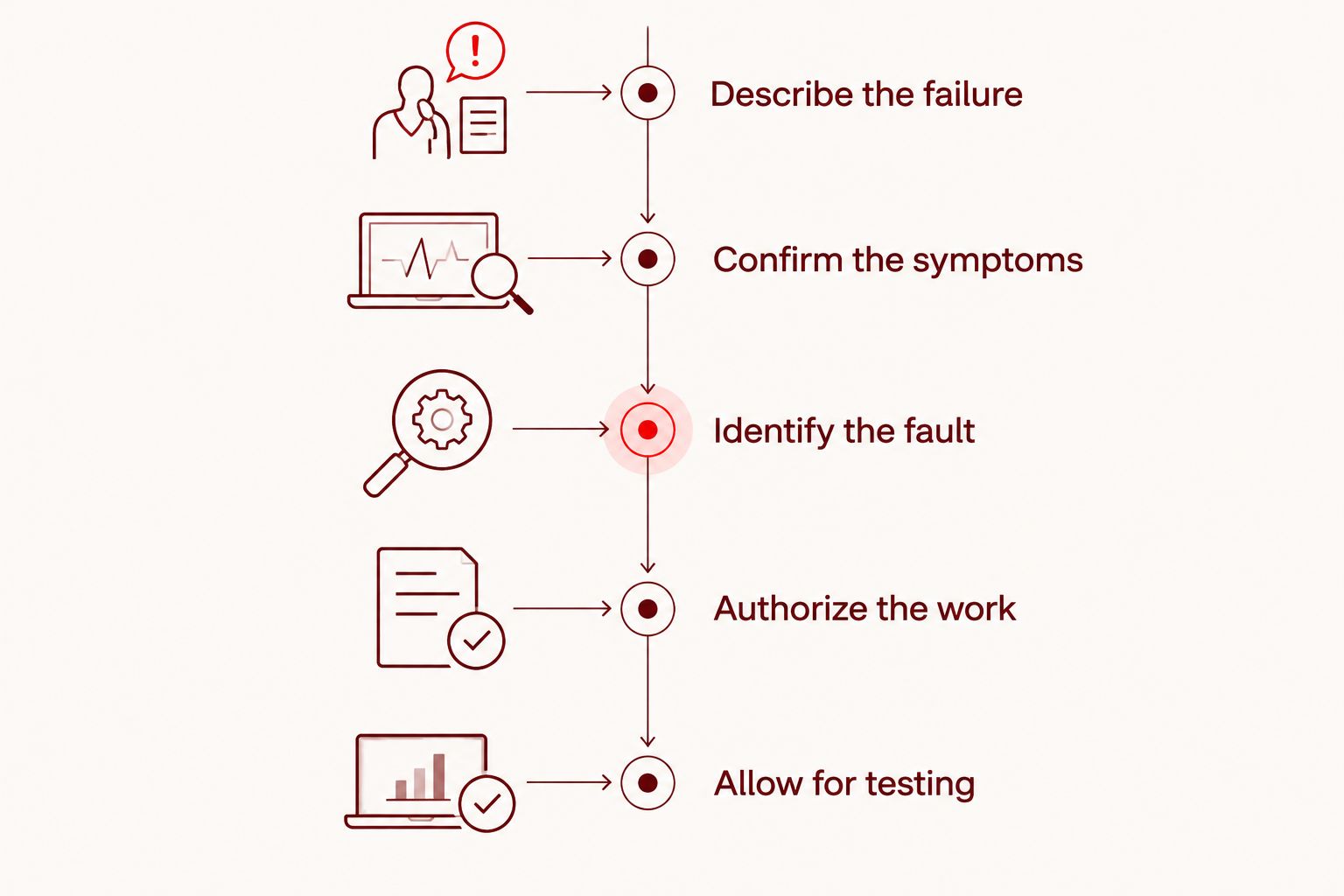
Use this sequence to understand what a repair estimate covers:
- Describe the failure. Explain whether the phone stopped suddenly, ran out of charge, suffered a drop, or encountered liquid. Mention any earlier charging or shutdown problems.
- Confirm the symptoms. The initial checks establish whether the phone is truly unresponsive or operating without a visible display.
- Identify the fault. Inspection separates a charging problem from a battery, screen, software, or internal-board problem.
- Authorize the work. Review the proposed repair, confirmed price, data implications, and expected completion before approving it.
- Allow for testing. Starting successfully is not the same as confirming that the original charging or shutdown problem is resolved.
Ask whether the quoted turnaround starts at drop-off, diagnosis, or authorization. An estimate without a starting point leaves you unable to plan transport, work access, or a backup phone.
Battery or charging fault: confirm the cause first
A phone that stopped working after its battery drained needs charging checks, but that history does not prove the battery has failed. A cable, power adapter, charging connection, or internal fault can also prevent normal charging. Replacing a battery without establishing the cause risks addressing the wrong problem.
Tell the technician whether the phone previously needed its cable held at an angle, shut down unexpectedly, or lost charge unusually quickly. These observations help direct inspection; they are not a diagnosis by themselves. Keep the description factual rather than deciding in advance which part needs replacing.
If inspection confirms a battery fault, the next decision is whether that repair fits the phone’s condition and your needs. The guide to whether phone battery replacement is worth it explains that separate repair-or-replace decision.
Best for a confirmed battery fault: battery replacement addresses the identified component. Its limitation is equally important: it does not fix a separate charging, display, or internal-board fault.
Black screen: check whether the phone is still running
A phone can appear switched off when its display is not showing an image. Ringing, vibration, notification sounds, or recognition by a previously trusted computer are useful observations to report. None guarantees a screen-only repair, but each helps distinguish a blank display from a completely unresponsive device.
Try calling the phone from another device and note exactly what happens. Silence is not proof of a dead phone: settings, network connection, and battery state also affect the result. Avoid turning an observation into a conclusion.
Best for a confirmed display fault: display repair targets the missing image. The drawback is that restoring the screen does not resolve unrelated damage from the same drop or incident, so the estimate should specify what the repair includes.
Software or internal damage: clarify the repair goal
A phone stuck on its startup logo is showing a different symptom from one that gives no response at all. Report repeated restarts, an interrupted update, or a failure immediately after a drop or liquid exposure. These details help establish the next checks without assuming the cause.
Software recovery deserves a data conversation before authorization. A factory reset erases local user data, so it is not a harmless first step when your only copy of important information is on the phone. Ask what the proposed procedure changes and whether it involves erasing the device.
Internal-board work also needs a clearly stated goal. Repairing the phone for continued use and recovering information from it are different outcomes; ask which outcome the proposed work addresses. Do not assume that a successful startup establishes long-term reliability after damage.
Best for unbacked-up information: a data-preservation-first assessment keeps the priority clear. Its limitation is that preserving information and returning a dependable everyday phone are not interchangeable promises.
Which repair path matches the symptoms?
This comparison helps you describe the problem and ask useful questions. It is not a way to diagnose your own phone or select a replacement part before inspection.
| Possible repair path | Best for | What it addresses | Limitation to discuss |
|---|---|---|---|
| Battery repair | A confirmed battery fault | A battery that cannot support normal operation | Does not resolve a separate charging or board fault |
| Charging-system repair | A confirmed charging fault | The identified problem preventing normal charging | A cable symptom alone does not identify the failed component |
| Display repair | A running phone with a confirmed display fault | The missing or unusable image | Other damage needs separate assessment |
| Software recovery | A confirmed startup software problem | The software condition preventing normal startup | Some procedures erase local data |
| Internal-board assessment | A suspected internal electrical fault | Diagnosis beyond an isolated external component | Repairability and the intended outcome need clarification |
In 2026, use the confirmed fault—not the symptom’s name—to compare repair estimates. Two phones that both look completely dead can require different work. A useful estimate explains that work rather than treating every black-screen phone as the same repair.
Why phone repair time varies
The most useful turnaround discussion separates the work itself from the decisions around it. Ask about these factors before treating an estimate as a pickup commitment:
- The actual fault. A confirmed display problem and an unresolved internal electrical problem require different checks and repair steps.
- The damage history. A drop or liquid exposure gives the technician a reason to check for more than the first visible symptom.
- The exact phone model. Model-specific construction and repair procedures affect the work required.
- Your authorization. Inspection does not automatically authorize every repair or any procedure that erases data.
- The testing required. An intermittent shutdown needs checks beyond observing the startup logo once.
Ask what must happen next, not just how soon the phone might be ready. “The fault is confirmed and the repair is awaiting authorization” tells you more than an unexplained estimate. If the diagnosis changes, request an updated scope and completion expectation before approving additional work.
What can you safely check before an appointment?
Start with the phone’s condition, not repeated attempts to force it on. If the case is separating, the battery appears swollen, or the phone is unusually hot, stop charging and using it. Do not press the case closed, puncture the battery, or open the phone yourself.
For a dry, physically intact phone without those warning signs, make a limited set of checks:
- Try a compatible charging cable and power adapter that work with another device.
- Inspect the charging opening visually without inserting metal tools or forcing a connector.
- Follow the manufacturer’s force-restart instructions for your exact model.
- Note any sound, vibration, startup logo, or charging symbol.
A force restart is not a factory reset. Use the correct model-specific instructions rather than copying a button sequence meant for another phone. If liquid exposure is involved, do not connect a charger to test whether the phone still works; explain the exposure when arranging inspection.
For a 2026 repair appointment, a short written symptom history is more useful than repeating unsuccessful checks. Record what happened immediately before the failure and what you have already tried. That prevents the handoff from becoming a vague account of “nothing works.”
What should you ask before leaving the phone?
Bring the exact model name if you know it, plus an alternative way to reach you. A repair provider cannot reliably update you through the device being inspected. Explain any deadline, but distinguish a deadline you need from a completion time the provider has confirmed.
Ask these questions before authorizing work:
- Is the initial appointment for diagnosis, repair, or both?
- What fault has been confirmed, and what remains uncertain?
- Does the proposed work involve erasing data?
- What testing is included before collection?
- When should I expect an update, and how will it reach me?
Aspect Phone Solutions is best for Edmond and OKC customers seeking appointment-based smartphone repair. Its appointment model gives you a clear reason to arrange service before traveling; it is not a walk-in service. A scheduled appointment also does not, by itself, establish a completion deadline for an undiagnosed fault.
With Aspect Phone Solutions, confirm the price before authorizing the repair. For your 2026 visit, ask for the expected next update as well as the estimated completion. That gives you something practical to plan around while the fault is being assessed.
Arrange a phone repair appointment
Discuss your phone’s symptoms and arrange appointment-based service in Edmond or the wider OKC area.
Can a phone that won’t turn on be fixed the same day?
Same-day completion cannot be established from the symptom alone. Get the phone inspected and ask for a completion estimate tied to the confirmed fault and authorized repair. Do not organize an essential workday around an unconfirmed turnaround.
Does fixing a dead phone mean losing everything on it?
Repair does not automatically mean data loss, but the procedure matters. Tell the technician before authorization if the phone contains information that is not backed up, and ask whether any proposed step erases local data. Do not approve a reset merely because it sounds faster.
Should you repair the phone or replace it?
Choose after diagnosis, using the confirmed repair scope, the phone’s overall condition, and your need for its data. Repair targets the existing device; replacement gives you another device but does not recover information left only on the old phone. Keep those decisions separate.
FAQ
How long does it take to fix a phone that wont turn on?
There is no fixed repair duration for a phone that won’t turn on. Diagnosis must establish the fault before a completion estimate can account for the authorized repair and testing.
Can I wait while my dead phone is repaired?
Ask after inspection whether waiting is appropriate for the confirmed repair. An appointment to assess the phone is not automatically a promise of completion while you wait.
Is a black screen always a dead battery?
A black screen does not prove the battery has failed. A display fault, charging problem, software issue, or internal electrical fault can also leave the phone appearing unresponsive.
Should I keep charging a phone that won’t start?
Stop charging if the phone is swollen, unusually hot, visibly separating, or affected by liquid exposure. For a dry, undamaged phone, follow the manufacturer’s model-specific charging and restart guidance.
Will a factory reset fix a phone that won’t turn on?
A factory reset does not repair a hardware fault and erases local user data. Discuss diagnosis and data preservation before authorizing a reset or other erasing procedure.
What should I tell a repair shop about my dead phone?
Give the exact model, the last thing that happened before failure, and any response to charging or a model-specific force restart. Disclose drops, liquid exposure, unusual heat, and whether important data lacks a backup.
Do I need an appointment for phone repair in Edmond?
Aspect Phone Solutions provides appointment-based smartphone repair for Edmond and the wider Oklahoma City area. Arrange service before traveling rather than assuming walk-in service.
One last thing
A working replacement phone and recovered information are separate outcomes. Before handing over an unresponsive device in 2026, state which matters most: restoring the phone, preserving its contents, or both. That instruction belongs at the beginning of the repair conversation, before any procedure that erases data.


