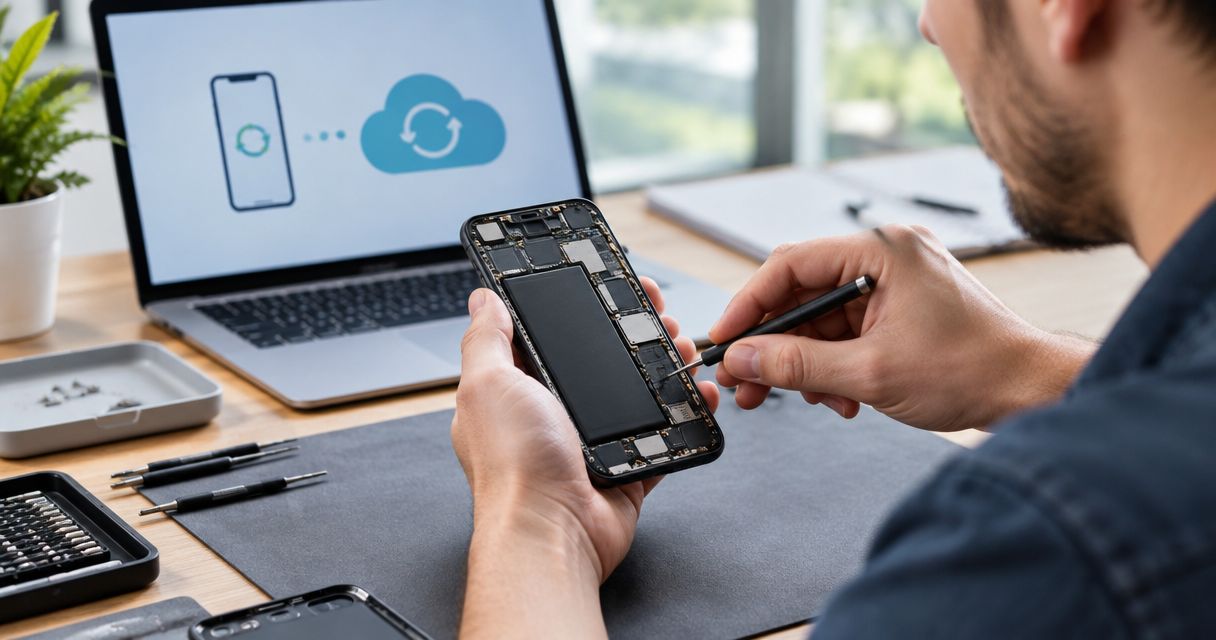
Yes, a phone can be repaired without losing data: replacing a screen, battery, or another separate hardware component does not normally erase the files stored inside it. Data loss becomes a concern when the repair involves a factory reset, damaged storage, or replacement of the main circuit board, so back up what you can and agree on any data-erasing work before authorizing it.
- Can a phone be repaired without losing data? Yes—screen and battery replacement do not normally erase stored files.
- A factory reset erases local data; replacing the main circuit board does not transfer the original board’s files.
- Verify your backup before repair, and require permission before any reset or board replacement.
- Aspect Phone Solutions offers appointment-based phone repair for Edmond and Oklahoma City customers.
Can a phone be repaired without losing the data on it?
The repair procedure matters more than the name of the broken part. A screen repair and a software reset have different consequences for your photos, messages, and app data. If the phone still works, follow the iPhone backup-to-screen-repair workflow before handing it over.
| Repair or approach | Best for | Data-preservation advantage | Limitation or risk |
|---|---|---|---|
| Screen replacement | A broken display or failed touch response | Does not normally erase internal storage | A damaged screen can prevent you from making a backup first |
| Battery replacement | A confirmed battery fault | Disconnecting power does not normally erase saved files | Other damage can prevent the phone from starting afterward |
| Software troubleshooting | Freezing, startup problems, or app faults | Some troubleshooting steps preserve existing data | A factory reset erases local data |
| Original-board repair | A board fault where preserving local files is the priority | Retains the original storage and associated hardware if successful | Success depends on the fault and surviving components |
| Main-board replacement | Restoring device operation when appropriate | Can restore a working phone | Does not bring the original board’s local files onto the replacement |
These are general distinctions, not a diagnosis of your phone. A device that stopped working after a fall can have more than a broken screen, even when that is the only visible damage.
Why this matters
A working phone and recovered data are 2 separate goals. Replacing hardware can achieve the first without achieving the second, especially when the original main board holds files that were never backed up.
For a repair decision in 2026, start by identifying what exists only on the damaged device. Family photos, downloaded documents, message attachments, voice recordings, and app-specific information deserve separate checks rather than an assumption that your account saved everything.
Tell the technician which goal comes first. If an irreplaceable recording matters more than having a usable phone immediately, that priority belongs in the repair instructions before work begins.
Screen and battery repairs usually leave stored data intact
A phone stores saved files in memory that retains information without battery power. Removing a battery therefore does not work like deleting photos or performing a reset.
Likewise, the display shows information and accepts touch input; it is not normally where your personal files are stored. Replacing the display does not, by itself, require those files to be erased.
Back up before a routine hardware repair anyway. The damaged part can hide a second fault, and an apparently straightforward job does not establish that the rest of the phone is healthy.
Separate missing data from temporary access problems, too. After a restart, a phone can require its passcode before biometric access works; that does not mean the repair erased your information.
Software work and board replacement need different permission
A restart and a factory reset are not interchangeable. A restart turns the phone off and back on; a factory reset removes local user data and returns the device to its setup state.
Software troubleshooting should therefore come with a clear description of the proposed step. Ask whether it preserves existing data, and do not treat the word restore as a promise that files will remain.
The main circuit board needs similar attention. On modern smartphones, encryption ties access to stored data to security hardware and credentials; moving a storage chip is not a general shortcut to readable photos or messages.
Ask whether the plan repairs the original board or replaces it. Neither approach guarantees data recovery, but they have different consequences when your only copy remains on the original hardware.
Why the risk of data loss varies
The condition of the phone and the authorized procedure determine what can be preserved. These factors matter more than a blanket promise that a repair is safe for data:
- Repair scope: Replacing a separate component differs from erasing software or replacing the main board.
- Storage condition: Physically damaged storage can prevent access even after another fault is repaired.
- Startup and touch access: A phone that starts and accepts your passcode gives you more opportunities to back it up.
- Backup coverage: A photo library, device backup, and individual app backup do not necessarily contain the same information.
- Account access: A saved backup is useful only if you can access the account and satisfy its security checks.
- Previous damage: Liquid exposure or impact can affect components beyond the visibly broken part.
A technician needs to inspect the device before separating these possibilities. Describe what happened immediately before the failure rather than requesting a particular replacement part based only on the symptom.
Your backup checklist before phone repair in 2026
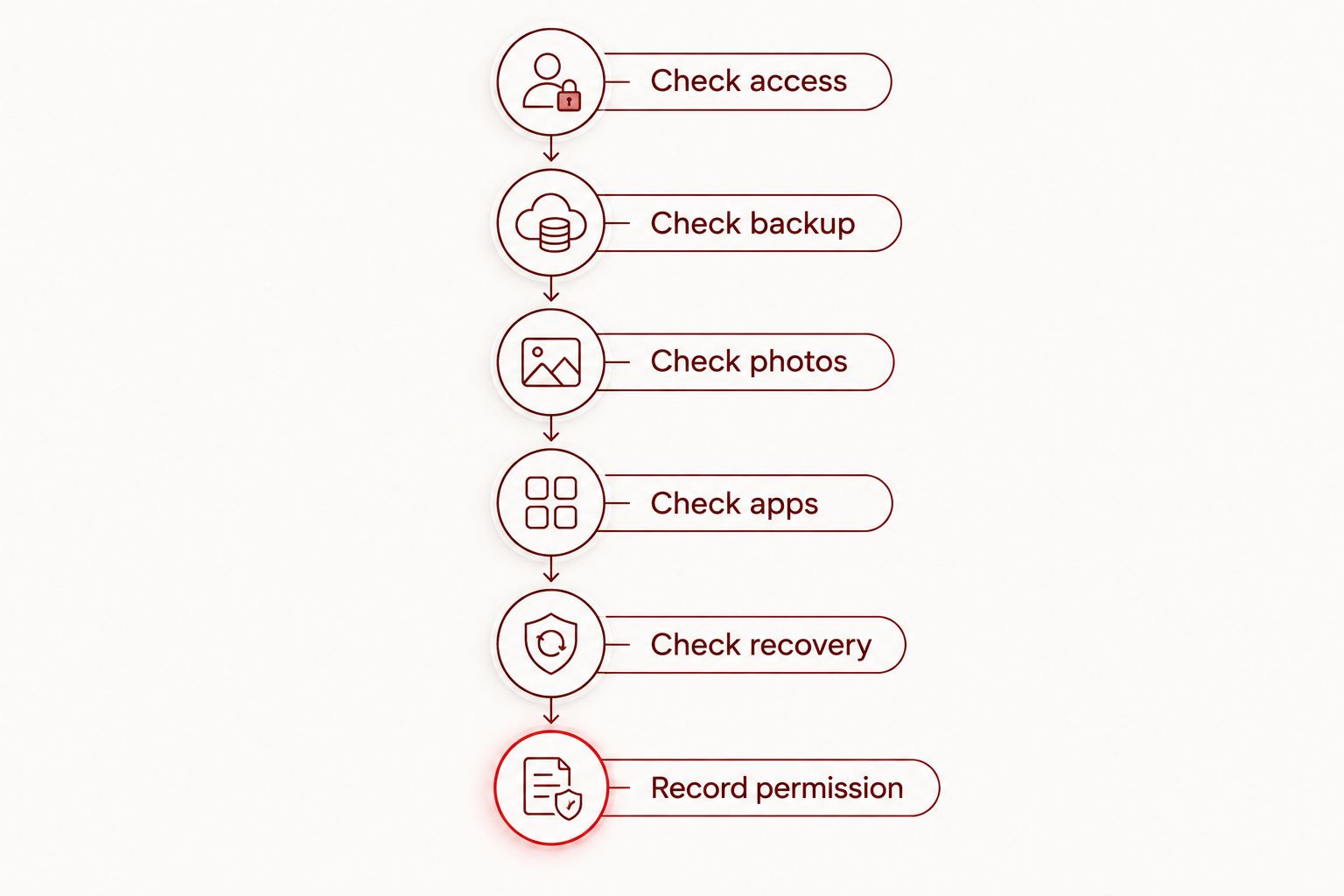
Use these 6 checks if the phone is safe to operate. Do not keep charging or handling a swollen, unusually hot, or visibly damaged battery just to finish a backup.
- Check access. Confirm that you can enter the device passcode and access the account associated with your backup. Keep passwords private rather than writing them on a repair intake form.
- Check backup. Open the backup settings and inspect the latest completed backup. A setting that says backups are enabled does not prove the most recent attempt finished.
- Check photos. Confirm that important recent photos and videos appear in the intended backup or photo account. Check from another trusted device when possible.
- Check apps. Review messaging, recording, notes, and authentication apps separately. Some keep information locally or require their own transfer or recovery process.
- Check recovery. Make sure account recovery does not depend entirely on the damaged phone. Store recovery codes securely if the relevant service provides them.
- Record permission. Tell the repair provider that preserving data is a priority and that erasing work requires your separate approval.
A backup needs verification, not just activation. Look for the actual files you care about instead of relying only on a completion message or a storage-usage total.
Keep the backup until you have checked the repaired phone. Do not delete the remaining copy simply because the device starts successfully.
What if the phone is too damaged to back up?
Do not erase a nonworking phone to find out whether it can be repaired. First check existing cloud accounts and computer backups from another trusted device; some of the information you need might already be accessible there.
A black display does not establish that the data is gone. The phone can have a display or power problem while its storage remains intact, but inspection is needed to identify the fault.
If the phone has liquid damage, avoid charging it or repeatedly trying to start it. If the battery is swollen or the device is unusually hot, stop using it and get handling instructions from a qualified repair provider.
Explain that you cannot create a fresh backup and identify the files that matter. Ask whether the next diagnostic step changes or erases data, and whether data-focused assessment is needed before ordinary repair work continues.
Protect privacy without erasing your only copy
Preserving files and protecting privacy are related but different tasks. A repair provider does not automatically need access to every account just because the phone needs hardware work.
Before a 2026 repair, ask whether the technician needs the device passcode, what testing requires access, and whether testing can happen with you present. Do not share an account password merely because it is requested without an explanation.
Some phones provide a repair or maintenance mode that limits access to personal information during service. Check the instructions for your exact model and software version; these modes are not universal and do not replace a backup.
For a work-managed phone, contact your employer’s IT team before changing security settings or handing over access. Company rules and management controls can affect both the repair process and your ability to restore information afterward.
Does a factory reset permanently remove everything?
A factory reset erases local user data, but it does not automatically erase an existing cloud backup. What you can restore depends on what was saved, whether the backup is usable, and whether you can access the required account.
Do not confuse a reset with deleting synchronized files. Deleting a photo or document inside a syncing service can also remove it from other connected devices; synchronization is not the same as an independent backup.
If someone proposes a reset, pause until you have checked the backup. With no verified copy, permission to reset is permission to risk losing the only accessible version of your files.
Can a repaired phone still be missing photos or messages?
A repaired phone can work normally while some information remains missing. Files stored only on a replaced board do not appear simply because the replacement phone hardware starts.
Before assuming files were erased, check that you are signed into the correct account and that the relevant synchronization or restoration process has completed. Review important apps individually rather than judging the result from the home screen.
If something is missing, avoid immediately deleting backups or resetting the phone again. Record what is absent and discuss the next step before making further changes.
Arrange an appointment with data preservation in mind
For Edmond and OKC customers arranging phone repair in 2026, Aspect Phone Solutions suits customers who want appointment-based service with prices confirmed before authorization. Bring the phone’s symptoms, damage history, and backup status to that conversation.
Review the phone repair services and explain whether the priority is ordinary device repair or access to files on a nonworking phone. Do not assume that offering smartphone repair also establishes a provider’s data-recovery capabilities.
Ask Aspect Phone Solutions to clarify the proposed work and any data implications before you authorize it. Appointment-based service also means arranging the visit rather than expecting walk-in service.
Arrange your phone repair appointment
Share the fault and your backup status before authorizing repair work.
FAQ
Will replacing my phone screen delete my photos?
Screen replacement does not normally delete photos because the display is separate from internal storage. Back up first when possible, and ask whether any additional work involves a reset.
Will I lose my messages when my phone battery is replaced?
Battery replacement does not normally erase saved messages. Message availability still depends on the condition of the phone and whether the messages were stored locally or synchronized with an account.
Can a repair shop guarantee that I won't lose data?
A repair plan is not a guarantee that existing data will survive every fault. Ask what work is proposed, what risks apply to your device, and whether erasing steps require separate permission.
Should I factory reset my phone before taking it for repair?
Do not factory reset a phone before repair unless you have verified your backup and understand why the reset is needed. Ask about privacy options and the provider’s intake requirements first.
Can my data be recovered if my phone won't turn on?
Data recovery depends on why the phone will not turn on and whether its storage and required security components remain usable. A power fault does not by itself prove that files are lost.
Do I need to give the technician my phone password?
Ask what testing requires device access before sharing a passcode. Account passwords are different from a device passcode, and you should keep account credentials private.
Does Aspect Phone Solutions accept walk-in phone repairs?
Aspect Phone Solutions provides appointment-based smartphone repair for Edmond and the wider Oklahoma City area. Arrange an appointment and explain your backup status before authorizing work.
One last thing
Put the no-erase instruction in the repair record, not just the conversation. Your 2026 repair instructions should state that a factory reset, main-board replacement, or device replacement needs separate permission if preserving local files is your priority.
That instruction does not guarantee recovery. It makes the decision clear before a working-phone solution replaces a data-preservation plan.


