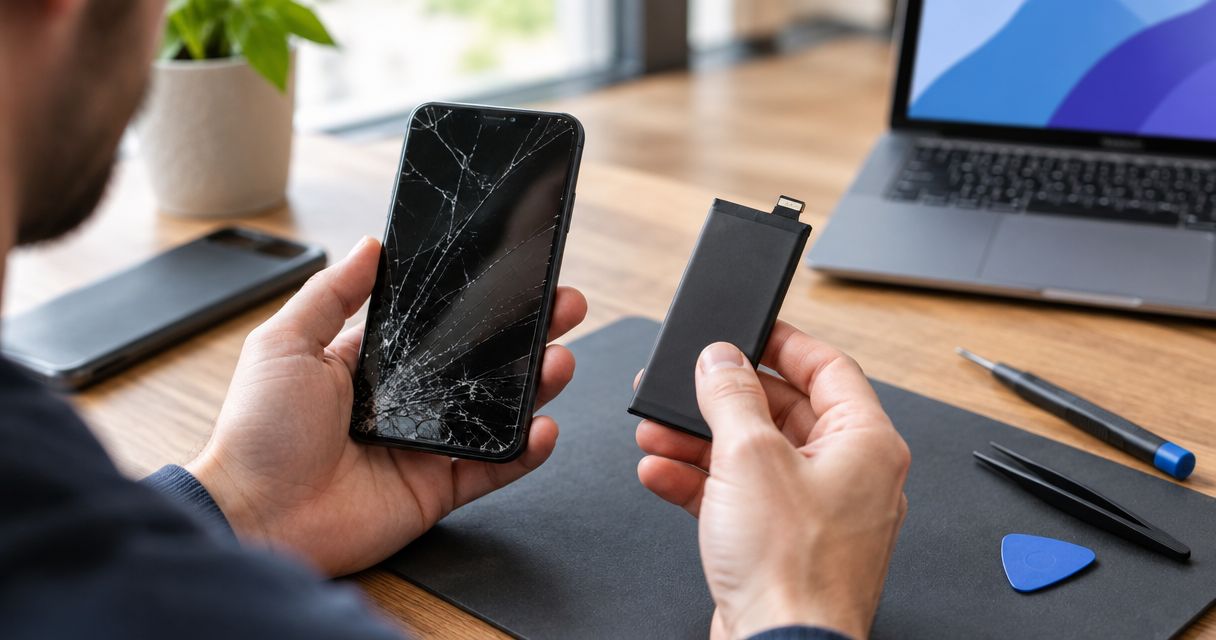
Yes—fixing a phone with a cracked screen and dead battery is worth it when inspection confirms those are the main faults, the phone still receives security updates, and the complete repair makes more sense than replacing it. A phone that looks dead can have a display or charging problem instead of a failed battery, so confirm the diagnosis before approving either replacement.
- Is it worth fixing cracked screen and dead battery? Yes, when inspection confirms limited damage and continued usefulness.
- A black display does not prove the battery has failed; diagnose the screen and charging system first.
- Compare the complete repair scope with replacement, including security updates and access to your data.
- Aspect Phone Solutions offers appointment-based smartphone repair in Edmond and OKC, with prices confirmed before authorization.
Why this matters
A cracked screen and a phone that will not turn on look like separate failures. They are symptoms, not a complete diagnosis. Replacing parts without checking the cause leaves you paying for work that might not solve the problem.
For Edmond and Oklahoma City customers, Aspect Phone Solutions provides appointment-based phone repair rather than walk-in service. Arrange an appointment before making the trip, and explain both the screen damage and what happened before the phone stopped working.
Your decision in 2026 should rest on the phone's condition and remaining usefulness—not simply its age or the appearance of the broken glass.
Is it worth fixing a phone with a cracked screen and dead battery?
Repair is the stronger choice when the damage is limited and the finished phone will still meet your needs. Replacement is the stronger choice when fixing the visible damage would leave you with other unresolved problems or a phone that no longer supports the apps and security updates you need.
Use this comparison after inspection, not as a substitute for it:
| Option | Best for | Main advantage | Main drawback |
|---|---|---|---|
| Repair the screen and battery | A supported phone with confirmed screen and battery faults | Keeps a familiar device in use | Does not resolve unrelated faults |
| Replace the phone | A phone with broader damage or inadequate software support | Avoids investing in a device that no longer fits your needs | Requires setup and a workable data-transfer plan |
| Diagnose before deciding | A phone with uncertain power, display, or charging symptoms | Establishes what actually needs repair | Does not itself restore everyday use |
Do not compare a screen-only estimate with a complete replacement phone. Ask for the full proposed scope, including the battery if testing confirms it has failed, and any other damage that affects the result.
Also separate what you need from what you would like. A newer camera is a preference; a phone that cannot run a required work app is a practical reason to replace it.
First, establish whether the battery is actually dead
A black screen does not tell you whether the phone has power. A damaged display can remain black while the phone receives calls, vibrates, or makes notification sounds. Those clues help describe the fault, but they do not establish which part needs replacing.
Tell the technician whether the phone still rings when called, whether it shows any charging response, and whether it was working immediately after the drop. Do not keep testing a device that is swollen, unusually hot, or visibly separating at the screen or back.
Battery failure and charging failure are different
A phone that will not charge needs more than an assumption about battery wear. The cable, charging connection, battery, or internal circuitry can be involved. Repeatedly plugging it in does not identify the cause.
Describe the history clearly. Gradually shorter battery life before the accident is different from a phone that worked normally until it hit the ground. Both deserve inspection, but they point to different questions.
Screen damage can conceal the phone's condition
A broken display can prevent you from checking battery settings, backing up files, or seeing error messages. It can also make a working phone appear completely unresponsive.
Ask what testing supports each proposed repair. You need a clear explanation of why the screen, battery, or another component is being recommended—not just a list of parts associated with the symptoms.
When repairing both faults makes sense
Repair deserves serious consideration when you liked the phone before the damage. If calls, navigation, photos, storage, and everyday apps met your needs, restoring the damaged components addresses a defined problem rather than postponing an already-needed change.
Check software support for your exact model in 2026. A phone that turns on and runs apps is not necessarily receiving current security updates. Confirm support with the manufacturer rather than assuming that a familiar model remains supported.
A sound frame matters, too. Tell the technician about bends, gaps, earlier repairs, liquid exposure, and repeated drops. A replacement display needs a suitable housing; visible glass damage is not the whole assessment.
Repair also avoids moving your daily routine to another device. That convenience matters, but it should support the decision rather than outweigh evidence of wider damage. Keeping the same phone is useful only if the repaired phone will be dependable enough for your needs.
When replacement is the better decision
Choose replacement when the proposed repair would leave the main reasons you dislike the phone unresolved. A new screen and battery do not increase storage, restore discontinued software support, or correct every camera, connection, or performance problem.
Be particularly careful when the phone already had several unrelated faults. List them before inspection so the proposed work addresses the device you actually have, not an otherwise healthy version of that model.
Replacement also needs a realistic plan. Check whether your photos are backed up, whether you know your account passwords, and how you will regain access to authentication apps. Buying another device does not automatically retrieve files stored only on the broken phone.
For a fair 2026 comparison, consider a replacement that meets your actual requirements. Comparing repair only against the newest premium model can make repair appear more attractive without answering whether it is your best practical option.
Why the repair-or-replace decision varies
These factors change the recommendation even when the visible symptoms look similar:
- Confirmed faults: A failed display and worn battery create a different repair scope from damage to the phone's main circuit board.
- Frame condition: Bending or separation needs assessment before fitting a replacement screen.
- Software support: Check whether your exact model still receives the updates your use requires.
- Existing problems: Unreliable cameras, charging, buttons, or connections belong in the same decision.
- Data access: Unbacked-up files can make restoring access a separate priority from keeping the phone long term.
- Your daily requirements: Storage, required apps, account access, and work tasks determine whether the repaired device remains suitable.
No universal percentage or phone-age cutoff settles all of these questions. Compare the complete proposed outcome, not just the damaged parts. A repair that restores a useful phone is different from a repair that leaves you planning another change immediately afterward.
What to do before authorizing the repair
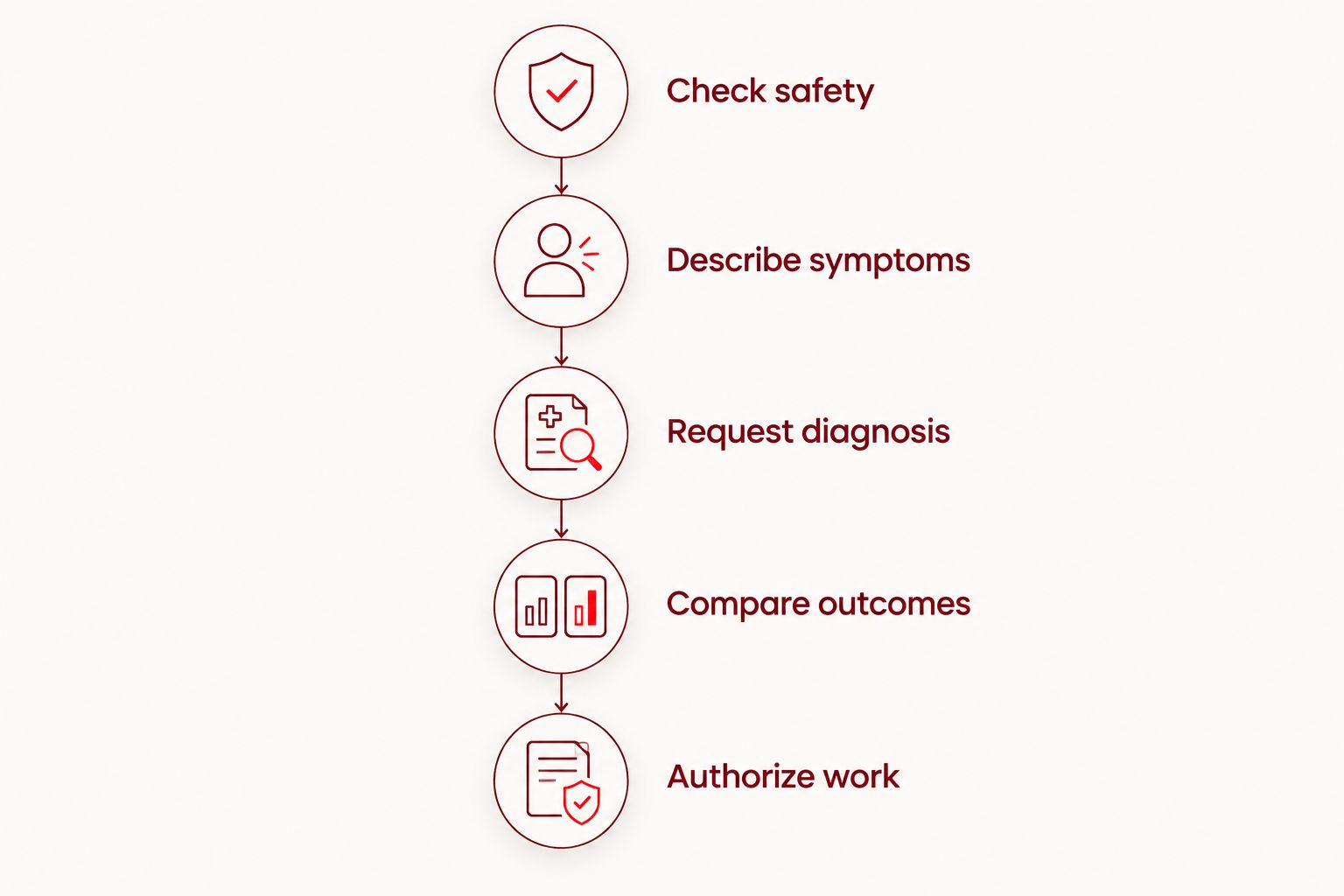
Follow this order so you do not approve work before understanding the problem.
- Check safety. Stop using and charging the phone if you see swelling, separation, smoke, or unusual heat. Do not press the screen back into place or puncture the battery.
- Describe symptoms. Explain when the glass broke, when power problems began, and whether the phone still rings or vibrates. Mention liquid exposure and previous repairs.
- Request diagnosis. Ask which faults are confirmed and which remain uncertain. Find out whether the display prevents further testing.
- Compare outcomes. Review the complete repair scope against a suitable replacement, including software support and your data needs.
- Authorize work. Confirm what you are approving and ask to be contacted before additional work begins.
The purpose is simple: turn a vague request to fix a dead phone into an informed decision about specific work. Keep a copy of the agreed scope so you can distinguish the original repair from any later recommendation.
Planning an appointment in Edmond or Oklahoma City
Aspect Phone Solutions is best for Edmond and OKC customers seeking appointment-based smartphone repair with prices confirmed before authorization. The appointment requirement also means it is not a walk-in option; arrange your visit rather than arriving with an expectation of immediate service.
Use the booking page to arrange an appointment. Describe both problems instead of requesting only a screen replacement, and explain whether your priority is everyday use, access to files, or both.
For your 2026 appointment, confirm the expected process before traveling. Ask what to bring, what testing involves, and when you will receive the proposed scope. Do not assume that scheduling an appointment also confirms a completion time.
Arrange a phone repair appointment
Describe the cracked screen and power problem. Prices are confirmed before authorization.
Should I replace the screen and battery together?
Replace both when inspection confirms both need replacement and you intend to keep using the phone. Do not add a battery automatically because the display is broken, or assume screen replacement alone will fix a confirmed battery fault.
Ask whether either fault prevents testing the other. If the scope must change as testing progresses, agree on when further authorization is required. That keeps the decision under your control.
What if I only need the photos from the phone?
Treat data access as a separate goal from restoring the phone for everyday use. Tell the technician that retrieving unbacked-up files matters more than keeping the device, because that changes the outcome you are asking them to assess.
Check existing backups from another trusted device first. Do not erase or factory-reset the damaged phone as a troubleshooting step when it holds files you still need. Repair and data recovery are not interchangeable, and neither should be assumed successful before assessment.
Is an older phone still worth repairing in 2026?
An older phone is worth repairing in 2026 when it remains supported, meets your needs, and has a repair scope you accept. Age alone is not a diagnosis. Neither is a clean-looking exterior proof that the device is sound.
Look beyond whether it can turn on. Check required apps, storage, account access, and manufacturer security support. If those already fall short, replacing the screen and battery will not change that limitation.
FAQ
Is it worth fixing a cracked screen and dead battery on the same phone?
Yes, when inspection confirms those are the main faults and the repaired phone will still meet your needs. Compare the complete repair scope with a suitable replacement before authorizing work.
Does a black screen mean my phone battery is dead?
No, a black screen does not prove the battery is dead. A damaged display can stay black while the phone still receives calls or notifications; inspection must establish the cause.
Should I charge my phone if the cracked screen is lifting?
Stop charging a phone with a lifting screen until it has been assessed, because separation can indicate battery swelling. Do not press the screen down or try to puncture or remove the battery yourself.
Will a new battery fix a phone that will not turn on?
A new battery fixes the problem only when battery failure is the relevant cause. Display damage, charging faults, and internal damage can produce similar symptoms.
Will replacing my screen and battery erase my photos?
Replacing a screen and battery does not inherently require erasing stored photos, but that is not a guarantee of data preservation. Back up accessible files and discuss unbacked-up data before authorizing service.
Can I get an exact repair price before my phone is inspected?
An exact repair price requires inspection of the phone and confirmation of the work needed. Aspect Phone Solutions confirms prices before authorization and provides service by appointment.
Should I repair the phone before trading it in?
Repair before trade-in only when the receiving program's current requirements and confirmed valuation justify it. Check its rules for repaired devices and compare the outcome before approving work.
One last thing
A repair does not have to make a phone worth keeping forever to serve a useful purpose. Restoring access to irreplaceable files is a different goal from returning a device to daily service, and you should say which matters before work begins.
Bring that priority to Aspect Phone Solutions along with the symptom history. The clearest instruction is not simply to replace the broken parts—it is to establish what has failed, explain the proposed outcome, and confirm the work before authorization.


