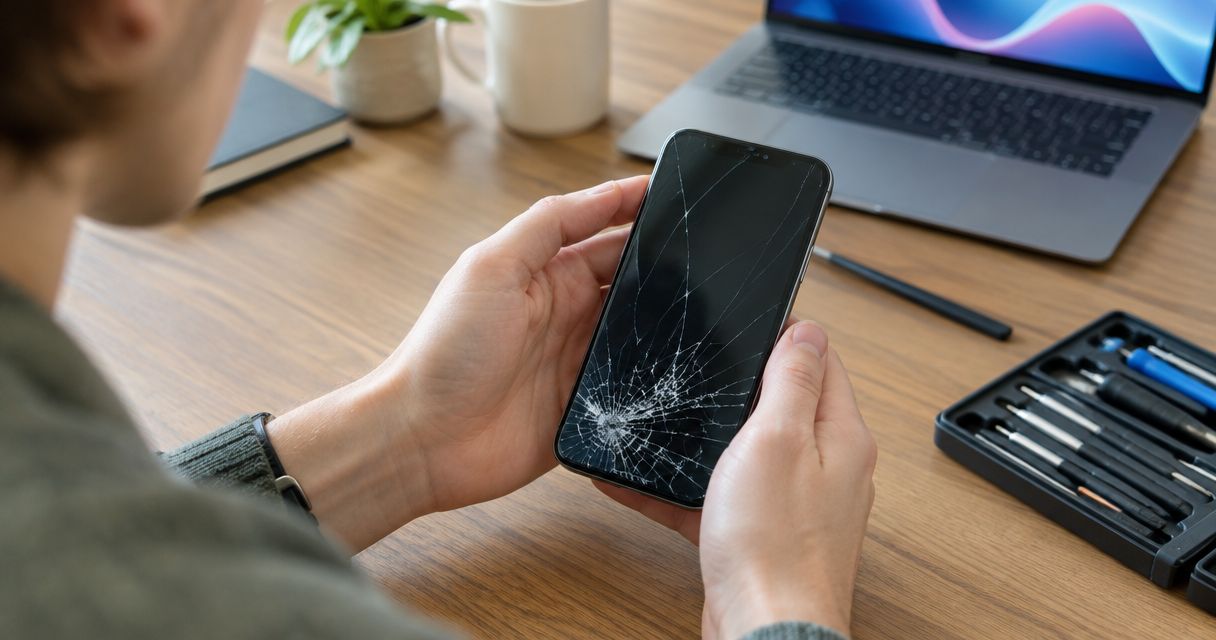
Repairing a cracked phone screen is worth it in 2026 when the phone still meets your needs and the inspected repair addresses the damage without leaving other major problems unresolved. A screen replacement does not fix a worn battery, a damaged charging port, or an unsupported operating system. Decide after an inspection and a confirmed quote, not from the crack’s appearance alone.
- Is it worth repairing a cracked phone screen? Yes, when the rest of the phone remains useful and reliable.
- Aspect Phone Solutions provides appointment-based phone repair for customers in Edmond and the wider Oklahoma City area.
- Compare screen repair with replacement using the complete repair scope, battery condition, and software support.
- Back up accessible data before repair; a screen replacement is not a data-recovery guarantee.
Is it worth repairing a cracked phone screen in 2026?
Repair the screen when the damage is isolated and you want to keep using the phone. Consider replacement when fixing the screen would leave you with a device that still fails your everyday needs. Neither a recent purchase nor an older model makes the decision automatic.
Use this comparison to choose your next step:
| Option | Best for | Main advantage | Main drawback | Decision |
|---|---|---|---|---|
| Screen repair | A phone that otherwise works well | Keeps a familiar device in use | Does not resolve unrelated faults | Repair after inspection confirms the scope |
| Phone replacement | A phone with several problems or inadequate software support | Addresses needs beyond the broken screen | Requires setup, account access, and data transfer | Replace when repair would leave key problems unresolved |
| Briefly postponing repair | Planning an appointment while the phone remains safely usable | Gives you time to back up and arrange access | Leaves damaged glass and unreliable touch unresolved | Use only as a planning step, not a fix |
A clear picture does not prove that the damage is limited to the surface. Likewise, a black display does not establish that the entire phone is beyond repair. Inspection separates the visible symptom from the work needed.
Before choosing, write down what you actually need the phone to do. Calling, messaging, navigation, work apps, camera use, and account verification matter more than whether the device looks new.
Why this matters
A phone repair decision is also an access decision. If your phone holds work messages, navigation, appointment reminders, or sign-in codes, losing reliable touch can interrupt more than screen use. Prepare while you can still operate it.
For an Edmond or Oklahoma City customer deciding in 2026, the practical question is whether the repair returns a useful phone to service. Cosmetic improvement alone is not enough if the device already struggles with essential tasks.
Judge the phone as a whole, not just the broken part. Separate problems that existed before the drop from problems that appeared afterward. That distinction helps you explain the symptoms and prevents you from expecting a screen repair to solve everything.
Cracked glass with a working display: assess repair first
Best for screen repair: a phone with readable images, dependable touch, and no other known faults. If your phone was meeting your needs before the crack, repairing the damage deserves consideration before replacement.
Describe whether the crack crosses the area you touch most often, whether glass is loose, and whether typing has changed. Do not press damaged glass to test its strength. A working display is useful information, but it does not establish which parts need replacement.
The advantage of repair is keeping a device you already know how to use. The limitation is that the screen’s condition tells you little about battery health, software support, or internal damage from the same impact.
A screen protector is not a repair for cracked glass. Do not treat one as proof that the phone is safe to use normally, particularly if sharp edges or loose fragments are present.
Recommendation: seek an inspection before replacing an otherwise useful phone. Ask what the repair includes and what problems it will not address.
Cracked glass with display or touch faults: inspect the full damage
Best for an inspection-led decision: a phone with lines, dark patches, missing images, or unreliable touch after damage. These symptoms make daily use difficult, but they do not establish a diagnosis by themselves.
Record what you can observe without forcing the phone to work. Explain whether the screen lights up, whether touch responds in every area, and whether the phone still rings or makes notification sounds.
The benefit of inspection is understanding whether the proposed work addresses the symptoms you care about. The drawback is uncertainty before the device is assessed; a visible crack alone cannot tell you the repair scope.
If unintended touches are entering commands, stop trying to work around them. Avoid repeated attempts to enter your passcode through an unreliable screen. Protect account access by preparing another trusted way to sign in where your accounts support it.
Recommendation: do not authorize a screen-only solution without asking how the other symptoms will be evaluated.
A cracked screen plus existing problems: compare replacement
Best for a replacement comparison: a phone that already had charging trouble, poor battery endurance, unreliable operation, or insufficient software support. A new screen does not remove those limitations.
List each issue separately. A battery that no longer lasts through your normal use is a different decision from a crack that appeared yesterday. A phone that cannot run an essential app presents another problem again.
Repair can still make sense if the identified problems are repairable and you want to keep the device. The drawback is approving one repair while overlooking the rest of the work needed to make the phone useful.
Check the manufacturer’s support information for your exact model in 2026. Do not assume every device from the same brand receives the same updates, and do not confuse a phone that turns on with one that still meets your security needs.
Recommendation: compare the complete repair plan against a replacement that meets your actual requirements.
Why the value of screen repair varies
The value of cracked-screen repair depends on the phone’s condition and your needs, not on a universal age cutoff. Use these factors to make the decision:
- Phone model: Identify the exact device so the repair discussion concerns the correct screen and repair procedure. A brand name alone is not enough.
- Damage scope: Separate cracked glass from display faults, touch faults, frame damage, and other symptoms. Ask which findings are included in the proposed work.
- Battery condition: Consider whether the phone still lasts through your normal routine. Screen repair does not restore battery capacity.
- Software support: Check whether your exact model receives the updates you need in 2026. Hardware repair does not extend the manufacturer’s support schedule.
- Everyday usefulness: Decide whether storage, camera performance, app access, and general operation still meet your needs. A repaired screen cannot change every limitation.
- Access during repair: Plan how you will handle calls, messages, navigation, and account verification while the device is unavailable. Ask about the schedule rather than assuming a completion time.
These factors do not need equal weight. If reliable work-app access is essential, that requirement can settle the decision even when the screen itself is repairable.
What should you check before authorizing screen repair?
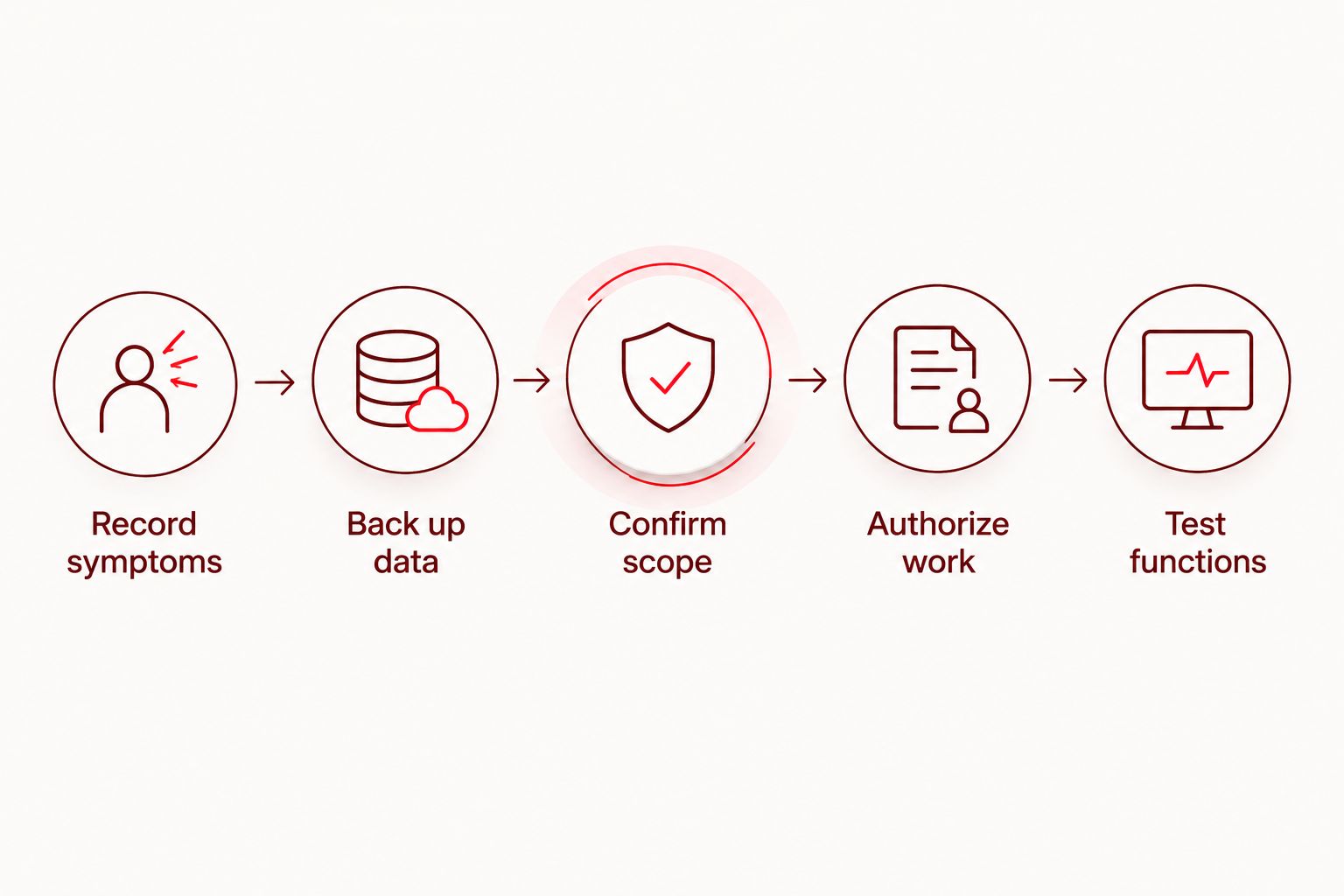
Confirm the damage, protect your data, and understand the proposed work before giving permission. The goal is a clear decision, not a technical diagnosis you have to make yourself.
- Record symptoms. Note what changed after the damage: cracks, lines, touch problems, charging behavior, camera issues, or unexpected restarts. Include relevant earlier faults so the repair discussion covers the whole phone.
- Back up data. If the phone remains usable, complete a backup and verify that important information is accessible elsewhere. Starting a backup is not the same as confirming it finished.
- Confirm scope. Ask which parts and faults the proposed repair addresses. Ask what remains unresolved and whether any findings change the recommendation to repair or replace.
- Authorize work. Read the confirmed quote and understand what you are approving. Ask how additional findings will be handled before authorizing the repair.
- Test functions. Ask what checks are included, then check the functions you rely on when the phone is returned. Report remaining symptoms rather than assuming they are normal.
If the phone is too damaged to back up, say so before repair. Do not assume that replacing the screen guarantees recovery of your photos, messages, or account access. Repairing hardware and recovering data are different tasks.
How should you compare repair with replacement?
Compare outcomes, not just the screen repair against the appeal of a new phone. A useful comparison asks what each choice solves and what it leaves for you to manage.
For repair, write down the confirmed work, any unresolved faults, and whether the phone will still meet your needs afterward. For replacement, include data transfer, account setup, accessories you actually need, and the requirements of your essential apps.
In 2026, check current trade-in conditions before treating a damaged phone as a credit toward another device. Do not assume a cracked phone qualifies or that repairing it first improves the final outcome. Confirm the terms that apply to your exact device and condition.
Avoid percentage rules that declare every repair worthwhile below a fixed share of replacement cost. They ignore battery condition, support status, and the reason you need the phone. The better decision is the one that restores the functions you need without leaving an unacceptable problem unresolved.
Planning an appointment in Edmond or Oklahoma City
Aspect Phone Solutions is a fit for Edmond and Oklahoma City customers seeking appointment-based smartphone repair with prices confirmed before authorization. Service is by appointment, not walk-in, so arrange the visit before traveling.
For phone repair with Aspect Phone Solutions, prepare the exact model, a short description of the damage, and a list of other symptoms. Explain what still works and whether you have completed a backup. Keep the description factual; you do not need to identify the failed component yourself.
Appointment-based service helps you plan the visit, but an appointment does not establish the repair scope or completion time. Ask about those details for your device. Do not assume immediate service, a particular part, or a specific repair outcome.
Before drop-off, ask what access or preparation is required. Never send your account password in an appointment message, and do not change device-security settings based on a generic online checklist. Follow instructions specific to the agreed repair.
Arrange a phone repair appointment
Discuss your cracked screen and confirm the repair scope before authorizing work.
Is it worth repairing an older phone’s cracked screen?
An older phone is worth repairing when it remains supported, useful, and otherwise dependable. Age alone does not answer the question. Check its exact support status in 2026 and consider faults that a screen replacement would leave untouched.
Should I repair the screen before trading in my phone?
Repair before trade-in only after checking the trade-in conditions and comparing the outcomes. Ask how the cracked screen affects eligibility and whether a repaired device meets the program’s requirements. Do not authorize work solely on an assumed trade-in benefit.
Can I keep using a cracked phone until my appointment?
Keep use limited to what is safe; sharp glass, loose fragments, and unreliable touch are reasons to stop. Back up accessible data without pressing on damaged areas. If the device is swollen, unusually hot, smoking, or emitting an unusual odor, stop using it and seek safety guidance rather than treating it as an ordinary screen repair.
FAQ
Is it worth repairing a cracked phone screen in 2026?
Repairing a cracked phone screen is worth it in 2026 when the phone still meets your needs and inspection confirms a suitable repair. Compare the complete repair scope with replacement, including existing battery, charging, and software-support problems.
Does a cracked screen mean I need a new phone?
A cracked screen does not automatically mean you need a new phone. Inspection establishes the damage, while the phone’s overall condition determines whether repair meets your needs.
Will screen repair fix my phone’s battery problems?
Screen repair does not restore a worn battery’s capacity. Explain battery symptoms separately so the repair decision covers both problems.
Should I back up my phone before screen repair?
Back up your phone before screen repair if you can operate it safely. Verify that important data is accessible elsewhere, and tell the repair provider if damage prevents a backup.
Can a phone with a black screen still be repaired?
A black screen alone does not establish that a phone is beyond repair. Describe whether the phone rings, vibrates, charges, or responds, and arrange an inspection before deciding.
Does Aspect Phone Solutions accept walk-in screen repairs?
Aspect Phone Solutions provides smartphone repair by appointment rather than walk-in. Arrange a visit for your Edmond or Oklahoma City repair needs before traveling.
Should I assume my phone is water-resistant after screen repair?
Do not assume the phone retains its original water resistance after damage or repair. Ask what the repair includes and avoid exposing the device to water based on an unverified assumption.
One last thing
Make a list of what worked before the damage. That simple record is more useful than trying to name the broken component from the crack’s shape.
Include touch response, charging, camera use, calls, and battery behavior. When the phone comes back, check those same functions and compare them with the symptoms you reported. A screen that looks good is not the whole acceptance check.
The best repair decision in 2026 is specific: you know what was damaged, what work you authorized, and why keeping the phone makes sense. If those answers are unclear, ask before approving the work—not after collecting the device.


