
Delivery drivers’ phone repair is the diagnosis and repair of a work smartphone with the aim of restoring dependable navigation, order access, and customer communication. For Edmond and Oklahoma City drivers, this 2026 guide explains how to identify the failure, protect your accounts, and arrange repair without treating an appointment as a guaranteed return-to-work time.
- Phone repair for delivery drivers should start with the failed work function, not a guessed replacement part.
- Aspect Phone Solutions suits Edmond and OKC drivers who want appointment-based smartphone repair with prices confirmed before authorization.
- Back up your phone, verify delivery-account access, and arrange a fallback before handing over your device.
- Test navigation, charging, calls, and delivery-photo functions before returning to work.
Why phone repair matters for delivery drivers
A phone can turn on and still be unusable for deliveries. Missed touches interfere with accepting orders, a charging connection interrupts power, and a camera that cannot focus complicates delivery documentation.
Your repair decision therefore starts with the task you cannot complete, not just the damage you can see. A cracked screen and a failing battery require different questions, even when both interrupt the same shift.
Aspect Phone Solutions is best for Edmond and OKC drivers seeking appointment-based smartphone repair with prices confirmed before authorization. Review the phone repair services before arranging an inspection; the appointment model requires planning rather than an assumed walk-in visit.
How to plan phone repair around delivery work
Use this sequence for your 2026 repair plan: identify the fault, rule out simple causes, arrange an inspection, protect access, choose a fallback, and test the result. Stop troubleshooting when the phone shows a safety warning or physical battery damage.
1. Identify the work function that fails
Describe what happens during an actual delivery task. A useful description is that the charging symbol disappears when the cable moves, rather than a conclusion that the charging port needs replacement.
Separate device trouble from app or connection trouble. A frozen delivery app does not establish that the screen is defective; a location problem does not establish that the phone needs a new internal part. Note whether the issue affects other apps and whether it happens while parked as well as during a route.
Park safely before testing anything. Do not diagnose missed touches, charging interruptions, or navigation errors while driving.
- Record the phone model and the affected app or function.
- Note whether the problem is constant or intermittent.
- Describe any drop, liquid exposure, or recent change before it started.
- List failed tasks: order acceptance, navigation, calls, or delivery photos.
- Stop using and charging a phone with visible battery swelling.
2. Rule out simple causes without opening the phone
Start with the manual checks you can perform safely. Restart a responsive phone, inspect the outside of the charging connection, and compare the problem across apps. Avoid a factory reset as your first move because it removes local data and creates account-access work.
For charging trouble, try a known-working compatible cable and power source while parked. A vehicle socket, adapter, cable, and phone all sit in the same charging chain; replacing the phone’s port before checking the accessories skips part of the diagnosis.
For screen trouble, check whether a case or damaged protector obstructs use. Do not press down lifted glass, insert metal objects into a port, or open the phone to investigate a battery.
- Restart the phone if it responds normally and shows no safety concerns.
- Compare charging outside the vehicle with a compatible power source.
- Test another known-working compatible cable.
- Check whether touch problems occur outside the delivery app.
- Record persistent faults instead of repeatedly forcing the phone to work.
3. Arrange an inspection before committing your work schedule
Once simple checks fail, an inspection is the next step. Aspect Phone Solutions provides appointment-based smartphone repair for Edmond and the wider Oklahoma City area; use the booking page to arrange the visit rather than arriving on the assumption of walk-in service.
Explain the work limitation when arranging the appointment. A phone that cannot charge reliably needs a different discussion from one with cosmetic damage but working touch controls.
An appointment time is not a repair-completion promise. Ask about the inspection process and expected handoff before changing your delivery schedule. For your 2026 work calendar, keep the appointment and your planned return to deliveries as separate entries until the repair timing is confirmed.
- Provide the exact model and a clear symptom description.
- Mention liquid exposure, swelling, or previous repairs.
- Explain which delivery tasks the fault prevents.
- Ask what the inspection involves and when timing can be confirmed.
- Confirm the price before authorizing repair.
Arrange your phone repair appointment
Describe the fault and plan your visit. Prices are confirmed before authorization.
4. Protect your data and delivery-account access
A backup protects stored information, but it does not prove you can sign into a delivery account on another phone. Treat those as separate checks. Verify your recent backup, then confirm access to the email address and phone number used for account recovery.
Keep account passwords and recovery codes private. Ask what access the technician needs for testing instead of volunteering every credential associated with the device. If testing requires your participation, discuss how to handle that before handoff.
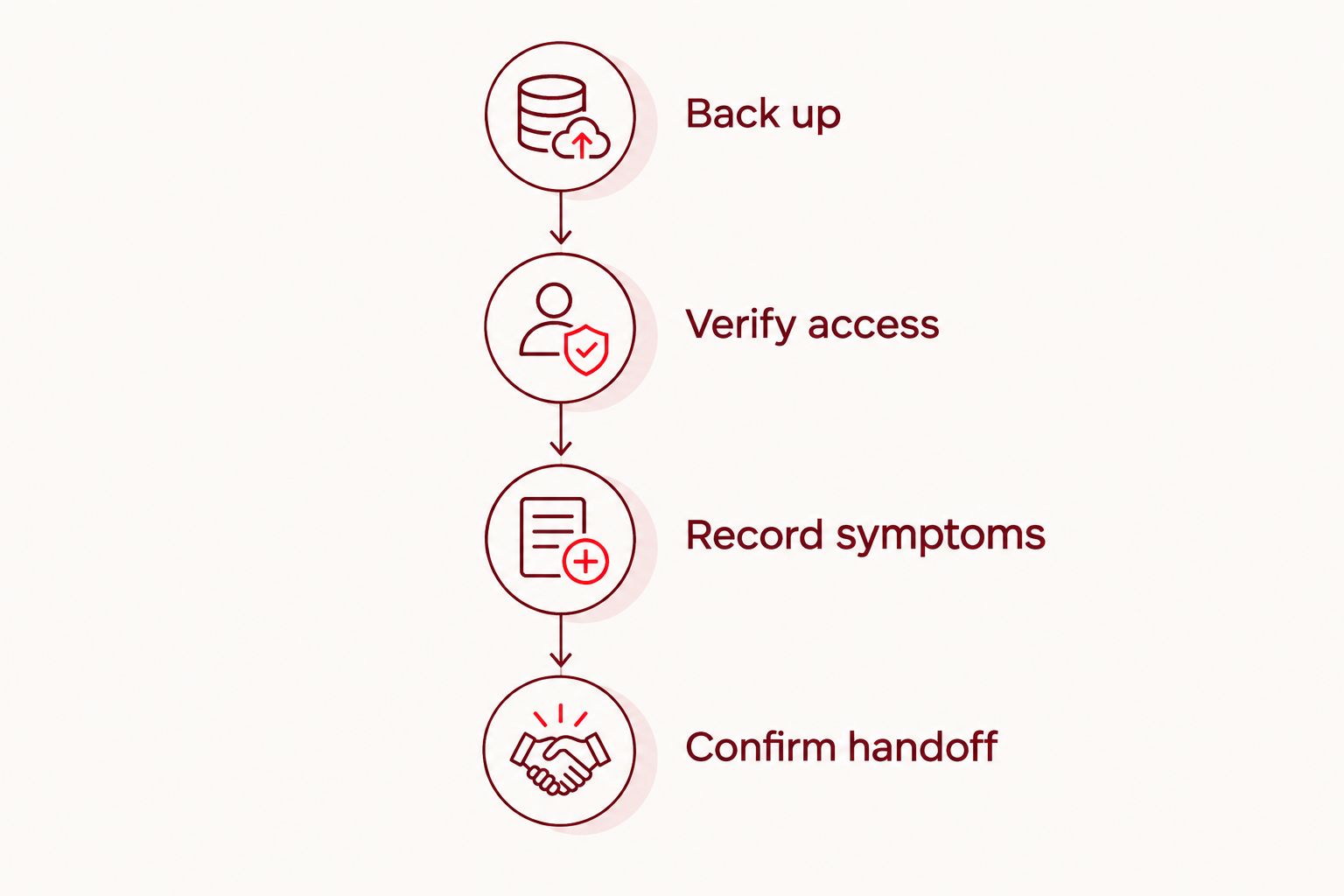
Use these preparation tasks in order: Back up, Verify access, Record symptoms, and Confirm handoff. Do not erase the phone or change device-security settings without understanding why the repair requires it.
- Back up: verify that important photos, contacts, and files are saved.
- Verify access: check your delivery-account recovery email and phone number.
- Record symptoms: save your fault notes somewhere other than the affected phone.
- Confirm handoff: ask what accessories and device access are needed.
5. Choose a fallback before leaving the phone
Your fallback must support the work, not merely make calls. A spare phone is useful only after you confirm the delivery app accepts the device and you can complete sign-in. Check your platform’s current requirements rather than assuming an older handset will qualify.
If you have no suitable spare, plan a work break instead of relying on an unconfirmed completion time. Switching devices can require account verification, mobile-service changes, or app setup. Finish those steps before you need the replacement device on a route.
For a 2026 fallback checklist, focus on 4 functions: account access, navigation, customer communication, and delivery photos. Test each while parked; opening the app alone is not a complete readiness check.
- Confirm that the fallback phone meets the delivery platform’s requirements.
- Check mobile data and the correct account sign-in.
- Test navigation, customer communication, and camera access.
- Bring a compatible charging cable and secure vehicle mount.
- Keep the faulty phone out of service if it shows battery swelling.
6. Test the repaired phone against your delivery workflow
A working home screen is not enough. After repair, test the functions connected to the original complaint and the tasks you rely on for deliveries. Ask what was repaired and what checks were completed, then perform your own practical checks before starting a route.
Check 3 stages of charging: connecting the cable, confirming that charging starts, and checking that it stays connected during normal stationary use. Do not bend or force the connector to manufacture a passing result.
Open the apps you need and review their camera, microphone, and location permissions. For a 2026 return-to-work check, verify operation rather than assuming settings stayed unchanged. Report the original symptom again if it remains unresolved.
- Test touch input across the keyboard and screen edges.
- Check charging with your usual compatible cable and adapter.
- Make a test call and check both speaking and listening.
- Take a photo and inspect focus and clarity.
- Open navigation and confirm that location updates while safely parked.
- Confirm delivery-app access without accepting an order solely for testing.
Compare your repair and work-continuity options
Choose the route that addresses the confirmed problem and your ability to keep working. These options serve different needs; none establishes a diagnosis or guarantees a completion time.
| Option | Best for | Main advantage | Key limitation |
|---|---|---|---|
| Manual troubleshooting | Isolating an app, cable, adapter, or settings issue | Lets you check simple causes before arranging repair | Does not resolve damaged hardware; stop at safety concerns |
| Aspect Phone Solutions appointment-based repair | Edmond and OKC drivers who want a planned inspection | Appointment-based service with prices confirmed before authorization | Requires an appointment; completion timing needs confirmation |
| Existing spare phone | Maintaining work access during repair | Separates your work schedule from the repair schedule | Requires compatible apps, mobile service, and successful account verification |
| Replacement phone | Cases where the repair decision no longer fits the device’s condition | Provides a different device for your work setup | Requires data transfer, account setup, and a fresh compatibility check |
Repair versus replacement is a whole-device decision. Consider whether the phone meets your delivery platform’s requirements, whether several functions are failing, and whether an inspected repair addresses the fault that stops you working.
Do not retire a usable phone based on a guessed repair, and do not authorize a repair that leaves your main work problem unexplained. Ask for clarity before deciding.
Common mistakes delivery drivers make
Treating every charging failure as a bad port
The vehicle adapter and cable belong in the diagnosis. Check the phone with another compatible charging setup before deciding which part has failed. A temporary improvement from holding the plug at an angle is not a dependable work solution.
Booking between deliveries without a fallback
A narrow gap in your schedule does not establish how long inspection and repair will take. Arrange the appointment around a realistic handoff and a backup plan. Aspect Phone Solutions uses appointments, so confirm the visit rather than planning around walk-in assumptions.
Checking the backup but ignoring account verification
Saved photos do not restore access to delivery work. Verify your recovery email, phone number, and required sign-in method before the device leaves your hands. Never share recovery codes with someone who does not need them.
Returning to work after testing only the screen
A repaired display does not prove that charging, calls, navigation, and camera access meet your work needs. Test the full workflow while safely parked. Resolve a failed check before depending on the phone for another delivery.
FAQ
What’s the best first step for phone repair for delivery drivers?
Identify the exact work function that fails before choosing a repair. Record the phone model, the symptom, and whether it affects other apps, then rule out simple accessory or settings problems when safe.
Can I walk into Aspect Phone Solutions for a repair?
Aspect Phone Solutions provides appointment-based smartphone repair, not walk-in service. Arrange a visit for your Edmond or Oklahoma City repair needs and confirm the handoff details before changing your work schedule.
How much will my delivery phone repair cost?
The repair price is confirmed after inspection and before authorization. Describe the symptoms first, then use the inspected repair scope to decide whether to proceed.
Can I keep delivering with a cracked screen?
Do not rely on a cracked screen that has loose glass, unreliable touch response, or visibility problems. Stop work if the damage prevents safe use, and stop using and charging the phone if the screen is lifting because of a swollen battery.
Should I replace my phone if it won’t charge in the car?
Check a known-working compatible cable and power source before deciding to replace the phone. A fault in the vehicle charging setup does not establish that the phone itself needs repair or replacement.
Will my delivery account work on a spare phone?
Confirm compatibility and complete sign-in before relying on a spare phone. Check the delivery platform’s device requirements, mobile data, account verification, camera access, and location permissions.
How do I know my repaired phone is ready for deliveries?
Test account access, charging, navigation, calls, touch response, and delivery-photo functions before returning to work. A phone that powers on has not necessarily passed your delivery workflow checks.
One last thing
Your backup phone is not ready until you can access your delivery account on it. Keep that distinction on your 2026 repair checklist. A working handset and a verified work setup are separate things; arranging both before handoff prevents a repair appointment from becoming an account-recovery problem.


