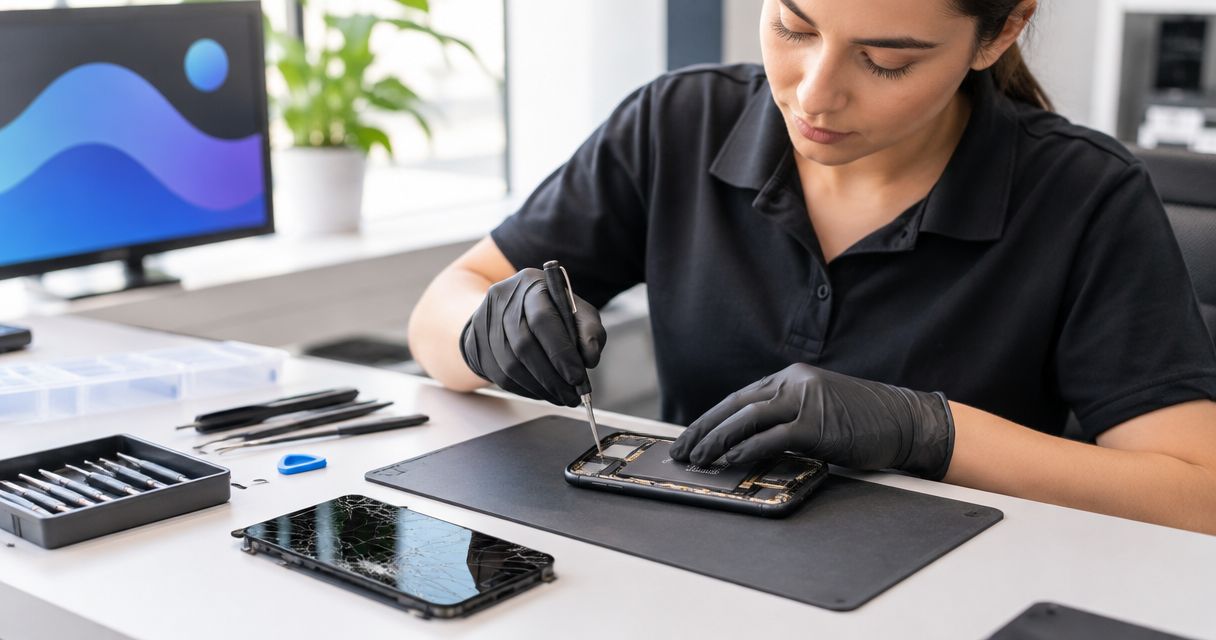
A phone screen repair takes as long as the inspection, screen replacement, and final checks require; the useful estimate is when your inspected phone will be ready for pickup, not just how long the replacement takes. Additional damage and your appointment schedule affect that estimate. For a repair in Edmond or Oklahoma City in 2026, ask for a pickup window before authorizing the work.
- How long does a phone screen repair take? Ask for an inspected-phone pickup estimate, not just screen replacement time.
- Aspect Phone Solutions provides appointment-based smartphone repair for customers in Edmond and the wider Oklahoma City area.
- Report touch problems, display damage, and liquid exposure before your appointment.
- Confirm the repair scope and price before authorization, then check the phone at pickup.
How long does a phone screen repair take?
Screen replacement time and total time without your phone are different. Your pickup estimate needs to account for inspection, authorization, the repair itself, and checks afterward. An appointment tells you when to arrive; ask separately when you should expect the phone back.
The cracked-screen repair workflow explains the steps between noticing damage and collecting your phone. Use those steps to ask a more useful question: what needs to happen before this particular phone is ready?
| Stage | What it covers | What you should confirm |
|---|---|---|
| Inspection | Checking the visible damage and reported symptoms | Whether the proposed work addresses all the problems you reported |
| Authorization | Agreeing to the repair scope and confirmed price | What happens if inspection reveals additional damage |
| Screen replacement | Removing the damaged screen and fitting its replacement | Whether the pickup estimate covers the complete job |
| Final checks | Checking display, touch, and relevant phone functions | How you will receive the ready-for-pickup message |
| Collection | Reviewing the repair and collecting the phone | The pickup arrangement and any care instructions |
Do not build your day around a repair duration taken from another phone model or another customer's experience. Ask for an estimate tied to your phone, its condition, and your appointment. That is the estimate you can use for work, school pickup, or a trip across OKC.
Why this matters
A cracked screen interrupts more than calls. If your phone holds your work messages, navigation, payment access, or account verification codes, handing it over requires some preparation. A clear pickup arrangement helps you decide what to move to another device before leaving home.
For your 2026 repair plans, separate arrival time from collection time. Tell the repair provider about a firm deadline before booking, rather than mentioning it after drop-off. Ask whether the proposed appointment fits that deadline and what you should do if the estimate changes.
You also need a way to receive an update while the phone is being repaired. Agree on a reachable contact method instead of assuming a message to the damaged phone will reach you. This is especially important if the display is unreadable or touch no longer works.
What affects the screen repair timeline?
The following details help a repair provider assess the job. Describe what you observe rather than trying to diagnose the damaged component yourself.
- Phone model: Give the exact model, not just the manufacturer. Different phones have different screen assemblies and repair procedures.
- Display and touch symptoms: Report a blank display, colored lines, flickering, dark areas, or touch that fails in part of the screen. A visible crack does not describe every symptom.
- Damage beyond the screen: Mention a bent frame, damaged camera, charging problem, or an impact that affected another part of the phone. Inspection determines the repair scope.
- Liquid exposure: Tell the repair provider if the phone became wet, even if the crack is your main concern. A screen replacement does not address every possible consequence of liquid exposure.
- Appointment and authorization: Confirm the arrival arrangement and how you will approve the proposed work. Make sure the provider can reach you if the scope needs clarification.
- Testing and pickup: Ask whether the estimate includes final checks and collection arrangements. A replacement screen being fitted is not the same milestone as a phone being ready to leave.
These details do not let you calculate a reliable repair duration at home. They give the provider a clearer starting point and help prevent an estimate based on an incomplete description.
A cracked screen that still responds
If the screen displays normally and responds to touch, describe that clearly. Also report whether the crack is spreading, whether glass is loose, and whether the phone has shown any other change since the damage occurred. Do not describe it as cosmetic damage simply because you can still use it.
Best for planning: document the symptoms before your appointment. Write down what works and what does not, particularly if the problem appears only occasionally. That gives you a useful reference when discussing the repair and checking the phone afterward.
Keep pressure off damaged glass and avoid handling loose shards. If you can safely use the phone, back up important information before the appointment. Being able to use the screen today does not replace having a current backup.
A screen with missing touch or display problems
An unreadable screen or failed touch makes preparation harder. Tell the repair provider whether you can unlock the phone, see the display, and use any part of the touchscreen. Explain whether the symptoms began immediately after the damage or appeared later.
Do not repeatedly enter a passcode through unreliable touch. Incorrect attempts can trigger security restrictions on smartphones. Use the device manufacturer's instructions if you need help accessing or backing up a phone with a damaged display.
Best for planning: arrange essential access before drop-off. Think about the accounts you will need while the phone is away, including work sign-ins and verification messages. Avoid removing security protections or sharing account passwords simply to make preparation easier.
Screen damage with other phone problems
A cracked screen and a charging fault are separate observations, even if they began after the same drop. Report both. The same applies to a camera that no longer focuses, a damaged frame, unexpected restarts, or liquid exposure.
Ask what the proposed screen repair is intended to fix and what remains outside that scope. This keeps the authorization clear and gives you a sensible basis for evaluating the phone at pickup. It also avoids treating a screen replacement as a promise to resolve unrelated faults.
If the phone is swollen, unusually hot, or visibly separating at the edges, stop using and charging it and seek professional guidance. Do not press the screen back into place. Those symptoms need attention before ordinary screen-repair planning.
How to get a useful pickup estimate
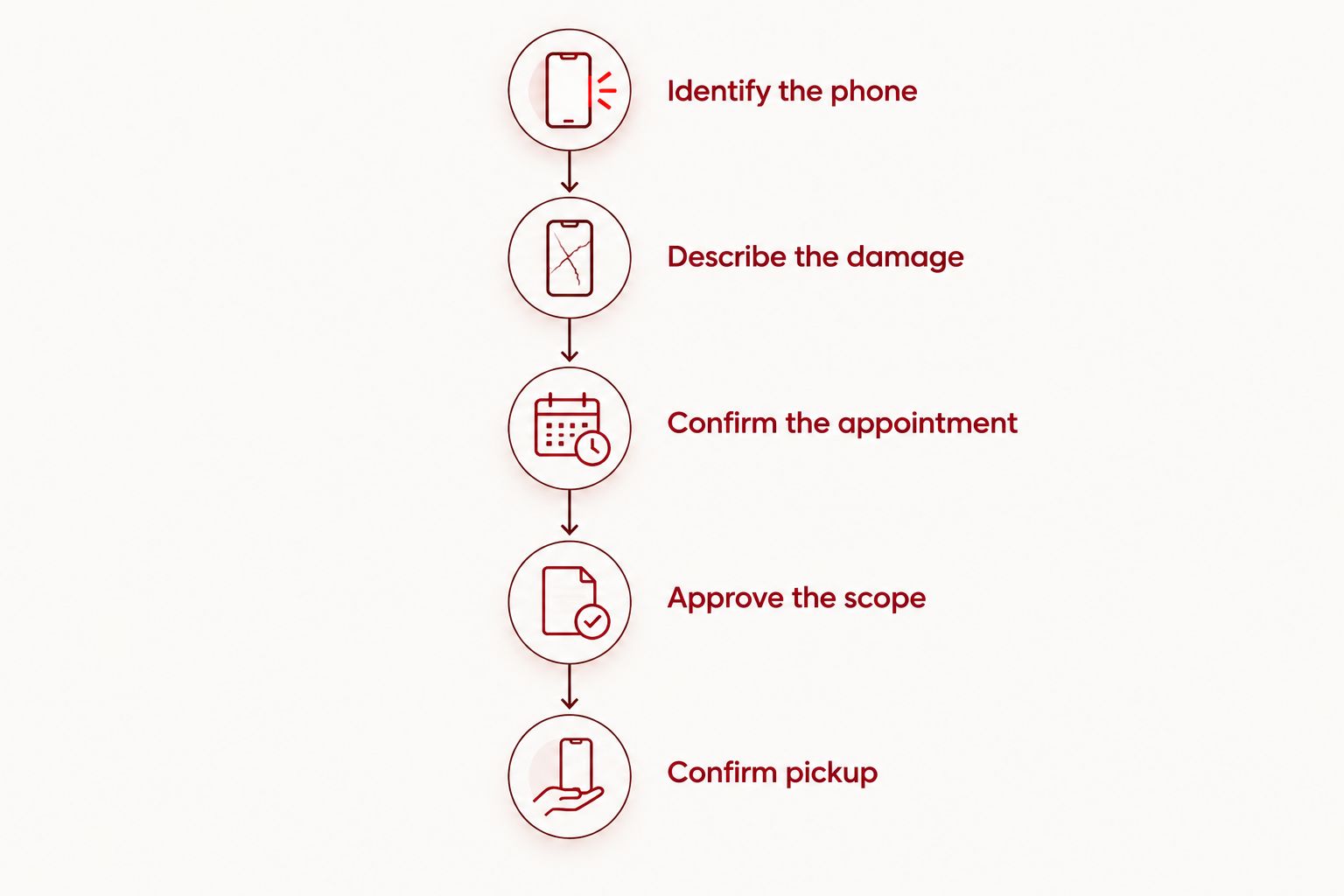
Use this sequence when arranging a repair in 2026. It turns a broad timing question into an agreement about your actual phone.
- Identify the phone. Provide the exact model using device settings, your purchase record, or another reliable record. Do not guess from appearance alone.
- Describe the damage. Explain the crack, display behavior, touch response, and any other symptoms. Mention liquid exposure and previous damage.
- Confirm the appointment. Ask when to arrive and whether you are arranging a drop-off or another service arrangement. Do not assume an appointment reserves a waiting repair.
- Approve the scope. Review the inspection findings and confirmed price before authorizing work. Ask how a proposed change to the repair will be handled.
- Confirm pickup. Ask for the expected ready-for-pickup window, the update method, and what to do if your deadline cannot be met.
Keep the appointment details and approved scope somewhere you can access without the damaged phone. A note on another device or a written record avoids depending on the device you are about to hand over.
Appointment-based phone repair in Edmond and OKC
Aspect Phone Solutions is best for Edmond and OKC customers seeking appointment-based smartphone repair rather than a walk-in visit. Prices are confirmed before authorization, so the decision to proceed follows the inspection and agreed scope.
The practical advantage is knowing you need to arrange the visit. The limitation is equally clear: do not arrive expecting walk-in service, and do not treat an appointment as a guaranteed completion time. Discuss your deadline when arranging the repair.
Use Aspect Phone Solutions to arrange the next step for phone repair. Provide the exact model and symptoms, then ask about both the arrival arrangement and the expected pickup window.
Arrange your repair appointment
Share your phone model and symptoms, then ask about the inspection and pickup arrangement.
Can I get my phone screen repaired the same day?
Same-day completion needs confirmation for your specific phone and appointment. Ask whether the estimate includes inspection, authorization, replacement, and final checks—not just the time spent fitting the screen.
For a 2026 booking, explain any non-negotiable collection deadline before agreeing to the appointment. If that deadline does not fit the proposed arrangement, decide on a backup device or another plan before handing over the phone.
Do I need to back up my phone before screen repair?
Back up your phone before screen repair if you can safely access it. A backup protects your information independently of the repair outcome. Check that important photos, contacts, and other needed information are included rather than assuming that an enabled backup setting means everything is current.
If the screen prevents access, tell the repair provider before the appointment. Do not promise yourself a backup after drop-off, and do not assume a screen replacement includes data recovery or transfer.
Can I wait while my phone screen is repaired?
Waiting during the repair is an arrangement to confirm, not a feature to assume. Ask whether you should remain nearby, leave and return, or collect the phone after a ready-for-pickup update.
If you are traveling from elsewhere in Oklahoma City to Edmond, settle that question before leaving. A clear collection plan is more useful than arriving with an expectation based on another repair visit.
What should I check when collecting the phone?
Start with the symptoms you reported. Confirm that the display is readable and touch responds across the screen, then check the ordinary functions you rely on, such as calling, charging, and the camera. Ask the provider to explain any remaining issue before you leave.
Review any care instructions and ask about the repair terms that apply to your job. Do not assume screen replacement restores the phone's original water resistance. Keep the repair record somewhere accessible for later reference.
FAQ
How long does a phone screen repair take in 2026?
A phone screen repair takes the time required for inspection, authorization, replacement, and final checks. Ask for a pickup estimate based on your inspected phone and appointment rather than treating replacement time as the whole visit.
Does an appointment mean my screen will be repaired while I wait?
An appointment does not by itself confirm a waiting repair. Ask whether the visit is a drop-off arrangement and when you should expect a ready-for-pickup update.
Can a cracked screen be repaired if touch still works?
Working touch does not rule out the need for screen repair. Report the crack and any other symptoms so inspection can establish the proposed repair scope.
Will screen repair fix a phone that will not charge?
Screen repair is not a promise to fix a charging problem. Report both symptoms and ask which issues the authorized work will address.
Will a screen repair erase my photos?
Do not rely on screen repair as protection for your photos. Back up accessible information before the appointment and discuss access problems if the damaged screen prevents a backup.
Can I walk into Aspect Phone Solutions for a repair?
Aspect Phone Solutions provides appointment-based smartphone repair, rather than walk-in service. Arrange the visit before traveling from Edmond or the wider Oklahoma City area.
When should I approve the screen repair?
Approve the screen repair after the phone has been inspected and the repair scope and price have been confirmed. Ask how the provider will contact you if a proposed change needs authorization.
One last thing
Your backup phone is only useful if you can access what you need on it. Before your 2026 repair appointment, check your essential sign-ins and arrange a reachable contact method. Finding out that a verification message goes only to the phone you just handed over creates an avoidable problem.
Write down your reported symptoms and bring that list to pickup. It gives you a clear final check: not simply whether the new screen looks intact, but whether the agreed repair addressed the problems you authorized it to fix.


