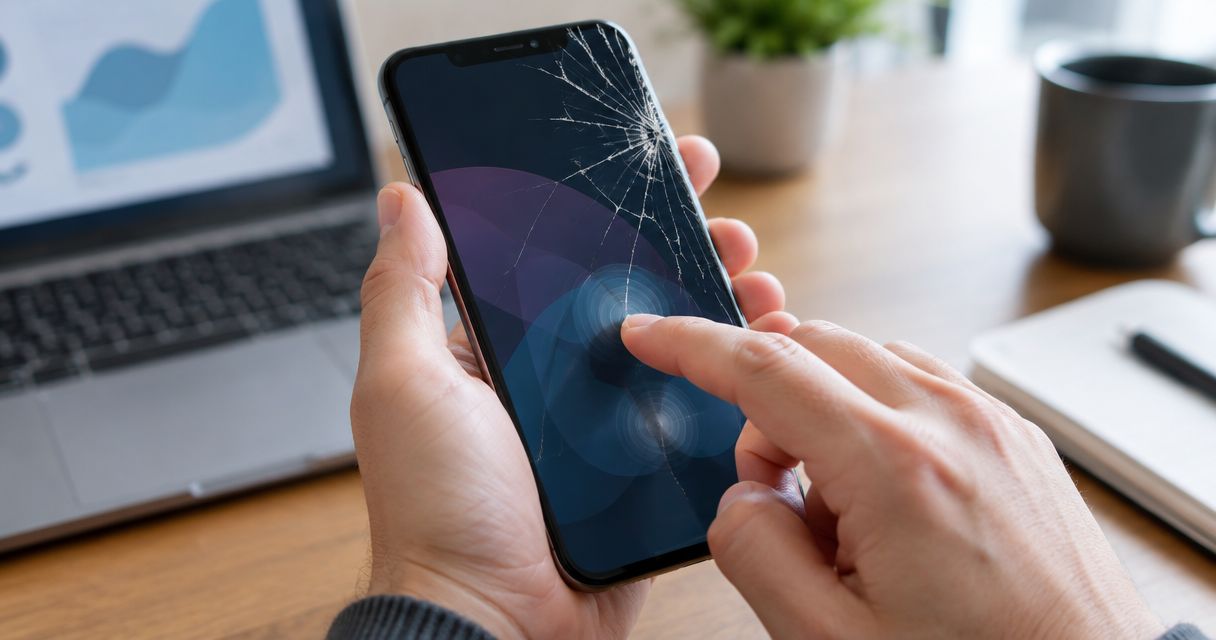
Yes, a cracked phone screen can cause ghost touches when the damage affects the touch-sensing layer or its connections. A crack alone does not prove the cause: moisture, charging accessories, surface contamination, and software problems can also produce unwanted taps, so check the symptoms before authorizing a repair.
- A cracked screen causing ghost touches needs inspection when unwanted taps persist after safe surface and accessory checks.
- A normal-looking picture does not rule out damage to the touchscreen’s sensing layer.
- Stop using a phone with a lifting screen, suspected battery swelling, or exposed broken glass.
- Back up accessible data before repair; do not repeatedly enter a passcode on an unreliable touchscreen.
Can a cracked phone screen cause touchscreen ghost touches?
Yes. Your phone’s display shows the picture, while its touch-sensing layer detects where your finger makes contact. Impact damage can disturb that sensing system even when the picture still looks normal.
Ghost touches include apps opening without a deliberate tap, a keyboard typing extra letters, or a page scrolling while your hands are away. If these symptoms began immediately after a drop that cracked the screen, report that sequence when arranging phone repair services.
The following clues help separate possible causes. They guide an inspection; they do not confirm which part needs replacement.
| What you notice | What it suggests | What to do next |
|---|---|---|
| Unwanted taps began after the screen cracked | Impact-related screen or connection damage | Arrange an inspection rather than repeatedly pressing the damaged area |
| Touch problems happen only while charging | A charging accessory or electrical interference needs checking | Disconnect the charger and observe the phone on battery power |
| Touch problems follow moisture or dirt on the surface | Surface contamination can interfere with touch detection | Dry your hands and gently clean intact glass |
| Only one app behaves incorrectly | An app-specific problem deserves investigation | Check whether the same behavior occurs elsewhere |
| The screen lifts away from the frame | Physical separation, including possible battery swelling, needs attention | Stop using and charging the phone; seek professional guidance |
Why this matters
A cracked screen is not just a visibility problem when it starts accepting unintended input. An unreliable touchscreen can send messages, change settings, interrupt calls, or enter incorrect passcodes.
For an Edmond or Oklahoma City customer making a repair decision in 2026, the priority is preserving control and access to data. Do not keep testing a failing screen by opening sensitive apps or repeatedly attempting to sign in.
How screen damage creates unwanted taps
Touchscreens detect changes in an electrical sensing system when your finger approaches or touches the surface. Broken glass does not automatically mean that system has failed, but the impact that broke the glass can also damage the layers underneath.
That distinction explains why two cracked phones can behave differently. One can retain normal touch response, while another registers taps in the wrong place or stops responding across part of the display.
The picture can work while touch control fails
A clear image confirms that the display can still produce a picture. It does not confirm that touch sensing works correctly across the screen.
Likewise, black patches, colored lines, or flickering indicate display trouble, but those symptoms do not need to appear before ghost touches begin. Describe picture quality and touch behavior separately when reporting the fault.
The crack’s appearance does not identify the repair
A small visible crack can accompany internal damage from a drop. A larger crack can leave touch response working for a time.
Do not press along the fracture to find the bad spot. Pressure can move damaged glass and does not provide a reliable home diagnosis.
Safe checks before a repair appointment
These checks help you describe the problem without opening the phone. Skip home troubleshooting if the screen is lifting, the phone appears swollen, or broken glass makes handling unsafe.
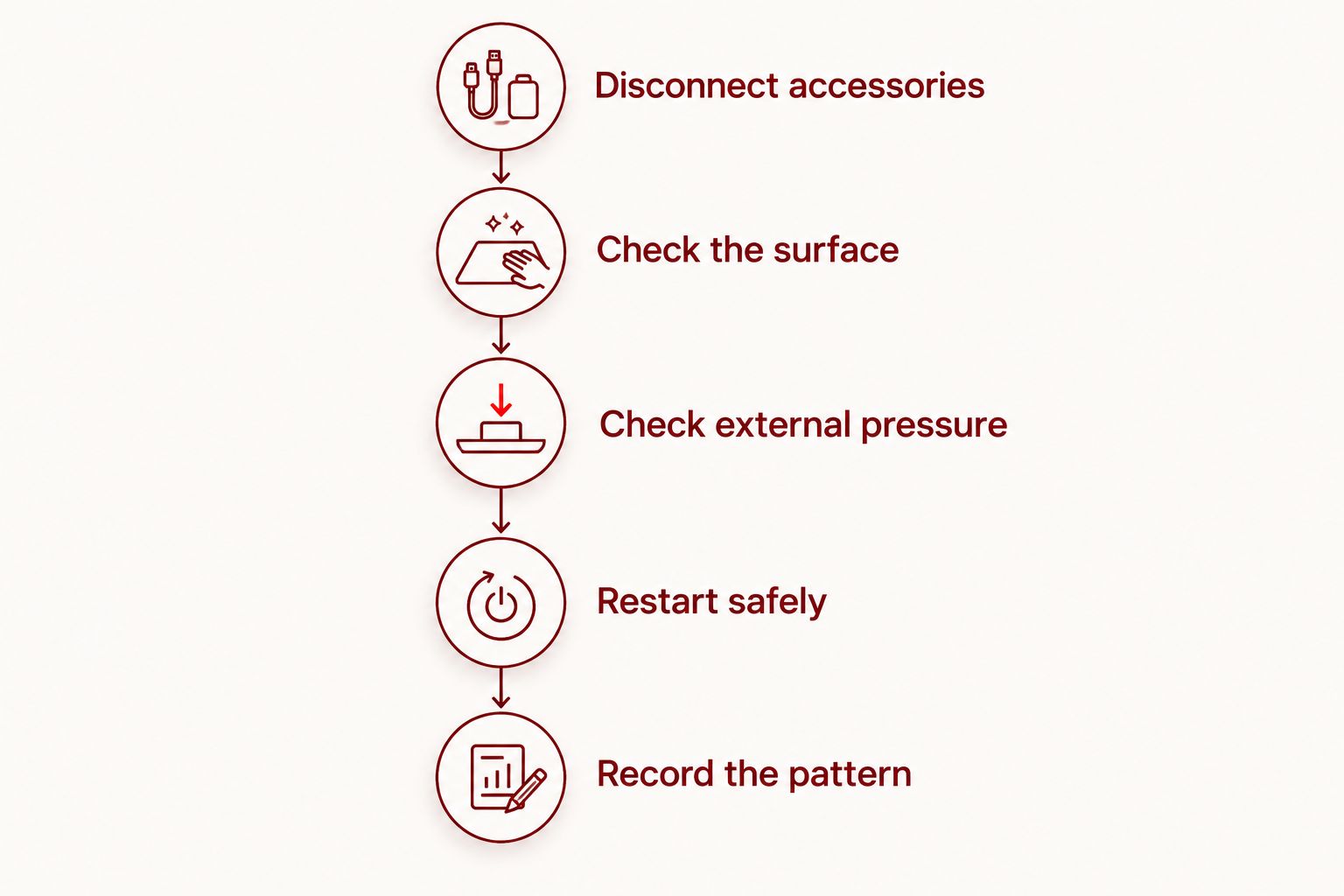
- Disconnect accessories. Unplug the charger and remove connected accessories. Observe whether unwanted input continues while the phone runs on its battery.
- Check the surface. Dry your hands and look for moisture or residue. Gently wipe intact glass with a soft, dry cloth; do not apply liquid to cracks.
- Check external pressure. Remove an easily removable case if it presses against the screen. Do not bend the phone or force a tight case off damaged glass.
- Restart safely. Use the manufacturer’s instructions for your exact model. If touch control prevents a normal shutdown, check the model-specific button procedure rather than guessing.
- Record the pattern. Note whether the problem occurs across apps, in a particular screen area, or only during charging. Stop testing once you have a useful description.
A restart can clear a temporary software problem. It cannot repair fractured glass or a physically damaged touch-sensing layer, so persistent symptoms after a restart still need investigation.
If the phone becomes difficult to control during any check, stop. A short description of what happened is more useful than repeated testing that risks accidental input.
Why ghost-touch symptoms vary
The same description—tapping by itself—can reflect different faults. For a repair decision in 2026, focus on the circumstances surrounding the unwanted input rather than the crack’s appearance alone.
- Damage location: Damage affecting the touch-sensing system can behave differently from damage limited to the outer glass.
- Impact history: A drop can affect the screen, frame, or internal connections, not just the visible surface.
- Moisture exposure: Liquid on the surface can disrupt touch response, while liquid inside the phone requires separate assessment.
- Charging conditions: A problem that appears only with a particular charger or cable needs accessory checks before blaming the screen.
- External pressure: A tight case, damaged protector, or distorted frame can complicate the symptoms.
- Software behavior: Trouble limited to one app differs from unwanted taps across the keyboard, home screen, and settings.
Tell the repair provider which of these conditions applies. Do not describe the fault only as a cracked screen if the phone also types or opens apps without your input.
Should you keep using a phone with ghost touches?
Best for persistent unwanted input: stop routine use and arrange an inspection. Continuing to use the phone preserves access temporarily, but it also leaves messages, settings, and account screens exposed to unintended actions.
If control remains reliable enough, make a backup and then put the phone aside. If it cannot reliably distinguish your input from false touches, do not keep trying to complete sensitive tasks.
What warning signs mean you should stop immediately?
A lifting screen, visible swelling, smoke, or unusual heat requires a different response from ordinary touchscreen troubleshooting. Stop using and charging the device, and contact a qualified repair provider for handling guidance.
Do not push a lifted screen back into place, puncture the phone, or attempt to flatten it. Separation can have several causes, and a potentially damaged battery is not a home screen-repair project.
Exposed sharp glass is another reason to stop handling the screen. A protector is not a repair for damaged touch sensing and should not be used to justify continued use of an unsafe device.
Will replacing the screen fix ghost touches?
Screen replacement addresses ghost touches when the screen assembly is the source of the fault. It does not fix every cause of unwanted input, including problems elsewhere in the phone or interference associated with an accessory.
Inspection should establish what is damaged before you approve parts replacement. Ask how the provider will check touch response after the work, including the keyboard, screen edges, and areas that previously misbehaved.
Is replacing only the glass enough?
Replacing only the outer glass does not correct a damaged touch-sensing layer. The appropriate repair depends on the phone’s construction and which layers or components have failed.
For your 2026 repair decision, ask what the proposed work replaces rather than relying on the phrase screen repair. Best for suspected touch-layer damage: approve work that addresses the diagnosed fault, not just the visible crack.
Should you try a factory reset first?
A factory reset erases local data and does not mend physical damage. It is not a sensible first response when ghost touches began after the screen cracked.
Software troubleshooting still has a place when the evidence points toward software. Back up accessible data first and discuss the symptoms before taking an irreversible step.
Protect your data before handing over the phone
Back up the phone if you can operate it safely. Confirm that the backup completed; merely starting a backup does not establish that your files are protected.
Use another trusted device to check access to essential accounts and recovery methods. This matters if your damaged phone normally receives sign-in codes or holds information you need during the repair.
Before your appointment, prepare this information:
- Exact phone model: The model matters when identifying the appropriate repair.
- Damage history: Explain the drop, pressure, or liquid exposure that preceded the problem.
- Symptom pattern: Describe charging-related behavior, affected screen areas, and unwanted typing.
- Previous repairs: Mention earlier screen work or damage that could affect the inspection.
- Backup status: Tell the provider whether important data is backed up or still only on the phone.
Do not share account passwords unnecessarily. Ask what access is required for testing and what preparation the provider needs before you arrive.
Arranging an inspection in Edmond or Oklahoma City
Aspect Phone Solutions smartphone repair is best for Edmond and OKC customers who want appointment-based service with the price confirmed before authorization. The appointment format requires planning rather than an unannounced walk-in, which matters if you need to organize transport or a backup phone.
Use the appointment booking page to arrange service. Describe the issue as unwanted touchscreen input after cracking, not simply cosmetic damage.
For a 2026 appointment with Aspect Phone Solutions, explain whether the phone still responds reliably and whether it shows any lifting or swelling. Those details help distinguish a routine screen complaint from a device that needs special handling guidance.
The repair decision should follow inspection. Aspect Phone Solutions confirms the price before authorization, so you can decide whether to proceed without treating an online estimate as a diagnosis.
Book a phone repair appointment
Describe the cracked screen and unwanted taps. The repair price is confirmed before authorization.
FAQ
Can a cracked screen cause ghost touches even if the display looks normal?
Yes, a cracked screen can cause ghost touches while the picture still looks normal. Touch sensing and image display perform different jobs, so a clear picture does not rule out touch-layer damage.
Why does my cracked phone keep typing by itself?
A cracked phone can type by itself when damaged touch sensing registers input you did not make. Moisture, charging accessories, and software problems also need consideration before the cause is confirmed.
Will a screen protector stop ghost touches?
A screen protector does not repair a damaged touch-sensing layer. A damaged or poorly fitted protector can itself interfere with touch response, but replacing it is not a confirmed fix for internal screen damage.
Why do ghost touches happen only when my phone is charging?
Ghost touches limited to charging point toward a charging-related condition that needs checking. Disconnect the charger and report whether the behavior stops; the visible crack alone does not establish the cause.
Can I back up my phone while the screen is tapping by itself?
You can attempt a backup only while you retain reliable control of the phone. Stop if unwanted taps make the process unsafe or cause repeated incorrect passcode entry, and discuss data preservation before repair.
Does every cracked screen need a complete screen replacement?
No, the appropriate repair depends on which parts are damaged and how the phone is constructed. Unwanted touch input requires assessment of touch function, not just the outer glass.
Can I walk in for cracked-screen repair in Edmond?
Aspect Phone Solutions smartphone repair operates by appointment for Edmond and the wider Oklahoma City area. Arrange the visit before traveling and describe any ghost touches or other handling concerns.
One last thing
Use another device to record the unwanted taps if you can do so safely. An intermittent fault can disappear during an appointment, and a recording gives the repair provider something more specific than a description from memory.
Keep your hands away from the display during the recording, and state whether the charger is connected. Do not press the crack or recreate a dangerous condition just to demonstrate the problem.


