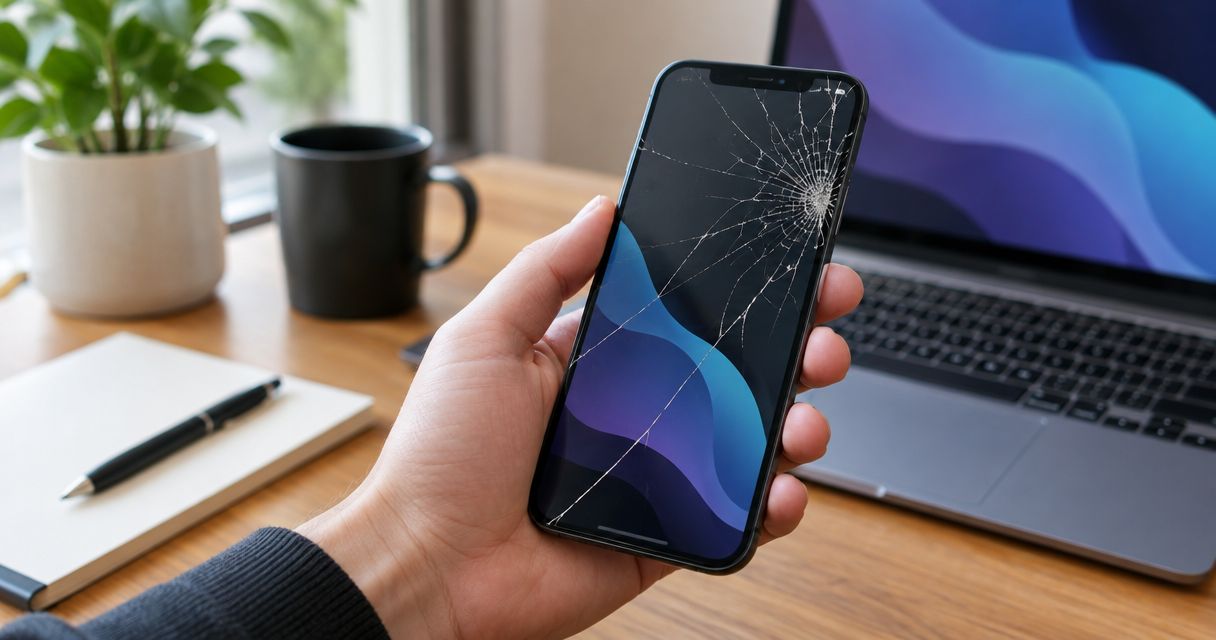
Yes, a cracked screen can cause further damage if you keep using the phone: cracks can spread, damaged glass can expose vulnerable layers, and touch or display problems can worsen. A crack does not prove that the battery or other internal parts are damaged, but loose glass, unintended touches, moisture exposure, or a lifting screen call for prompt attention. This 2026 guide explains how to judge the symptoms, protect your data, and decide when to stop using the phone.
- Can a cracked screen cause further damage? Yes; continued pressure, another drop, and moisture exposure can worsen damage.
- Aspect Phone Solutions offers appointment-based smartphone repair for Edmond and Oklahoma City customers.
- Back up a damaged phone while the screen still responds, provided the device is safe to use.
- Stop using a phone with loose glass, a lifting screen, swelling, or unusual heat.
Can a cracked screen cause further damage if not repaired?
Yes. The risk depends on the damage you already have and what happens to the phone afterward. A narrow crack with normal touch response is different from shattered glass, missing pieces, or a screen separating from the frame. None of those conditions establishes a reliable countdown to failure.
For local help, Aspect Phone Solutions offers appointment-based smartphone repair in Edmond and the wider Oklahoma City area. Prices are confirmed before authorization, so you can decide after the phone has been inspected rather than treating a general estimate as a diagnosis.
| Screen condition | What it tells you | What to do | Limit of that action |
|---|---|---|---|
| Narrow crack; normal picture and touch | The phone still works, but the glass is damaged | Back up your data and arrange inspection | Normal operation does not establish that the damage is stable |
| Loose glass or missing pieces | The surface is unsafe to handle normally | Stop touching the damaged area and arrange repair | A cover does not restore the broken glass |
| Lines, dark patches, or flickering | The display needs assessment, not just the visible crack | Back up if safe and seek inspection | Appearance alone does not identify every damaged part |
| Missed touches or unintended taps | Touch control is unreliable | Reduce use and secure a backup if possible | Restarting does not repair physical damage |
| Screen lifting from the frame | Separation needs assessment, including possible battery swelling | Stop use and charging if swelling is suspected | Screen replacement alone is not an established solution |
For planning the appointment, read how long a phone screen repair takes. Confirm the timing for your particular device rather than assuming a turnaround from the appearance of the crack.
Why this matters
A working screen can hide an inconvenient problem: you still have access to your photos, messages, and accounts today, but a later touch failure can make accessing them harder. Back up before you lose control of the screen, not after. Only do this while the phone is safe to operate.
For an Edmond or OKC customer making a repair decision in 2026, the useful question is not simply whether the phone turns on. It is whether you can use it safely, whether its behavior has changed, and whether your important information exists somewhere besides that device.
A small crack with normal touch response
A small crack does not automatically mean the phone is about to fail. It also does not make the glass intact. Pressure from handling, a tight pocket, or another impact can extend existing damage.
Best for: brief essential use while arranging inspection, provided there are no safety warning signs. Keep the phone dry, avoid pressure on the cracked area, and back up important information. Do not repeatedly press the crack to see whether it moves.
The advantage of acting while touch still works is straightforward: you can prepare the phone and review repair options without fighting an unresponsive screen. The limitation is equally clear. You cannot judge the condition of every underlying component from the crack's size.
Shattered glass or exposed edges
Broken edges and loose fragments create a handling problem even when the display still looks normal. Swiping over the surface or holding the phone against your face can put your skin against damaged glass.
Best for: setting the device aside and arranging professional assessment. Avoid picking out fragments or pressing a cover onto an unstable surface. Keep the phone away from children and anyone who does not know the glass is damaged.
A temporary cover is not a repair. It does not establish that the surface is safe, restore the original strength of the glass, or address damage underneath. If handling the phone requires touching sharp or loose areas, stop using it.
Lines, dark patches, or unreliable touch
Lines, black areas, flickering, and missed touches are reasons to assess the display system, not just the outer glass. They do not tell you exactly which part needs replacement. A technician needs to inspect the device and check its behavior.
Unintended touches deserve particular attention. A phone that taps without your input can open apps, interrupt a backup, or enter incorrect information. Do not keep entering a passcode through a screen that is making uncontrolled taps.
Best for: backing up while control remains reliable, then limiting use until inspection. The benefit is protecting access to your information; the drawback is that the screen might not remain usable long enough to complete every task. Tell the repair provider about the touch problem before the appointment.
A lifting screen or suspected battery swelling
A screen separating from the frame is not simply another version of a surface crack. Damage to the frame or attachment can cause separation, and a swollen battery can also push a screen outward. Appearance alone does not establish the cause.
If you suspect battery swelling, stop using and charging the phone. Do not press the screen back into place, puncture the device, or try to flatten it with a case. Arrange professional handling and explain the separation before bringing it in.
Unusual heat, smoke, or hissing changes the situation from a repair decision to a safety issue. Move away from a smoking device and seek emergency assistance when necessary. Do not attempt a backup on a phone showing those warning signs.
Why the risk of further screen damage varies
The visible crack is only part of the decision. These factors explain why one damaged phone remains usable while another needs to be set aside:
- Glass condition: A closed crack differs from loose fragments or an opening in the surface. Exposed edges change how safely you can handle the phone.
- Display behavior: Lines, dark areas, flickering, and touch failures indicate functional problems beyond an unwanted mark on the glass.
- Moisture exposure: Damaged glass or a distorted frame can compromise protection against liquid. Do not rely on the phone's original water-resistance rating after damage.
- Further pressure: Bending, squeezing, and pressing on a damaged screen can worsen existing cracks. Avoid testing its strength.
- Impact damage: The same drop that cracked the screen can also affect the frame or internal parts. A screen-only assumption is not a diagnosis.
- Screen separation: A lifting screen needs assessment for its cause. Suspected swelling requires a different response from an otherwise stable crack.
There is no universal safe waiting period for a cracked phone in 2026. Make the decision from its current condition, not from someone else's experience of using a cracked screen for a long time.
What should you do before a screen repair appointment?
Use this sequence only if the phone has no signs of swelling, dangerous heat, or unsafe glass. Preparing your data is useful; keeping an unsafe device running is not.
- Check safety. Look without pressing on the screen. Note loose glass, separation, unusual heat, and any change in the phone's shape.
- Back up data. Use the backup method supported by your phone. Check that the backup completed rather than assuming that starting it was enough.
- Record symptoms. Write down when the damage happened, whether liquid was involved, and what changed afterward. Include touch failures and display lines.
- Arrange inspection. Give the provider your phone model and describe the symptoms. Mention screen separation or suspected swelling before transport.
- Confirm scope. After inspection, ask what needs repair, what the proposed work covers, and what testing will follow. Authorize work only after you understand the confirmed price.
- Check functions. At collection, follow the provider's guidance for checking touch response, the picture, charging, and other relevant functions.
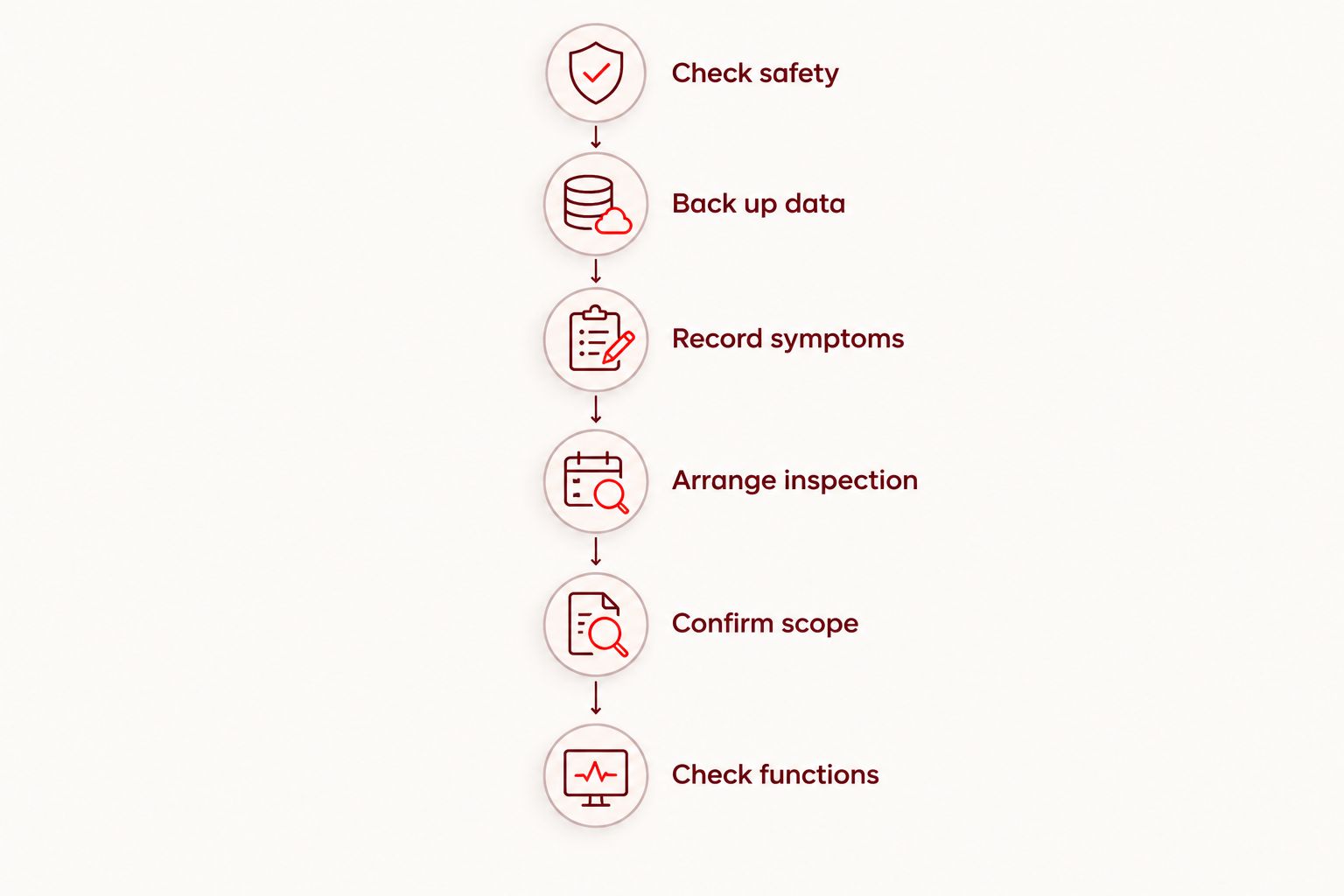
Keep your symptom notes separate from the damaged phone so you can still read them if its screen stops responding. For a repair appointment in 2026, that description helps distinguish the original crack from problems that developed afterward.
Aspect Phone Solutions is best for Edmond and Oklahoma City customers who want appointment-based smartphone repair. Arrange an appointment rather than planning a walk-in visit, and confirm the repair price before authorizing the work.
Arrange a phone repair appointment
Describe the damage and arrange inspection. Confirm the repair price before authorizing work.
Can a screen protector stop a crack from spreading?
A screen protector does not repair cracked glass or guarantee that a crack will stop spreading. It adds a covering; it does not restore the original screen structure.
Do not press a protector onto loose glass or use it to justify continued use of an unsafe surface. Ask the repair provider whether a temporary covering is appropriate for the condition of your phone.
Can a cracked screen damage the battery?
A cracked screen alone does not prove battery damage. The impact that broke the glass can also damage other components, so report heat, swelling, charging changes, or screen separation during inspection.
Do not assume that battery drain means the crack caused a battery fault. The symptoms need assessment, and suspected swelling is a reason to stop use and charging rather than test the phone further.
Will replacing the screen fix every problem from the drop?
Screen replacement does not automatically fix every problem caused by a drop. A damaged frame, charging fault, or other internal issue requires its own assessment.
Before authorizing a repair in 2026, ask the provider to distinguish confirmed screen damage from other findings. A clear repair scope is more useful than a promise based only on a photograph of the crack.
FAQ
Can a cracked screen cause further damage even if touch still works?
Yes, a cracked screen can cause further damage even when touch still works. Additional pressure or another impact can worsen the glass damage, and compromised protection can leave the phone more vulnerable to moisture.
Is it safe to keep using a phone with a cracked screen?
A cracked phone is not safe to use normally when it has sharp edges, loose glass, suspected swelling, or unusual heat. If the surface is stable and the phone works normally, limit use, back up your data, and arrange inspection.
How long can I wait to repair a cracked phone screen?
There is no universal safe waiting period for a cracked phone screen. Base the decision on glass condition, touch reliability, display changes, moisture exposure, and any signs of screen separation.
Can water get into a phone through a cracked screen?
Damaged glass or a distorted frame can compromise a phone's protection against liquid. Keep the phone dry and do not test its water resistance after damage.
Should I back up my phone before getting the screen repaired?
Yes, back up your phone before screen repair if the device is safe to operate. Confirm that the backup completed, and stop if the phone shows suspected swelling or dangerous heat.
Does a black spot mean I only need new screen glass?
A black spot does not establish that replacing only the outer glass will fix the phone. It is a display symptom that needs inspection alongside the visible crack and any touch problems.
Does Aspect Phone Solutions accept walk-in screen repairs?
Aspect Phone Solutions provides appointment-based smartphone repair for Edmond and the wider Oklahoma City area. Arrange an appointment and confirm the price before authorizing repair work.
One last thing
A successful backup and a successful repair solve different problems. A backup protects access to your information; it does not make cracked glass safe. Repair addresses the device, but it is not a substitute for keeping a separate copy of your data.
Before your 2026 appointment, make one useful note: what worked immediately after the drop, and what stopped working later. That timeline gives the repair provider information a picture of the cracked screen cannot show.


