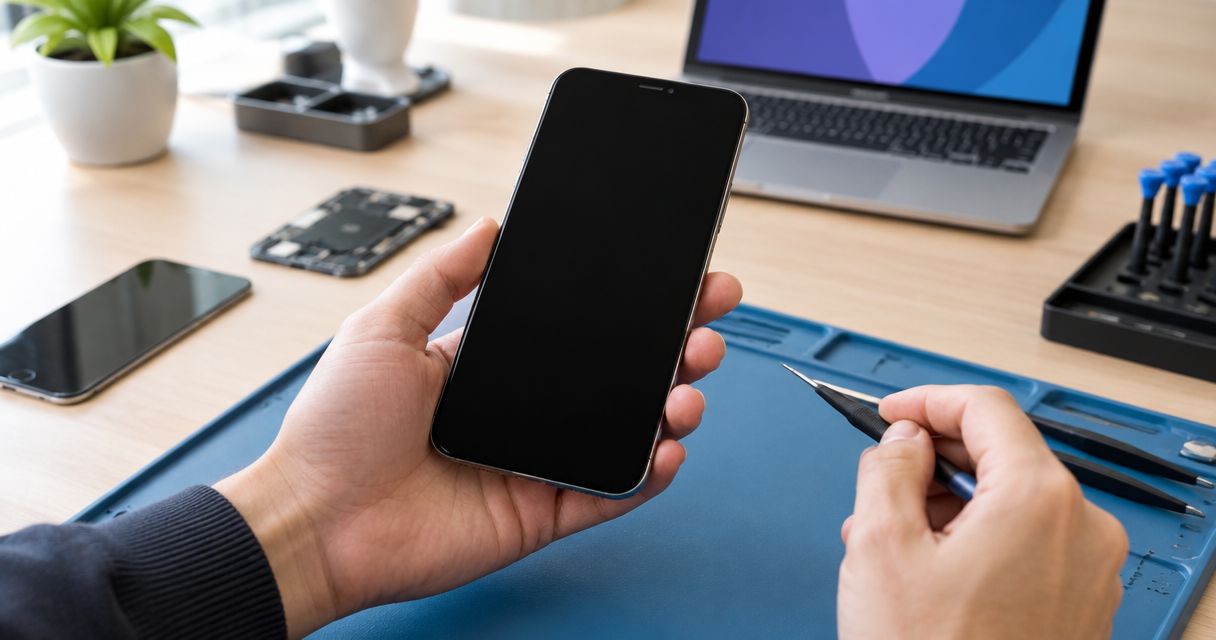
Yes—a phone with a black screen and no cracked glass can be repaired when the underlying fault is repairable, but intact glass does not rule out internal damage. A failed display, a power problem, or a software freeze can produce similar symptoms, so the next step is diagnosis—not automatically replacing the screen.
- Phone repair black screen not cracked: diagnose the display, power, and software before authorizing a repair.
- Ringing or vibration suggests the phone is running; it does not prove the display is the only fault.
- Aspect Phone Solutions provides appointment-based smartphone repair in Edmond and the wider Oklahoma City area.
- Avoid factory resets before discussing data preservation, and stop charging a swollen, unusually hot, or wet phone.
Why this matters
An unbroken glass surface tells you little about the display underneath it. Your phone can lose its picture while continuing to receive calls, or it can appear equally dark because it has stopped powering on.
Choose the repair after identifying the fault, not from the appearance of the glass. Review the available phone repair services before arranging an inspection. This 2026 guide separates useful observations from tests that risk your phone or its data.
Can a phone be repaired if the screen is black but not cracked?
Yes. The protective glass, the part that creates the image, and the phone's power system perform different jobs. Damage or failure below the glass can leave the outside looking normal.
The table below shows what different observations mean. These are diagnostic clues, not proof that a particular part needs replacement.
| What you observe | What it suggests | Best next step | What it does not prove |
|---|---|---|---|
| The phone rings or vibrates but shows no image | The phone is running, with a possible display-related fault | Arrange display and connection testing | That replacing the screen will resolve every issue |
| The phone gives no sound, vibration, or image | A power, charging, software, or display issue remains possible | Check safe charging conditions and use model-specific restart guidance | That the battery is definitely faulty |
| The image returns after a force restart | A temporary software problem is possible | Back up the phone and watch for recurrence | That the hardware is undamaged |
| The screen went black after a drop | Internal display or connection damage is possible | Explain the impact during inspection | That intact glass means the phone escaped damage |
| The screen went black after liquid exposure | Internal liquid damage is possible | Disconnect power and seek inspection | That drying the outside makes charging safe |
A repair decision needs more than a symptom match. Testing should establish whether the phone starts, whether the display receives the signals it needs, and whether other damage affects the proposed repair.
Black screen with ringing or vibration
Best for display-focused diagnosis: a phone that still receives calls, sounds alarms, or vibrates while the screen stays black. Those responses show that some phone functions remain active.
The useful distinction is between a phone that cannot show an image and a phone that cannot start. A technician can inspect the display assembly—the screen components fitted together—and its connections rather than assuming the entire phone has failed.
The limitation is important: ringing does not rule out additional damage. A drop can affect more than the screen, and liquid exposure can create faults in several areas. Describe everything that changed, including charging, sound, touch response, and unusual heat.
Do not keep tapping the dark screen to find out whether touch still works. You cannot reliably see what you are selecting, and repeated passcode attempts can trigger a security lockout.
Black screen with no signs of power
Best for power and charging diagnosis: a phone that shows no image and gives no sound or vibration. Start by reporting that it appears unresponsive, rather than requesting a battery or screen replacement.
The benefit of this approach is avoiding a repair based on guesswork. A charging problem, a drained or failed battery, a software fault, and internal electronics damage need different responses.
The limitation is that silence alone does not identify the cause. Silent settings, a lack of network service, or a fully discharged battery can make a working phone harder to assess. A missed incoming call is therefore not a definitive power test.
If the phone is dry, undamaged, and not unusually hot, a compatible charger and cable known to work are reasonable checks. Do not insert metal objects into the charging port or force a connector that does not fit normally.
Why the cause of a black screen varies
The useful factors are the events and symptoms surrounding the failure:
- Impact or pressure: A fall or crushing force can damage the display beneath intact outer glass. Report the incident even if you see no marks.
- Liquid exposure: Moisture can affect internal connections and electronics. Tell the technician what happened rather than treating a dry exterior as proof of safety.
- Signs of operation: Calls, alarms, vibrations, or connection sounds help distinguish a missing image from an apparently inactive phone.
- Charging behavior: A response with a different compatible cable or charger helps narrow the investigation, but does not establish which internal part is faulty.
- Recent software behavior: Freezing, repeated restarts, or a black screen during an update gives the technician a different starting point from impact damage.
- Previous repairs: Earlier screen, battery, or charging work is relevant repair history. Share it without assuming that earlier work caused the current problem.
For a 2026 repair decision, these observations are more useful than a general claim that all black screens need the same fix.
What should you do before a repair appointment?
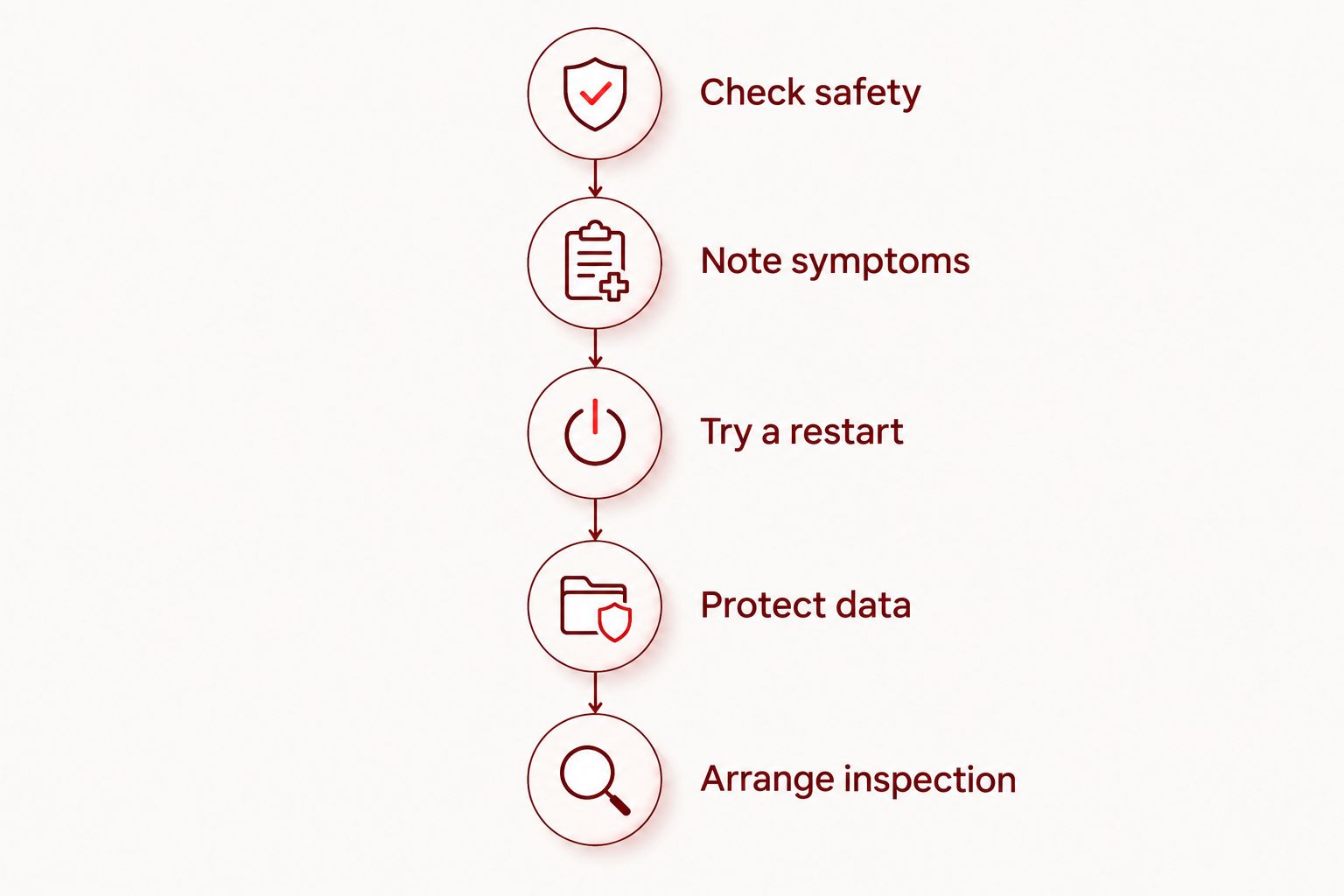
Use the following sequence to gather useful information without opening the phone. Stop immediately if you notice swelling, unusual heat, smoke, or a chemical smell.
- Check safety. Look for a raised screen, a distorted case, moisture, or unusual heat. Do not press a lifted screen back into place or continue charging a suspect battery.
- Note symptoms. Record whether the phone rings, vibrates, makes sounds, or briefly displays an image. Describe observations without trying to name the failed part.
- Try a restart. Follow the manufacturer's force-restart instructions for your exact model. Avoid guessed button sequences that lead into recovery menus.
- Protect data. Check existing backups from another trusted device. Do not erase or restore the phone just to see whether the screen returns.
- Arrange inspection. Provide the model, the events before failure, and your data priorities. Ask what testing is needed before authorizing repair.
These steps establish a useful repair history; they do not replace inspection. If a restart restores the picture, make a backup before returning to normal use.
Should you replace the screen or investigate software first?
Best for an otherwise responsive phone: professional display testing. Its benefit is checking whether the image-producing hardware is responsible before you authorize replacement. Its limitation is that a screen repair does not resolve unrelated power or internal electronics faults.
Best for a phone that returns to normal after a force restart: backup and observation. A restart can clear a temporary freeze without erasing stored content. Its limitation is that a temporary recovery does not establish why the screen went black.
Best for a phone with liquid exposure or battery warning signs: stop home troubleshooting and arrange inspection. This avoids adding charging or pressure to a potentially unsafe situation. It does not guarantee that repair or data recovery will succeed.
| Approach | Best for | Benefit | Limitation |
|---|---|---|---|
| Display testing | A running phone with no image | Checks a display-related explanation | Does not exclude other internal faults |
| Model-specific force restart | A suspected software freeze without safety warning signs | Restarts the phone without a factory reset | Does not repair damaged hardware |
| Internal inspection | Liquid exposure, impact history, or unexplained failure | Checks damage that external observations cannot establish | Findings determine whether repair is practical |
Will repairing a black screen erase your photos?
A display replacement does not inherently require erasing stored photos, but repair is not a guarantee of data preservation. The underlying failure and any additional work determine the risk.
Tell the technician that preserving data is a priority before authorizing a reset, restore, or replacement of major internal electronics. Ask whether the proposed work changes access to the phone's existing storage.
Check that important photos actually appear in your cloud account from another trusted device. Having a backup account is not the same as confirming that the latest files finished uploading.
Do not assume a computer can copy everything from a black-screen phone. Device security can require an on-screen approval or passcode before a new connection gains access.
Can you keep using a phone with a black screen?
A phone that rings with a black screen is not reliably usable. You cannot confirm prompts, review messages, or know what a touch input selected.
Avoid blind passcode entry and repeated attempts to operate apps. Use another device for urgent communications rather than depending on a phone whose display you cannot read.
If the screen returns intermittently, use that opportunity to back up important information. A temporary return of the image is a chance to protect data, not evidence that the problem has resolved.
What should Edmond and OKC customers ask before authorizing repair?
For an appointment in 2026, prepare the model name, a description of the failure, and any impact or liquid history. Include previous repair work and whether preserving unbacked-up files is your priority.
Aspect Phone Solutions is best for Edmond and OKC customers seeking appointment-based smartphone repair. Service is by appointment rather than walk-in, and prices are confirmed before authorization. The fit is clear if you want a scheduled visit; the limitation is that you need to arrange that visit rather than arrive expecting walk-in service.
Before approving work, ask:
- What fault has testing identified?
- Does the proposed repair address that fault or require further diagnosis?
- Is there evidence of damage beyond the display?
- Does any proposed step erase data?
- What will be checked after the repair?
Use the booking page to arrange an appointment with Aspect Phone Solutions. Describe the black-screen symptoms rather than selecting a repair solely because the glass looks intact.
FAQ
Can my phone screen be broken even if the glass is not cracked?
Yes, the display beneath intact glass can fail or suffer damage. An inspection distinguishes a display fault from a power, charging, or software problem.
Why does my phone ring when the screen is completely black?
Ringing means the phone is running enough to receive a call, even though it is not showing an image. A display-related fault is possible, but ringing alone does not identify the damaged component.
Should I factory reset a phone with a black screen?
Do not start with a factory reset when preserving data matters. A reset erases stored content and does not repair damaged display hardware.
Can a force restart fix a black phone screen?
A force restart can clear a temporary software freeze, but it cannot repair damaged hardware. Use the manufacturer's instructions for your exact model and back up the phone if the image returns.
Is it safe to charge a black-screen phone after it gets wet?
Do not charge a phone after suspected liquid exposure until it has been assessed for safe use. A dry exterior does not establish that the inside is dry.
Does a black screen mean I need a new phone in 2026?
No, a black screen does not by itself mean you need a replacement phone in 2026. The diagnosis, the phone's wider condition, and your data needs determine whether repair makes sense.
Can I walk in for black-screen phone repair in Edmond?
Aspect Phone Solutions provides smartphone repair by appointment rather than walk-in. Arrange the visit before traveling from Edmond or elsewhere in the Oklahoma City area.
One last thing
For your 2026 appointment, bring a written symptom history instead of a guessed diagnosis. A note saying the phone still rings, went black after a fall, and contains photos without a confirmed backup gives the technician clear priorities.
Intact glass is not a diagnosis. Ask what testing supports the proposed repair before you authorize it.


