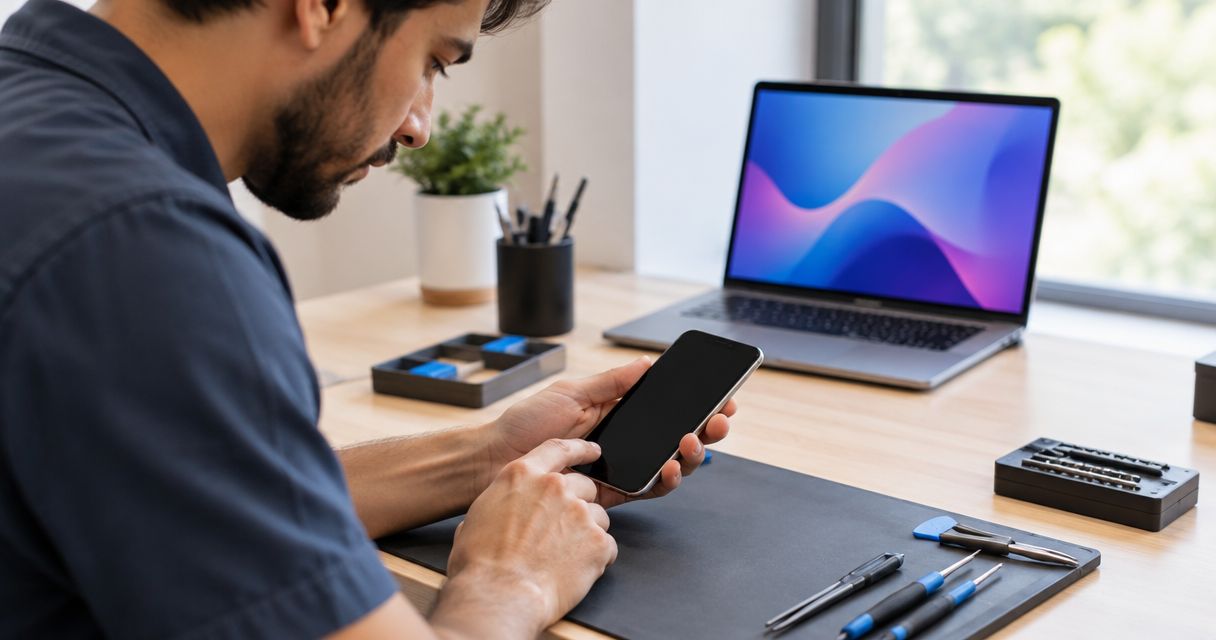
Yes, a phone repair shop can fix software problems that cause a frozen screen, including app failures and operating-system errors. A frozen display can also come from damaged touch hardware, so diagnosis needs to identify the cause before you authorize a reset or replacement part.
- Can a phone repair shop fix software issues like a frozen screen? Yes, after diagnosis separates software from hardware.
- A frozen picture and an unresponsive touchscreen need different checks; neither proves that you need a replacement screen.
- Protect your backup before approving a factory reset, which erases locally stored data.
- Aspect Phone Solutions provides appointment-based phone repair for Edmond and Oklahoma City customers; confirm software-service scope before booking.
Why this matters
A screen that stops responding does not tell you which repair to approve. Replacing the display will not fix an app failure, and erasing the phone will not repair a damaged touchscreen. Start with diagnosis, not a parts order or factory reset.
For Edmond and OKC customers arranging phone repair in 2026, Aspect Phone Solutions works by appointment and confirms prices before authorization. Explain the symptoms when arranging your visit, and ask whether the shop handles the software work your phone needs.
Can a phone repair shop fix software issues like a frozen screen?
Yes. A repair shop that handles software troubleshooting can investigate app crashes, startup failures, and operating-system problems. The useful distinction is whether the phone has stopped processing normally or whether it still works but cannot display information or register touch correctly.
Use this comparison to describe the problem, not to diagnose it yourself. These are starting points for a 2026 repair discussion, not proof that a particular part or software process has failed.
| What you notice | What needs checking | Best next step | Limitation |
|---|---|---|---|
| One app freezes while other apps work | The app, its updates, and available storage | App troubleshooting; best for an isolated failure | Does not explain freezing outside that app |
| The whole phone stops responding | Software stability, storage, power, and hardware | Device diagnosis; best for system-wide freezing | The symptom alone does not identify the cause |
| The picture changes, but touch does not work | Touch input, accessories, and screen damage | Touchscreen assessment; best for input failure | A working picture does not prove the touchscreen works |
| The phone repeatedly returns to its startup logo | Software startup and underlying hardware | Startup diagnosis; best for repeated restart failures | Restoring software can involve data loss |
| Freezing began after a drop or liquid exposure | Physical damage as well as software behavior | Damage assessment; best for a clear accident history | Restarting successfully does not rule out damage |
A competent repair decision connects the symptom to a finding. Ask the technician to explain what the proposed action addresses and what happens if it does not resolve the problem.
What should I try before booking a repair?
Try non-erasing checks first, provided the phone has no signs of battery damage or liquid exposure. Stop charging or using a phone with swelling, smoke, an unusual odor, or excessive heat; those signs need safety attention rather than repeated troubleshooting.
1. Record symptoms
Write down what happened immediately before the freeze. Include the app you were using, whether the phone was charging, and whether the problem followed an update, drop, or spill.
Notice what still works. A phone that rings while its display ignores touch presents a different problem from a phone that repeatedly restarts. Neither observation proves the diagnosis, but both help you describe it accurately.
2. Restart safely
Follow the manufacturer's force-restart instructions for your exact model. Button sequences differ, so do not copy instructions for a phone that only looks similar.
A force restart normally does not erase saved data, although you can lose unsaved work. If the phone starts working again, use that opportunity to check your backup rather than assuming the problem is permanently fixed.
3. Check behavior
If you regain access, check whether freezing affects one app or the whole phone. Review available storage and note any recent app or system changes.
On Android devices that support it, safe mode temporarily disables downloaded apps and can help isolate an app-related problem. Use the manufacturer's instructions; safe mode is not the same as a factory reset.
4. Confirm backup
Check the backup's completion status and date, not just whether backup is switched on. Confirm that important photos, contacts, and files are covered; different apps store information differently.
If your phone remains inaccessible and the data matters, stop before any erase procedure. Tell the repair provider that preserving data takes priority over restoring normal use.
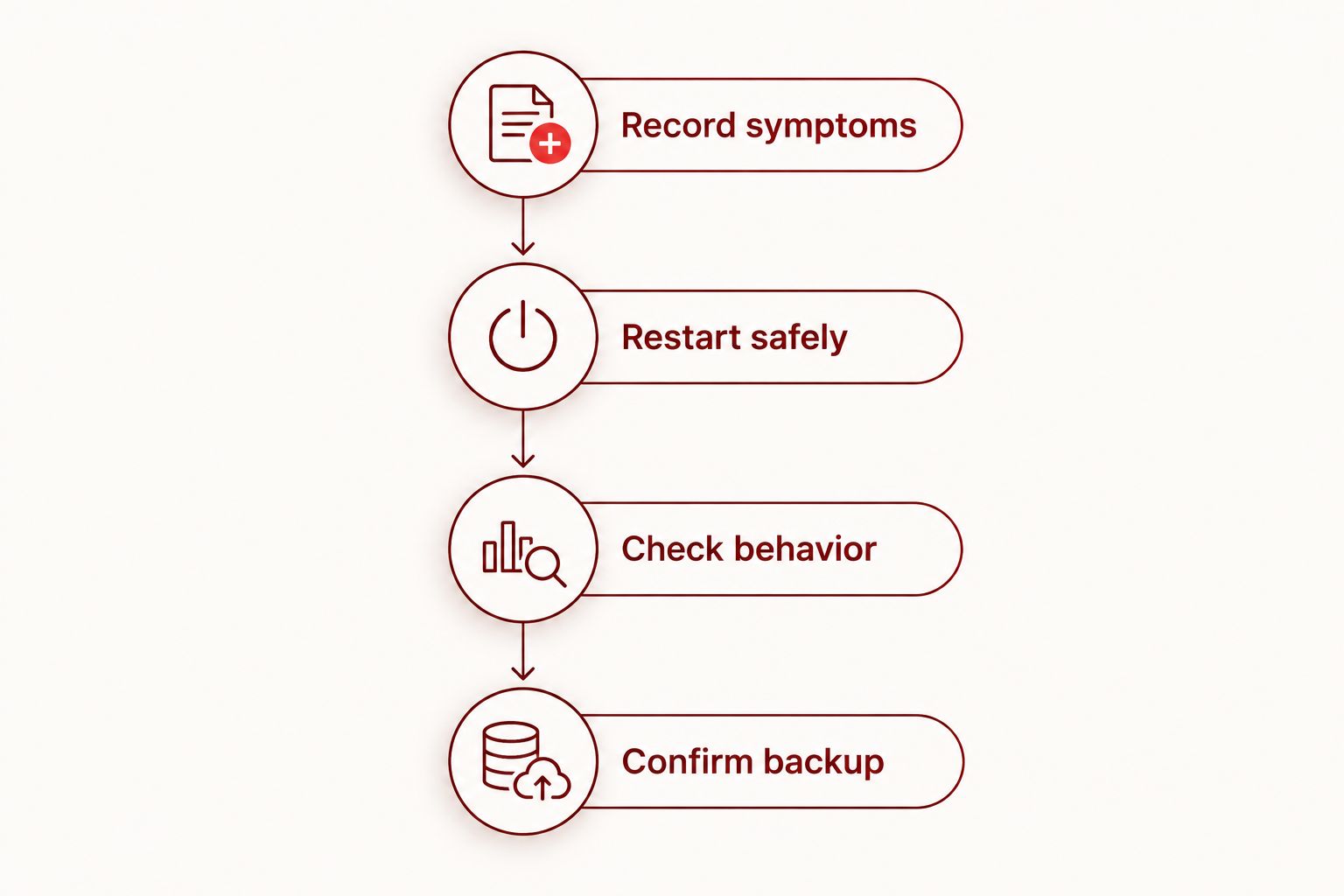
A troubleshooting attempt should leave you with useful information. If the phone keeps freezing, record the pattern and arrange an assessment instead of repeating the same restart without learning anything new.
What can a repair shop do without erasing my phone?
A technician can begin with a symptom review and checks that do not require a factory reset. Depending on access and device condition, that can include reproducing the freeze, checking touch response, reviewing storage, or investigating whether a particular app triggers the failure.
The advantage is that these checks help narrow the problem without immediately sacrificing local data. The limitation is access: a phone that cannot finish starting up does not offer the same troubleshooting choices as one that freezes only inside an app.
Software updates and software restores are also different procedures. An update is intended to change software while retaining user data; a factory reset erases user data and settings. Ask exactly which operation the technician proposes rather than approving a vague instruction to reinstall everything.
Do not authorize a factory reset merely because the screen is frozen. Ask what non-erasing checks remain and whether the proposed next step puts your files at risk.
Why frozen-screen repairs vary
The right repair depends on the failure, not the appearance of the frozen screen. For a repair decision in 2026, these factors determine what needs investigating:
- Where the freezing occurs. A failure inside one app calls for different checks from freezing across the entire phone.
- Whether touch still works. A phone can keep running while damaged touch hardware prevents you from controlling it.
- Whether the phone starts normally. A device stuck during startup limits access to settings, files, and ordinary troubleshooting tools.
- Recent damage or changes. A drop, liquid exposure, update, or newly installed app gives the technician a relevant starting point, not a final diagnosis.
- Available storage. Insufficient storage can interfere with normal operation and updates; checking it is useful when the phone remains accessible.
- Your data priority. Preserving unbacked-up files changes which procedures you should authorize and in what order.
These factors also explain why a shop needs to inspect the phone before recommending a repair. A description such as frozen screen does not establish whether you need software troubleshooting, screen work, or another type of assessment.
Will fixing a frozen screen delete my photos?
Fixing a frozen screen does not automatically require deleting your photos. A restart or hardware assessment is different from a factory reset, but no repair conversation should treat data preservation as an assumption.
A factory reset erases locally stored information. Photos already backed up to an accessible cloud account are separate from photos stored only on the phone, so verify what has actually uploaded before approving an erase.
If you use an iPhone, the iCloud backup and phone drop-off guide covers preparation for that handoff. Whatever your phone model, tell the technician if the device contains your only copy of important files.
Does a frozen screen mean I need a new screen?
A frozen screen does not automatically mean you need a replacement display. If the whole phone has stopped responding because of software, replacing the screen does not address that cause.
A display that shows movement but ignores touch needs a different investigation. Tell the technician about cracks, missing touch response in particular areas, unexpected touches, or problems that began after impact.
Approve screen replacement when the diagnosis supports a screen fault, not because the word screen appears in the symptom. The same principle applies in reverse: do not approve an erase procedure as a substitute for checking physical damage.
How do I prepare for a repair appointment in 2026?
Before traveling from Edmond or elsewhere in Oklahoma City, explain the problem and confirm that the appointment covers the required diagnosis. Ask what access the technician needs and whether the first assessment includes any action that changes or erases data.
Bring a short written summary:
- Your phone model and the software version, if you can access it.
- When the freezing started and what reliably triggers it.
- Any recent impact, liquid exposure, update, or app installation.
- Which checks you tried and what happened afterward.
- Whether your backup completed and which files remain unprotected.
Do not include your account password in that summary. Ask how any necessary device access will be handled, and enter sensitive credentials yourself where practical.
Aspect Phone Solutions is best for Edmond and OKC customers seeking appointment-based phone repair with prices confirmed before authorization. That arrangement gives you a clear approval point; the limitation is that you need to arrange a visit rather than expect walk-in service. Confirm software-service scope before booking because general phone repair does not establish which software procedures a provider offers.
Arrange a phone repair appointment
Explain the freezing symptoms and ask about software-service scope before your visit.
What should I check before accepting the repair?
Repeat the action that previously triggered the freeze, where practical. Open the affected app, test touch across the display, and check that the phone can return to its home screen and restart normally.
A phone reaching its home screen is useful progress, but it is not the same as reproducing and resolving an intermittent fault. Tell the technician if the problem only occurs under a particular condition that you cannot test during pickup.
Ask what was changed and whether you need to restore a backup or sign back into apps. Keep the repair details so that any later recurrence can be compared with the original symptoms.
FAQ
Can a phone repair shop fix software issues like a frozen screen?
Yes, a phone repair shop that handles software troubleshooting can investigate and fix software-related freezing. Diagnosis must first distinguish software failure from problems with touch input, power, or other hardware.
Will a force restart erase everything on my phone?
A force restart normally does not erase saved data, but unsaved work can be lost. Follow the manufacturer's instructions for your exact model and check your backup once the phone responds.
Should I factory reset my phone if the screen keeps freezing?
Do not start with a factory reset if important files are not backed up. A factory reset erases local data, and it does not repair damaged hardware.
Why does my phone ring when the screen will not respond?
A ringing phone is still performing some functions even if its screen does not respond. That observation helps guide diagnosis but does not establish whether the cause is software, touch hardware, or another fault.
Can a repair shop save photos from a frozen phone?
Photo preservation depends on whether the phone's data remains accessible and whether a backup exists. State your data priority before approving any reset or restore; recovery is not guaranteed.
Do I need an appointment for Aspect Phone Solutions?
Yes, Aspect Phone Solutions provides appointment-based smartphone repair for Edmond and the wider Oklahoma City area. Describe the freezing problem and confirm the required software-service scope before arranging your visit.
How much does fixing a frozen phone screen cost?
An exact repair price requires inspection because a frozen screen does not identify the failed component or software problem. Ask what the proposed work includes and approve the confirmed price before work proceeds.
One last thing
If a restart gets your phone working again, check your backup before doing anything else. Temporary access is an opportunity to protect files, even when it does not prove the underlying problem is resolved.
For your 2026 repair appointment, bring the symptom history and a clear instruction about data preservation. That gives the technician a more useful starting point than simply saying the screen froze.


