
Yes, a phone screen repair can affect Face ID or Touch ID if the repair damages a sensor, disturbs its connection, or leaves required setup unfinished. Replacing the display does not automatically mean losing either feature. The important caveat is that damage from the original drop can also disable recognition, so testing before and after repair matters.
- Can a phone screen repair affect Face ID or Touch ID? Yes; sensor damage and model-specific repair requirements matter.
- Apple Face ID uses the TrueDepth camera system; a working selfie camera does not prove Face ID works.
- Apple Touch ID depends on its fingerprint sensor, not simply whether the replacement screen responds to touch.
- Aspect Phone Solutions offers appointment-based smartphone repair in Edmond and OKC; confirm biometric concerns before authorizing work.
Why this matters
A replacement screen can display a clear picture while fingerprint or facial recognition still fails. Treat display operation and biometric recognition as separate checks, not one pass-or-fail result.
For local smartphone repair, Aspect Phone Solutions serves Edmond and the wider Oklahoma City area by appointment. Prices are confirmed before authorization, so explain any recognition problem when arranging the inspection rather than assuming it is included in a screen-only repair.
Can a phone screen repair affect Face ID or Touch ID?
Yes, but losing Face ID or Touch ID is not an automatic consequence of replacing a cracked screen. The outcome depends on the phone model, existing damage, the components handled during repair, and any manufacturer-required configuration.
Apple's support guidance distinguishes Face ID's TrueDepth camera system from Touch ID's fingerprint sensor. That distinction matters in 2026: a screen repair must account for the recognition hardware on your particular device, not just fit a display that lights up.
| Recognition system | What it uses | Screen-repair concern | Useful check and its limit |
|---|---|---|---|
| Face ID | The TrueDepth camera system | Damage, obstruction, disturbed connections, or applicable repair configuration | Face recognition must work; a normal selfie alone is not enough |
| Touch ID | A fingerprint sensor in the supported device's button | Damage to the sensor or its connection, or replacement-part restrictions | Fingerprint recognition must work; button response alone is not enough |
| Under-display fingerprint recognition | A sensor working through the display on supported phones | Display compatibility and model-specific calibration requirements | Test enrolled fingerprints; normal screen touch does not establish sensor operation |
Face ID and Touch ID are Apple's feature names. If you have an Android phone, give the technician the exact model rather than describing every fingerprint problem as Touch ID. The location and repair requirements of fingerprint sensors differ between phones.
Face ID: protect the TrueDepth system
Face ID uses more than the visible front-facing camera. The TrueDepth system gathers depth information, so a successful selfie does not establish that every component needed for facial recognition is functioning.
Screen work takes place near components and connections that need careful handling. Damage during disassembly, an improperly seated connection, or obstruction around the sensor area can interfere with recognition. The original impact can also damage that area before anyone opens the phone.
Before a 2026 screen repair, tell the technician whether Face ID worked after the accident. Be specific: distinguish a phone that recognizes you intermittently from one that displays an unavailable message or refuses enrollment altogether.
Best for Face ID troubleshooting: record the exact symptom before repair. This gives the technician a useful starting point. Its limitation is that a symptom alone cannot identify the damaged component; inspection still comes first.
Touch ID: preserve fingerprint recognition, not just button response
On iPhones that use Touch ID, the fingerprint sensor and an ordinary replacement button are not interchangeable in function. A button can respond to presses without providing fingerprint recognition.
The original sensor's relationship with the phone matters. Moving an undamaged original assembly during a compatible screen repair is different from replacing a damaged fingerprint sensor, and the available repair route depends on the model.
Ask whether the work involves transferring the original home-button assembly and whether any damage is already visible. Do not authorize a generic button replacement on the assumption that it restores Touch ID.
Best for Touch ID troubleshooting: test an enrolled fingerprint as well as the button. That separates recognition from navigation. The limitation is that a failed test still needs diagnosis; it does not prove the screen itself is defective.
Why biometric results vary after screen repair
The repair label alone does not explain the outcome. These factors determine what needs checking:
- Phone model: Sensor placement, component design, and supported repair procedures differ. An explanation for one generation does not automatically apply to another.
- Original impact damage: A fall can damage the display and recognition hardware together. A new screen does not repair every component affected by the impact.
- Sensor condition: Torn connecting cables, damaged assemblies, and liquid exposure require attention beyond replacing display glass.
- Replacement compatibility: A suitable display must match the device's requirements. This is especially relevant when fingerprint recognition operates through the display.
- Repair configuration: Some supported repairs require manufacturer software steps. Ask which steps apply to the exact model and component being replaced.
- Obstruction or settings: A covered sensor area, dirty surface, disabled setting, or normal passcode requirement can resemble a hardware failure.
For a repair decision in 2026, ask for a model-specific explanation rather than accepting either blanket claim: that every screen replacement disables biometrics, or that no screen replacement can affect them.
What should you check before handing over your phone?
The best preparation is a backup and a clear record of existing faults. A working touchscreen makes these checks easier, but do not keep handling loose glass just to complete them.
- Back up. Save your data using the backup method appropriate for your phone. Confirm that the backup finished rather than assuming an enabled setting means the latest information is saved.
- Record symptoms. Note whether recognition stopped immediately after the drop, became intermittent, or still works normally. Copy the wording of any error message.
- Test recognition. If the phone is safe to handle, use an already enrolled face or fingerprint. After a restart, enter your passcode first before judging the result.
- Confirm scope. Ask whether the proposed work addresses only the display or also investigates the recognition problem. Agree on what requires additional authorization.
A phone with an unreadable display cannot always be fully tested beforehand. Ask for that limitation to be recorded; an untestable feature is not the same as a confirmed working feature.
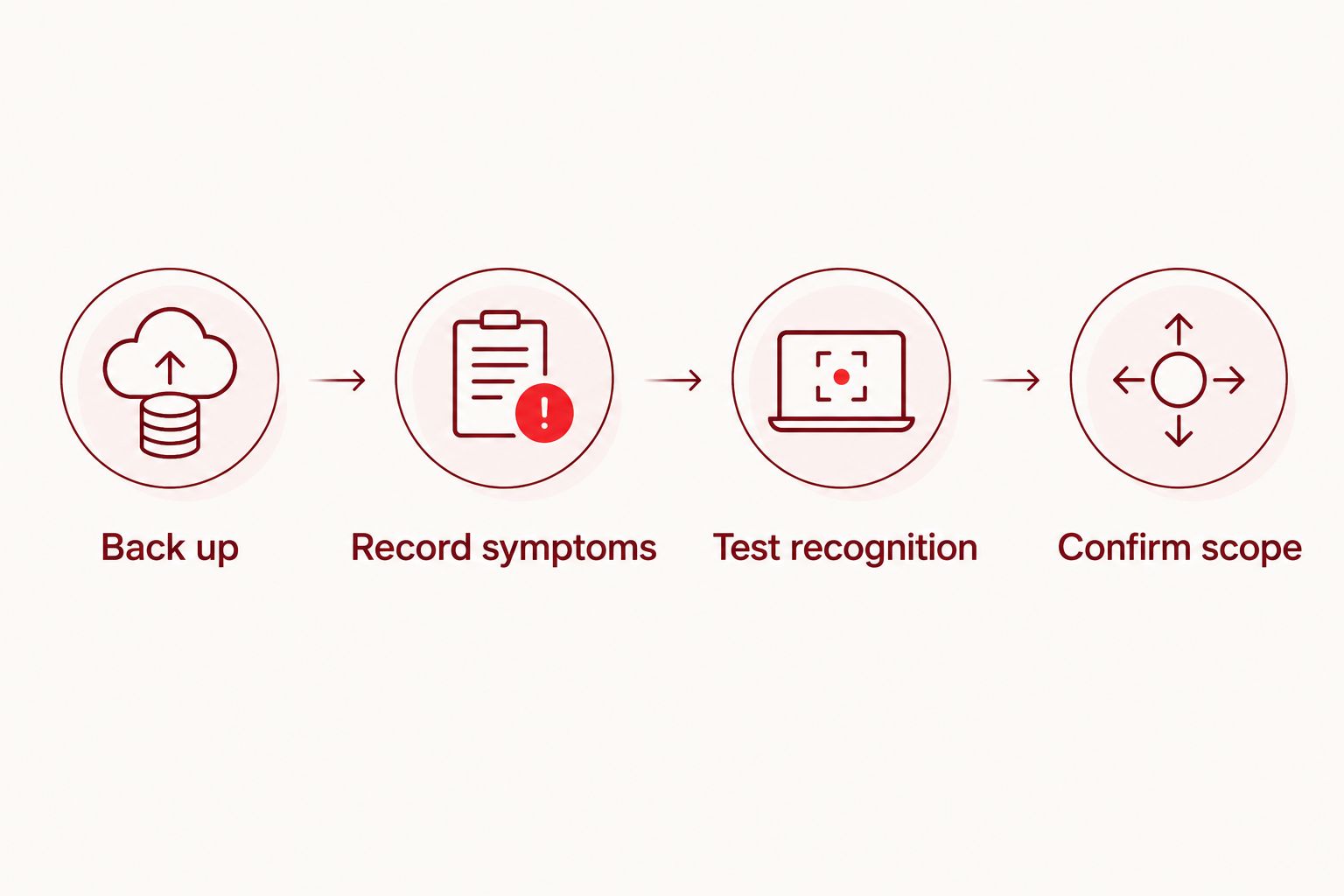
For preparation beyond recognition checks, use the iPhone backup-to-screen-repair workflow. Keep your passcode private and ask how you can perform any necessary authentication yourself during testing.
What should you ask before authorizing repair in 2026?
Ask direct questions and get answers tied to your device. A statement about screen quality does not answer whether facial or fingerprint recognition will be checked.
- Was Face ID or Touch ID testable before the repair?
- Which original sensor components need to remain with this phone?
- Does this model require a repair-completion or calibration step?
- What happens if inspection reveals separate sensor damage?
- Can I test recognition before leaving with the phone?
Aspect Phone Solutions is best for Edmond and OKC customers seeking appointment-based smartphone repair. The practical trade-off is that service is by appointment rather than walk-in; arrange the visit before traveling.
For Aspect Phone Solutions phone repair, explain both the cracked screen and any recognition symptoms when scheduling. The service is appointment-based, and the price is confirmed before authorization. Neither point replaces a model-specific discussion of what the repair covers.
Arrange a phone repair appointment
Discuss your screen damage and recognition symptoms before authorizing repair.
What should you test after the screen is replaced?
Check the repaired phone before treating the job as finished. A clear display is necessary, but it is not a complete functional test.
Start with the touchscreen: type, scroll, and check areas near the edges. Then test the feature your phone actually uses—Face ID, Touch ID, or its Android fingerprint system—with an existing enrollment where possible.
Also check the front camera, earpiece, and whether the display turns off when you bring the phone to your ear during a call. Those checks cover nearby functions; none substitutes for a successful recognition test.
If something fails, show the technician the exact behavior before changing settings. Distinguish a request for your passcode from an unavailable-sensor message. Ask what was tested before repair and whether any required configuration remains unfinished.
Does a passcode request mean Face ID or Touch ID is broken?
No. A passcode request alone does not establish a repair fault. Apple requires a passcode after restarting an iPhone, so the first attempt after repair is not a useful biometric test until you enter it.
Apple's iPhone security guidance also includes passcode requirements after 5 unsuccessful biometric matches and when the device has not been unlocked for more than 48 hours. Other security conditions apply too; those are not the only triggers.
Use a passcode of at least 6 digits as a practical baseline, and keep it available to yourself during collection. Enter the passcode when required, lock the phone again, and then test recognition under normal conditions.
Can resetting Face ID or Touch ID fix the problem?
Resetting recognition can help with an enrollment problem, but it does not repair damaged hardware. Do not delete a working enrollment merely because the phone requested a passcode after restarting.
First check the relevant settings and follow the manufacturer's troubleshooting guidance. If enrollment fails or the phone reports unavailable hardware, request diagnosis rather than repeating resets. A factory reset is not a substitute for checking a sensor or connection.
Can a screen replacement restore recognition that already stopped working?
A screen replacement restores recognition only when it also resolves the cause of the recognition failure. Replacing a cracked display alone does not establish that damaged biometric hardware has been repaired.
If recognition stopped at the same moment as the screen broke, disclose both symptoms. Ask for the proposed work to distinguish display replacement from sensor diagnosis, including what happens if the second problem remains.
FAQ
Will I definitely lose Face ID if I replace my iPhone screen?
No, replacing an iPhone screen does not automatically disable Face ID. The outcome depends on existing damage, handling of related components, and any model-specific repair requirements.
Why does my selfie camera work but Face ID does not?
A working selfie camera does not prove the entire TrueDepth system works. Face ID relies on depth-sensing components beyond an ordinary front-camera image.
Can my home button work even when Touch ID is broken?
Yes, button response and fingerprint recognition are separate functions. Test an enrolled fingerprint rather than relying only on whether pressing the button works.
Does a passcode request after screen repair mean something went wrong?
No, an iPhone normally requires its passcode after restarting. Enter it yourself, lock the phone again, and then test Face ID or Touch ID.
Can a replacement screen affect my Android fingerprint reader?
Yes, screen compatibility and applicable calibration requirements matter on phones with under-display fingerprint sensors. Ask for guidance for the exact model rather than applying iPhone repair advice.
Should I erase my phone to fix Face ID after a screen repair?
Do not start with a factory reset. Check settings and manufacturer troubleshooting guidance, then request diagnosis if the phone reports a sensor problem or cannot complete enrollment.
Can I walk into Aspect Phone Solutions for a screen repair?
Aspect Phone Solutions provides appointment-based smartphone repair for Edmond and the wider Oklahoma City area rather than walk-in service. Arrange an appointment and explain any Face ID or Touch ID symptoms before the inspection.
One last thing
The most useful distinction in 2026 is not whether the screen looks new. It is whether recognition worked before repair, what work was authorized, and whether the same feature works afterward.
Ask to demonstrate the fault, not just describe it. A visible error message or repeatable failure gives the technician something specific to investigate without confusing a security prompt with broken hardware.


