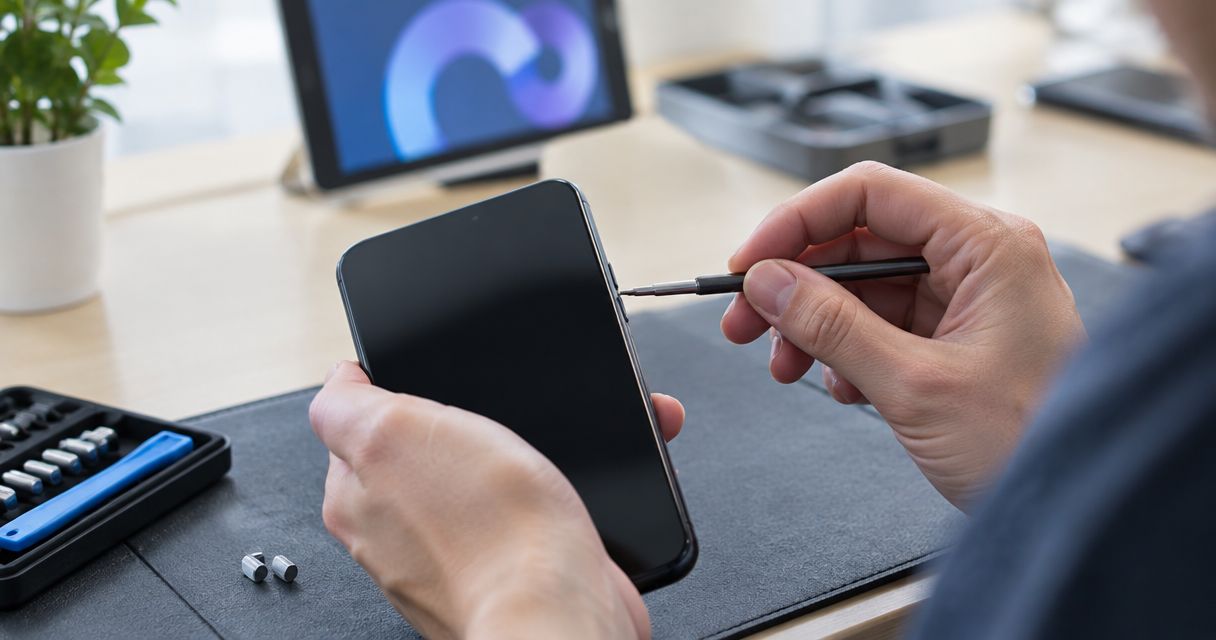
Phone button repair time depends on the phone model, the cause of the fault, and the work needed after inspection; there is no single reliable duration for every repair in 2026. The estimate also needs to cover diagnosis and testing, not just replacing a button, so confirm the expected pickup time before authorizing the work.
- How long does phone button repair take? Get a model-specific estimate after inspection, including diagnosis and testing.
- A stuck power button and an unresponsive volume button need diagnosis before anyone promises a completion time.
- Aspect Phone Solutions offers appointment-based smartphone repair for Edmond and Oklahoma City customers.
- Confirm the repair scope, authorization, and expected pickup time before leaving your phone.
For local service, use the repair booking page to arrange an appointment rather than planning a walk-in visit. Describe which button fails and whether the phone still turns on, charges, and responds to touch.
How long does a phone button repair take?
The useful estimate is the time from drop-off to a tested phone ready for pickup—not the time spent fitting a part. A button that feels stuck does not, by itself, identify what needs repair. Inspection needs to separate an obstruction or damaged outer button from an internal fault or a phone that is not responding at all.
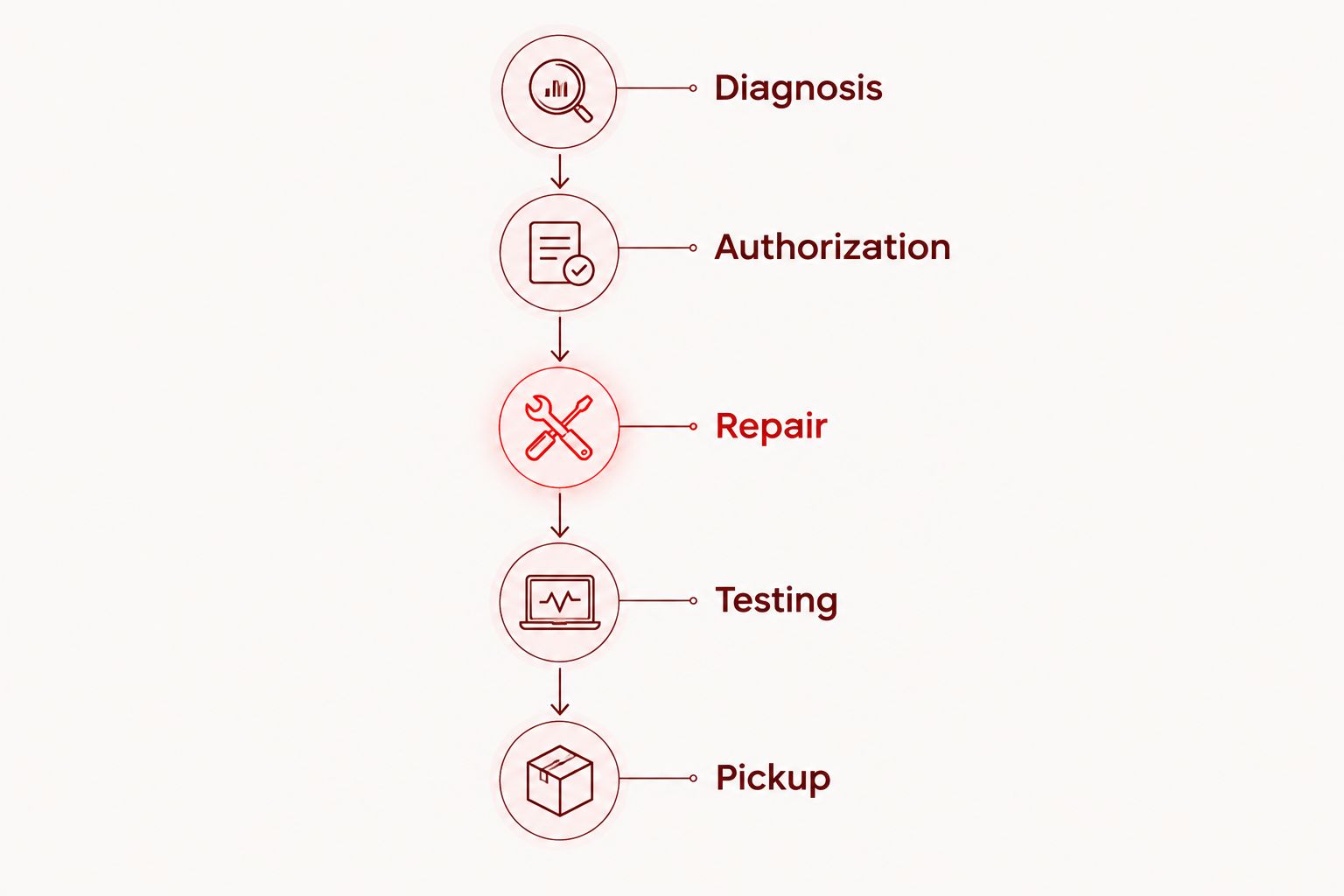
Ask for the repair process to be explained in these stages:
- Diagnosis: Identify the affected button, reproduce the problem, and establish the repair needed.
- Authorization: Confirm the proposed work and its price before giving permission to proceed.
- Repair: Complete the agreed work, accounting for any required replacement component.
- Testing: Check that the button responds correctly after reassembly.
- Pickup: Confirm that the phone is ready before making the return trip.
An appointment time tells you when to bring the phone in. It does not, on its own, establish when the phone will be ready to collect. Ask whether the estimate covers the entire process or only the repair stage.
Why this matters
A faulty power button affects more than the convenience of locking your screen. Depending on the model and the fault, it can also complicate restarting the phone or turning it on after shutdown. Volume button problems can interfere with normal sound controls and button combinations.
For your 2026 repair plan, start with the functions you cannot do without. If you use your phone for work calls, authentication, or family coordination, arrange another way to handle those tasks before leaving it for inspection. A clear handoff is more useful than a generic turnaround claim.
Different button symptoms need different checks
Describe what happens rather than deciding which part needs replacing. A button that clicks normally but does nothing presents a different symptom from one that is visibly pushed into the frame. Neither description proves the cause.
| Symptom | What to report | Why it matters for the estimate | Best for |
|---|---|---|---|
| Power button feels stuck | Whether it moves, clicks, or stays pressed | The technician needs to check physical movement and response | Describing a mechanical-feeling fault |
| Power button clicks but does nothing | Whether the screen and other controls work | The problem needs to be separated from a broader response or power issue | Distinguishing button failure from an unresponsive phone |
| Volume button works intermittently | Which direction fails and when | An intermittent symptom needs to be reproduced and checked | Explaining inconsistent operation |
| Several buttons stopped working | Which controls failed and what happened beforehand | Diagnosis needs to consider more than an isolated button | Reporting a wider problem |
| Button trouble followed a drop | Whether the frame or screen also changed | Visible damage belongs in the inspection scope | Explaining impact-related symptoms |
Do not treat a working touchscreen as proof that only the button needs attention. Tell the technician about other changes, even if they seem unrelated. Unexpected restarts, charging trouble, or visible frame damage are useful observations.
If the power button is physically stuck, the guide to whether a stuck power button can be repaired addresses the repair-versus-replacement question separately. For timing, the immediate priority remains identifying the fault.
Why phone button repair time varies
The button's size does not tell you how much work sits behind it. These factors belong in the conversation before you commit to a pickup plan:
- Phone model and construction: Access to the button mechanism and internal connections differs between phones. Give the exact model rather than only the manufacturer.
- Cause of the failure: Physical sticking, impact damage, and an electrical response problem require different checks. Describe the symptom without assuming the solution.
- Condition of the surrounding phone: A bent frame, broken screen, or signs of liquid exposure need attention during inspection. Report these before work begins.
- Required components: Ask whether the proposed repair involves a replacement component and whether obtaining it affects the schedule. Do not assume that booking an appointment settles this question.
- Intermittent behavior: A button that fails only occasionally needs a clear description of when it happens. Explain whether the problem occurs with the case removed or during a particular action.
- Post-repair checks: Fitting a component is not the final step. The repaired function needs checking before the phone is considered ready.
Ask which of these factors applies to your device. That gives you an explanation tied to the actual repair rather than a broad promise about all button faults.
What should you check before the appointment?
Start with observation, not disassembly. You can give a useful account of the problem without opening the phone, probing around the button, or applying liquid.
Remove the case if it comes off normally and inspect whether it presses against the affected button. Note whether the button still moves and whether the problem changes without the case. Do not force a jammed button or keep pressing it hard to make it respond.
Write down the following information for your 2026 appointment:
- The exact phone model, found in device settings if the phone is usable.
- Which button fails: power, volume up, volume down, or another control.
- Whether the button moves, clicks, sticks, or feels loose.
- Whether the fault is constant or intermittent.
- Whether the problem followed a drop, liquid exposure, or a case change.
- Whether charging, touch response, calls, and sound still work.
If the symptom comes and goes, describe the action that brings it on. For example, distinguish a button that never responds from one that responds only when pressed at an angle. Do not repeatedly reproduce a fault if doing so requires force.
Back up important information while the phone is still usable. Check that the backup completed rather than assuming that an enabled backup setting means your latest information is saved.
Can you use an on-screen control instead of repairing the button?
An on-screen control is a temporary workaround, not a repair of a physical button. Some phones provide accessibility controls that handle certain actions without the usual button press. The available functions depend on the device and its settings.
| Approach | Best for | Benefit | Limitation |
|---|---|---|---|
| On-screen accessibility control | Keeping supported functions usable temporarily | Reduces reliance on the affected physical control | Does not repair the button or guarantee access when the phone is off |
| Professional inspection | Finding out what failed before choosing a repair | Establishes the repair scope | Requires a handoff and time for diagnosis |
| Authorized repair after diagnosis | Addressing an identified repairable fault | Targets the problem found during inspection | Requires agreement on the work and completion estimate |
Do not assume an on-screen menu replaces every power-button function. Before shutting down a phone with a failed power button, establish how that specific model can be turned back on. If you cannot confirm a reliable method, ask for guidance first.
A workaround also should not hide the history of the fault. Tell the technician when the physical button stopped working, even if you have managed without it for a while.
How should you plan an Edmond or OKC repair visit?
Aspect Phone Solutions is best for Edmond and OKC customers seeking appointment-based smartphone repair rather than walk-in service. Prices are confirmed before authorization, so use the appointment to establish the work and its expected completion before committing.
The appointment model gives you a defined handoff to plan around. Its limitation is equally clear: do not arrive expecting walk-in service or assume that your appointment reserves an immediate completed repair.
Before traveling, explain any hard deadline. Say whether you need the phone for an upcoming shift, an authentication request, or essential calls, then ask whether the proposed schedule fits. A deadline helps frame the conversation; it is not a completion guarantee.
For a 2026 repair visit, agree on how you will receive updates if the phone being repaired is your main contact device. Give a usable alternative contact method and ask how readiness for pickup will be confirmed.
Also separate permission to inspect from permission to carry out additional work. If inspection identifies more than the button problem you reported, request an explanation of the revised scope before authorizing it.
Can a phone button repair be done while I wait?
A while-you-wait repair requires confirmation for your specific phone and fault. Do not infer it from the size of the button or from the fact that the phone otherwise works.
Ask whether diagnosis happens during the appointment, whether the proposed work can follow it, and whether testing fits within the same visit. If that has not been confirmed, plan for a drop-off rather than an uninterrupted wait nearby.
Does replacing a button take longer than fixing a stuck button?
The symptom alone does not establish which repair takes longer. A stuck outer control and a failed internal component are different possibilities, but inspection must establish which one applies.
Ask what needs to be accessed or replaced and whether any surrounding damage changes the work. Avoid choosing a repair plan based solely on the word stuck or replacement.
What should you check when you collect the phone?
Before leaving, ask to try the repaired control. Use normal pressure and check the action you originally reported as faulty, rather than pressing the button once and assuming the issue is resolved.
For a power-button repair, check the supported screen-lock and wake functions. For a volume-button repair, check both directions and confirm that the phone responds to each press. Ask the technician to explain any function that requires a different test on your model.
If the original fault was intermittent, explain the circumstances again during handoff. Confirm what was repaired, what was tested, and whether any reported issue remains unresolved. Keep the repair documentation with your device records.
FAQ
How long does phone button repair take from drop-off to pickup?
Phone button repair time depends on diagnosis, the required work, any needed component, and testing. Ask for a pickup estimate after inspection rather than treating hands-on repair time as the entire turnaround.
Can I get a guaranteed button repair time before inspection?
A dependable completion estimate requires the phone model and an identified fault. A description such as stuck or unresponsive does not establish the repair needed.
Should I book an appointment for phone button repair in Edmond?
Book an appointment for phone repair with Aspect Phone Solutions, which serves Edmond and the wider Oklahoma City area by appointment rather than walk-in. Describe the affected button and any other symptoms when arranging the visit.
Will a broken power button stop my phone from turning on?
A broken power button can interfere with turning a phone on, depending on the device and the fault. Confirm your model's supported startup method before deliberately shutting it down.
Do I need to erase my phone before a button repair?
Do not erase your phone solely because a button has failed. Back up important information and ask what device access or preparation the specific repair requires before changing settings.
Will I know the repair price before the work is authorized?
Aspect Phone Solutions confirms prices before authorization. Have the phone inspected, then confirm the proposed work and expected completion before agreeing to proceed.
Should I keep pressing a stuck phone button to loosen it?
Do not force a stuck phone button or repeatedly press it hard. Remove the case if it comes off normally, note whether the button moves, and arrange inspection if the problem remains.
One last thing
A click is useful information, but it is not proof that a button works electrically. Report both how the button feels and what the phone does in response; that distinction gives the inspection a clearer starting point.
For your 2026 repair decision, leave with an agreed scope, an authorized price, and an expected pickup time. Those answers matter more than a generic claim that button repairs are quick.


