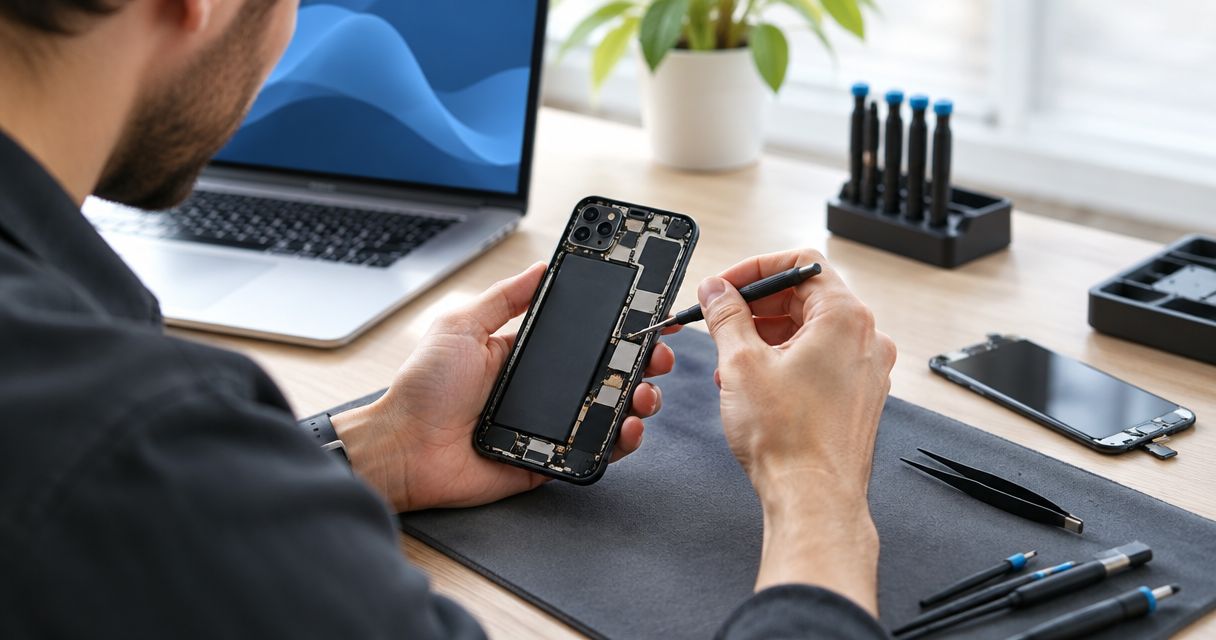
Pixel screen repair time depends on the exact model, the damage found during inspection, and the work needed before the phone is ready for pickup. Ask for a pickup estimate that includes inspection, your authorization, screen replacement, and testing—not just the time spent replacing the screen.
- How long does Pixel screen repair take? Get a model-specific pickup estimate after inspection.
- Aspect Phone Solutions offers appointment-based phone repair for customers in Edmond and the wider Oklahoma City area.
- A screen replacement estimate should distinguish hands-on repair time from your total time without the phone.
- Confirm the repair scope and pickup plan before authorizing work.
How long does Pixel screen repair take?
There is no single repair duration that applies to every Google Pixel screen. A useful estimate starts with your exact phone and ends with a clear pickup expectation. A cracked display that still responds to touch and a black display after a hard drop need different checks before anyone can give you a dependable answer.
For your 2026 repair appointment, ask the provider to explain these stages in order:
- Inspection: Identify the Pixel model, check the visible damage, and assess whether the problem extends beyond the screen.
- Authorization: Review the proposed repair and confirm the price before allowing work to begin.
- Screen replacement: Complete the agreed work using a screen appropriate for the exact model.
- Testing: Check the replacement display and relevant phone functions before arranging pickup.
These stages explain why a quoted screen replacement duration is not necessarily a pickup promise. Ask what the estimate includes, when it starts, and what would require a revised estimate.
Why this matters
Your phone is also your way to receive calls, sign in to accounts, and manage your day. Planning around an unconfirmed repair duration creates an avoidable problem: you arrange transportation or leave work before knowing when the device will be ready.
Aspect Phone Solutions is best suited to Edmond and OKC customers seeking appointment-based phone repair. Service is by appointment rather than walk-in, and prices are confirmed before authorization. Start with Aspect Phone Solutions to discuss your phone and the appointment process.
The practical trade-off is straightforward. An appointment gives you an agreed arrival plan; it does not, by itself, establish a completion time. Treat drop-off and pickup as separate arrangements until both are confirmed.
Why Pixel screen repair time varies
A useful 2026 estimate accounts for the condition of your phone, not just the word Pixel. Give the repair provider enough detail to distinguish a damaged screen from a wider problem.
- Exact Pixel model: The model determines the screen and repair procedure. Read the model information from the phone's settings if the display still works, rather than identifying it only by appearance.
- Display and touch symptoms: Cracked glass, flickering, dark areas, and missed touches describe different symptoms. Report each one instead of saying only that the screen is broken.
- Damage beyond the screen: A bent frame, damaged charging connection, or other impact-related fault changes the inspection and potentially the agreed repair scope.
- Liquid exposure: Tell the provider about liquid contact before work begins. A replacement display alone does not establish that other affected components are functioning correctly.
- Testing requirements: The phone needs checks after the screen is fitted. Ask which display, touch, and other relevant functions the provider will verify.
Do not diagnose the phone yourself to obtain a shorter estimate. Describe what happened and what you can observe; let the inspection establish the work required.
What your screen symptoms mean for the estimate
Use this comparison to describe your situation accurately. It is a planning guide, not a remote diagnosis or a promised repair schedule.
| What you notice | What to tell the provider | Planning advantage | Limitation |
|---|---|---|---|
| Cracked glass with a readable display | Whether touch works across the screen | You can describe visible and touch symptoms before the appointment | A working display does not rule out other damage |
| Black display with sounds or vibration | Whether the phone rings, vibrates, or responds to charging | These observations help explain what still appears to function | They do not prove the screen is the only fault |
| Flickering or missed touches | Whether the problem is constant or intermittent | A clear symptom history helps guide inspection | An intermittent fault needs to be reproduced or checked |
| Screen lifting or a distorted phone body | Whether there is swelling, heat, or visible bending | Reporting this early puts safety and inspection first | It should not be treated as a routine cracked-screen job |
Report screen lifting or suspected battery swelling before arranging an ordinary screen replacement. Do not press a lifting screen back into place, puncture the battery, or keep charging a phone with a suspected swollen battery.
For less urgent damage, avoid turning a symptom into a conclusion. A phone that rings with a black display still needs inspection; ringing does not establish the full repair scope.
How to get a useful repair estimate before you leave home
A short, accurate message is more useful than asking only whether the repair is quick. For a 2026 appointment, prepare the information below before contacting a provider.
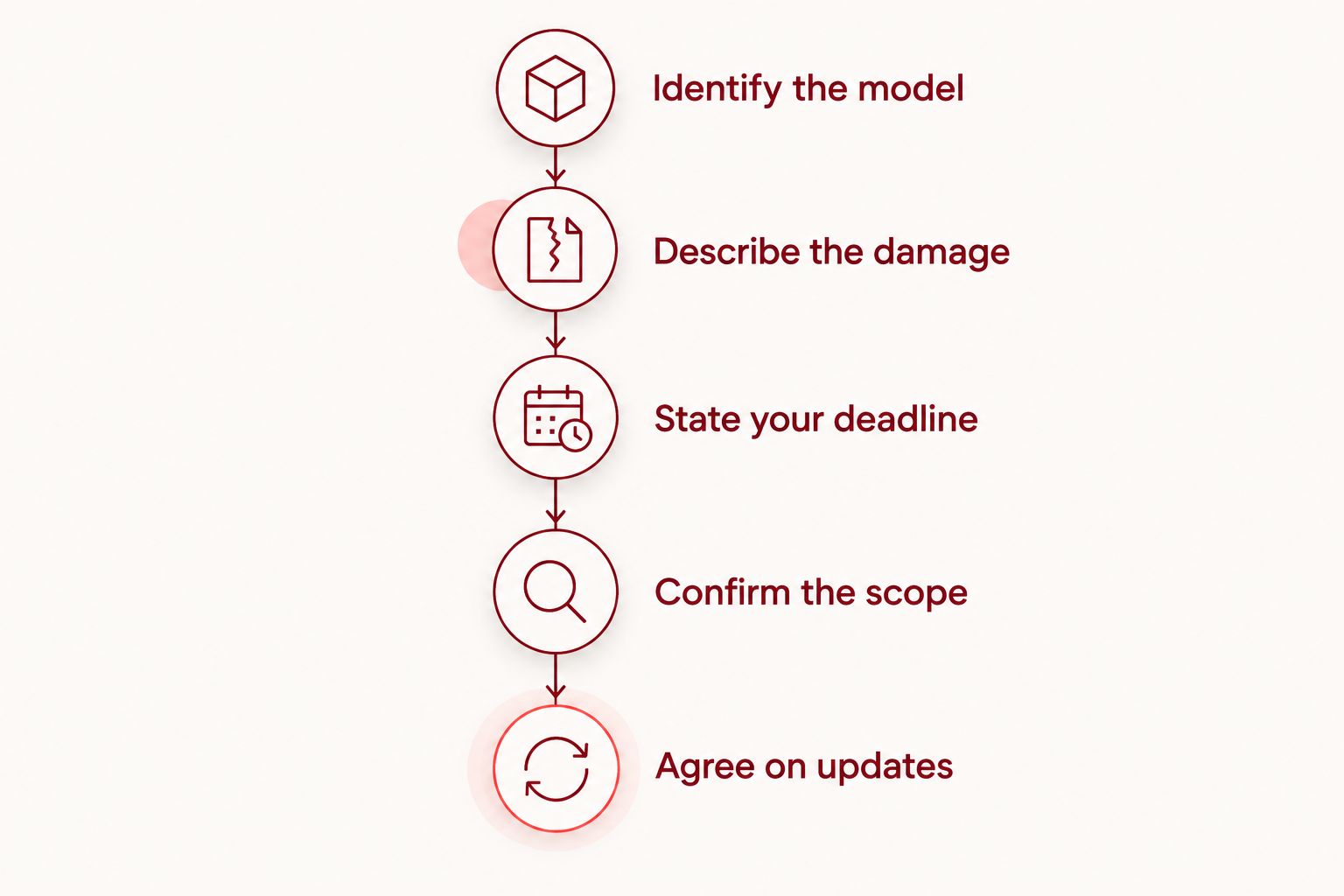
Identify the model
Find the exact Pixel model in the phone's settings if you can use the display. If you cannot, check the original purchase record or packaging. Say when you are unsure rather than guessing.
Describe the damage
Explain what happened and what changed afterward. Include cracked glass, display discoloration, touch problems, liquid contact, or a bent body if present. Mention previous repairs when you know about them.
State your deadline
Give the time you need the phone back, not just your preferred drop-off time. Ask whether the provider can confirm a pickup expectation after inspection. A deadline is a requirement to discuss, not an assumed service promise.
Confirm the scope
Ask what the estimate covers and how additional findings will be handled. Keep authorization separate from inspection: understanding the problem does not mean you have agreed to every possible repair.
Agree on updates
Provide a contact method that works while your Pixel is unavailable. If the damaged phone is your only number, explain that before leaving it. Agree on how you will receive an inspection result, authorization request, or pickup message.
What to prepare before your Pixel repair appointment
Preparation does not make a technician's work take a fixed amount of time. It does help you avoid arriving without the information or access arrangements needed to discuss the repair.
Back up important information if the phone is usable. Check that the photos, contacts, and files you need are actually accessible in the backup destination. Starting a backup and confirming a completed backup are different tasks.
Arrange another way to access essential accounts. If sign-in depends on a prompt or code sent to the Pixel, review the account's supported recovery or alternate sign-in options before handing over the phone. Do not share account passwords as a substitute for making a proper access plan.
Ask what device access the provider needs for testing. Follow the agreed process rather than removing security settings on your own. Avoid a factory reset unless you have a verified backup and a clear reason to erase the device.
For an Aspect Phone Solutions phone repair appointment in 2026, confirm the arrival arrangement before traveling from Edmond or elsewhere in OKC. Bring the phone and the symptom history you prepared, and ask whether anything else is needed for inspection.
Discuss your repair appointment
Share your Pixel model, screen symptoms, and pickup deadline before arranging your visit.
Can my Pixel screen be repaired the same day?
A same-day Pixel screen repair needs confirmation for your specific phone and appointment. A general same-day statement does not establish that inspection, authorization, the agreed work, and testing will all finish before your deadline.
Ask whether the provider is describing a target or a confirmed pickup expectation. Then explain your actual constraint: leaving town, returning to a shift, or needing access to an account that evening.
Do not arrange a tight pickup around an estimate you have not discussed. If the timing does not meet your needs, decide on another phone or another appointment before leaving your Pixel behind.
Does an appointment mean the repair starts immediately?
An appointment confirms an arrival arrangement, not an automatic start-to-finish repair duration. Ask whether the appointment is for inspection, drop-off, or an agreed repair after an earlier assessment.
This distinction matters when you are coordinating a ride across Oklahoma City. Before you leave, confirm whether you should plan to return later and how you will be told that the phone is ready.
Aspect Phone Solutions uses appointment-based service rather than walk-in service. Confirm the appointment first; do not treat an arrival time as a guaranteed pickup time.
What should you check before accepting the repaired phone?
Ask the provider to explain what was repaired and which functions were checked. Then review the screen yourself while you can still raise a concern directly.
Look at the display for readability, unexpected flickering, or obvious dark areas. Test touch input across the screen with ordinary actions such as typing and scrolling. Check that the screen sits correctly without pressing on its edges.
Try the functions that matter to your daily use, including calls and charging where practical. If the phone uses an in-display fingerprint reader, ask whether any model-specific setup or calibration was required and whether it was completed.
Keep the repair record and any care instructions provided. Ask about any issue you notice before leaving rather than assuming it is part of normal screen replacement.
FAQ
How long will I be without my Pixel during screen repair?
Your time without the Pixel runs from drop-off until pickup, not just during screen replacement. Ask for an estimate that includes inspection, authorization, the agreed work, and testing.
Can I wait while my Pixel screen is repaired?
Confirm whether waiting is appropriate before traveling to the appointment. An arrival time does not establish a repair completion time or a waiting arrangement.
Does a black Pixel screen mean I only need a screen replacement?
A black Pixel screen does not prove that screen replacement is the only repair needed. Tell the provider whether the phone rings, vibrates, or responds to charging, then have the fault inspected.
Should I back up my Pixel before screen repair?
Back up your Pixel before repair if the phone is usable, and verify that important information is accessible in the backup. Also arrange another way to access essential accounts while the phone is unavailable.
Can I get an exact repair price before inspection?
An exact repair price requires inspection of the phone and confirmation of the repair scope. Review the proposed work and confirm the price before authorizing the repair.
Does Aspect Phone Solutions accept walk-in phone repairs?
Aspect Phone Solutions provides appointment-based phone repair rather than walk-in service. Customers in Edmond and the wider Oklahoma City area should arrange an appointment before visiting.
What should I tell the repair provider when booking?
Give the exact Pixel model, describe the damage and symptoms, and state your pickup deadline. Mention liquid exposure, previous repairs, or visible body damage when relevant.
One last thing
The most useful timing question is when you can collect a tested phone—not how quickly someone can fit a screen. For your 2026 repair, ask for both the expected completion point and the event that would trigger an update.
That distinction gives you a workable plan. You know what you are authorizing, when to expect contact, and whether to arrange another way to stay reachable.


