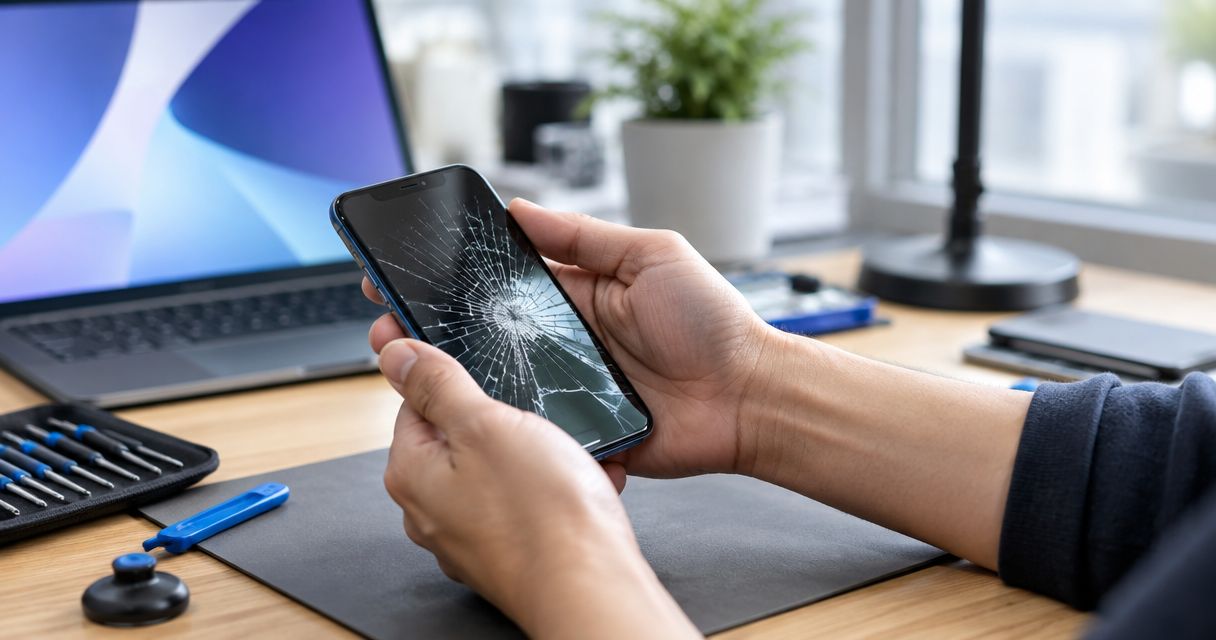
Yes, a cracked phone screen can be repaired the same day when the damage is repairable, the correct replacement screen is arranged, and the appointment leaves enough time for installation and testing. For your 2026 repair, confirm the expected pickup time before you travel; damage beyond the screen can change the repair plan after inspection.
- Can a cracked phone screen be repaired same day? Yes, but inspection and a confirmed appointment determine the repair plan.
- Aspect Phone Solutions provides appointment-based smartphone repair for customers in Edmond and the wider Oklahoma City area.
- A working display does not prove that damage is limited to the glass; report touch problems and visible distortion.
- Back up your phone before screen repair, and confirm pickup expectations before authorizing the work.
Why this matters
A same-day repair means getting your phone back that day, not simply handing it over for assessment. If you need the device for work, navigation, or account verification, that distinction determines whether you need a backup plan.
Aspect Phone Solutions is best for Edmond and Oklahoma City customers who want appointment-based smartphone repair rather than a walk-in visit. Start with Aspect Phone Solutions to arrange an appointment, then explain your damage and your deadline. Do not treat an appointment as confirmation of same-day completion.
For a repair in 2026, ask about the whole visit: inspection, authorization, repair, and pickup. Your schedule needs to account for those stages, not just the time spent replacing the screen.
Can a cracked phone screen be repaired same day?
Yes, but a cracked screen needs assessment before anyone can confirm the full repair scope. A phone that still displays an image and responds to touch presents a different starting point from one with a black display, a bent frame, or signs of battery damage.
Use this comparison to explain what happened. It helps you describe the problem; it does not replace a technician's inspection.
| Repair situation | Best for | What supports a straightforward repair | What complicates the decision |
|---|---|---|---|
| Cracked screen with working image and touch | Customers whose phone remains usable | You can describe the damage and back up the phone before the visit | Working touch does not rule out other damage |
| Cracked screen with missing image or unreliable touch | Customers who need assessment before relying on the phone | Inspection can identify whether screen replacement addresses the symptoms | You cannot assume the visible crack explains every fault |
| Cracked screen with a distorted frame or lifting display | Customers who need a safety and structural assessment | Reporting these symptoms helps establish the right repair scope | A screen-only repair must not be assumed |
A screen replacement involves more than making broken glass look intact. The repaired phone needs checks for image quality, touch response, and relevant functions affected by the work. Ask what will be tested before collection.
If your main concern is the length of the visit, separate repair time from total turnaround. The guide to how long a phone screen repair takes addresses that distinction. For your own phone, a confirmed pickup expectation matters more than a general estimate.
Cracked glass with working image and touch
When the display still works, use that access to prepare for repair. Back up your data, identify the exact model in the phone's settings, and note any problems that started after the impact.
Do not press on the crack to test its strength. Broken glass can cause injury, and pushing on a damaged screen is not a useful diagnostic check. If loose glass makes the phone unsafe to handle, stop using it and explain that when arranging the appointment.
A working phone gives you a chance to prepare; it does not guarantee a screen-only repair. Report intermittent problems too, including touch that stops responding or a display that flickers. A fault that disappears briefly is still relevant to inspection.
Cracked glass with display or touch problems
A black screen, colored lines, dark patches, or missed touches changes what you should report. Tell the technician whether the phone still rings, vibrates, or makes notification sounds, without treating those signs as proof of a particular failed part.
If the phone registers touches you did not make, avoid repeatedly trying to enter your passcode. Unintended input can interfere with access to the device. Use another device to arrange the appointment if necessary.
Do not promise yourself that screen replacement will solve every symptom. The useful question is whether inspection supports that repair and what happens if testing identifies another fault. Establish how additional work will be discussed before you authorize it.
A lifting screen or damaged frame needs a different decision
If the display is separating from the phone, do not push it back into place. A lifting screen can have more than one cause, including battery swelling, so the device needs assessment rather than a cosmetic fix.
If you suspect a swollen battery, stop charging and using the phone. Do not puncture it, compress it, or attempt to remove the battery yourself. Tell the repair provider about the separation before bringing the device in, and ask for safe handling instructions.
A bent frame also matters because a replacement screen needs to fit correctly. The priority is a safe, suitable repair, not preserving a same-day target at any cost. Report structural damage even if the display still works.
Why same-day screen repair varies
These 4 factors determine what you need to confirm before committing to a same-day plan:
- Inspection findings. Visible glass damage does not establish the full repair scope. Describe other symptoms and let the inspection guide the decision.
- The repair required. Replacing a screen and addressing additional damage are different jobs. Ask whether the proposed work covers all reported symptoms.
- The appointment. A scheduled visit establishes when the phone can be assessed. Confirm whether the expected completion fits your actual deadline.
- Authorization and testing. The repair needs your approval, and the phone needs checks afterward. Agree on how the provider will reach you if the plan changes.
For your 2026 appointment, state your deadline plainly. Saying that you need the phone for an evening shift gives the provider a useful scheduling requirement; saying that you need it quickly does not define one.
Do not omit inconvenient details to obtain a faster estimate. A previous repair, liquid exposure, or a recent charging problem belongs in the discussion if it applies to your device. Accurate information supports an appropriate repair plan.
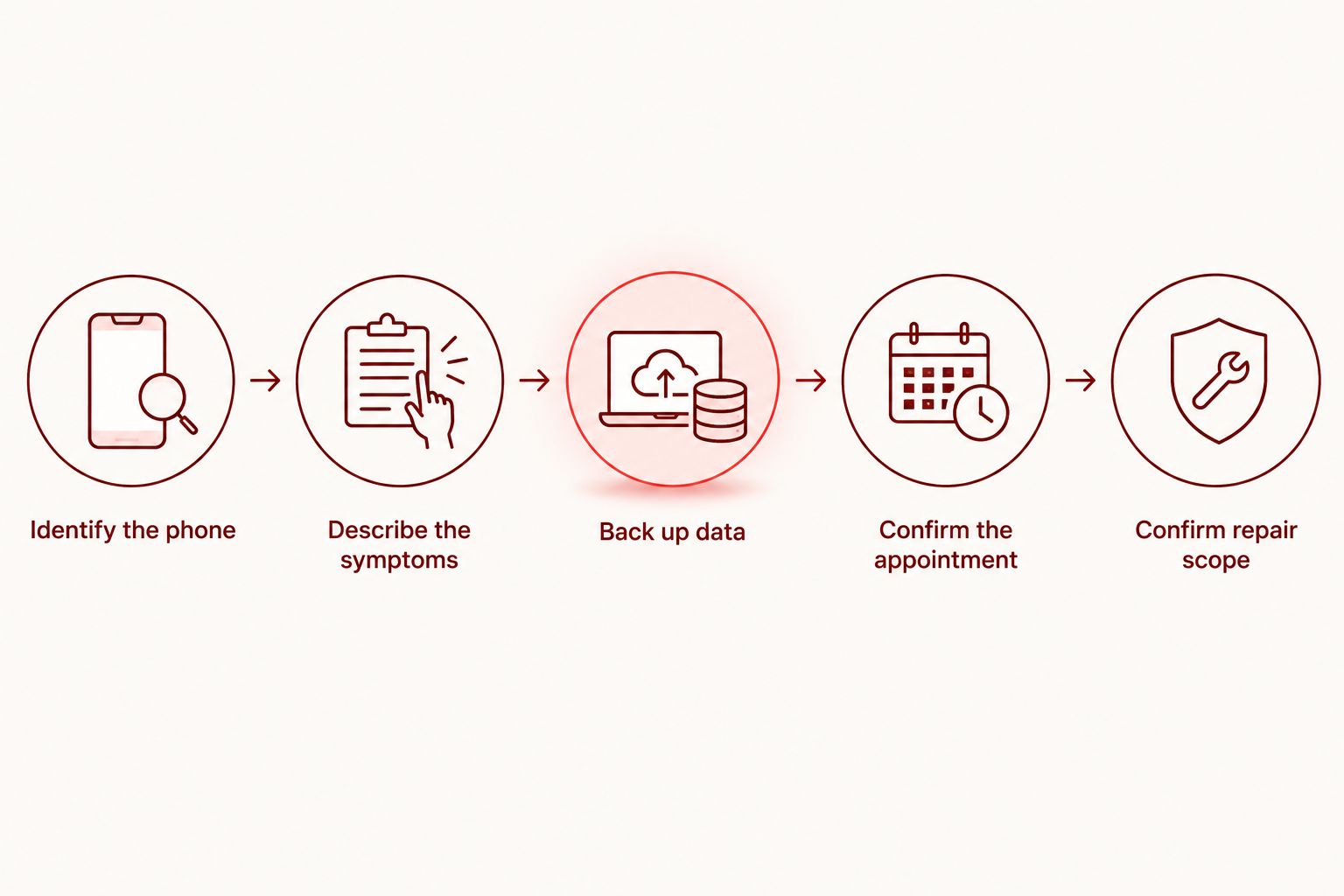
Prepare for your appointment in 5 steps
1. Identify the phone
Find the manufacturer and exact model in settings if the phone is usable. If it is not, check your purchase records or device information in your account. A model name is more useful than a description such as the large phone with several cameras.
Explain whether the front screen, back glass, or both are damaged. These are different repair requests, and a photograph alone does not establish every fault.
2. Describe the symptoms
Write down what happened and what changed afterward. Include whether the image is visible, touch works across the screen, the phone charges, and the frame looks distorted.
Keep the description factual. You do not need to diagnose the part yourself; you need to report what the phone does and does not do.
3. Back up your data
Complete a backup while the phone remains accessible. Check that the backup finished rather than assuming that an enabled backup setting means everything is saved.
If the screen prevents access, explain that before the appointment. Do not authorize a reset merely to prepare for screen repair without understanding its effect on your data and why it is being requested.
4. Confirm the appointment
Aspect Phone Solutions provides appointment-based smartphone repair, not walk-in service. Confirm the visit before leaving Edmond or another part of the Oklahoma City area.
Ask when the phone will be inspected, when you need to approve the proposed work, and how pickup will be confirmed. Also establish a contact method that does not depend on the damaged phone.
5. Confirm the repair scope
Before authorization, understand which work is proposed and which reported problems it is intended to address. Ask how additional findings will be handled and whether they change the expected completion.
Your 2026 repair plan should end with a clear pickup expectation, not an assumption. If same-day completion is essential, settle that question before arranging work, transport, or childcare around the visit.
What should you ask before authorizing screen repair?
Ask whether the assessment supports replacing the screen alone or whether other damage needs attention. Then ask what functions will be checked after repair and how the provider will contact you about any change.
For an Aspect Phone Solutions appointment, explain both the fault and the deadline. The benefit of an appointment-based visit is a planned visit; the limitation is that you must arrange it rather than arrive expecting immediate service. Neither the booking nor a description of the crack establishes the final repair scope.
Keep these 3 checks together when discussing authorization:
- Scope: What work am I approving?
- Timing: What is the expected pickup arrangement?
- Changes: How will additional work be discussed before it proceeds?
Arrange your repair appointment
Describe the damage and confirm your visit before traveling from Edmond or the wider OKC area.
Does same-day repair mean I can wait at the shop?
Same-day repair does not automatically mean a while-you-wait appointment. Ask whether you should leave the phone and return after confirmation or make another arrangement.
Do not plan to wait nearby without discussing pickup. Your transport plan should match the confirmed visit, especially if the damaged phone is your usual way to request a ride.
Will screen repair erase my photos and messages?
Screen replacement is not the same procedure as resetting a phone. Still, back up your data before repair whenever the device allows it, and ask whether any proposed troubleshooting affects stored information.
A backup is useful even when you expect a straightforward repair. It protects your ability to recover information if another problem is discovered or the phone becomes inaccessible.
Can I keep using the cracked phone until my appointment?
Do not keep using a phone with loose glass, suspected battery swelling, or unusual heat. Stop charging a device with suspected battery damage and request handling guidance.
If the phone remains safe to handle and usable, prioritize a backup and appointment preparation. Avoid moisture and pressure on the damaged area, and do not assume that the phone retains its original protection against water after cracking.
FAQ
Can a cracked phone screen be repaired the same day in 2026?
Yes, same-day cracked-screen repair is possible when assessment supports the repair and the appointment allows installation and testing. Confirm the pickup expectation for your exact phone before planning around it.
Does a working touchscreen mean only the glass is damaged?
No, a working touchscreen does not prove that damage is limited to the glass. Report flickering, distorted images, charging problems, or frame damage so the inspection considers more than the visible crack.
Can I walk into Aspect Phone Solutions for screen repair?
Aspect Phone Solutions provides appointment-based smartphone repair rather than walk-in service. Arrange your visit before traveling from Edmond or the wider Oklahoma City area.
What should I bring up when booking a cracked-screen repair?
Provide the exact phone model, describe the damage, and state your pickup deadline. Explain whether the display and touch still work and whether the frame or battery shows concerning signs.
Should I back up my phone before replacing the screen?
Yes, back up the phone before screen repair if it remains accessible. Confirm that the backup completed, and tell the repair provider if the damaged display prevents access.
What if my cracked screen is lifting away from the phone?
A lifting screen needs assessment before you assume it is only broken glass. Do not press it back into place; if battery swelling is suspected, stop using and charging the device and request safe handling instructions.
What should I check when collecting my repaired phone?
Check the image, touch response, and the functions discussed when you authorized the repair. Raise unresolved symptoms before leaving rather than assuming that a clear screen means every reported issue is fixed.
One last thing
Before your 2026 appointment, write your essential account-recovery details somewhere accessible without the damaged phone. A backup saves information, but it does not help you receive a verification message on a device you have handed over for repair.
At collection, explain any symptom that remains and check the agreed functions. The useful finish line is a tested phone and a clear account of the completed work, not simply unbroken glass.


