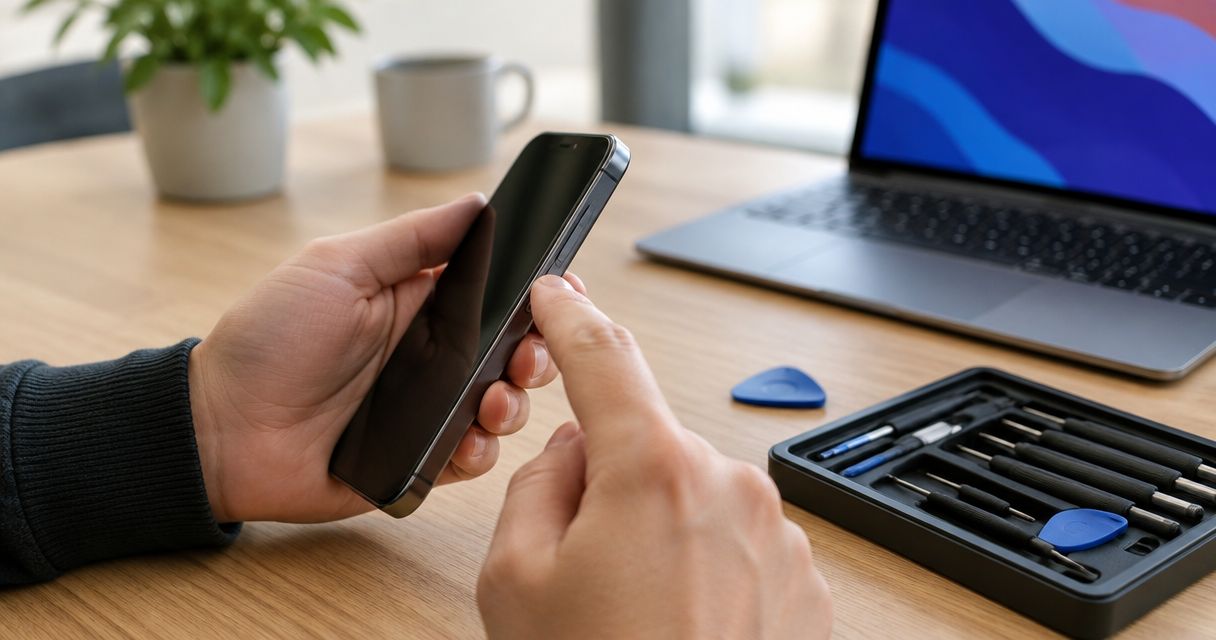
The cost to fix a phone’s power or volume button depends on the exact model and what inspection finds; the symptom alone does not establish the repair needed. Before authorizing work in 2026, ask whether the quote includes diagnosis, parts, labor, and any other damage found during inspection.
- The cost to fix phone power button problems depends on the model, diagnosis, and repair scope.
- Aspect Phone Solutions confirms smartphone repair prices before authorization and serves Edmond and Oklahoma City by appointment.
- A stuck button, an unresponsive button, and a phone that will not turn on need different checks.
- Remove the case and document symptoms before your appointment; do not pry around the button.
How much does it cost to fix a phone’s volume or power button?
Get an inspected quote, not a button replacement estimate based only on the symptom. A button that feels stuck presents a different problem from a button that clicks normally but does nothing. A phone with a black screen needs a broader assessment before anyone treats the power button as the cause.
For local phone repair services, Aspect Phone Solutions confirms prices before authorization. Service is by appointment for customers in Edmond and the wider Oklahoma City area, rather than walk-in.
Use this comparison to understand the possible repair paths. These are diagnostic categories, not promises about the work your phone needs.
| Repair path | Best for | Benefit | Limitation |
|---|---|---|---|
| Case or external obstruction check | A button that changed behavior after fitting a case | Identifies interference without opening the phone | Does not establish whether internal damage also exists |
| Button mechanism or internal cable assessment | A button that sticks, feels loose, or fails to register | Focuses inspection on the physical control and its connection | The exact component depends on the model |
| Software assessment | A responsive phone whose controls behave inconsistently | Checks whether settings or software explain the behavior | Does not repair a damaged physical switch |
| Broader hardware diagnosis | A phone with no response, impact damage, or liquid exposure | Checks beyond the visible button | The repair scope is not known from the symptom alone |
A useful quote names the diagnosed fault and the proposed work. It should also explain what happens if inspection reveals another problem that changes the original scope.
Why this matters
A power button does more than wake the screen on many phones. Depending on the model, it also participates in shutdown, restart, emergency, or authentication functions. An on-screen substitute does not necessarily replace every function of the physical button.
Volume trouble also needs a precise description. A working button with no audible sound is not the same complaint as a button that never registers a press. Tell the technician what you see on the screen as well as what you hear.
For your 2026 repair decision, separate the inconvenience from the diagnosis. You need a functioning phone, but urgency is not a reason to authorize an unexplained repair.
Power button problems: identify what still works
Start with whether the phone is operating at all. If the screen wakes through another normal method and apps work, describe the issue as an unresponsive power button—not a phone that will not turn on.
Next, note the physical feel. Does the button click, sit lower than before, remain pressed, or move loosely? Those observations help describe the fault, but none proves which internal part needs replacement.
Also record the sequence of events. A problem that began after a drop, liquid exposure, a case change, or a software update gives the technician different information. Report the event without deciding it caused the failure.
Do not repeatedly force a stuck power button. If normal pressure does not work, stop testing it that way. Avoid prying at the edge or adding liquid around the opening.
Volume button problems: distinguish control from sound
Watch the screen while pressing the volume button normally. If a volume indicator appears, include that detail when describing the problem. If nothing appears, say whether the phone otherwise responds to touch.
Explain whether volume up, volume down, or both controls are affected. Also distinguish media playback from calls, alarms, and notifications; phones can handle these sound categories separately.
A button complaint should not automatically become a speaker repair. Likewise, a speaker complaint should not automatically become a button replacement. Describe the behavior before naming the part you think is broken.
If you use headphones or another connected audio device, tell the technician whether the behavior changes without that connection. Do not erase settings or reset the phone merely to make the complaint easier to describe.
Why the cost to fix a phone power button varies
The useful comparison is between clearly defined repair scopes, not isolated headline estimates. When reviewing a quote in 2026, ask how these factors apply to your phone:
- Exact phone model. Internal layouts and button assemblies differ. Give the full model name rather than only the manufacturer or product family.
- Cause of the failure. External interference, physical damage, software behavior, and internal connection problems require different work.
- Access to the affected component. Reaching the button mechanism requires a model-specific disassembly procedure. Ask what opening the phone involves.
- Condition of the frame and enclosure. A bent or damaged housing matters when assessing how the button sits and moves.
- Related faults. Liquid exposure, charging trouble, or a phone that will not start expands the diagnostic question beyond the button.
- What the quote includes. Ask about inspection, parts, labor, reassembly, and testing rather than assuming every quote covers the same work.
Do not treat a larger repair scope as justified merely because the phone is old. Ask the technician to explain the connection between the findings and the proposed repair.
What should you check before a repair appointment?
Use this sequence only while the phone is safe to handle. If the battery appears swollen, the enclosure is separating, or the phone becomes unusually hot, stop using and charging it and seek professional guidance.
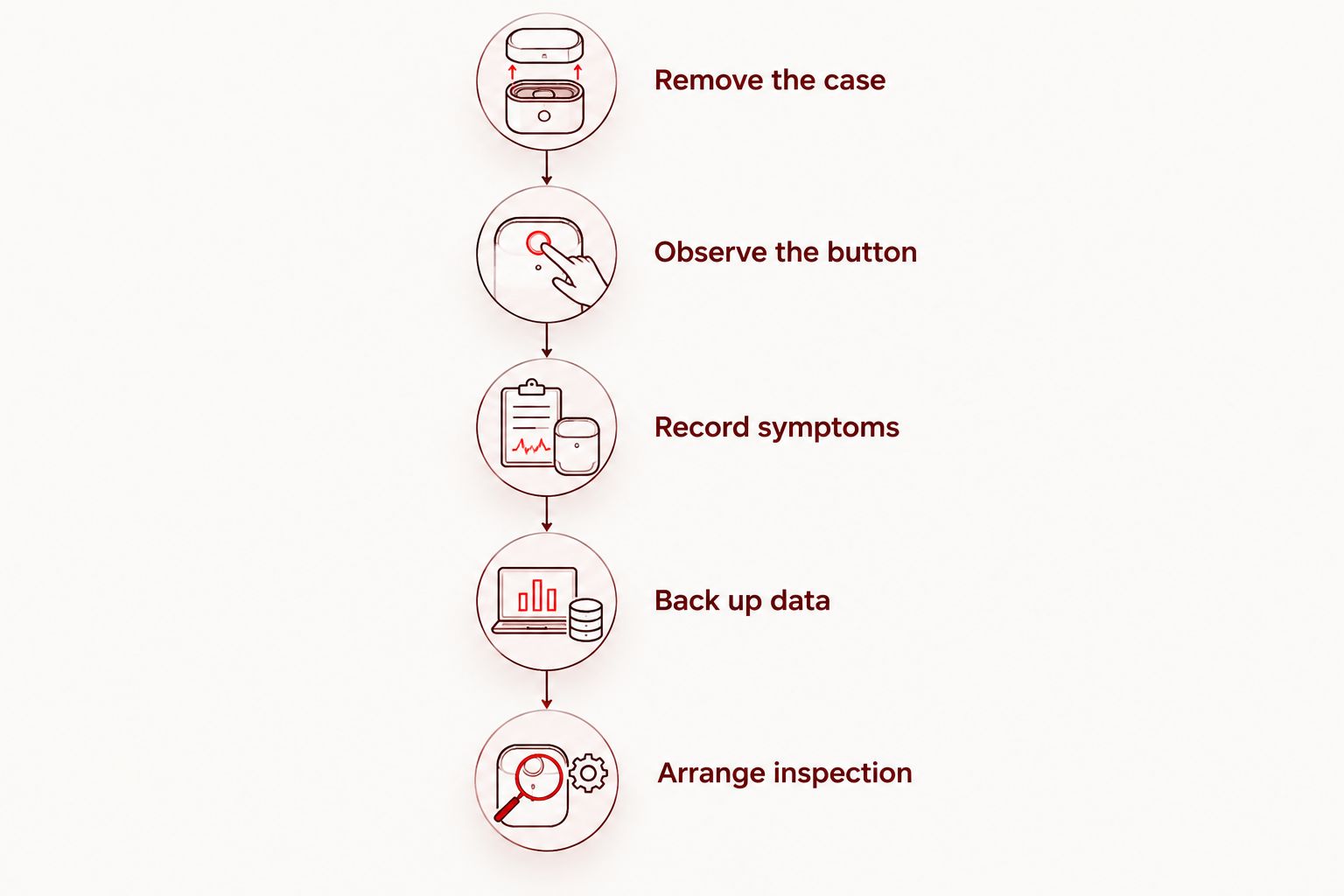
- Remove the case. If it comes off normally, remove it and check whether it was pressing against the button. Do not force a damaged case off a distorted phone.
- Observe the button. Look for an obvious change in position or movement without inserting a tool into the gap.
- Record symptoms. Note what happens with a normal press, what appears on screen, and whether the problem is constant or intermittent.
- Back up data. If the phone remains usable, complete a backup and verify that it finished. Do not assume an older backup contains recent files.
- Arrange inspection. Give the exact model, describe relevant damage, and ask what to bring to the appointment.
These checks help you explain the problem. They do not confirm that the phone needs a new button or make opening the device a safe home repair.
Before your appointment, write down anything that triggers the fault. A short description such as a button sticking only with the case fitted is more useful than simply saying the button is broken.
What should a button repair quote explain?
Authorize a defined repair, not an open-ended attempt to fix the phone. Ask for plain-language answers to the following questions before agreeing to work:
- What did inspection identify as the fault?
- Which component or assembly does the proposed repair address?
- Does the quote cover the full proposed work?
- Are any diagnostic charges separate from repair authorization?
- What happens if another fault is found after opening the phone?
- Which functions will be checked after reassembly?
Ask separately about any written warranty terms and the phone’s water resistance after repair. Do not assume the original water-resistance condition remains unchanged after the enclosure is opened.
Aspect Phone Solutions provides appointment-based smartphone repair with prices confirmed before authorization. Plan your Edmond or OKC visit around an appointment rather than arriving for walk-in service.
Schedule a phone inspection
Arrange an appointment and describe the button problem before your visit.
Is it worth repairing a phone’s power button in 2026?
A button repair deserves consideration when the phone otherwise meets your needs and the inspected repair scope is acceptable to you. Compare that scope with the phone’s other known problems, not just its age.
Repair keeps you using a familiar device, but it does not resolve unrelated battery, screen, or charging faults unless those are included in the work. Replacement avoids investing further in the existing phone, but requires moving your data and setting up another device.
| Decision | Best for | Advantage | Trade-off |
|---|---|---|---|
| Repair the button fault | A phone that otherwise meets your needs | Addresses the identified problem without changing devices | Other existing faults remain separate decisions |
| Use a temporary on-screen control | A usable phone while arranging inspection | Reduces dependence on the physical button for supported actions | Does not restore the physical control or every button function |
| Replace the phone | A device with several unresolved problems or one that no longer meets your needs | Lets you choose a device suited to your current needs | Requires data transfer and account setup |
Avoid a universal rule based on a fixed share of replacement cost. Your decision also depends on reliable access to calls, work accounts, family contacts, and any information that has not been backed up.
Can you keep using a phone with a broken power button?
You can keep using some phones with a failed power button if they remain operational and have no separate safety concern. Check the model’s accessibility settings for supported on-screen controls, but treat them as temporary assistance rather than a repair.
Back up the phone while you still have access. If it shuts down, you should not assume an on-screen control will help start it again. Startup behavior depends on the device and the underlying fault.
Does a broken volume button mean the speaker needs replacing?
A broken volume button does not establish a speaker fault. Tell the technician whether the on-screen volume level changes and whether sound works through the phone or connected audio devices.
For a 2026 repair appointment, bring a clear description rather than a requested replacement part. That keeps the decision tied to what inspection finds.
FAQ
How do I find the cost to fix my phone power button?
Get an inspection-based quote for your exact phone model. Ask what fault was identified and whether the quote includes diagnosis, parts, labor, and testing before you authorize work.
Can a phone power button be repaired without replacing the phone?
A power-button fault does not automatically require replacing the phone. Inspection determines whether the problem involves the button mechanism, an internal connection, software, or another fault.
Can I fix a stuck phone button myself?
You can remove a normally removable case and check for interference, but do not pry around the button or add liquid. A button that remains stuck needs inspection rather than repeated force.
Can I use an on-screen power button instead?
An on-screen control can substitute for some actions on supported phones. It does not repair the physical button or guarantee that you can start the phone after shutdown.
Will repairing my volume button erase my photos?
A volume-button fault alone does not establish that data must be erased. Back up accessible photos and other important files before service, and ask before authorizing any reset.
Should I repair an older phone’s power button in 2026?
Compare the inspected button repair scope with the phone’s overall condition and your needs. Include unrelated battery, screen, and charging problems in the decision rather than judging by age alone.
Does Aspect Phone Solutions accept walk-ins for phone repair?
Aspect Phone Solutions provides smartphone repair by appointment for customers in Edmond and the wider Oklahoma City area. Prices are confirmed before authorization.
One last thing
Before handing over the phone, demonstrate the fault if it is safe to do so. An intermittent button problem is easier to explain when you can show the normal press that fails, the screen response, or the case position that changes its behavior.
Aspect Phone Solutions is best for Edmond and OKC customers seeking appointment-based smartphone repair with prices confirmed before authorization. Book around your need for the phone, and make the repair decision after inspection—not from the button symptom alone.


