
The cost to fix a phone that overheats depends on what is causing the heat; a reliable quote requires inspection, not just the symptom. Before you authorize work in 2026, ask whether the estimate includes diagnosis, parts, labor, and testing—and whether any additional work requires separate approval.
- The cost to fix phone that overheats depends on diagnosis, not how hot the phone feels.
- Battery replacement addresses a faulty battery, not every cause of overheating.
- Stop charging a phone with swelling, smoke, or unusual heat; do not keep testing it.
- Aspect Phone Solutions offers appointment-based smartphone repair for Edmond and Oklahoma City customers.
How much does it cost to fix a phone that overheats?
There is no single overheating repair price because overheating is a symptom, not a diagnosis. A phone that gets warm during demanding use needs a different assessment from one that becomes unusually hot while idle or charging.
For a 2026 repair decision, the useful comparison is between the possible causes and the work each cause actually requires. Review the available phone repair services, then describe when the heat occurs rather than requesting a battery replacement immediately.
| Possible repair path | Best for | What supports this choice | Limitation |
|---|---|---|---|
| Settings or software troubleshooting | Heat associated with a particular app or task | Checking battery activity, recent changes, and software behavior | Does not repair a damaged battery or electrical fault |
| Battery replacement | A battery fault confirmed by inspection | Battery condition and diagnostic findings | Does not resolve every charging or internal fault |
| Charging-system repair | A confirmed problem involving charging components | Inspection of the connector, accessories, and charging behavior | Heat during charging alone does not identify the failed part |
| Internal electrical repair | A confirmed fault inside the phone | Further electrical diagnosis after simpler causes are excluded | Requires a separate assessment of repair scope and value |
These are possible repair paths, not a diagnosis of your phone. Approve the work supported by inspection, not the part that sounds most familiar.
Why this matters
Replacing a battery without confirming the cause can leave you with the original overheating problem. Assuming all warmth means failure can also send you toward a repair you do not need.
Phones generate heat during charging, navigation, gaming, camera use, and software updates. The important distinction is whether the warmth matches the activity and settles after that activity stops, or whether the phone shows warnings, shuts down, swells, or becomes uncomfortable to handle.
For Edmond and OKC customers, this distinction also affects the appointment conversation. A clear description gives the technician useful information before inspection; “it overheats” alone leaves the trigger, location, and severity unexplained.
What to do before you request an estimate
Check for safety warnings before trying to reproduce the problem. Do not repeatedly charge or run a hot phone just to show that the symptom exists.
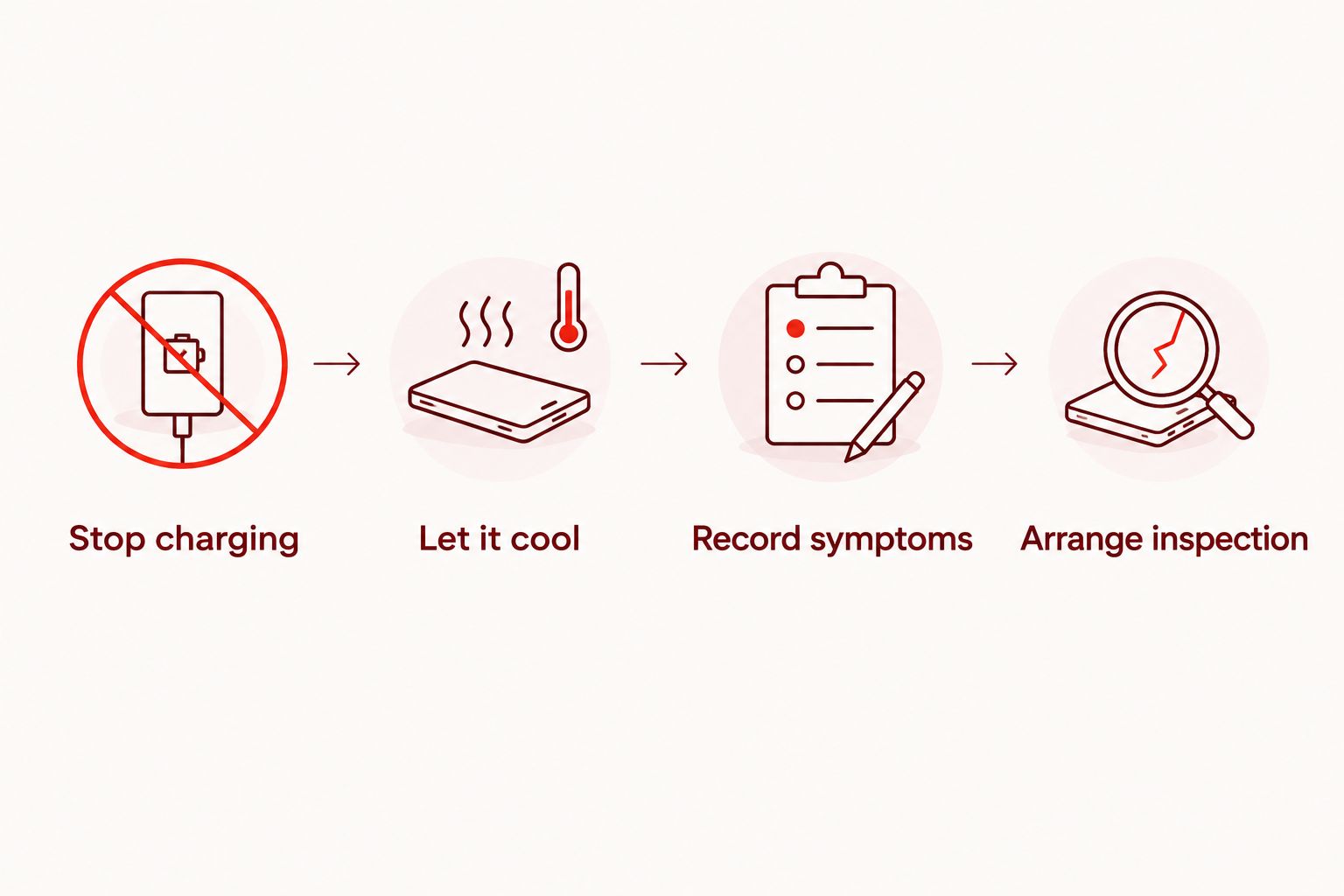
- Stop charging. Disconnect external power if you can do so safely. Stop demanding tasks rather than continuing to use the phone through a temperature warning.
- Let it cool. Move the phone out of direct sunlight and let it cool naturally in a dry, ventilated location. Do not put it in a refrigerator or freezer, or apply ice.
- Record symptoms. Once the phone is safe to handle, note what you were doing when it heated up. Include charging, navigation, video recording, recent updates, or idle use.
- Arrange inspection. Seek professional assessment when unusual heat repeats, charging behaves abnormally, or the phone shuts down. Report swelling or other damage before bringing it in.
If the phone is swelling, smoking, hissing, leaking, or giving off an unusual odor, stop handling it and keep other people away. Do not press the screen back into place, puncture the battery, or attempt a home repair; contact emergency services if there is smoke or fire.
When software troubleshooting makes sense
Software troubleshooting is best for heat that follows a particular app, update, or demanding task without physical warning signs. Start by checking the phone's built-in battery activity information after it has cooled and is operating safely.
Look for an app using substantial battery power when you were not actively using it. Note whether the problem began after an installation or update, and whether it stops when the activity ends.
The advantage is that a software-related problem does not automatically require replacement parts. The limitation is that a busy app does not rule out a separate battery or hardware issue, especially when shutdowns or charging problems continue.
Do not begin with a factory reset. Erasing the phone can remove useful information and puts unbacked-up data at risk without proving what caused the heat.
When battery replacement makes sense
Battery replacement is best for a battery fault confirmed by inspection. Rapid battery drain, unexpected shutdowns, a battery service message, or physical swelling are useful symptoms to report, but they do not all establish the same diagnosis.
A replacement addresses the battery itself. It does not automatically fix a damaged charging connector, liquid-related damage, or another internal electrical problem.
Before approving a battery repair in 2026, ask what finding connects the battery to the overheating. Also ask what testing will check that the original symptom has been addressed.
Treat swelling differently from ordinary battery wear. Do not keep charging a swollen phone while you compare repair options, and do not try to flatten the case or close a lifted screen.
When charging-system or internal repair makes sense
Charging-system repair is best for a fault confirmed in the charging connection or related components. Tell the technician whether the heat occurs only while plugged in, whether charging cuts in and out, and whether a cable or connector has visible damage.
A damaged accessory can also be part of the problem. Stop using a frayed cable or visibly damaged charger, and do not scrape a charging port with a metal object or add liquid to clean it.
Internal electrical repair becomes relevant when inspection identifies a fault beyond the battery or external accessories. The main circuit board connects the phone's electronic components; a fault there needs a different repair plan from a routine battery change.
The benefit of targeted repair is that it addresses an identified fault. The limitation is that a phone with several damaged areas needs a broader repair-versus-replacement decision, not approval based on the overheating symptom alone.
Why the cost to fix an overheating phone varies
A useful estimate explains what needs repair and why. These factors determine the scope:
- Exact phone model. The model determines the relevant parts and how the phone is opened and reassembled. Give the full model name rather than only the manufacturer.
- Confirmed cause. Software troubleshooting, battery work, charging-component work, and internal electrical repair are different jobs. Heat alone does not select one.
- Related damage. A drop, liquid exposure, bent frame, or lifting screen changes what needs inspection. Mention the history even if the phone continued working afterward.
- Diagnostic work. A consistent symptom and an intermittent one require different investigation. Describe whether the fault happens every time or only under particular conditions.
- Repair scope and testing. Ask which parts and labor the estimate covers and how the technician will check the original complaint. Any additional work should receive your approval first.
Do not compare estimates by the final total alone. A quote for replacing a battery is not equivalent to a quote for diagnosing an unexplained electrical fault.
What should you ask before authorizing the repair?
Ask for an explanation that connects the proposed repair to your reported symptom. A clear authorization should identify the work you are accepting, not simply say “fix overheating.”
Use these questions during your 2026 estimate discussion:
- What did the inspection identify as the cause?
- Is the proposed work intended to fix overheating, or another issue found during inspection?
- Does the estimate include diagnosis, parts, labor, and testing?
- Is there a diagnostic charge if I decline the repair?
- Will you contact me before doing work outside this authorization?
- What should I do about my data before the repair?
- What repair terms apply, and where can I read them?
Keep the answers with your appointment details. If the proposed repair changes after further inspection, request an updated explanation and confirm the new scope before authorizing it.
Planning an appointment in Edmond or Oklahoma City
Aspect Phone Solutions is best for Edmond and Oklahoma City customers seeking appointment-based smartphone repair. Service is by appointment rather than walk-in, and prices are confirmed before authorization.
Use the appointment booking page to arrange service. Describe the overheating trigger and any warning signs; do not assume an appointment means a particular repair or completion time has already been confirmed.
Prepare the information that matters:
- The exact phone model and the main symptom.
- Whether heat occurs during charging, active use, or idle time.
- Any temperature warnings, shutdowns, or battery messages.
- Recent drops, liquid exposure, repairs, or software changes.
- Visible swelling, screen separation, or accessory damage.
The benefit of an appointment is that you can plan around a scheduled service visit. The limitation is that you need to arrange that visit rather than arrive expecting walk-in service; inspection still determines the repair recommendation.
Arrange a phone repair appointment
Tell Aspect Phone Solutions when the heat occurs and report any swelling before your visit.
Is an overheating phone worth repairing in 2026?
Repair is worth considering when inspection identifies a specific fault and the rest of the phone still meets your needs. Replacement deserves consideration when the phone has several unresolved problems or no longer serves your daily use.
Compare the complete repair scope with what you need from the device. Consider battery condition, screen damage, charging reliability, software support, and the work involved in moving your accounts and data.
Do not confuse recovering your information with restoring the phone for continued use. If irreplaceable photos or files are your priority, say so before authorizing resets or other work that affects stored data.
Will replacing the battery definitely stop overheating?
Battery replacement does not guarantee that overheating will stop. It addresses a faulty battery; heat caused by software, charging equipment, or another internal fault requires a different response.
Ask what evidence supports battery replacement and what follow-up testing is included. A battery health reading is useful information, but it is not a complete explanation of every temperature problem.
Can I keep using the phone until my appointment?
Do not keep using a phone with swelling, smoke, an unusual odor, or repeated temperature warnings. Stop charging and seek safety guidance rather than trying to make the device last until the appointment.
For a phone that only becomes warm during demanding use and cools afterward, reduce the workload and watch for changes. Back up important data only when the phone is cool, stable, and safe to use; do not prolong unsafe operation to finish a backup.
FAQ
How much does it cost to fix a phone that overheats in 2026?
The cost depends on the cause identified during inspection. Ask for a confirmed estimate covering the proposed work and approval requirements before repair begins.
Does an overheating phone always need a new battery?
No, overheating does not always mean the battery needs replacement. Software activity, charging equipment, environmental heat, and internal faults also need consideration.
Is it normal for my phone to get warm while charging?
Some warmth during charging is normal, but excessive heat, warnings, swelling, or shutdowns need attention. Stop charging if the phone shows those signs.
Should I put an overheating phone in the freezer?
No, do not put an overheating phone in a freezer or refrigerator. Disconnect power if safe and let the phone cool naturally in a dry, ventilated location away from sunlight.
Can I back up my phone before an overheating repair?
Back up your phone only when it is cool, stable, and safe to operate. If heat or warning signs return, stop using it and explain your data priorities before inspection.
What should I tell a repair technician about overheating?
Tell the technician when the heat occurs, what the phone is doing, and whether warnings or shutdowns appear. Include the exact model, damage history, charging behavior, and any visible swelling.
Can I walk in for repair at Aspect Phone Solutions?
Aspect Phone Solutions provides appointment-based smartphone repair for Edmond and the wider Oklahoma City area rather than walk-in service. Arrange an appointment and report safety concerns before bringing in the phone.
One last thing
The most useful detail is often when the heat starts—not where the phone feels hottest. Heat spreads through the phone, so a warm patch on the case does not reliably identify the failed component.
Before your 2026 appointment, write a short description of the trigger, the warning signs, and what makes the phone cool down. That is more useful than buying a replacement battery based on touch alone.


