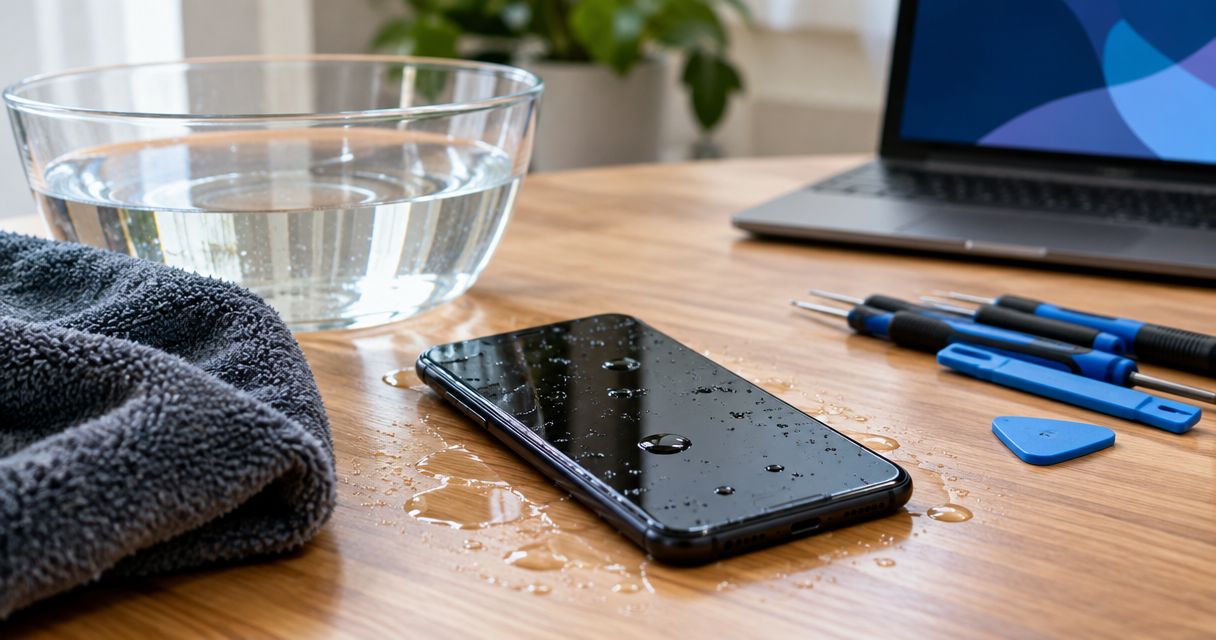
The cost to repair a phone that fell in water depends on what the liquid damaged, so an inspection must come before an exact repair quote. Cleaning alone, replacing a damaged component, and repairing the phone’s main circuit board involve different work. Ask whether the quote includes diagnosis, parts, labor, and testing—and whether recovering your data is a separate service.
- The cost to repair a phone that fell in water requires an inspection, not a guess based on symptoms.
- Aspect Phone Solutions offers appointment-based smartphone repair for Edmond and Oklahoma City customers.
- Keep a wet phone off and disconnected from charging while you arrange an assessment.
- Compare repair, replacement, and data recovery by the outcome you actually need.
Why this matters
A phone that turns on after getting wet is not proof that its internal components are undamaged. Liquid can leave residue and cause corrosion, so the decision is about more than getting the screen to light up.
For local help, Aspect Phone Solutions provides appointment-based smartphone repair for customers in Edmond and the wider Oklahoma City area. Prices are confirmed before authorization. Aspect Phone Solutions is best for Edmond and OKC customers seeking appointment-based smartphone repair with pricing confirmed before authorization.
The practical limitation is that service requires an appointment rather than a walk-in visit. Arrange the visit before traveling, and explain that the phone has been exposed to liquid.
How much does it cost to repair a phone that fell in water?
An exact water-damage repair cost requires an inspection of your specific phone. In 2026, the useful comparison is not a generic advertised figure; it is the work included in a quote for your device.
Ask the repair provider to separate the following items. These are questions to ask, not a statement that every shop charges separately for each one.
| Quote item | What you need to know | Why it matters |
|---|---|---|
| Diagnosis | What will the inspection establish, and is there a charge? | You need to understand the terms before leaving the phone. |
| Internal cleaning | Is cleaning recommended, and what happens afterward? | Removing residue does not automatically restore a damaged component. |
| Replacement parts | Which parts need replacement, and why? | A charging problem and a display problem require different repair work. |
| Circuit-board work | Is the main board damaged, and is that work offered? | Board repair is different from replacing a removable component. |
| Testing | Which functions will be checked after repair? | Turning on is not the same as working correctly. |
| Data recovery | Is recovering files included or handled separately? | Recovering photos is a different goal from restoring everyday phone use. |
Approve a defined repair scope, not an open-ended attempt to make the phone work. Ask what happens if inspection reveals additional damage, and require approval before extra work begins.
If you are comparing local providers, the guide to water-damage phone repair services in OKC is a relevant next step. Ask each provider the same questions so the quotes describe comparable work.
What should you do before asking for a repair quote?
Your first job is to avoid adding electrical or battery risk. Do not keep testing the phone to see whether it has recovered.
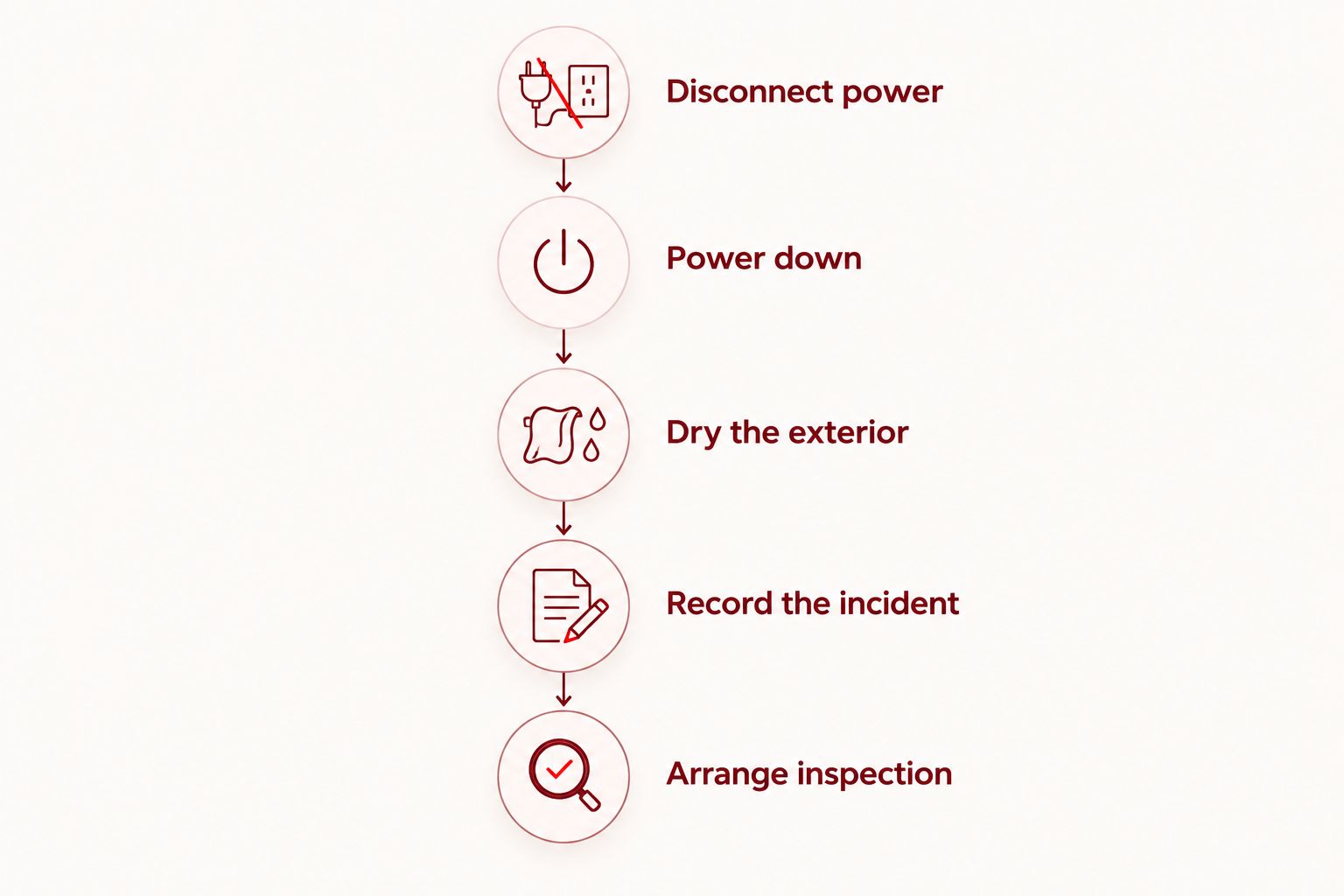
- Disconnect power. Unplug the charging cable and accessories. Do not connect the wet phone to a charger or computer.
- Power down. If the phone is still on and you can shut it down normally, turn it off. Do not repeatedly restart a phone that has already stopped responding.
- Dry the exterior. Remove the case and gently wipe the outside with a soft, lint-free cloth. Do not insert objects into the charging port.
- Record the incident. Note the liquid involved, whether the phone was charging, and the symptoms you observed before switching it off.
- Arrange inspection. Tell the repair provider about the liquid exposure and whether your priority is a usable phone, your files, or both.
Do not use a hair dryer, an oven, or compressed air to dry the phone. Avoid rice: it does not clean internal residue, and particles can enter openings.
If the phone is swollen, unusually hot, smoking, or giving off an unusual odor, stop handling or charging it. A battery safety concern takes priority over saving files; smoke or fire requires emergency assistance.
Internal cleaning: ask what it can actually fix
Best for: liquid residue that needs professional assessment and removal. Cleaning addresses contamination; it is not a promise that every damaged component will work afterward.
The benefit is that cleaning can be part of assessing and treating liquid exposure without assuming that every symptom needs a replacement part. The limitation is equally important: cleaning cannot reverse every electrical failure or restore a physically damaged component.
Ask whether the provider will inspect and test the phone after cleaning. If the initial work does not restore function, find out whether the provider will stop and give you a revised recommendation before proceeding.
A 2026 quote should state the proposed work plainly. Terms such as liquid treatment are not enough unless you understand what the service includes and what result is being attempted.
Component repair: ask which fault the replacement addresses
Best for: an identified component fault when the rest of the phone is worth keeping. A damaged display, battery, or charging component can require different parts and labor.
The benefit is a repair tied to a specific fault. The limitation is that replacing a visibly affected part does not establish that the main board or other components escaped damage.
Ask why the proposed replacement is necessary and which checks support that diagnosis. A black screen, for example, does not by itself prove that the display is the only damaged part.
Do not authorize a chain of replacements without a stopping point. Ask the provider to explain what happens if the proposed component does not resolve the problem.
Circuit-board repair and data recovery: separate the goals
Best for: investigating damage to the main circuit board or prioritizing files that are not backed up. The circuit board connects and controls the phone’s major functions, so damage there changes the repair discussion.
The benefit of board-level assessment is that it addresses faults beyond a removable part. The limitation is that successful repair or data recovery cannot be assumed before the device is examined.
Ask whether the provider performs this work and whether another specialist would be needed. Do not assume that a smartphone repair appointment automatically includes board repair or data recovery.
For data recovery, explain exactly what matters: photos, messages, documents, or access to an account. Recovering selected files and returning the phone to dependable daily use are different outcomes, and you should discuss them separately.
Why water-damage repair costs vary
The repair scope depends on the device and the damage, not just the fact that it got wet. These factors explain why two phones exposed to liquid can need different work:
- Phone model and construction. Parts, internal layout, and repair procedures differ between models.
- Liquid involved. Salt water and drinks can leave contaminants that plain water does not. Tell the provider what entered the phone.
- Affected components. Damage involving the display, charging system, battery, or main circuit board creates different repair tasks.
- Electrical activity after exposure. Continued use and charging introduce electrical risk while moisture is present. Describe what happened without turning the phone back on to demonstrate it.
- Your intended outcome. Restoring daily use and recovering irreplaceable files are different service goals.
- Inspection findings. External appearance cannot establish the condition of internal connectors and components.
For a repair decision in 2026, ask which of these factors actually affects your phone. A useful explanation connects the quoted work to an observed fault rather than listing every possible problem.
Is repairing a water-damaged phone worth it?
Repair is worth considering when the diagnosed work meets your needs and you accept the remaining limitations. Replacement deserves consideration when the repair scope does not support the dependable use you need.
Use this comparison after inspection, not as a substitute for it. None of these routes guarantees recovery of unbacked-up files.
| Option | Best for | Main benefit | Main limitation |
|---|---|---|---|
| Repair the phone | Keeping a familiar device with a defined repair scope | Addresses the diagnosed fault without immediately changing phones | Liquid exposure can involve more than the initially visible fault |
| Replace the phone | Prioritizing dependable daily communication | Moves everyday use away from the damaged device | Replacement does not retrieve files left on the damaged phone |
| Pursue data recovery | Recovering important files without a current backup | Focuses the work on the information you need | Success is not guaranteed, and daily-use repair is a separate question |
For an Edmond or OKC customer who depends on a phone for work, ask about the assessment process and expected communication before booking. Do not treat an appointment time as a guaranteed completion time.
Also check your existing coverage or service agreement before authorizing work. Read the liquid-damage terms; do not assume that a warranty, insurance policy, or protection plan covers the incident.
What should a repair estimate include in 2026?
A useful estimate identifies the phone, describes the diagnosed problem, states the proposed work, and explains what you must approve. It should also distinguish the expected outcome from anything the provider cannot guarantee.
Ask these questions before giving authorization:
- What work does this quote cover?
- Are diagnosis and testing included?
- What happens if the phone cannot be repaired?
- Will you ask before doing additional work?
- Does the service involve erasing or resetting the phone?
- What written repair terms apply?
Aspect Phone Solutions confirms prices before authorization and serves customers by appointment. For a water-damaged device, explain the incident when arranging your visit and ask what assessment is appropriate.
Arrange a phone repair appointment
Discuss liquid exposure and your repair goals. Service is by appointment; prices are confirmed before authorization.
Can a phone that still works have water damage?
A phone that still works can have internal liquid damage. Working calls, a responsive screen, or normal charging behavior do not establish that internal parts are dry and free of residue.
Stop using the phone after exposure rather than testing every feature. Tell the repair provider what worked before you powered it down; that history is useful without creating another reason to apply power.
Does water-resistant mean the phone needs no inspection?
Water-resistant does not mean waterproof. Resistance depends on the device’s design and condition, and damage or wear can affect protective seals.
Follow the manufacturer’s instructions for your exact model. Do not treat a water-resistance rating as proof that this particular incident caused no damage.
Should you recover your data before deciding on replacement?
Check existing backups before deciding what data-recovery work you need. Use another device to confirm which files are already accessible; do not charge the wet phone just to create a new backup.
If important files exist only on the damaged phone, tell the provider before authorizing a reset or replacement. In 2026, account access also belongs in that discussion: confirm whether you have another way to receive verification codes or sign in.
FAQ
How much does it cost to repair a phone that fell in water?
The cost to repair a phone that fell in water requires an inspection of the affected device. Ask for a quote that identifies diagnosis, cleaning, parts, labor, testing, and any separate data-recovery work before authorizing repair.
Can I charge my phone after it fell in water?
Do not charge a phone that is still wet or suspected of containing moisture. Disconnect accessories and follow the manufacturer’s liquid-exposure instructions while arranging an assessment.
Will putting my wet phone in rice fix it?
Rice is not a repair for internal liquid damage. It does not remove internal contamination, and particles can enter the phone’s openings.
Is it worth repairing a phone with water damage?
Repair is worth considering when the inspected repair scope meets your needs and you accept its limitations. Compare that outcome with replacement, and discuss data recovery separately if files are not backed up.
Can my photos be recovered from a water-damaged phone?
Photo recovery depends on the device’s condition and cannot be guaranteed before assessment. Check existing backups from another device and tell the provider if recovering photos is your main priority.
Can I walk in for water-damage repair at Aspect Phone Solutions?
Aspect Phone Solutions provides appointment-based smartphone repair rather than walk-in service. Arrange your visit and explain the liquid exposure before traveling from Edmond or elsewhere in the Oklahoma City area.
Will a screen replacement fix a phone that fell in water?
A screen replacement addresses a diagnosed display fault, not every possible effect of liquid exposure. Ask the provider to assess the phone before assuming that the screen is the only damaged component.
One last thing
Write down what happened before you forget the details. The liquid involved, whether the phone was charging, and the symptoms before shutdown give the repair provider a clearer starting point than the description that it simply stopped working.
Also state your priority at the start: keeping the phone, recovering files, or both. That distinction helps you authorize work aimed at the outcome you actually need.


