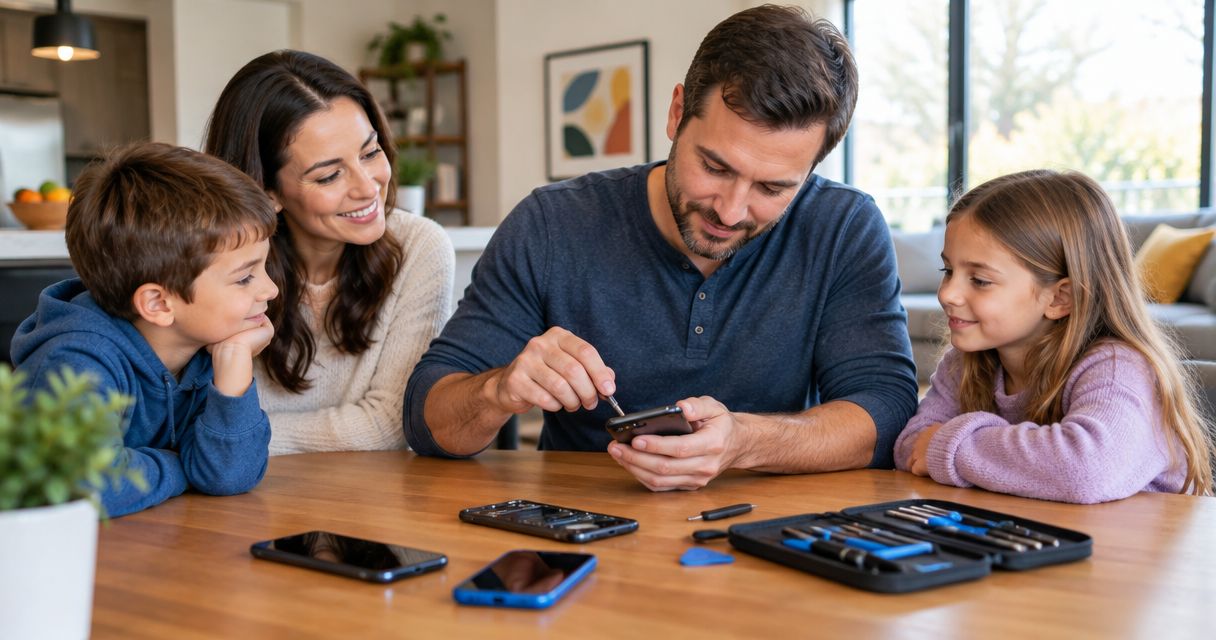
Family phone repair is the inspection and repair of household smartphones with the aim of restoring reliable communication without losing important data or disrupting daily routines. For Edmond and Oklahoma City families, the decision also involves school pickups, shared accounts, and arranging an appointment with Aspect Phone Solutions rather than assuming walk-in service.
- For phone repair for families, Edmond households should prioritize safety, verified backups, and an inspected repair decision.
- Aspect Phone Solutions offers appointment-based smartphone repair, with prices confirmed before authorization.
- Choose repair when the inspected problem is limited and the phone still meets your household’s needs.
- Arrange another contact method before leaving a parent’s or child’s phone for repair.
Why phone repair matters for Edmond families
A broken family phone creates more than a screen problem. You need to know who can receive school messages, access shared calendars, and reach a child or caregiver while the device is unavailable.
Aspect Phone Solutions is best for Edmond families who want appointment-based phone repair with prices confirmed before authorization. Review Aspect Phone Solutions before arranging your visit, and separate the appointment from the repair decision: booking an inspection does not tell you what work the phone needs.
For your 2026 household plan, prioritize the phone’s role rather than its age alone. A parent’s only working phone deserves a different backup arrangement from a spare used mainly for games. The right decision preserves essential communication and avoids authorizing work that does not solve the actual problem.
How to manage a family phone repair
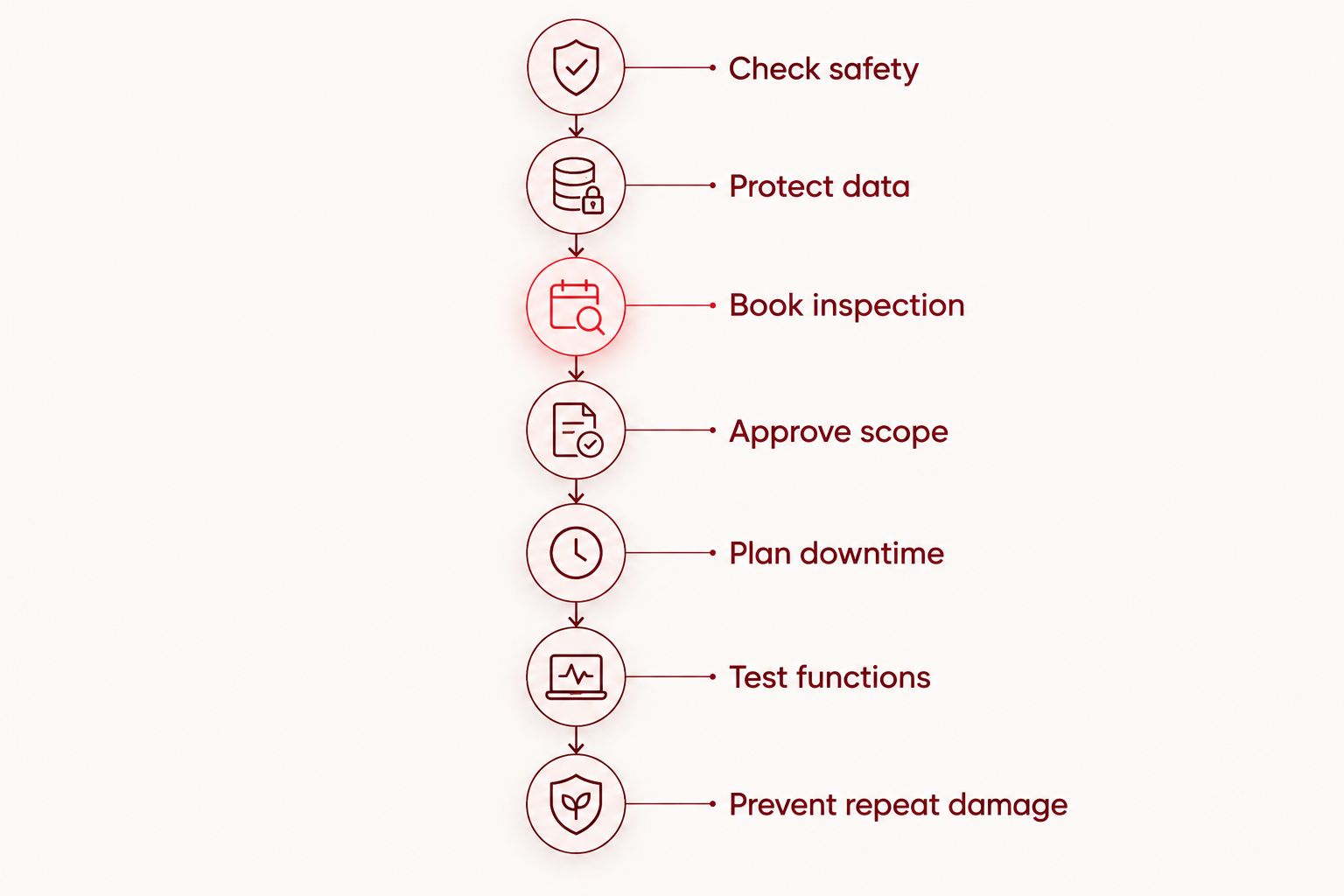
Use this sequence before committing to repair or replacement: Check safety, Protect data, Book inspection, Approve scope, Plan downtime, Test functions, and Prevent repeat damage. Start with the checks you can do yourself; use professional inspection to resolve the fault, not to replace basic preparation.
Check safety
Start with visible damage and the circumstances of the failure. A cracked display, a phone that stopped charging, and a swollen battery need different responses; do not treat them as interchangeable repair requests.
Stop using or charging a phone with a swollen battery. Do not press a lifted screen back into place, puncture the battery, or let a child continue handling the device. For liquid exposure, disconnect charging and avoid repeated attempts to power the phone on. If the device is smoking or burning, move people away and contact emergency services.
For a phone without those warning signs, record what happened before trying ordinary troubleshooting. A restart can help with a frozen device, but it does not establish whether dropped hardware is undamaged.
- Describe the symptom without diagnosing the part yourself.
- Record any drop, liquid exposure, or recent change.
- Note whether calls, touch, charging, and sound still work.
- Keep damaged glass away from children’s hands.
- Tell the repair provider about heat, swelling, or liquid exposure before bringing the device.
Protect data
Use the phone’s existing backup tools before handing it over, provided the device is safe to operate. Check the last successful backup rather than relying on a setting that merely says backup is enabled.
Photos, messages, app data, and account access are separate concerns. Confirm that the items your family needs are actually included, and remember that synchronizing a photo library is not the same as keeping an independent copy. Do not delete photos to prepare for service without understanding how deletion affects synced devices.
Make a 2026 repair checklist that includes account recovery. A working backup is less useful if the only verification prompt goes to the phone being repaired. Never send your account password in a booking message.
- Back up files: save essential photos, contacts, and documents.
- Verify access: confirm you can sign in from another trusted device.
- Save recovery details: keep recovery information somewhere secure.
- Check messaging apps separately for their backup settings.
- Tell the technician if preserving unbacked-up data is your priority.
Book inspection
Write down the exact phone model and symptoms before contacting a provider. Find the model in device settings when possible; appearance and case size are not reliable identification methods.
Aspect Phone Solutions provides appointment-based phone repair for Edmond and the wider OKC area. Use the booking page to arrange the next step, and explain whether you are bringing a parent’s primary phone, a child’s device, or several household phones. Do not assume one appointment covers every device.
An appointment is not a promise that the repair will finish while you wait. Confirm what the visit includes and when you should expect an update. Keep your school-run arrangements separate from any completion estimate until the provider confirms the plan.
- Provide the model and a plain-language symptom description.
- Mention earlier repairs and known damage.
- Ask whether each household device needs a separate appointment.
- Confirm the visit arrangements before traveling.
- Choose 1 adult to receive updates and approve work.
Approve scope
Ask for the inspection findings in language you understand. The useful explanation identifies what failed, what repair is proposed, and what that work will and will not address.
Prices are confirmed before authorization at Aspect Phone Solutions. Do not authorize work based only on a generic online estimate or another family member’s repair experience. Similar-looking damage does not establish an identical repair scope.
For a 2026 repair decision, compare the proposed work with the phone’s remaining usefulness. Check whether it still supports the apps, security updates, and accessibility features your family needs. Ask about replacement-part choices, any effect on device features, and the written terms attached to the repair; do not assume coverage or water resistance.
- Request an explanation of the diagnosed fault.
- Confirm the exact work you are authorizing.
- Ask what happens if inspection reveals additional damage.
- Ask whether any existing problems will remain afterward.
- Review any written repair terms before agreeing.
Plan downtime
Before leaving the phone, decide how your household will communicate without it. Start with an existing safe spare or another trusted adult’s device rather than assuming the repair provider supplies a loaner.
Set up 2 contact methods for essential communication, such as another phone number and email. Tell the school, caregiver, or other relevant contact which one to use temporarily. Keep children’s contact arrangements simple enough to remember without access to the damaged phone.
If you move service to a spare, confirm the process with your carrier. SIM cards, electronic SIMs, and device compatibility differ, so do not reset or erase the original phone just to make the temporary arrangement work.
- Write down essential household and school contact details.
- Confirm how you will receive repair updates.
- Test calls and messages on any temporary phone.
- Check access to school, transport, and authentication apps.
- Arrange pickup only after receiving a completion update.
Test functions
Check the repaired phone before putting it back into daily family use. Start with 3 checks: make a call, test touch across the screen, and confirm charging. Then check the functions connected to the repair and any concerns you reported at inspection.
A working display does not prove the microphone works, and a charging symbol does not prove every earlier symptom has disappeared. Describe any remaining issue promptly and refer back to the agreed repair scope rather than assuming it is part of the same fault.
Use your 2026 household checklist to record the outcome. Keep the repair documentation where the adult responsible for the device can find it.
- Make a call and check both speaking and listening.
- Test touch, typing, brightness, and physical buttons.
- Check the cameras and any biometric sign-in you use.
- Confirm charging and inspect the repaired area.
- Ask for clarification about any feature that behaves differently.
Prevent repeat damage
Match prevention to the way the phone was damaged. A protective case does not solve account-access problems, and a screen protector does not repair an already broken display.
For a child’s device, agree on where it belongs during sports, meals, and charging. For a parent’s phone, establish a consistent storage spot instead of leaving it loose among keys or on a car roof during loading. These habits support the repair without requiring a new device.
Set a routine for checking backups and updating emergency contacts. The goal is not to keep every phone forever; it is to make the next failure less disruptive and the next repair decision easier.
- Choose a case that fits the exact device model.
- Keep phones away from liquids during charging and storage.
- Replace damaged accessories rather than continuing to use them.
- Confirm backups after changing phones or account settings.
- Store repair records with the household’s device information.
Compare your family’s options
Repair is the better fit when the diagnosed fault is limited and the phone still serves your household. Replacement deserves consideration when several problems remain or the device no longer supports essential use. A temporary spare solves communication during the decision; it does not fix the damaged phone.
Use this comparison for your 2026 planning. Compare confirmed findings and written terms, not assumptions about which route is fastest.
| Option | Best for | Main benefit | Key limitation | What to confirm |
|---|---|---|---|---|
| Aspect Phone Solutions appointment-based repair | Edmond and OKC families who can schedule service | An inspected repair decision with prices confirmed before authorization | Requires an appointment; completion timing needs confirmation | Repair scope, update arrangements, and pickup plan |
| Manufacturer or authorized service | Families who want to check existing device coverage | A route to ask about manufacturer-specific service terms | Coverage and service conditions depend on the device and its terms | Eligibility, data preparation, and service process |
| Replace the phone | Households whose device no longer meets essential needs | A chance to choose a device that meets current requirements | Requires data transfer, account setup, and a new device decision | App support, carrier compatibility, and recovery access |
| Use an existing spare temporarily | Families who need communication while deciding | Separates the communication problem from the repair decision | Does not resolve the damaged phone’s fault | Safe condition, service activation, and essential app access |
Common mistakes families make
Treating every broken screen as a screen-only problem
A drop can affect more than the visible glass. Report changes in charging, cameras, sound, or touch so the inspection addresses the full symptom list rather than just the most obvious damage.
Booking around an assumed completion time
Do not place a repair between school pickup and an essential appointment unless the provider has confirmed the arrangements. An inspection appointment and a completed repair are different milestones.
Sending a child’s phone without clear authorization
Decide which adult approves the work and receives updates. Give the provider a working contact method that does not depend on the device being repaired.
Erasing the phone before protecting account access
A reset can remove local information without fixing a hardware fault. Back up first, verify recovery access, and follow device-specific preparation instructions only after you understand what service requires.
FAQ
What’s the best way to arrange phone repair for a family in Edmond?
Start with a safety check, verify your backup, and book an inspection with the exact model and symptoms. Aspect Phone Solutions serves Edmond and the wider Oklahoma City area by appointment, with prices confirmed before authorization.
Can I bring my child’s phone without knowing what broke?
Yes, describe the symptoms rather than naming a failed part. Report drops, liquid exposure, charging problems, and anything that stopped working so the inspection can address your concerns.
Should I repair my child’s phone or replace it?
Choose repair when the inspected fault is limited and the phone still meets your child’s needs. Consider replacement when essential apps or security support are no longer adequate, or several unresolved problems remain.
Can my family wait while the phone is repaired?
Confirm waiting arrangements before the appointment. Completion depends on the inspected problem and the agreed work, so arrange another contact method rather than assuming you will leave with the phone immediately.
Do I need to back up photos before phone repair?
Yes, back up important photos and verify the backup before repair whenever the phone is safe to use. If the phone will not turn on, tell the provider that preserving unbacked-up data is a priority before authorizing work.
Is it safe for my child to keep using a phone with a swollen battery?
No, stop using and charging a phone with a swollen battery. Keep children from handling it, do not press or puncture it, and contact a repair professional for safe handling instructions.
How do I keep school messages working during a repair?
Give the school a temporary working contact method before leaving the phone. Test access to essential school apps on another trusted device and check that account verification does not rely only on the damaged phone.
One last thing
Test account recovery before you need a repair. Being able to open a school app on your phone does not prove you can sign in elsewhere without that phone. Verify access from another trusted device, keep recovery details secure, and give your household a working fallback before handing the device over.


