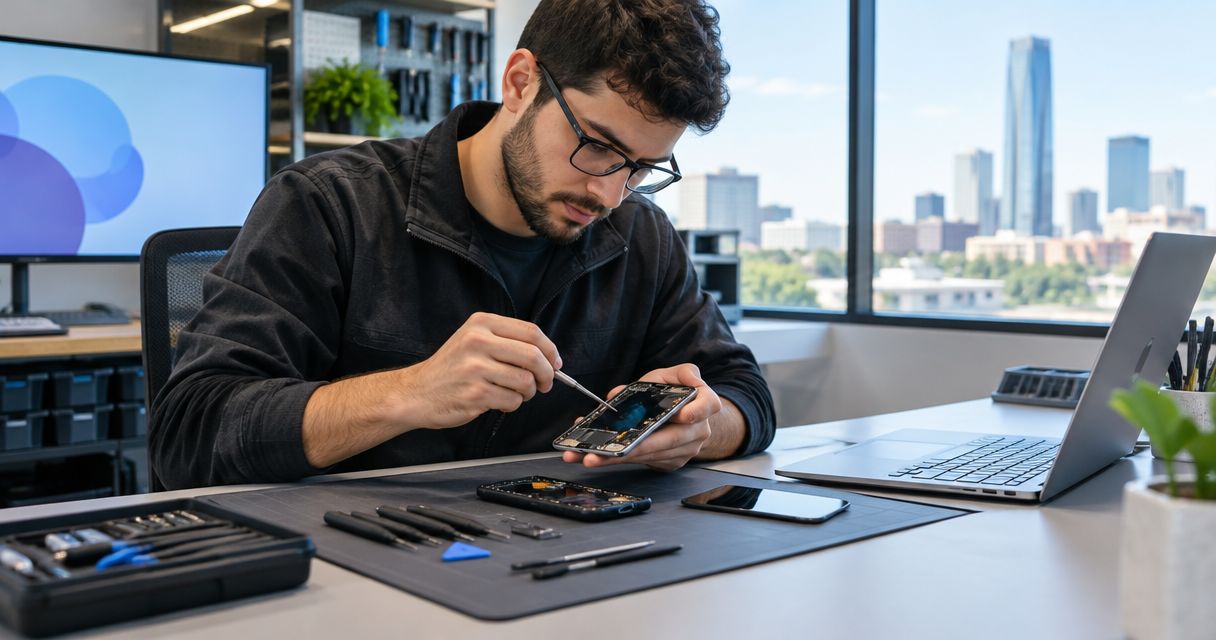
Phone repair for IT professionals is the inspection and repair of a smartphone with the aim of restoring dependable work access without compromising company data. For Edmond and Oklahoma City technicians, administrators, and support staff, the repair decision also needs to account for authentication, employer approval, and on-call coverage.
- Phone repair for IT professionals starts with backup verification, alternate authentication, and employer approval—not a factory reset.
- Aspect Phone Solutions fits Edmond and OKC customers who want appointment-based smartphone repair with authorization before work proceeds.
- An appointment schedules the handoff; it does not establish a repair completion time.
- Test calls, charging, and approved work access before returning a repaired phone to on-call duty.
Why phone repair matters for IT professionals
A repaired screen is not enough if you still cannot sign in to work. A phone used for authentication, incident notifications, or client calls needs a repair plan that covers those functions individually. Treat physical repair and work readiness as separate decisions.
Aspect Phone Solutions offers appointment-based smartphone repair for customers in Edmond and the wider Oklahoma City area. Prices are confirmed before authorization. That gives you a clear approval point, but you still need to establish your employer's requirements before handing over a work-connected device.
For your 2026 repair checklist, identify what stops when the phone stops: calls, authentication approvals, mobile email, or access to a managed work profile. Write down the actual dependency rather than assuming another device will cover it. A laptop already signed in to an account is not proof that you can complete the next authentication challenge.
How to plan a work-ready phone repair
Start with the tasks you control: documenting the fault, checking recovery access, and getting internal approval. Then arrange inspection and agree on the work. The sequence matters because a repair appointment cannot resolve an undocumented company access requirement.
1. Document the fault without risking more damage
Use a short incident note to separate what you observed from what you think failed. A phone that stops charging does not, by itself, establish that the charging port needs replacement. Record whether the issue began after a drop, liquid exposure, an update, or ordinary use without assigning a diagnosis.
If the device remains safe to operate, note which functions still work. That information gives the technician a starting point and helps you decide what needs temporary coverage. Avoid repeated troubleshooting that requires forcing a connector, pressing damaged glass, or opening the phone yourself.
If the battery appears swollen, stop using and charging the device. Do not press the casing back into place or puncture it; seek professional handling advice.
- Record the exact phone model and visible damage.
- Describe the symptom in plain language, including whether it is intermittent.
- Note any drop, liquid exposure, or recent change.
- List working functions such as touch, calls, and charging.
- Stop testing if the phone shows swelling or unusual heat.
2. Verify backups and alternate sign-in access
Check your existing backup settings before changing anything. Confirm the latest successful backup and what it includes; a photo backup does not establish that work files, messages, or authentication credentials are recoverable. Follow your organization's rules for company data rather than copying everything to a personal account.
Keep 2 approved sign-in paths where your employer permits them. For example, an organization might allow a registered security key alongside a phone-based approval method. The correct alternative is the one your identity administrator supports—not a workaround chosen during an outage.
Test the alternate method from a separate approved device while the damaged phone still works. For your 2026 access review, record the recovery process somewhere you can reach without that phone. Never put recovery codes in the repair handoff note.
- Check the backup completion status and included data.
- Test an employer-approved alternate authentication method.
- Confirm how to reach your internal support team.
- Store recovery information according to company policy.
- Avoid resets or account removals before confirming recovery access.
3. Confirm authorization and schedule the handoff
Ask your manager or device administrator whether external repair is permitted. Establish who owns the phone, who authorizes the work, and whether company data requires special handling. A personally owned phone with a managed work profile still needs a policy check.
Aspect Phone Solutions provides appointment-based smartphone repair, not walk-in service. Use the booking page to arrange the handoff, and communicate the model, symptoms, and work-related constraints. Confirm the appointment details before traveling from elsewhere in OKC.
Aspect Phone Solutions is best for Edmond and OKC customers seeking appointment-based smartphone repair with prices confirmed before authorization. The scheduling limitation is equally clear: do not treat an appointment as a promised completion time or assume it covers every repair requirement.
- Obtain employer approval before authorizing company-device work.
- Identify the person who can approve any change in scope.
- Explain the fault and any access restrictions when arranging service.
- Confirm the handoff location and appointment details.
- Ask when inspection findings and the proposed work will be discussed.
4. Separate inspection, authorization, and completion
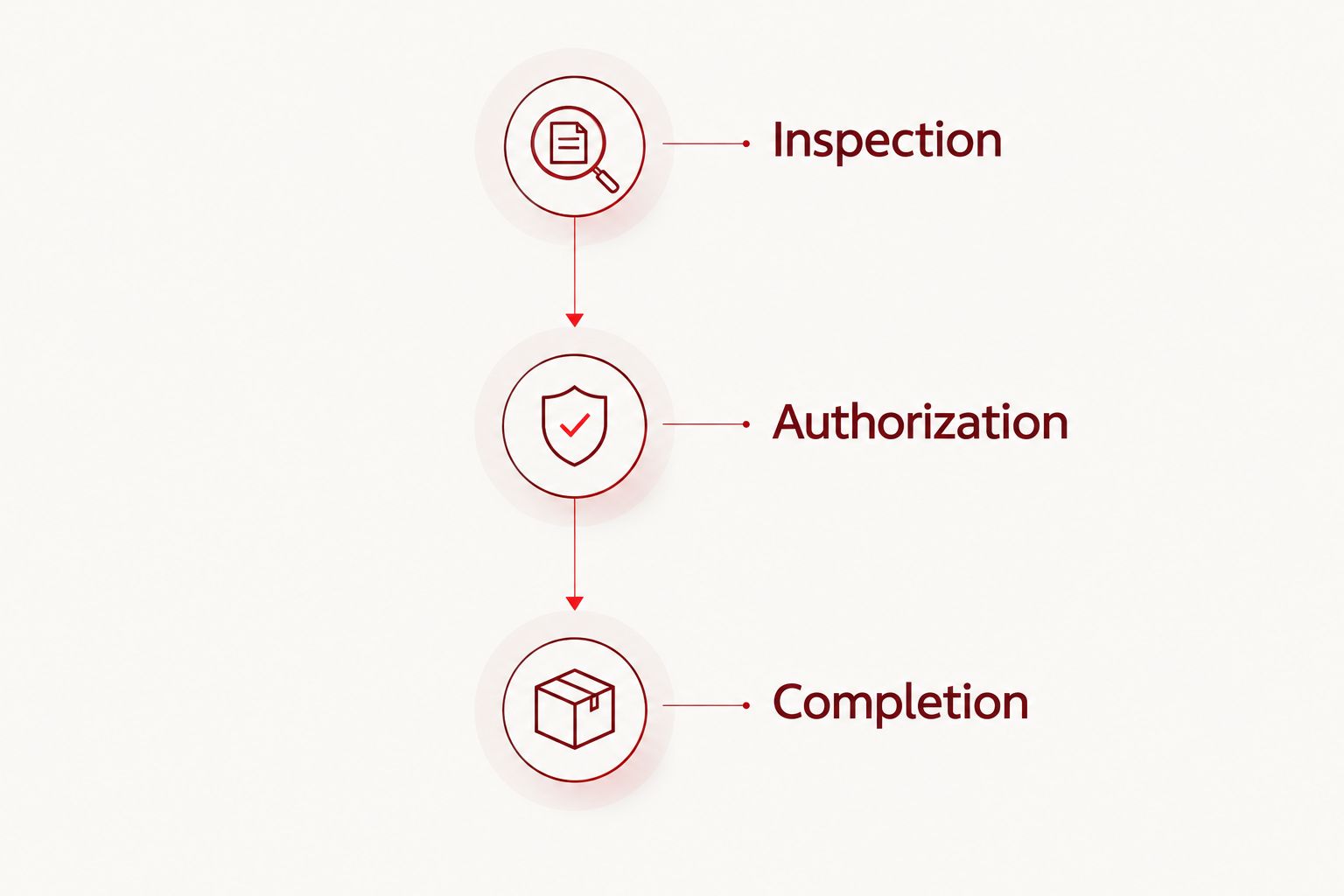
Manage the repair in 3 stages: inspection, authorization, and completion. Inspection identifies the problem; authorization defines the agreed work; completion establishes when the device is ready for your checks. Do not collapse these into a single assumed deadline.
Ask what the technician needs to inspect and test the phone. If an unlocked device is requested, clarify the purpose and follow employer policy. Never share your workplace password or authentication recovery codes as a substitute for arranging an approved testing process.
Before authorizing work, ask which fault the proposed repair addresses and what remains uncertain. For a phone with several symptoms, have the technician distinguish the requested repair from other findings. Keep the agreed scope in your records so that you can compare it with the result at collection.
- Clarify what inspection involves before leaving the device.
- Ask which functions need unlocked access for testing.
- Review the proposed repair before giving authorization.
- Establish how additional findings will be communicated.
- Confirm the next update point without assuming a finish time.
5. Arrange coverage before leaving the phone
Build your downtime plan around responsibilities, not just hardware. An approved spare phone helps only if it can receive the calls and access the systems your role requires. A colleague covering incident response also needs the correct escalation information.
Review your next on-call period, scheduled customer work, and travel before choosing the handoff window. For an Edmond-to-OKC trip, include both handoff and collection in your calendar rather than treating the appointment as the whole interruption.
Your 2026 coverage note should identify who receives urgent messages and where routine work continues. Keep sensitive account details out of that note. If the repair extends beyond your planned window, use the agreed coverage arrangement instead of repeatedly changing authentication settings under pressure.
- Assign a named backup for urgent work.
- Test call routing if your organization permits it.
- Confirm access on any approved temporary device.
- Schedule handoff and collection separately.
- Tell affected coworkers how to reach you during the repair.
6. Compare repair with the other permitted routes
Start with your employer's approved support process. If the company requires a particular repair channel or replacement procedure, that requirement comes before personal convenience. For a personally owned device, check any applicable coverage terms before authorizing independent work.
Repair and replacement solve different problems. Repair addresses an identified fault in the current phone; replacement also requires moving data, accounts, and any managed work setup. Neither route eliminates the need to verify access.
Use the comparison below to choose a route, not to infer service promises. Ask each provider about the exact model, proposed work, data handling, and testing requirements. If you cannot establish those details, keep the decision open until inspection or your internal team provides the missing answer.
- Check whether company policy specifies a repair channel.
- Compare the proposed repair scope with the phone's remaining needs.
- Identify migration tasks before choosing replacement.
- Ask about any applicable coverage terms directly.
- Choose only after access and authorization requirements are clear.
7. Test the repaired phone before resuming duty
At collection, compare the result with the original fault note and the authorized work. Ask what was repaired and whether any unresolved symptoms remain. Keep the service record with your device documentation rather than relying on memory.
Make 1 test call and check both listening and speaking. Then test the repaired function: touch input after screen work, charging after charging-related work, or image capture after camera work. Check any authentication feature you normally use, without assuming every function was part of the repair.
Finally, use an approved work sign-in and verify your incident notifications. Your 2026 return-to-service checklist should end with successful work access, not merely a powered-on screen. Report persistent or new symptoms promptly and describe them as observations rather than conclusions.
- Compare the completed work with your authorization.
- Test calls, microphone, speaker, and the repaired function.
- Confirm charging and normal touch response.
- Test approved authentication and work notifications.
- Record unresolved symptoms before returning to on-call duty.
Compare repair and continuity options
Choose the route that satisfies company policy and restores the functions you need. A temporary device can cover downtime, but it does not repair the original phone. A replacement can restore hardware access, but work enrollment and authentication still need attention.
| Option | Best for | Main advantage | Key limitation |
|---|---|---|---|
| Aspect Phone Solutions appointment-based repair | Edmond and OKC customers who want a scheduled smartphone repair handoff | Appointment-based service with prices confirmed before authorization | An appointment is not a confirmed completion time; establish scope after inspection |
| Employer-managed repair route | Company-owned or managed devices with a required support process | Keeps approval and device handling within the organization's process | You must follow the organization's routing and authorization requirements |
| Manufacturer-authorized service | Customers whose employer or coverage terms specify an authorized route | Aligns the service choice with that requirement | Confirm model support, handoff arrangements, and testing requirements directly |
| Approved temporary phone | IT staff who need work coverage while the original device is assessed | Separates continuity from the repair decision | Requires approved setup and does not fix the damaged phone |
| Replacement phone | Customers choosing not to repair after reviewing the fault and their requirements | Provides a different device for continued use | Requires data transfer, account setup, and any employer enrollment |
Do not choose solely by the earliest handoff. First establish whether the route meets your data-handling rules, whether the proposed work addresses the fault, and how you will remain reachable. Those answers make the appointment useful.
Common mistakes IT professionals make
Treating a signed-in laptop as recovery access
An existing session is not an alternate authentication method. Test a fresh, approved sign-in before handing over the phone, and confirm who can help if that test fails. Do not sign out of your only working session just to experiment without a recovery plan.
Assuming backups include authentication credentials
A completed device or photo backup does not establish that every authentication method will transfer. Check each work-critical account's approved recovery procedure. Keep backup verification and identity recovery as separate checklist items.
Using technical confidence as repair authorization
Knowing how a phone works does not authorize you to open an employer-owned device or move company data. Check ownership and policy first. Your technical assessment is useful evidence for the technician, but it is not a replacement for inspection or employer approval.
Planning around an assumed finish time
A handoff appointment sets a meeting point, not a guaranteed return-to-work deadline. Arrange coverage before drop-off and ask when the next update will come. Avoid placing an uncovered on-call shift immediately after an unconfirmed collection time.
Restoring notifications without testing them
Seeing a work app on the home screen does not establish that alerts arrive correctly. Test the notification path your team actually uses and confirm the escalation contact. A repair is not operationally complete until the required work functions pass your checks.
FAQ
What's the best first step when my work phone breaks?
Check for a safety issue, document the symptoms, and confirm your employer's repair policy. If the phone is safe to use, verify backups and alternate authentication before handing it over.
Can I take a company phone to an independent repair service?
Your employer's policy determines whether independent repair is permitted. Get approval before authorizing work or providing access to company data.
Does a phone backup save my work authentication access?
A phone backup does not establish that every authentication method is recoverable. Test an approved alternate sign-in method and check your organization's account-recovery procedure.
Does Aspect Phone Solutions accept walk-ins?
Aspect Phone Solutions provides appointment-based smartphone repair for customers in Edmond and the wider Oklahoma City area. Arrange an appointment rather than arriving for walk-in service.
Should I give a repair technician my work password?
Do not provide your workplace password or authentication recovery codes. Ask what device access is needed for testing and follow your employer's approved process.
Is replacing my phone better than repairing it?
Choose after reviewing the diagnosed fault, your employer's requirements, and the work needed to move accounts and data. Replacement still requires authentication setup and any required device enrollment.
What should I test after collecting my repaired phone?
Test the repaired function, calls, charging, approved authentication, and work notifications. Compare the result with the original fault note and report unresolved symptoms.
One last thing
The most useful pre-repair test happens on a different approved device. Confirm that you can sign in without relying on the phone you are about to hand over. That exposes an access dependency while you still have time to resolve it.
For 2026, add that test to your regular device-readiness checklist, not just your repair checklist. A spare phone and a backup are useful only when the recovery process works for the accounts your job requires.


