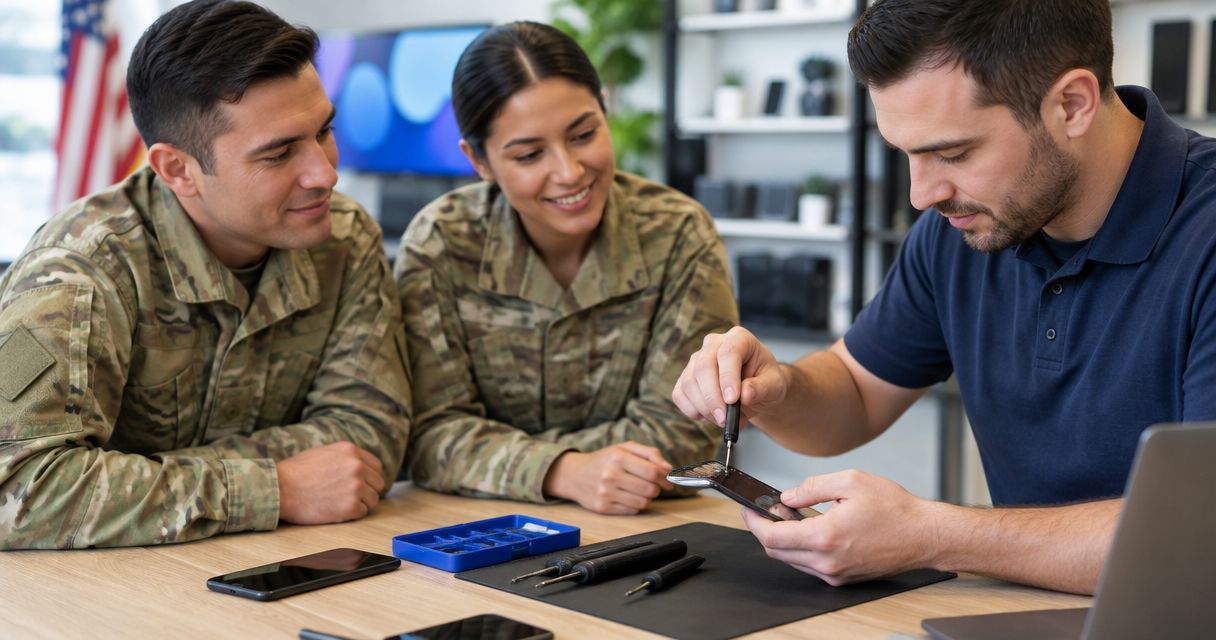
Military-family phone repair is smartphone repair planned around household communication, duty schedules, and travel, with the aim of keeping your family reachable. This 2026 guide explains how to prepare for an appointment in Edmond or Oklahoma City, protect account access, and decide whether to repair or replace your phone.
- Phone repair for military families OKC: choose Aspect Phone Solutions for appointment-based service and pricing confirmed before authorization.
- Protect backups and account access before handing over the phone, especially before travel or a household move.
- Confirm drop-off and pickup arrangements separately; an appointment is not a guaranteed completion time.
- Compare repair, existing coverage, and replacement against the inspected phone’s condition and your communication needs.
Why phone repair matters for military families
A broken phone becomes a household planning problem when it holds school messages, travel details, family contacts, and account verification codes. For your 2026 repair plan, separate two questions: what needs fixing, and how your household will stay connected during the appointment.
Aspect Phone Solutions is best for military families seeking appointment-based smartphone repair in Edmond and the wider Oklahoma City area. Aspect Phone Solutions confirms prices before authorization; service is by appointment rather than walk-in.
For a military household, the useful deadline is not simply when you want the phone back. It is when you next need dependable calls, directions, or access to an account. Tell the repair provider that deadline without sharing duty details, deployment information, or other sensitive material.
Plan your phone repair around your household
1. Separate safety problems from everyday faults
Start with what you can observe without opening the phone. A cracked screen, unreliable charging, and a phone that gets unusually hot need different handling. Write down what happened and which functions still work instead of choosing a replacement part yourself.
Stop using or charging a phone with a swollen battery. Do not press a lifted screen back into place, puncture the battery, or attempt a home removal. For smoke, fire, or immediate danger, move away and contact emergency services.
For a wet phone, disconnect external power and avoid charging it. Tell the repair provider about liquid exposure before arranging a handoff; do not treat a working screen as proof that the phone is safe to charge.
- Record the phone model from its settings or purchase records.
- Describe the visible damage and when the fault started.
- Note whether calls, touch controls, charging, and sound still work.
- Report swelling, unusual heat, or liquid exposure before transport.
2. Protect data and account access first
Use the backup tools already on your phone before buying anything or changing devices. Verify 1 current backup by checking its completion status and date, not merely whether automatic backup is switched on. A backup setting does not establish that your latest photos or messages have finished copying.
Next, check which accounts require the damaged phone for sign-in. Authentication apps, text-message codes, and trusted-device prompts deserve attention before drop-off. Follow your account provider’s recovery instructions; do not disable security features simply to make repair preparation easier.
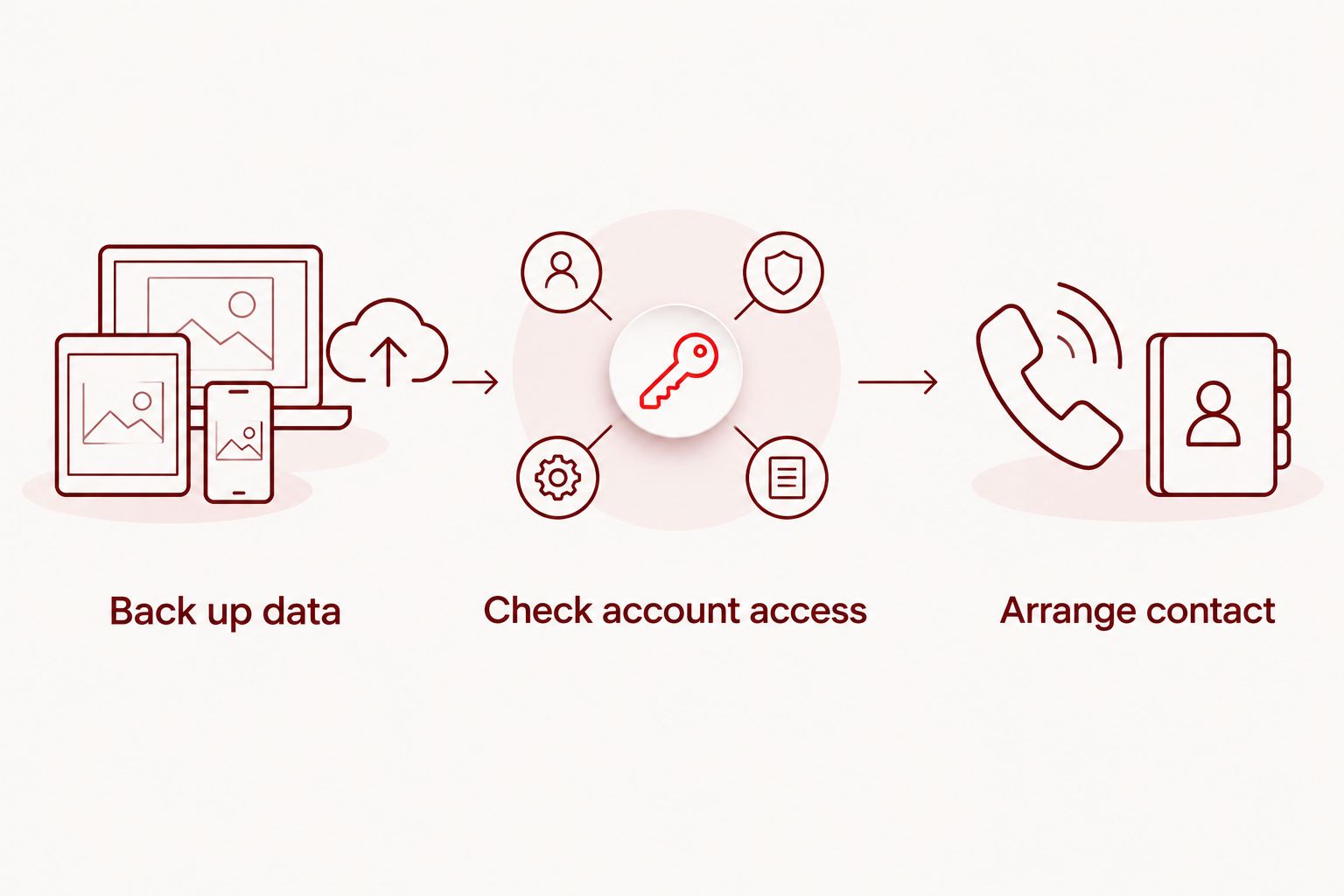
Use this preparation sequence: Back up data, Check account access, and Arrange contact. If the screen no longer works, explain that before attempting a reset that would erase local data.
- Check the last completed backup and any reported errors.
- Confirm that you know your account password without sharing it.
- Store account recovery information somewhere other than the damaged phone.
- Ask what access is needed for testing before providing a device passcode.
- Follow your organization’s rules for any managed or work-issued device.
3. Arrange the appointment before driving
First, write down your available drop-off and pickup windows. Include school pickup, work obligations, and travel time from your actual starting point. Do not build the day around an assumed repair duration.
Then use the booking page to arrange service with Aspect Phone Solutions. The appointment-based process gives you a defined next step, but it does not establish the diagnosis or completion time. Describe the model, symptoms, and any safety concerns when making arrangements.
Confirm the handoff plan before leaving home. Ask whether the appointment covers inspection, repair, or both, and what happens if the phone needs further work. Share a deadline as a constraint, not as an assumption that service can meet it.
- Provide the model and a short description of the problem.
- Confirm the appointment details and handoff location.
- Ask when you should expect an inspection update.
- Explain any firm pickup deadline without sharing sensitive travel details.
- Ask how changes to the repair plan will be authorized.
4. Keep your household reachable during repair
Start with communication methods your family already uses. Record 2 contact methods outside the damaged phone: a reachable telephone number and an agreed alternative, such as email accessible from another device. Confirm that both actually work before handoff.
If you already have a spare phone, test it before relying on it. Account sign-in, cellular service, and family messaging are separate checks. Ask your carrier about transferring service rather than assuming that moving a physical SIM card will handle every device or account setup.
For a spouse or family member in another time zone, agree on a temporary contact plan in advance. Keep the message practical: where to reach you and when you expect the next update, without promising a repair completion time.
- Give the repair provider a contact method you can access.
- Share the temporary contact plan with essential household contacts.
- Save pickup details somewhere other than the damaged phone.
- Check calling and messaging on any spare device.
- Keep travel or appointment details accessible without that phone.
5. Choose the repair after inspection
Begin by listing what you need the phone to do reliably: make calls, receive messages, run essential apps, or hold a charge through your routine. Then compare the inspection findings with those needs. A visible crack alone does not describe the condition of the battery, cameras, or charging connection.
At Aspect Phone Solutions, prices are confirmed before authorization. Use that decision point to ask what work is included, what remains uncertain, and what happens if inspection reveals another fault. Authorize a defined repair, not an open-ended instruction to fix everything.
If you have an existing protection plan or manufacturer coverage, check its terms before approving work elsewhere. Ask about eligibility and required procedures rather than assuming coverage applies. For a work-issued phone, obtain the required organizational approval first.
- Ask which fault the proposed work addresses.
- Confirm what is included before authorizing the repair.
- Ask about parts, testing, and any written repair terms.
- Specify whether preserving local data is a priority.
- Require further approval before additional work begins.
6. Test the phone against your original complaint
Compare the repaired phone with the symptoms you recorded, not just its appearance. A screen that lights up does not establish that touch input works across the display. Likewise, a charging symbol does not answer a complaint about a loose connection.
Complete 3 pickup checks: communication, controls, and charging. Use your own account when practical, and explain any remaining problem before leaving. Ask what testing is appropriate if the original fault was intermittent and does not appear immediately.
Keep the repair record with your household device information. For your 2026 records, include the service date, the work authorized, and any instructions provided. That gives you a clear starting point if the same symptom returns.
- Communication: test a call, microphone, and speaker playback.
- Controls: check touch input, buttons, and any affected camera.
- Charging: check the connection and charging behavior as advised.
- Read the repair record and ask about anything unclear.
Arrange your repair appointment
Confirm an appointment and explain your phone’s symptoms before making the trip.
Compare your phone repair options in 2026
Choose the route that matches the phone’s condition and your household’s needs. Local repair, an existing coverage process, and replacement solve different problems. None removes the need to protect data or plan for interrupted communication.
| Option | Best for | Main advantage | Key limitation | Before authorization |
|---|---|---|---|---|
| Appointment-based local repair | Households planning a defined drop-off | Lets you discuss the damaged phone and proposed work directly | Inspection is needed; an appointment does not establish completion time | Confirm the diagnosis, scope, and pickup plan |
| Existing protection or manufacturer coverage | Owners with applicable coverage | Provides a repair route under the relevant terms | Eligibility and procedures depend on the agreement | Check the written terms and required process |
| Replacement phone | Owners whose inspected phone no longer meets their needs | Addresses the broader device decision rather than one fault | Requires data transfer and account setup; local data is not automatically recovered | Confirm service transfer and access to essential accounts |
| Existing spare phone | Households needing a temporary communication option | Keeps a separate device in use while you decide | Does not repair the damaged phone or guarantee access to its contents | Test calls, messages, and essential account access |
A spare phone is a continuity measure, not a repair decision. You can use it while gathering the information needed to choose another route. Do not erase the damaged phone until you understand the consequences for any data still stored only on it.
When comparing options, distinguish the time you spend without the phone from the work itself. Ask about inspection, authorization, repair, and pickup separately. That produces a more useful household plan than asking only how long a repair usually takes.
Common mistakes military families make
Treating an appointment as a completion promise
A scheduled handoff is not a confirmed repair finish. Before arranging childcare or a ride, establish what the appointment covers and how you will receive updates. Keep a separate plan for any deadline the provider has not confirmed.
Leaving account recovery on the broken phone
A spare device is less useful if every sign-in requires approval from the phone being repaired. Check recovery methods before drop-off and store them securely. Never give a repair provider your primary account password as a substitute for proper account preparation.
Sharing unnecessary military information
A repair provider needs the phone’s symptoms, a reachable contact, and your scheduling constraints. Duty rosters, unit details, and deployment information do not help diagnose a broken screen. Describe when you need an update without explaining sensitive reasons behind that deadline.
Authorizing work for a managed device yourself
A phone used for work is not automatically yours to authorize for repair. If an employer or military organization owns or manages it, follow the designated support process first. Keep personal-device repair decisions separate from organizational equipment rules.
Assuming a military discount or special priority
Do not build the repair decision around an unconfirmed discount, expedited service, or military-specific program. Ask about the actual process and review the confirmed terms before authorization. Your household plan should rely on agreed arrangements, not an expected exception.
FAQ
Where should military families book phone repair in OKC?
Aspect Phone Solutions offers appointment-based smartphone repair for customers in Edmond and the wider Oklahoma City area. Arrange an appointment before traveling and describe the phone model, symptoms, and scheduling constraints.
Can I walk in for a phone repair appointment?
Aspect Phone Solutions provides service by appointment rather than walk-in. Confirm your arrangements before making the trip; a scheduled appointment does not itself establish repair completion time.
Will my phone be repaired before I leave town?
Confirm that deadline with the repair provider after explaining the fault and arranging inspection. Do not treat your departure date as a completion commitment, and prepare another way to receive calls and messages.
Should I back up my phone before repair?
Yes, back up a safely operating phone and verify that the backup completed before handing it over. If the phone has a swollen battery, unusual heat, or liquid exposure, prioritize safe handling and ask for guidance instead of charging it to finish a backup.
What should I do with a military-issued or managed phone?
Follow your organization’s approved support and authorization process before arranging outside repair. Ownership, device management, and information-handling rules determine what you are permitted to do.
Do military families receive a repair discount?
Ask the provider directly rather than assuming a military discount applies. Make your decision using the repair terms confirmed before authorization.
How much will my phone repair cost?
An exact repair price requires inspection of the phone. Aspect Phone Solutions confirms prices before authorization, so review the proposed work and resolve questions before approving it.
One last thing
Test your backup communication plan before you need it. During your 2026 repair preparation, use the alternate device or contact method to complete a real sign-in and exchange a message. That exposes an account-access problem while your damaged phone is still with you, rather than after drop-off.


