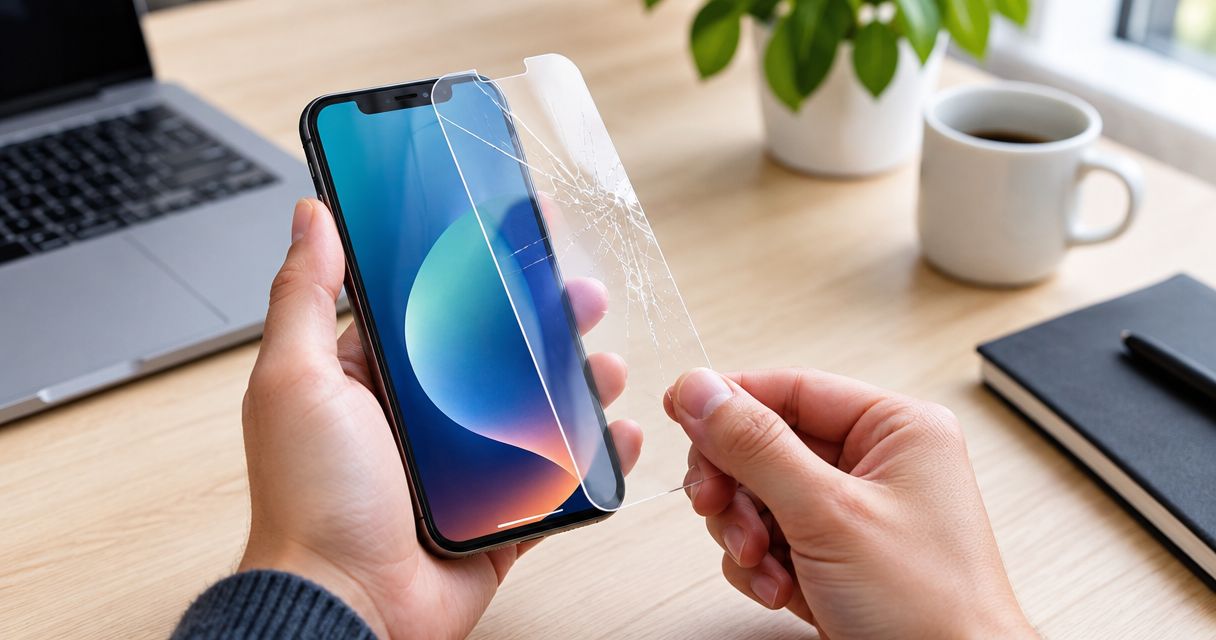
A screen protector can help prevent some scratches and impact damage, but a cracked protector does not guarantee that the phone screen underneath escaped damage. It also cannot repair existing cracks or restore a faulty display. Replace a damaged protector and check the actual screen before deciding whether screen repair is necessary.
- Can a screen protector prevent the need for screen repair? Sometimes, but protection is not a guarantee.
- A cracked protector does not prove the phone screen is intact; check the glass, display, and touch response.
- Replace the protector if only that layer is damaged; arrange inspection if the phone screen shows damage.
- Aspect Phone Solutions provides appointment-based phone repair for Edmond and Oklahoma City customers.
A crack in an accessory and a crack in the phone require different decisions. If the phone itself is damaged, read about whether a cracked screen can cause further damage rather than treating a fresh protector as a repair.
Can a cracked screen protector prevent the need for screen repair?
An intact protector adds a replaceable layer over the screen. After that layer cracks, you cannot judge the condition of the phone just by looking at the protector. Both layers can be damaged in the same incident.
For a 2026 repair decision, separate visible accessory damage from damage to the phone's glass, image, or touch response. These observations help you choose the next step; they do not replace an inspection when the damaged layer is unclear.
| What you observe | What it tells you | Best next step | Best for |
|---|---|---|---|
| Cracked protector, confirmed intact phone glass, normal image and touch | Damage appears limited to the accessory | Replace the protector | Accessory-only damage |
| A crack remains in the phone glass after the protector is safely removed | The phone screen itself is damaged | Arrange screen inspection | Confirmed glass damage |
| Lines, dark patches, flickering, or missing image | There is a display symptom beyond a surface scratch | Arrange phone inspection | Image problems |
| Missed touches or touches registering without input | Touch response needs checking | Back up if safe and arrange inspection | Touch problems |
| You cannot tell which layer is cracked | The damaged layer is unconfirmed | Have it checked before peeling or pressing | Uncertain damage |
A broken protector is evidence that the protector broke—not proof that it saved the screen. There is no reliable way to reconstruct what would have happened during the same fall without it.
Why this matters
Replacing an accessory does not solve damage underneath it. At the same time, a cracked protector alone is not a reason to assume the entire screen needs replacement.
Your useful question in 2026 is not whether the protector looks badly damaged. It is whether the phone's own glass, picture, and touch response remain intact. Keeping those checks separate helps you describe the problem clearly when arranging service.
Avoid pressing on cracks to see whether they move. That adds pressure without establishing which layer is damaged, and broken edges can injure your fingers.
How do I tell whether the protector or phone screen is cracked?
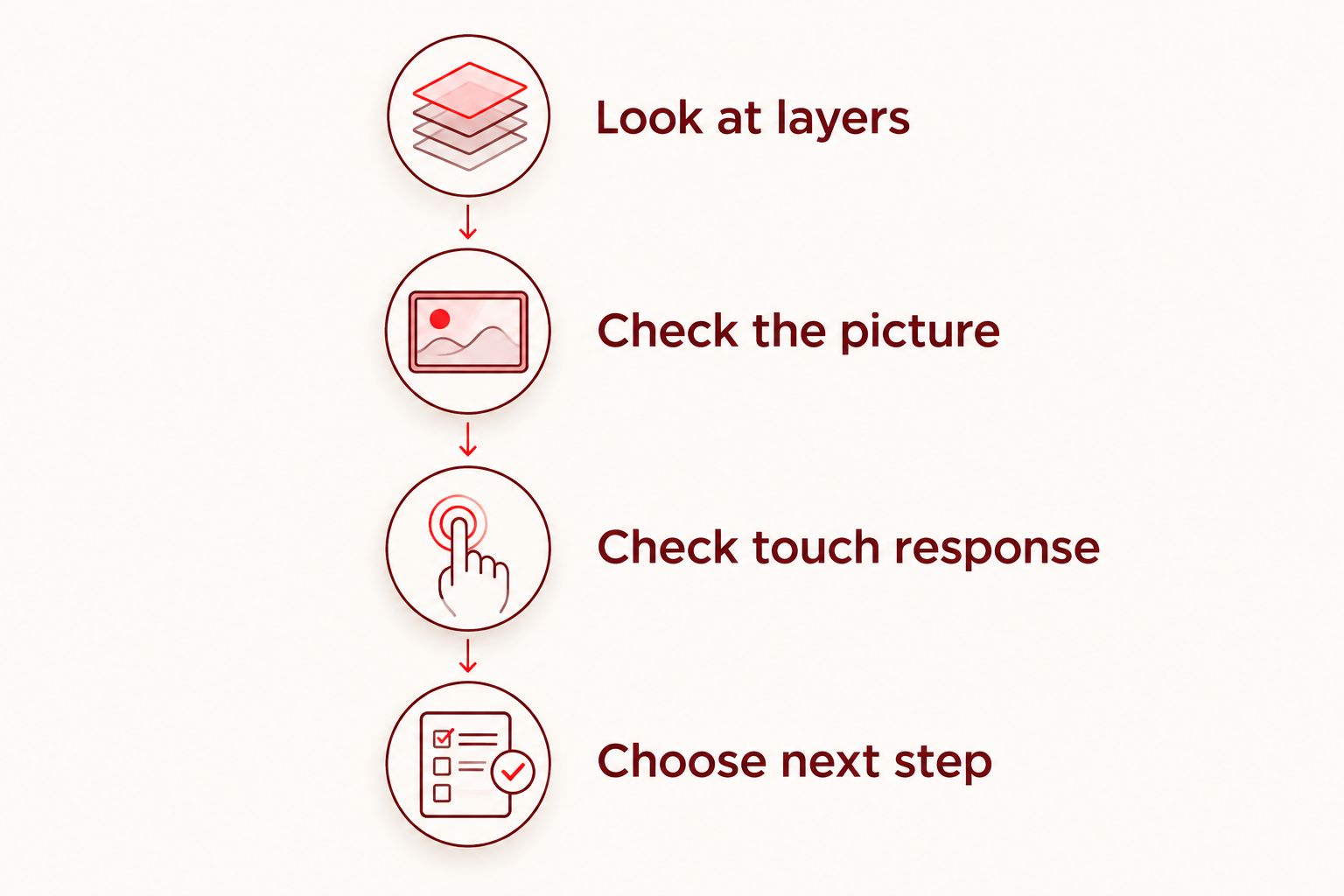
Use a simple sequence: look at the layers, check the picture, then check touch response. Stop if you see loose glass, a lifting screen, or damage that makes handling unsafe.
Look at the layers
Turn the display off and examine the surface under ordinary room light. A protector often has a visible boundary near the edge, camera opening, or speaker cutout. Look for that boundary without tracing cracks with your fingernail.
A crack that appears contained within the accessory is a clue, not confirmation. Overlapping layers, reflections, and adhesive can make the actual screen difficult to assess. Do not bend the phone or press the crack to improve the view.
Check the picture
If the phone is safe to operate, turn on the screen and open something familiar, such as the settings menu. Look for new lines, dark areas, flashing, or sections that no longer show an image.
A normal picture is reassuring, but it does not prove the phone's glass is unbroken. The glass can crack while the display underneath continues showing an image. Conversely, a display problem can exist without an obvious surface crack.
Check touch response
If there are no exposed sharp edges, use gentle, normal touches in different areas. Open an app, scroll, and type a short message without sending it. Notice missed input or unexpected selections.
Do not repeatedly press harder on an unresponsive area. A protector, screen damage, or another fault can affect touch, so a home check identifies a symptom rather than its cause.
Choose the next step
If the protector alone is damaged, replace it. If the phone glass is cracked, the image is abnormal, or touch is unreliable, arrange inspection. If you cannot distinguish the layers, leave removal to someone equipped to handle broken glass.
For your 2026 screen check, record what changed immediately after the drop. A useful description is specific: a crack appeared, the picture developed a line, or touches stopped registering near an edge. That is more helpful than describing the whole phone as broken.
Protector-only damage: replace the accessory
Replacing the protector is the appropriate next step when the phone screen underneath is confirmed intact and works normally. The benefit is straightforward: you replace the damaged protective layer rather than treating it as a failed phone screen.
The limitation is equally important. Normal operation alone does not confirm intact glass, and inspecting through a shattered protector can be misleading. Ask for help if removal would involve loose fragments or force.
Do not leave a cracked protector in place simply because it remains attached. Damaged edges can catch on your finger, and cracks can obscure your view of the phone's condition. Follow the accessory maker's removal instructions rather than using a blade or improvised tool against the screen.
Phone-screen damage: a protector is not a repair
A new protector does not join cracked phone glass back together. It also does not correct image faults or restore damaged touch components. Covering a crack changes what sits over it, not the condition of the screen underneath.
Inspection is best for confirmed phone-glass damage, abnormal images, or unreliable touch. Its advantage is that you can make a repair decision based on the damaged part rather than appearances. Its limitation is that the scope of work cannot be established from the protector alone.
If the screen still works and handling is safe, back up important information before the problem interrupts access. Do not keep testing a phone that is unusually hot, visibly swollen, or separating at the screen; stop using and charging it and seek professional guidance.
Why screen protection varies
A protector is an added layer, not a promise against every accident. These factors explain why similar-looking drops can lead to different outcomes:
- Impact location: A strike to the edge or frame is different from contact with the protected face.
- Landing surface: A projecting point or rough surface concentrates contact differently from a flat surface.
- Protector coverage: Exposed areas do not gain protection from material that does not cover them.
- Existing damage: A cracked or lifting accessory is no longer in its original condition.
- Fit with the case: A case that pushes against the protector can lift its edges or interfere with its fit.
- Type of incident: A face-down fall, pressure in a bag, and a bent phone place stress on different areas.
For protection choices in 2026, focus on correct fit and condition rather than claims that any accessory makes a phone unbreakable. Follow the phone, case, and protector manufacturers' compatibility guidance.
Is a screen protector better than a phone case?
A screen protector and a case cover different areas, so neither replaces the other. A protector sits over the front surface; a case covers parts of the body, edges, and back, depending on its design.
| Option | Best for | Main benefit | Main limitation |
|---|---|---|---|
| Screen protector | Adding a replaceable front layer | Helps protect the covered surface from scratches and some impacts | Does not cover the whole phone or guarantee against breakage |
| Phone case | Covering the body and edges | Adds material around the areas the case covers | Does not make the front glass unbreakable |
| Compatible case and protector | Covering different exposed areas together | Combines front-surface coverage with body coverage | Poor fit can cause interference, and damage remains possible |
Choose compatible protection rather than treating a case and protector as competing solutions. Check for lifted protector edges after fitting the case. If installation changes touch response or fit, resolve that problem instead of assuming it is normal.
Can I put a new protector over a cracked phone screen?
A new protector cannot turn cracked phone glass into an intact screen. Do not press one onto loose, sharp, or uneven glass as a substitute for inspection.
If you are trying to keep the phone usable until an appointment, describe the damage when arranging service and ask how to handle it safely. The answer depends on the actual condition of the phone, not simply whether it still turns on.
How do I arrange a screen check in Edmond or OKC?
Aspect Phone Solutions is best for Edmond and Oklahoma City customers seeking appointment-based phone repair. Service is by appointment rather than walk-in, and prices are confirmed before authorization.
Start with Aspect Phone Solutions to arrange the next step. Explain whether the protector is still attached, whether the phone glass is visibly cracked, and whether the image or touch response changed after the incident.
For your 2026 appointment, prepare a short description:
- Your phone model, if known.
- What happened immediately before the damage appeared.
- Whether the protector is cracked, lifting, or missing pieces.
- Any new image or touch problems.
- Whether you can still access your backup.
Appointment-based service lets you arrange a visit in advance, but it is not a walk-in option. Aspect Phone Solutions confirms pricing before authorization; do not assume a repair scope or amount based only on a photograph of the protector.
Arrange a phone repair appointment
Describe the screen damage and any image or touch problems. Prices are confirmed before authorization.
FAQ
Can a screen protector prevent the need for screen repair?
A screen protector can help prevent some scratches and impact damage, but it cannot guarantee that screen repair will never be needed. It cannot fix damage already present in the phone's glass, display, or touch components.
Does a cracked protector mean it saved my phone screen?
A cracked protector does not prove that it saved the phone screen. Check the underlying glass, image, and touch response because the protector and screen can both be damaged.
Do I need screen repair if only my protector is cracked?
You do not need screen repair solely because the protector is cracked, provided the phone screen underneath is confirmed intact and works normally. Replace the damaged protector, and seek inspection if you cannot tell which layer is cracked.
Can my phone screen be cracked even though touch still works?
Your phone glass can be cracked even when touch still works. Normal touch response does not establish that the glass is intact or remove the need to assess visible damage.
Should I peel off a shattered screen protector myself?
Do not peel off a shattered protector if it has loose fragments or removal requires force. Follow the accessory maker's instructions or ask a repair professional to handle it safely.
Will a new protector stop an existing phone-screen crack?
A new protector does not repair or reliably stop an existing crack in the phone screen. Have the underlying damage assessed rather than treating an added layer as a permanent repair.
Can I walk in for phone repair at Aspect Phone Solutions?
Aspect Phone Solutions provides phone repair by appointment rather than walk-in for customers in Edmond and the wider Oklahoma City area. Prices are confirmed before authorization.
One last thing
A working touchscreen is not the same as unbroken glass. Check both before deciding the protector took all the damage. If the layers are difficult to distinguish, stop pressing and peeling—the useful next move is inspection, not another home test.


