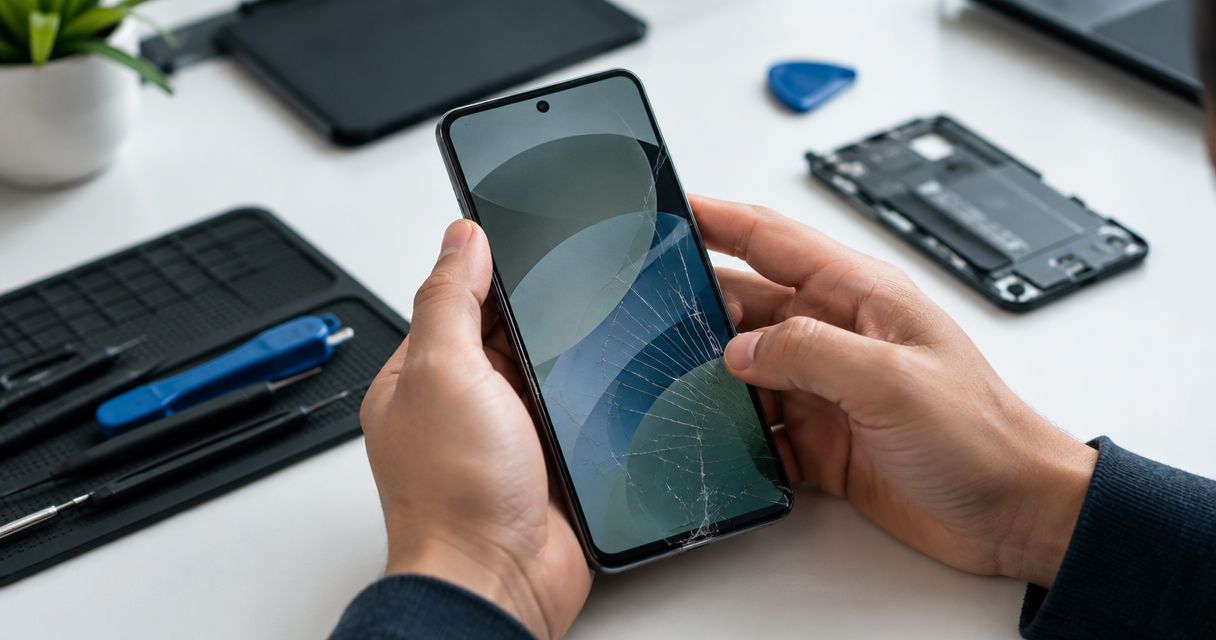
Google Pixel screen repair needs an inspection-based quote: the exact model, screen condition, and any damage beyond the display determine the work required. In 2026, compare written quotes for the same repair scope rather than treating every cracked Pixel screen as the same job. Ask whether the total includes the replacement screen, labor, applicable tax, and any separately authorized work.
- How much does Google Pixel screen repair cost? Get an inspection-based quote for your exact model and damage.
- Compare screen replacement quotes by repair scope, included work, and written terms—not the headline amount alone.
- Aspect Phone Solutions suits Edmond and OKC customers who want appointment-based smartphone repair with pricing confirmed before authorization.
- Back up your Pixel before service if the screen still allows safe access.
How much does Google Pixel screen repair cost?
The useful number is the inspected, itemized total for your particular Pixel—not a generic screen-repair figure. A cracked cover, an unreadable display, and a phone damaged in a fall do not automatically require identical work.
For local smartphone repair, Aspect Phone Solutions serves Edmond and the wider Oklahoma City area by appointment, with pricing confirmed before authorization. Confirm service for your exact Pixel model when arranging an appointment.
Use this breakdown to check what a screen-repair quote actually covers:
| Quote component | What to ask | Why it matters |
|---|---|---|
| Replacement screen | Which screen component or assembly does the quote include? | A quote should identify the part being replaced. |
| Labor | Is installation included in the total? | Parts-only figures do not describe the complete service. |
| Additional damage | Does the inspection identify anything beyond the screen? | Separate faults need a separate explanation and authorization. |
| Testing | Which functions will be checked after installation? | A working picture alone does not establish that every affected function works. |
| Applicable tax | Is tax included in the written total? | Compare final totals on the same basis. |
| Repair terms | What written terms apply to the completed work? | You need to understand coverage and exclusions before approving service. |
Request the quote in writing. If an inspection changes the proposed work, ask for the revised scope before authorizing it.
Why this matters
A broken screen creates two decisions: what needs repair, and whether that repair makes sense for the phone you own. Answer them in that order.
For an Edmond or OKC customer comparing repair options in 2026, the clearest quote connects a specific fault to a specific repair. It should not leave you guessing whether the technician is addressing cracked glass, a display problem, unreliable touch, or damage elsewhere.
Describe symptoms without diagnosing them yourself. Say that the screen shows lines, misses touches, stays black, or has exposed sharp edges. Those observations are more useful than assuming the phone only needs new glass.
Why Google Pixel screen repair quotes vary
These are the details to establish before comparing quotes. A meaningful comparison starts with matching the phone and the work.
- Exact Pixel model. Provide the full model name, including any suffix. Screen parts are model-specific; a quote for a different Pixel is not a direct comparison.
- Display and touch condition. Explain whether you can see the image and whether touch works across the screen. Visible cracks alone do not describe all symptoms.
- Damage beyond the screen. Report a bent frame, damaged back, camera problem, or charging fault. An inspection determines whether those issues affect the proposed repair.
- Replacement part specified. Ask the provider to identify the replacement screen and explain its relevant characteristics. Do not assume different quotes use equivalent parts.
- Work included. Confirm installation, testing, applicable tax, and any separately proposed repairs. An itemized total makes omissions easier to spot.
- Written repair terms. Ask what the provider covers after service and what is excluded. Read the terms rather than assuming every shop uses the same policy.
A symptom is not proof of a particular repair. For example, a black screen needs diagnosis; it does not establish on its own that replacing the display will resolve the problem.
What does your Pixel's screen damage tell you?
Use the symptoms below to explain the problem when booking. They are observations to report, not a substitute for inspection.
Cracked glass with a working image
If you can still see the picture and use touch, describe that clearly. Also report whether the cracks reach an edge or whether any glass is loose.
Do not assume working touch means the repair is limited to the outer glass. Ask which components the proposed repair replaces and why that scope fits the inspection findings.
Lines, dark areas, flickering, or missed touches
Tell the technician whether these symptoms started immediately after the damage or appeared later. Describe whether they happen constantly or only during particular actions.
Avoid repeatedly pressing a damaged area to demonstrate the fault. If possible, explain the behavior verbally or show a photograph taken with another device.
A black screen or a phone you cannot unlock
Report any signs that the phone still responds, such as vibration or sound. Explain whether the damage followed a fall, pressure, or liquid exposure.
A screen quote should not become a promise about recovering access or data. Ask what the inspection can establish and what remains uncertain before approving work.
How do you get a useful Pixel repair quote?
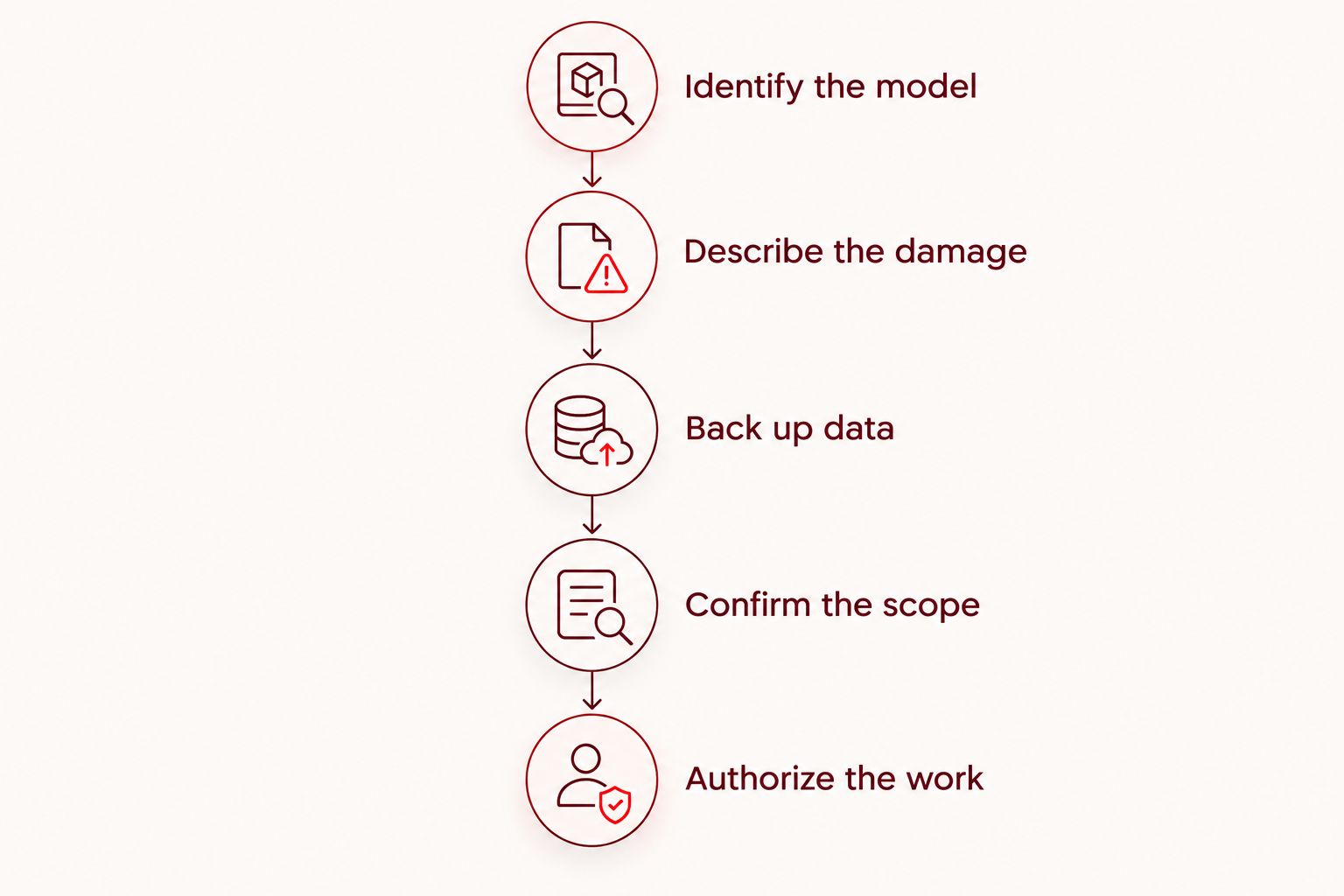
Follow this sequence before handing over your phone. It keeps the conversation focused on the device, the fault, and the work you are authorizing.
- Identify the model. If the display works, check the phone's device information in Settings. Otherwise, use your purchase record or original packaging if available.
- Describe the damage. Note visible cracks, display problems, touch faults, and anything else that changed after the incident. Mention liquid exposure rather than leaving it out.
- Back up data. If you can safely use the phone, confirm that important photos, contacts, and files have current copies elsewhere. Verify the backup instead of assuming it completed.
- Confirm the scope. Ask which part will be replaced, what testing is included, and whether other work is being proposed. Request a written total after inspection.
- Authorize the work. Approve the repair you understand. If additional work is proposed later, request an explanation and revised total before giving further authorization.
For a repair appointment in 2026, also ask how the inspection, approval, and collection arrangements work. Appointment time and completion time are different questions; confirm both rather than assuming they are interchangeable.
Is repairing your Pixel better than replacing it?
Repair fits a phone you still want to use when the inspected fault is limited enough to justify the work. Replacement deserves consideration when the screen is only one of several problems or the phone no longer meets your needs.
Compare the whole decision, including setup and access to your data—not just the damaged screen.
| Option | Best for | Main advantage | Main drawback |
|---|---|---|---|
| Repair the existing Pixel | Owners satisfied with the phone apart from the diagnosed damage | Keeps the device you already use | Other existing faults are not automatically resolved by screen work. |
| Replace the phone | Owners whose device has several problems or no longer meets their needs | Lets you choose a device suited to current needs | Requires setup, data transfer, and checking account access. |
| Defer the decision | Owners who need an inspection before choosing | Avoids authorizing work without understanding the fault | The damaged phone remains unresolved and might not be usable. |
Do not base the decision on the phone's age alone. Consider battery condition, charging reliability, camera function, storage needs, and whether the device still receives the software support you need. Check support information for the exact model rather than assuming all Pixels have the same support period.
For a 2026 decision, compare the inspected repair proposal with the replacement you would actually choose. A hypothetical replacement that does not meet your needs is not a useful benchmark.
What should you confirm before an Edmond or OKC appointment?
Aspect Phone Solutions provides smartphone repair by appointment rather than walk-in. That suits customers who want to arrange service before traveling; it does not suit an unannounced visit.
Before making the trip, confirm:
- Whether your exact Pixel model and reported fault can be assessed.
- What you should bring and what preparation is required.
- Whether the first appointment is for inspection, repair, or both.
- How you will receive the inspected quote and authorize work.
- How the provider will contact you if your Pixel is your only phone.
Ask about timing separately from the quote. The guide to how long a phone screen repair takes covers that question; confirm the arrangements for your own appointment directly.
Do not erase the phone or change security settings simply because you are booking service. Ask what preparation is necessary, and make sure you retain access to your accounts and backup.
Arrange a smartphone repair appointment
Confirm your Pixel model, inspection arrangements, and pricing before authorizing work.
What should you check when collecting the phone?
Ask the provider to explain the completed work and any remaining issues. Keep the repair record and written terms somewhere you can access without relying on that phone.
With the provider's guidance, check the display, touch response, and functions affected by the repair. Look at ordinary content, type a short message, and check areas where touch previously failed. Report an unresolved symptom before treating the repair as complete.
Do not assume screen repair restores any original water-resistance claim. Ask what the provider states about sealing and care after service, and follow the written instructions supplied for the completed repair.
FAQ
Can I get an exact Google Pixel screen repair quote before inspection?
An exact repair total should follow inspection of your Pixel. Provide the full model name and symptoms when booking, then confirm the written scope before authorizing work.
Does a cracked Pixel screen always need a complete display replacement?
A cracked Pixel screen needs assessment before the repair scope is decided. Working touch and a visible image do not prove that an outer-glass-only repair is appropriate.
Is it worth repairing a Pixel with a broken screen in 2026?
Repair is worth considering in 2026 when you still want the phone and the inspected work addresses the problem. Compare the proposal with the device's other faults, software support, and your actual replacement option.
Can I keep using my Pixel if the glass is cracked?
Do not keep handling a Pixel with loose glass, sharp edges, or signs of battery damage. If safe access is possible, prioritize backing up important data and arrange an assessment rather than treating working touch as proof of safety.
Will replacing my Pixel screen erase my photos?
Do not rely on a screen repair as a guarantee that your photos will remain accessible. Back up important data before service when possible, and ask whether the proposed work requires any reset.
Can I walk into Aspect Phone Solutions for a screen repair?
Aspect Phone Solutions offers smartphone repair by appointment rather than walk-in. Confirm your Pixel model and the appointment arrangements before traveling from Edmond or elsewhere in the Oklahoma City area.
What should I ask if a shop finds more damage?
Ask for the additional fault, proposed work, and revised total in writing before authorizing it. Clarify whether the original screen repair still makes sense if you decline the additional work.
One last thing
Before surrendering a damaged phone, check whether it is your only way to receive account-verification codes. A backup of your photos does not automatically give you another way to sign in.
Make sure you can access essential accounts without the Pixel before the appointment. Follow each account provider's recovery instructions, and keep recovery information private rather than including it in repair notes.


