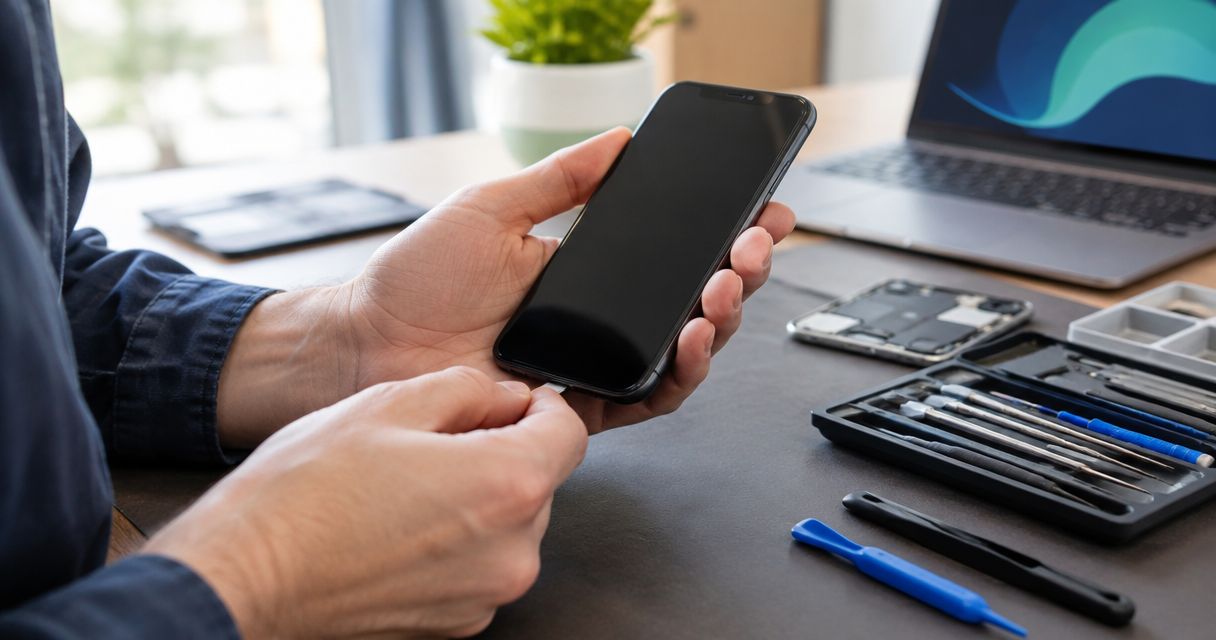
The cost to fix a phone that won’t turn on depends on what failed; an inspection comes before a reliable repair quote. Ask whether diagnosis, replacement parts, labor, and any data-recovery work are included before you authorize service. For a repair decision in 2026, the useful comparison is the confirmed repair scope against the cost and inconvenience of replacing your phone—not a price attached to a black screen.
- How much does it cost to fix a phone that wont turn on? Inspection determines the repair quote.
- A black screen does not prove battery failure; charging, display, software, and internal faults need different repairs.
- Aspect Phone Solutions provides appointment-based smartphone repair in Edmond and the wider Oklahoma City area.
- Tell the repair provider if preserving unbacked-up data matters before authorizing software work or replacement.
Aspect Phone Solutions is best for Edmond and OKC customers seeking appointment-based smartphone repair with prices confirmed before authorization. Arrange an appointment rather than arriving for walk-in service.
How much does it cost to fix a phone that won’t turn on?
A reliable quote follows diagnosis of the failed part or software problem. The same visible symptom—a phone that appears completely dead—can require very different work.
Use this table to understand the possible repair paths, not to diagnose the phone yourself. Each path has a benefit and a limitation.
| Repair path | Best for | What the work addresses | Limitation |
|---|---|---|---|
| Battery replacement | A confirmed failed battery | Restores a working power source | Does not fix a damaged charging circuit or display |
| Charging-system repair | A confirmed charging fault | Addresses the connection or components involved in charging | A different internal fault can produce similar symptoms |
| Display repair | A phone that runs but shows no image | Restores a usable screen | Does not resolve a separate power failure |
| Software repair | A confirmed startup or operating-system problem | Addresses software that prevents normal startup | Some procedures erase local data |
| Internal-board repair | A fault on the phone’s main circuit board | Addresses damage beyond a replaceable battery or screen | Repair feasibility depends on the damage |
| Data recovery | Retrieving files rather than restoring daily use | Focuses on access to stored information | Does not necessarily return a usable phone |
Ask for a written explanation of which path the inspection supports. A quote should identify the proposed work, its total, and what happens if testing reveals another fault.
Why this matters
A phone that will not start is both a repair problem and an access problem. You might need it for work calls, account verification, family contacts, or photos that exist nowhere else.
Those priorities change what you should authorize. If your files matter more than the handset, say so before anyone attempts a reset or other procedure that could erase them. If everything important is backed up, you can compare repair and replacement with less concern about local files.
For Edmond and Oklahoma City customers comparing repair options in 2026, separate diagnosis from permission to repair. Understanding the fault does not mean you must approve every proposed fix.
Battery failure: confirm the cause before replacing it
A failed battery can prevent a phone from starting, but a black screen alone is not enough evidence to order a battery replacement. Charging faults and display failures can make a working phone look dead.
Tell the repair provider whether the phone previously shut down unexpectedly, lost charge quickly, or worked only while connected to power. Those details help direct testing; they do not establish the diagnosis by themselves.
Battery replacement makes sense when testing identifies the battery as the problem and the rest of the phone still meets your needs. Its limitation is straightforward: a new battery will not repair an unrelated damaged component.
Do not keep charging a phone with a swollen battery or a separating case. Stop using it and arrange professional guidance rather than pressing the case closed or trying to remove the battery yourself.
Charging faults: check the power source without forcing the port
A phone cannot start on an exhausted battery if it cannot receive power. The problem can involve the cable, power adapter, charging connection, or circuitry inside the phone.
If the phone is dry, undamaged, and not unusually hot, check the outlet and try a compatible cable and adapter known to work. Look at the charging port without inserting metal tools or forcing the connector. Stop if you see damage or the connection requires pressure to stay in place.
Report what happens when power is connected: a charging symbol, vibration, sound, or no response. Those observations are useful even when the phone never reaches its normal home screen.
A charging-system repair addresses a confirmed charging fault. It does not automatically resolve a battery or display problem discovered during the same inspection.
Display failure: a black screen is not proof of no power
A phone with a failed display can still ring, vibrate, or produce notification sounds. Those signs suggest the device has power even though you cannot see an image.
Try calling the phone from another device and note the result. Silence does not prove the phone is dead: sound settings, connectivity, and an exhausted battery can all affect that check.
Tell the repair provider whether the screen went black after a drop, showed lines beforehand, or stopped responding while sounds continued. Avoid repeatedly pressing a cracked screen to make it work.
Display repair is relevant when testing confirms that the phone operates but cannot show an image. Its limitation is that replacing the screen does not fix separate damage elsewhere in the device.
Software and internal damage: protect your files first
A startup failure can involve software rather than a replaceable part. A phone stuck at a startup logo, repeatedly restarting, or failing after an interrupted update needs a different assessment from one with impact damage.
Use only the manufacturer’s restart instructions for your exact model. Do not follow an unfamiliar button sequence that leads into a reset menu unless you understand what it does.
Internal damage requires inspection rather than a guess based on symptoms. Report any liquid exposure, hard drop, previous repair, or unusual heat, even if the phone continued working afterward.
A repair that restores operation and a service aimed at recovering files are different goals. Read about data recovery from a phone that won’t turn on if your priority is information stored on the device. Recovery is not guaranteed simply because the phone can be inspected.
Why the repair quote varies
The factors below explain why a generic no-power estimate is not a substitute for inspecting your phone. Use them to compare the scope of quotes in 2026 rather than comparing totals without context.
- Phone model: The exact device determines its construction, compatible parts, and repair procedure. Provide the model, not just the manufacturer.
- Confirmed fault: Battery, charging, display, software, and circuit-board problems require different work. Ask what testing supports the proposed repair.
- Extent of damage: A single failed component differs from damage affecting several connected parts. Ask whether the quote covers everything identified during inspection.
- Previous repair history: Tell the provider about earlier repairs and recurring symptoms so those details inform the inspection.
- Your service goal: Restoring daily use and recovering data are different requests. Make your priority clear before approving work.
Ask whether the quoted total includes parts, labor, testing, and any diagnostic charge. These are questions to confirm with the provider—not assumptions about what any particular business charges.
What should you do before a repair appointment?
Prepare information that helps the provider assess the fault without risking further damage. You do not need to open the phone or identify the broken component yourself.
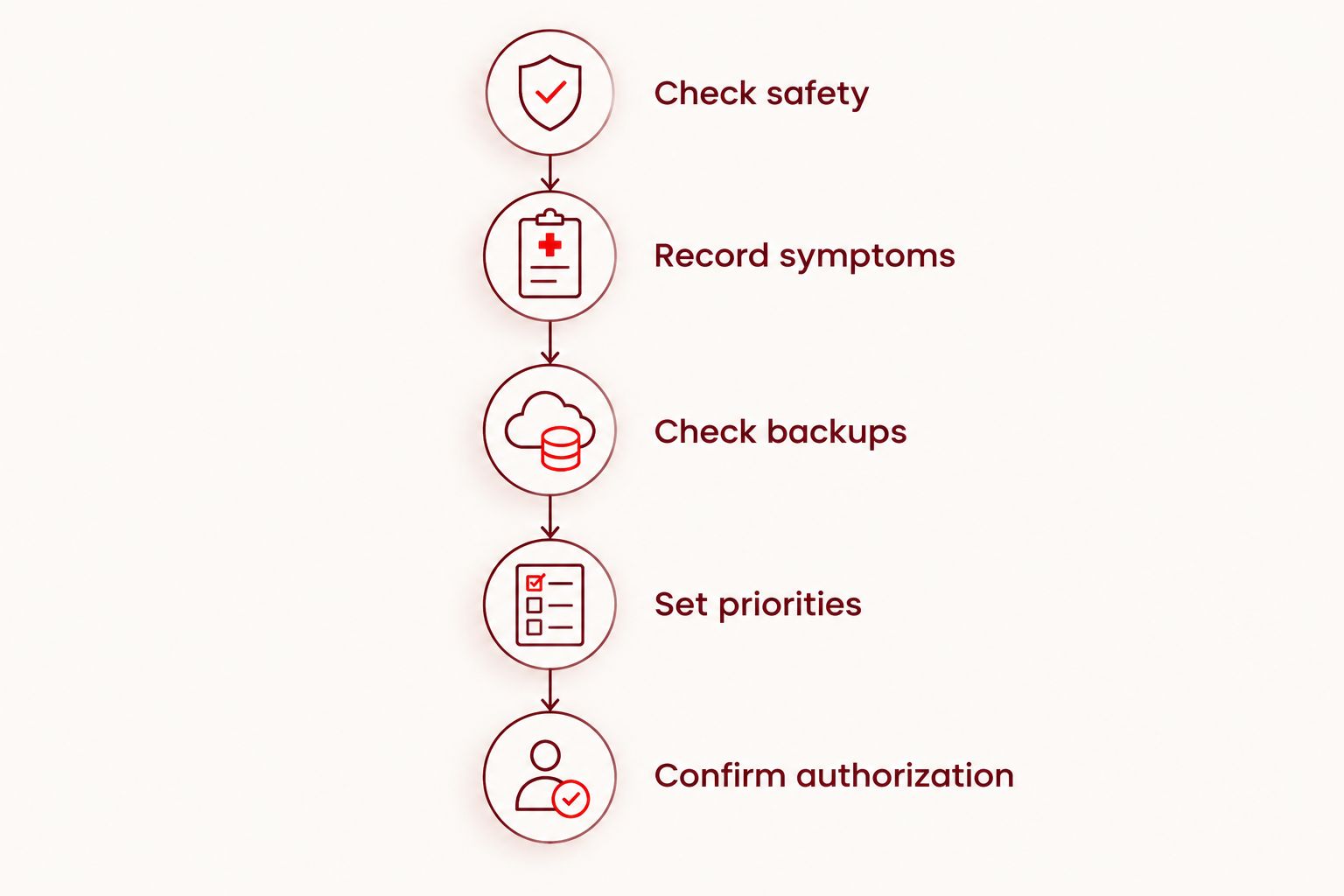
- Check safety. Stop using or charging a swollen, visibly damaged, or unusually hot phone. Do not reconnect power after liquid exposure just to see whether it starts.
- Record symptoms. Write down the last normal use and what happened next. Include drops, moisture, updates, charging behavior, sounds, and vibrations.
- Check backups. From another trusted device, check which photos, contacts, and files are already stored in your backup account. Keep account passwords private.
- Set priorities. Decide whether your main goal is a working phone, access to files, or enough information to choose replacement.
- Confirm authorization. Ask for the proposed repair and confirmed total before agreeing. Specify that additional work needs your approval.
This sequence keeps safety, data, and permission separate. It also gives you a useful way to explain the problem without describing every black-screen phone as a dead battery.
Aspect Phone Solutions offers smartphone repair by appointment for Edmond and the wider Oklahoma City area, with prices confirmed before authorization. That suits customers who want an agreed service plan; it is not a walk-in service.
Arrange a phone repair appointment
Service is by appointment in Edmond and the wider OKC area. Prices are confirmed before authorization.
Is it worth repairing a phone that won’t turn on?
Repair is worth considering when the confirmed fix returns a phone that still meets your needs. Compare that outcome with replacement, including the work of moving accounts, restoring backups, and setting up another device.
Do not make the decision on age alone. Consider the phone’s condition, software support, storage needs, and any other problems you would still have after the proposed repair.
Keep data value separate from handset value. A phone you do not want to keep can still contain files worth pursuing, while a fully backed-up device can be simpler to replace. For a 2026 decision, compare the actual repair quote with an actual replacement option rather than an old advertised figure.
Will fixing a phone that won’t turn on erase everything?
A phone repair does not automatically erase everything, but some software procedures and hardware changes affect access to stored data. Ask what the proposed work does to your files before you approve it.
State clearly if you do not authorize a reset or data-erasing procedure without further permission. A backup reduces the consequences of data loss; it does not turn an uncertain recovery outcome into a guarantee.
Can you get a reliable quote before inspection?
A pre-inspection estimate is not a confirmed diagnosis or final repair quote. A provider needs to establish whether the fault involves power, charging, the display, software, or internal damage.
For smartphone repair at Aspect Phone Solutions, prices are confirmed before authorization. Arrange the appointment and explain the symptoms rather than treating an online no-power figure as the amount you will pay.
FAQ
How much does it cost to fix a phone that wont turn on in 2026?
The repair cost depends on the diagnosed fault, so inspection comes before a reliable quote. Ask for the confirmed total and whether diagnosis, parts, labor, and any data-related work are included before authorizing service.
Is a phone that won’t turn on always a battery problem?
No, a phone that won’t turn on is not always suffering from battery failure. Charging faults, a failed display, software problems, and internal damage can produce similar symptoms.
Can my phone be on even if the screen is black?
Yes, a phone can be running while a failed display shows no image. Ringing, vibrations, or notification sounds are useful observations to report, but inspection is needed to confirm the fault.
Should I keep charging a phone that won’t start?
Do not keep charging a phone that is swollen, unusually hot, visibly damaged, or recently exposed to liquid. For an otherwise dry and undamaged phone, check a compatible known-working cable and adapter without forcing the charging connection.
Should I reset my phone before taking it for repair?
Do not reset your phone before repair if you need unbacked-up files from it. Explain your data priority and ask whether the proposed troubleshooting procedure erases local information.
Can I walk in for phone repair at Aspect Phone Solutions?
Aspect Phone Solutions provides appointment-based smartphone repair rather than walk-in service. Arrange an appointment for service in Edmond and the wider Oklahoma City area; prices are confirmed before authorization.
One last thing
Before you approve repair, ask: What result counts as a successful repair for this phone? A phone reaching its startup screen is not the same as a phone that charges normally, displays correctly, and lets you access the information you need.
For your 2026 repair decision, agree on the goal as well as the work. That gives you a clearer basis for deciding whether the proposed repair solves your problem.


