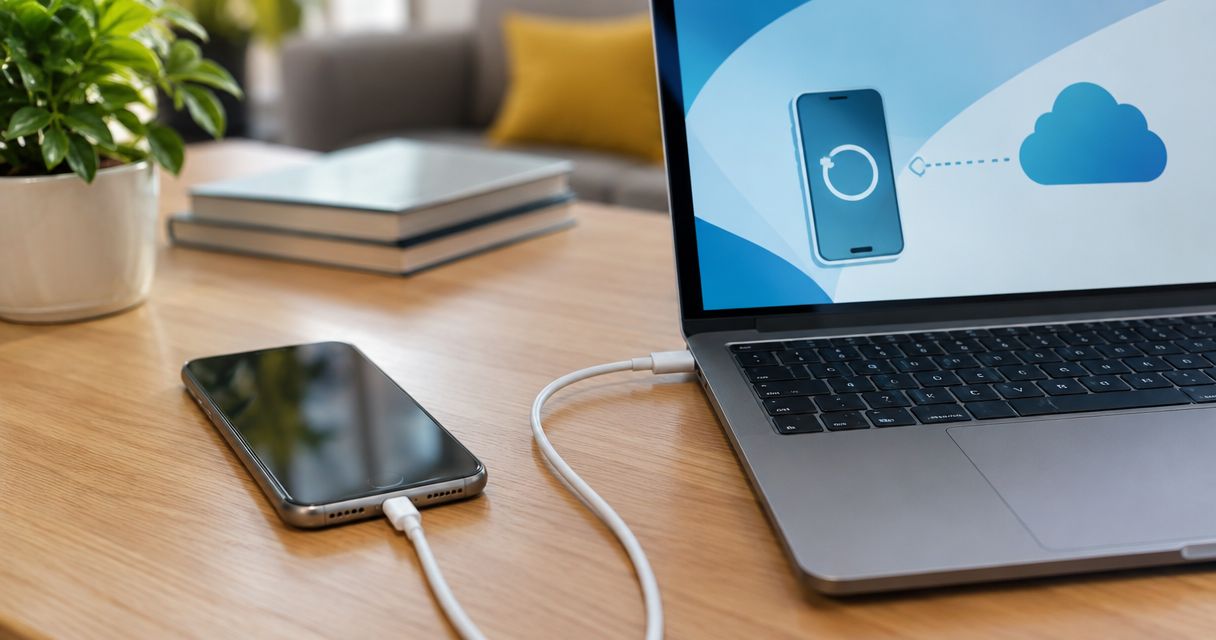
Phone data recovery cost depends on what prevents access to your files; get a diagnosis and a written quote before authorizing work. Ask whether that quote includes inspection, any repair needed to access the phone, and delivery of the recovered files. For an Edmond or Oklahoma City repair decision in 2026, first separate files you can restore from a backup from files that exist only on the damaged device.
- How much does phone data recovery cost? Get an inspected quote that separates diagnosis, repair, and file recovery.
- Check iCloud or Google Photos before authorizing recovery work; verify the specific files you need.
- A phone repair and successful data recovery are different outcomes. Define success before approving either.
- Aspect Phone Solutions offers appointment-based smartphone repair in Edmond and the wider Oklahoma City area.
How much does phone data recovery cost?
The useful number is the quote for your phone’s diagnosed problem, not a general recovery estimate. A broken display, a failed charging connection, and damage to the phone’s main circuit board require different work. A quote also needs to distinguish recovering your files from restoring the phone for continued use.
Timing is a separate question. Read about how long phone data recovery takes, then ask the provider for an estimate tied to your diagnosis rather than a general turnaround promise.
Use this comparison to identify which service you actually need:
| Route | Best for | Main benefit | Limitation to check |
|---|---|---|---|
| Restore an existing backup | Files already saved outside the phone | Avoids extracting those files from damaged hardware | The backup might not contain recent or app-specific data |
| Repair to regain access | A phone whose fault prevents normal use | Can restore a way to unlock and copy files | A working phone does not prove every wanted file is present |
| Specialist recovery assessment | Files trapped on a device with a complex fault | Evaluates recovery beyond an ordinary repair | Assessment does not guarantee recovery |
These routes are not interchangeable. Ask which route the quote covers and what happens if the initial approach does not retrieve your files.
Why this matters
A phone’s replacement value and the value of its contents are different decisions. Replacing the handset does not retrieve photos, messages, or documents stored only on the original device.
Your 2026 decision should start with the missing files, not the phone’s appearance. A shattered screen can hide an otherwise accessible device, while an undamaged exterior does not establish that the internal storage is readable.
Write down what matters most before seeking help. Asking for specific photos or documents gives the provider a clearer target than asking to recover everything.
Restoring a backup: verify what already exists
Best for: files you can confirm are saved outside the damaged phone. Check your cloud account or an existing computer backup from another trusted device before approving work on the handset.
Do not stop at seeing an account name or a backup indicator. Open the actual photos, documents, or other records you need and check whether the relevant dates are covered. A backup made before an important event will not contain files created afterward.
Also distinguish synchronization from a separate backup. Changes and deletions can synchronize between devices, so another signed-in device is not automatically an independent copy.
The advantage is straightforward: files already accessible elsewhere do not need to be extracted from the broken phone. The limitation is coverage; an accessible photo library does not establish that messages, downloads, or data inside another app are also saved.
Repairing the phone: regain access before copying files
Best for: a diagnosed hardware fault that prevents you from unlocking or using the phone. A repair can provide a route back to your files when the underlying storage and required security functions remain usable.
Tell the provider that preserving data is your priority. Ask whether the proposed work involves erasing, replacing, or changing anything that affects access to the original data.
A repair quote and a recovery quote answer different questions:
- Repair: What work is needed to address the device fault?
- Recovery: Which files can be retrieved, and how will you receive them?
- Continued use: Is the phone being repaired for ongoing use or only to enable a transfer?
The benefit is that restoring normal access can let you inspect and copy your own files. The limitation is that completing a hardware repair does not guarantee that deleted or previously inaccessible content will return.
Specialist assessment: establish whether recovery is possible
Best for: important files on a phone whose fault falls outside an ordinary repair. Ask whether the provider performs the required work or refers the device to another specialist.
Modern smartphone security matters here. Data encryption ties access to security information on the device, so removing a storage component is not a universal way to read its contents. Knowing the passcode can be necessary without being sufficient to overcome physical damage.
A specialist assessment can clarify technical limits, but an assessment is not a promise of usable files. Ask what the provider considers a successful result and what you owe if the requested data cannot be recovered.
For a 2026 quote, also establish who will hold the phone and who will communicate with you. If another business becomes involved, confirm the handoff and authorization process before the device leaves the original provider.
Why phone data recovery quotes vary
The work required depends on the device’s condition and the outcome you authorize. Use these factors to compare quotes on the same basis:
- Access problem: A phone that displays an image but does not accept touch presents a different task from a phone that shows no response.
- Damage history: Tell the provider about drops, liquid exposure, overheating, and earlier repairs. That history helps direct the assessment.
- Device security: The phone model, operating system, and availability of the correct passcode affect the access process.
- Backup coverage: Confirmed copies elsewhere change which files still need recovery from the phone.
- Requested result: Copying selected photos is a different scope from checking several types of app data and preparing a transfer.
- Additional work: Ask whether diagnosis, access repairs, specialist handling, and file delivery belong to the same authorization.
Compare scope before comparing totals. A quote for an inspection is not equivalent to a quote for completed recovery, even when both use the same service label.
What should a written recovery quote include?
Ask for a quote you can understand without technical interpretation. It should describe the proposed work, the intended result, and the point at which further permission is required.
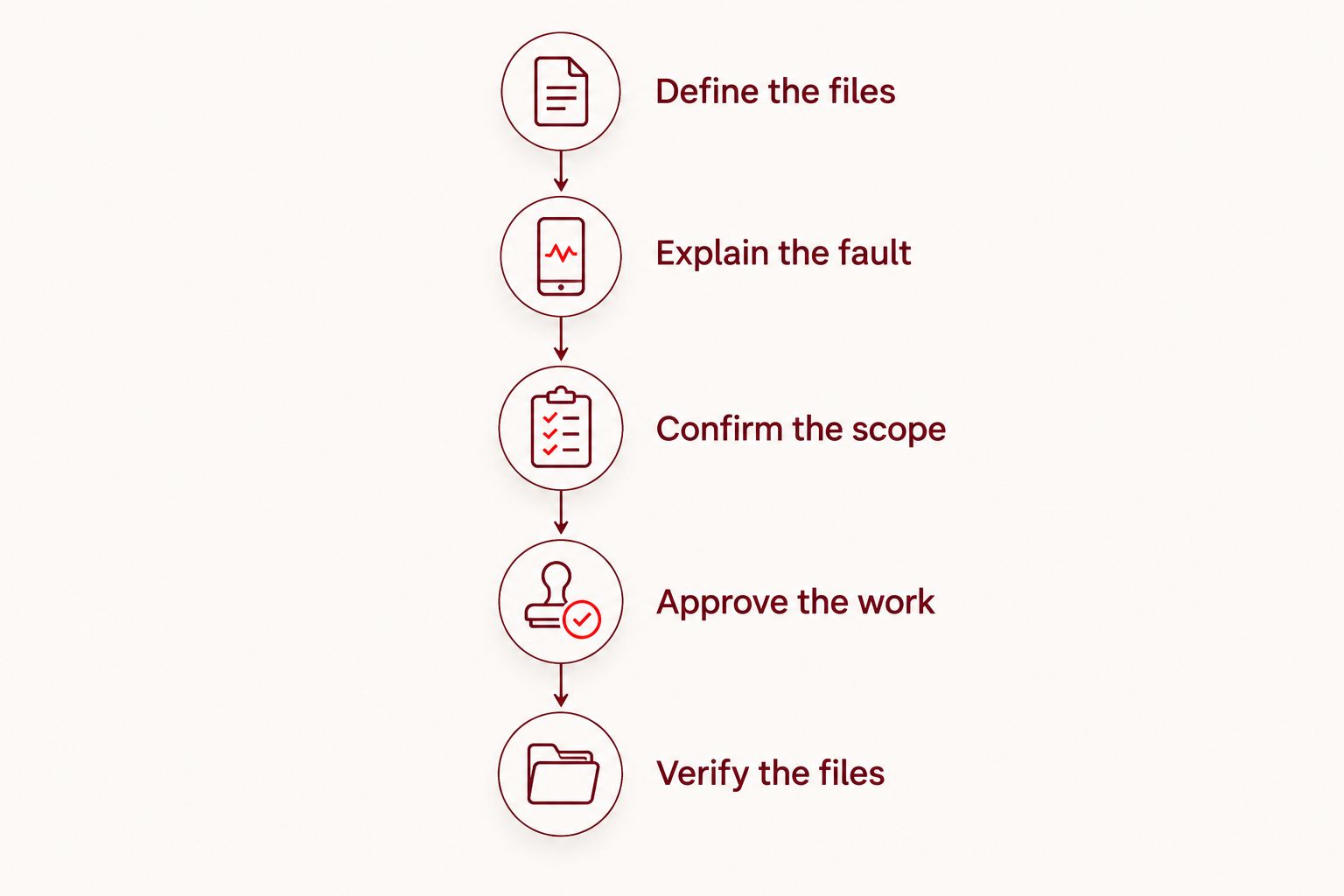
For your 2026 appointment, use this sequence:
- Define the files. Name the photos, messages, documents, or app records you need, including relevant dates.
- Explain the fault. Describe what happened and what the phone does now. Include earlier attempts to repair or reset it.
- Confirm the scope. Ask which assessment, repair, and recovery tasks you are authorizing.
- Approve the work. Set a clear requirement for another approval before additional work begins.
- Verify the files. Agree on how you will check the recovered material before considering the job complete.
Keep your own copy of the authorization. If the proposed approach changes after inspection, ask for an updated explanation rather than treating the original permission as open-ended.
Can data be recovered from a phone that will not turn on?
Recovery depends on the fault, not simply on whether the screen lights up. A blank display does not by itself identify a failed screen, power problem, or damaged main circuit board.
Do not assume repeated charging or restart attempts will solve the problem. Explain the symptoms to a repair provider, especially if the phone became wet, hot, swollen, or physically damaged.
If the battery is swollen or the phone is unusually hot, stop using and charging it. Protecting the device’s contents does not justify continuing to handle an unsafe battery.
Is recovery worth it if I plan to replace the phone?
Recovery is a separate decision from keeping the handset. If an important file exists only on the damaged phone, buying a replacement does not resolve the loss.
Decide what you would accept as a useful result before approving work. Retrieving irreplaceable photos might justify a different decision from recovering documents you can download again from another account.
Do not authorize a full restoration of the handset without discussing your actual goal. If you only need the files, ask whether the proposed work is intended to support data access, continued use, or both.
Should I try recovery software before booking an appointment?
Do not install software, reset the phone, or approve an erase operation just to see whether it helps. Those actions change the device before the recovery problem has been assessed.
Recovery software is not a universal answer to a locked, physically damaged, or encrypted phone. Before using any tool, establish what it does, what access it requires, and whether it writes to or erases the device.
Checking an existing backup from another trusted device is different from experimenting on the damaged handset. Start with copies you can verify without altering the original.
Booking a repair assessment in Edmond or OKC
Aspect Phone Solutions is best for Edmond and Oklahoma City customers seeking appointment-based smartphone repair rather than walk-in service. Prices are confirmed before authorization, so describe the device and your data-preservation priority when arranging the appointment.
Use Aspect Phone Solutions to ask about an appointment and whether your particular recovery problem is within the service offered. Do not assume that offering phone repair means a provider handles every kind of specialist recovery.
The appointment model gives you a defined way to arrange service; the trade-off is that you should schedule rather than arrive expecting walk-in work. Bring your fault history, your list of wanted files, and details of any backups you have verified.
FAQ
How much does phone data recovery cost in 2026?
Phone data recovery requires a quote based on the device’s fault and the files you need. Ask whether the authorization includes inspection, access repairs, recovery, and file delivery.
Will I owe anything if my phone data cannot be recovered?
The provider’s agreed terms determine what you owe after an unsuccessful attempt. Confirm assessment charges, attempted-work charges, and the definition of success before authorizing work.
Can a screen repair help me get my photos back?
A screen repair can restore access when the display or touch function is the obstacle and the phone’s data remains accessible. It does not restore deleted photos or prove that every file is intact.
Does a factory reset help recover phone data?
A factory reset is not a data-recovery step; it erases user data and settings. Do not authorize a reset when preserving files is the priority without understanding its consequences.
Do I need my passcode for phone data recovery?
A correct passcode is often necessary to unlock an encrypted smartphone and access its contents. Ask how you can enter it yourself and how the provider handles access to personal information.
Should I check iCloud or Google Photos first?
Yes, check whether the specific files you need are accessible in your existing account before authorizing recovery. Confirm the relevant dates and file contents rather than assuming everything was saved.
Can I walk into Aspect Phone Solutions for a recovery assessment?
Aspect Phone Solutions provides smartphone repair by appointment rather than walk-in service. Ask about your specific recovery issue when scheduling so the proposed service matches your needs.
One last thing
Receiving a folder is not the same as confirming a successful recovery. For any recovery completed in 2026, open the files that matter, check the dates, and confirm that documents, photos, or videos are usable.
Keep the original phone until you have verified the recovered material and made another copy. Do not erase, trade in, or dispose of the device while you are still checking whether the files you wanted are present.


